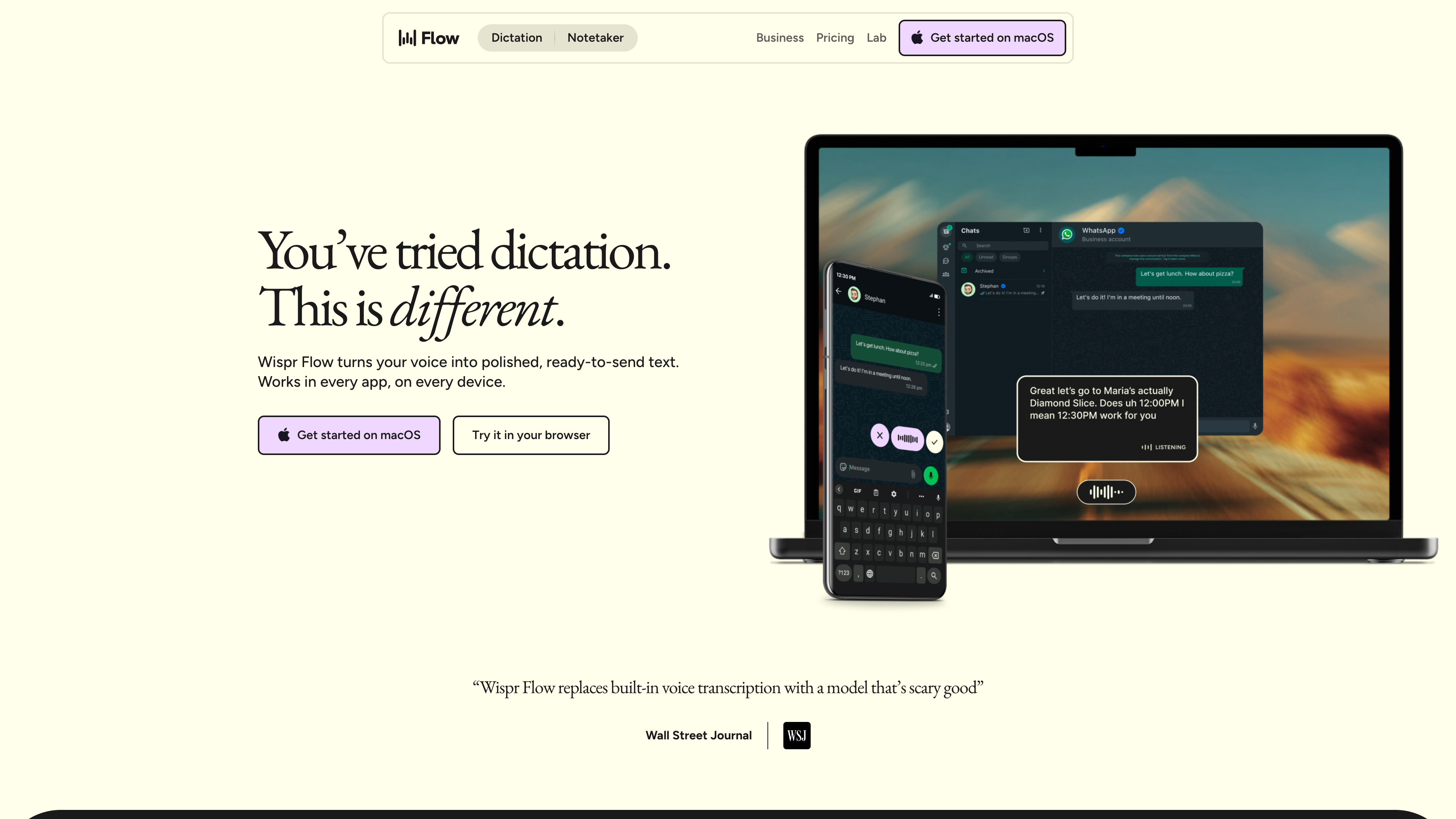
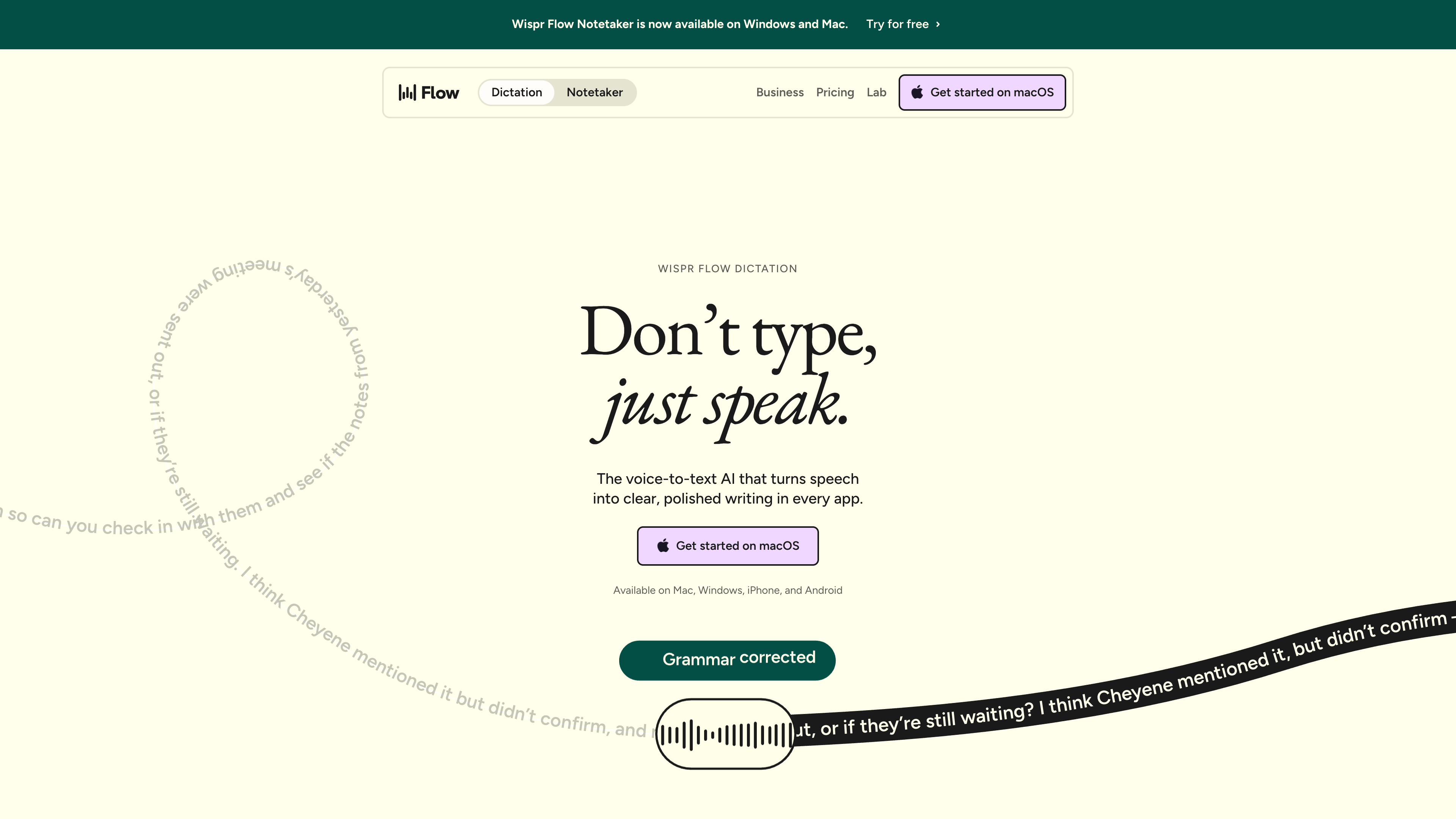
Wispr Flow (wisprflow.ai) is an AI dictation tool from the San Francisco company Wispr. One thing to understand up front: the website is only the storefront — marketing, pricing, docs, and downloads. The product itself is a client app for Mac, Windows, iPhone, and Android. You hold a hotkey (desktop) or a floating button (mobile), talk, and on release, text that has been stripped of filler words, punctuated, and tone-adjusted for the app you're in is typed wherever your cursor sits: email, Slack, iMessage, Notion, a terminal, a code editor, or a ChatGPT box — no plugins required. The problem it targets is that built-in dictation transcribes literally everything, including every "um" and every mid-sentence correction, leaving you to clean up afterward; Flow folds transcription and editing into one step. Its verifiable differences from most peers: one account and one personalization layer across all four platforms, and a claimed 100+ supported languages including Chinese and Cantonese. As of 2026-09-17, the company has just closed a 2B valuation (August 2026) and previewed its own speech model, Canto, repositioning itself from a dictation tool toward a "voice interface layer."
At a glance
- URL: https://wisprflow.ai (product portal; using the service requires installing the app)
- Type: AI voice dictation client + meeting notes feature (Notetaker)
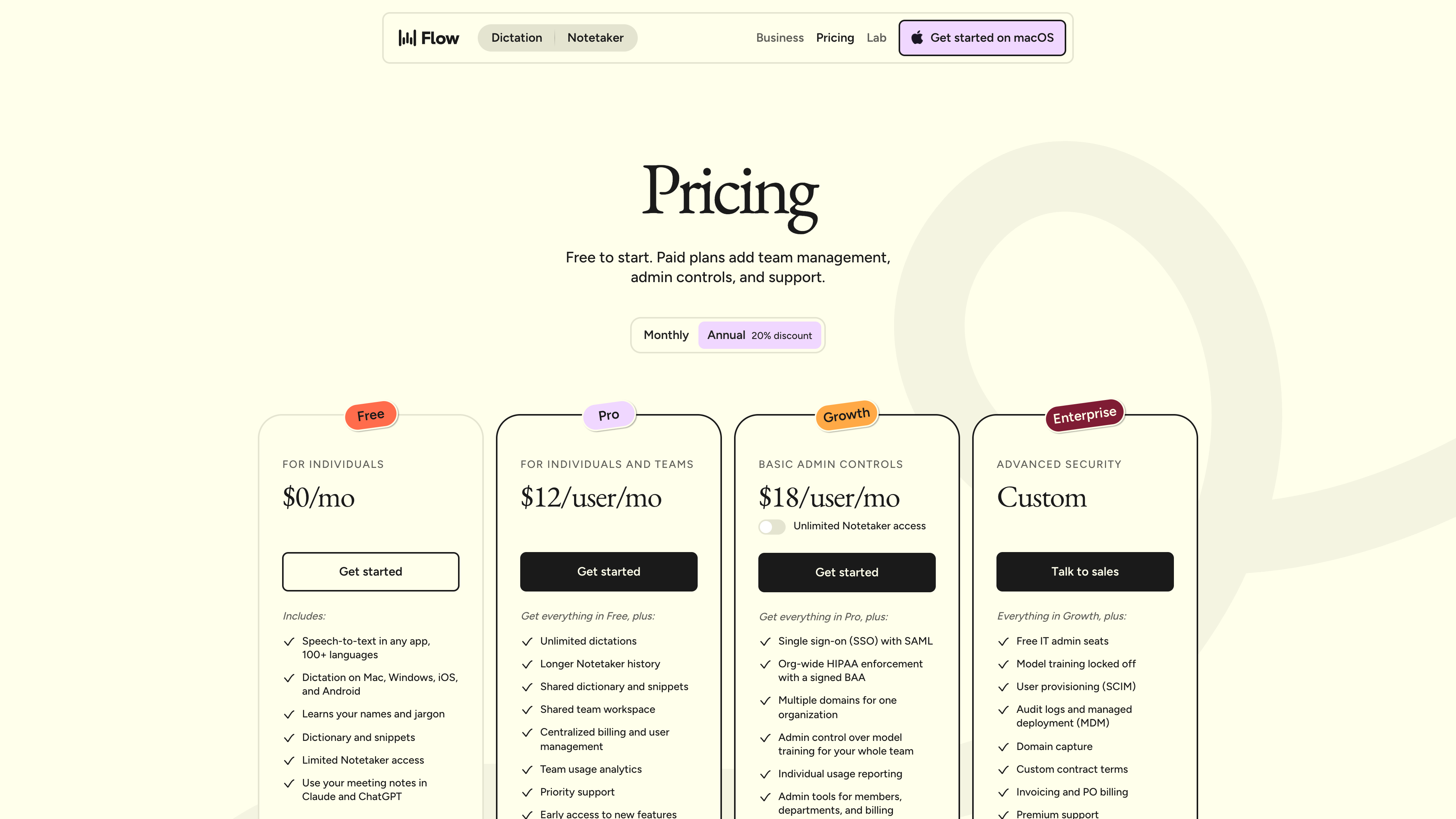
- Cost: Free at 15/user/month (23/user/month ($18 annually); Enterprise custom — see the official pricing page (as of 2026-09-17)
- Account required: Browsing the site and docs needs no account; using the product requires one (Google, Apple, Microsoft, SSO, or email). Users must be 13+ in the US, 16+ elsewhere, and under-18s may need a parent or guardian's consent, per the Terms of Service
- Interface language: The apps and website are essentially English-only; dictation itself supports 100+ languages
- Launched: October 2024 on macOS, followed by Windows (March 2025), iOS (June 2025), and Android (February 2026) — see TechCrunch
Background
Wispr was founded by Tanay Kothari (CEO) and Sahaj Garg (CTO), Stanford classmates — Kothari published at the Stanford AI Lab and made Forbes 30 Under 30 in 2023; Garg was previously the fifth employee and AI team lead at photonic-computing startup Luminous Computing (official media kit). Press coverage and the Wikipedia article date the company to 2021, and it didn't start in software: the original product was a non-invasive wearable that would let users type by silently mouthing words, reading neuromuscular signals. Flow began as that device's software layer. After roughly three years, the team concluded the AI of the day couldn't support the hardware experience, abandoned it in July 2024, and shipped the Mac app a few months later (TechCrunch, June 2025).
The fundraising pace has been aggressive even by voice-AI standards (all figures from official announcements or first-hand reporting):
- June 2025: 56M raised to date (TechCrunch).
- November 2025: 81M total (confirmed in retrospect by TechCrunch, Feb 2026).
- August 17, 2026: 2B valuation, again led by Menlo Ventures; $361M total (official announcement; Reuters reporting cross-checked via Wikipedia).
Alongside the Series B, Wispr previewed Canto, its first in-house speech model: in the hardest conditions — background noise, wind, heavy accents — word error rates fall from over 30% to 5–10%, and the company expects 30–35% fewer dictations to need edits in everyday use. Previously, Flow relied on an ensemble that dynamically picked third-party speech engines per language. On scale, the company's own numbers: more than 60 billion words dictated, employees at nearly all Fortune 500 companies using it, and over 10,000 enterprise customers; an early-2026 essay cites hundreds of thousands of daily active users growing ~40% month over month (The Master Plan).
That essay also lays out the roadmap: first reliable voice input, then "voice to action," then wearables — with the endgame of becoming "the operating system that makes these devices useful." The About page already brands Wispr "The Voice Interface Company," and a new Wispr Advanced Interfaces Lab is led by Chief Scientist Ariya Rastrow, a founding member of the Alexa team.
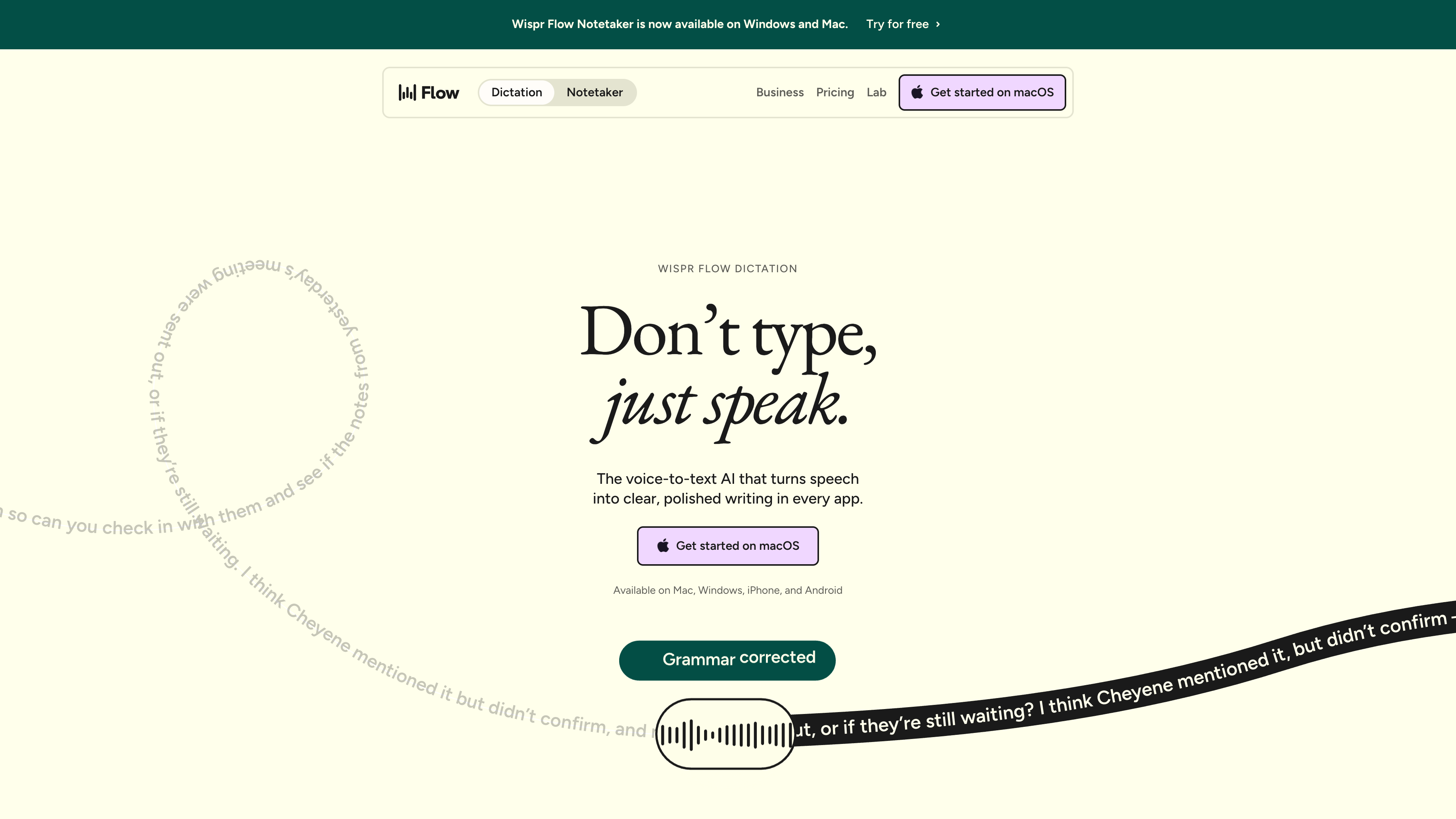
As of 2026-09-17, the homepage banner still reads "Wispr Flow Notetaker is now available on Windows and Mac" — Notetaker is the second product line, launched in August 2026.
Core capabilities: from speech to ready-to-send text
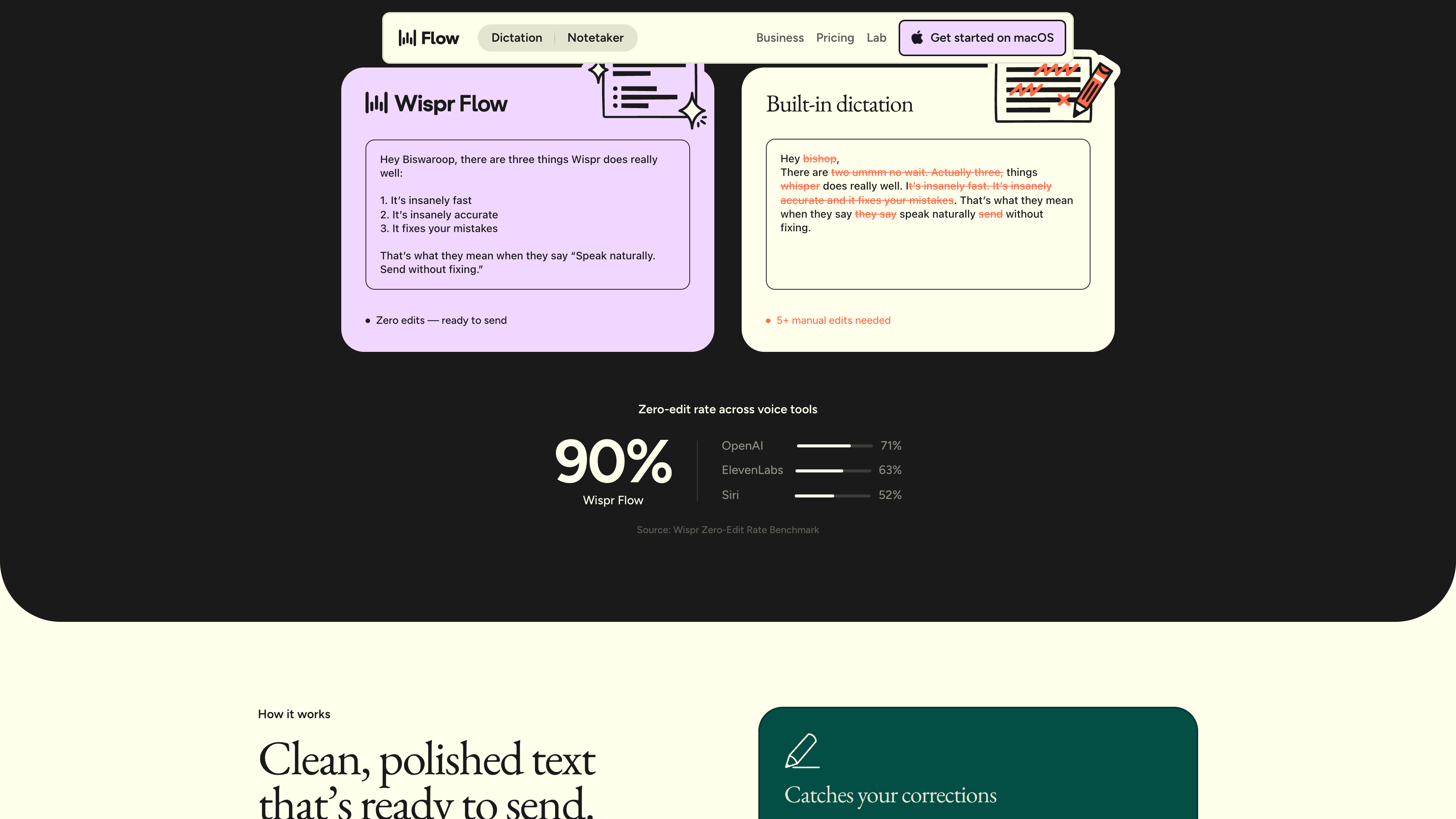
The interaction is the same on every platform: hold, speak, release, and text appears at the cursor. What distinguishes Flow from built-in dictation is not raw recognition but post-processing (official comparison page):
- Catches self-corrections: say "let's meet at 5... actually 6 pm" and built-in dictation writes all of it; Flow outputs only "6 pm."
- Formats as you speak: numbered lists, paragraphs, and email structure instead of a wall of text.
- Adapts tone per app: formal in email, casual in chat, inferred from the current context (personalized styles currently apply only when dictating in English).
- Personal dictionary and snippets: names and jargon are learned automatically or added manually; spoken shortcuts expand saved text like addresses and links.
- Whisper and noise handling: the FAQ says whispering works, recommends keeping the mic close, and explicitly advises against AirPods and other Bluetooth earbuds (compressed audio hurts accuracy).
- Developer features: understands camelCase and snake_case in IDEs, and tags files by voice in Cursor and Windsurf.
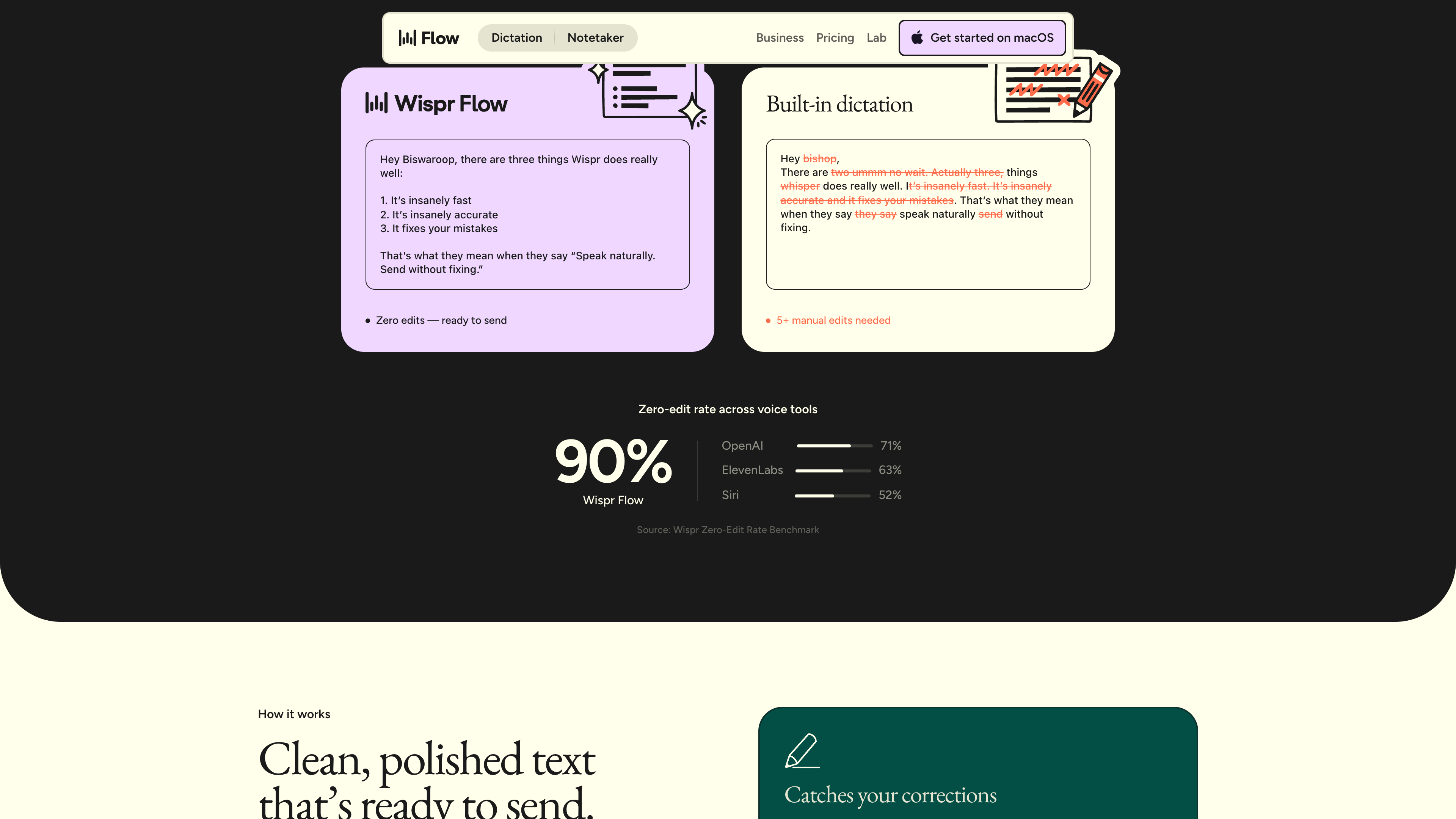
The comparison page quotes a self-published "zero-edit rate" benchmark — the share of dictations ready to send untouched: Flow 90%, OpenAI 71%, ElevenLabs 63%, Siri 52%. This is Wispr's own metric, not independently reproduced, so treat it as a vendor claim.
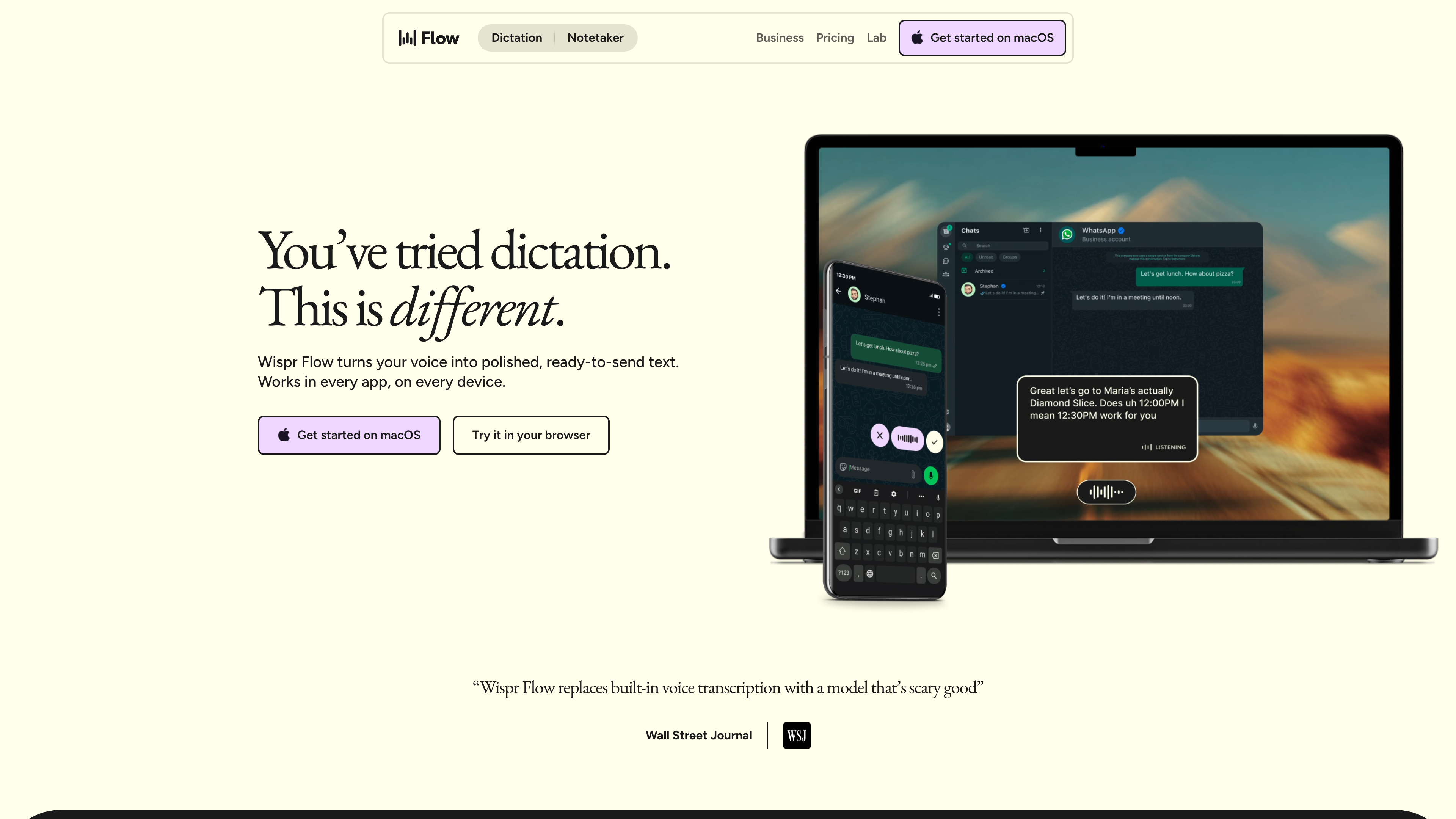
On desktop, Flow is a system-level floating bar triggered by a hotkey; on iOS it works as a third-party keyboard, and on Android as a hold-to-talk floating bubble (TechCrunch). All platforms share one account, with dictionaries and settings synced across devices.
The second product line, Notetaker, launched in August 2026 (extended to Windows on September 15): rather than sending a bot into your call, it records on your device, so it works with any meeting app and even in-person conversations. It offers speaker identification, cross-meeting Q&A, and MCP support to pipe notes into Claude, ChatGPT, and other AI tools. The free plan has a weekly meeting cap; Pro raises it; Growth advertises unlimited access.
Multilingual support, and Chinese in particular
Wispr claims 100+ languages, detected at the start of each dictation session or pinned manually in settings (multilingual help doc):
- Simplified and Traditional Chinese are mutually exclusive variants (selecting one deselects the other), while Cantonese (粵語) is a separate language option. On iOS the variant is pre-filled from your region: China and Singapore get Simplified; Taiwan, Hong Kong, and Macau get Traditional.
- In an official research post (January 2026, by the CTO), the languages "trained and tuned to match English-level performance" are French, German, Hindi, Italian, Portuguese, Spanish, and Thai. Mandarin and Cantonese sit in the second tier, described as "accurate dictation" without the English-parity promise, and the doc concedes that "non-English transcription is not yet as accurate as English."
- Chinese–English code-switching is the officially acknowledged hardest combination: English words may come out as Chinese characters or vice versa, and the recommendation is to pin a single language. Rapid mid-sentence switching is unsupported.
- Android currently offers auto-detect only, with no manual language picker; the app interface remains in English regardless of dictation language.
Pricing
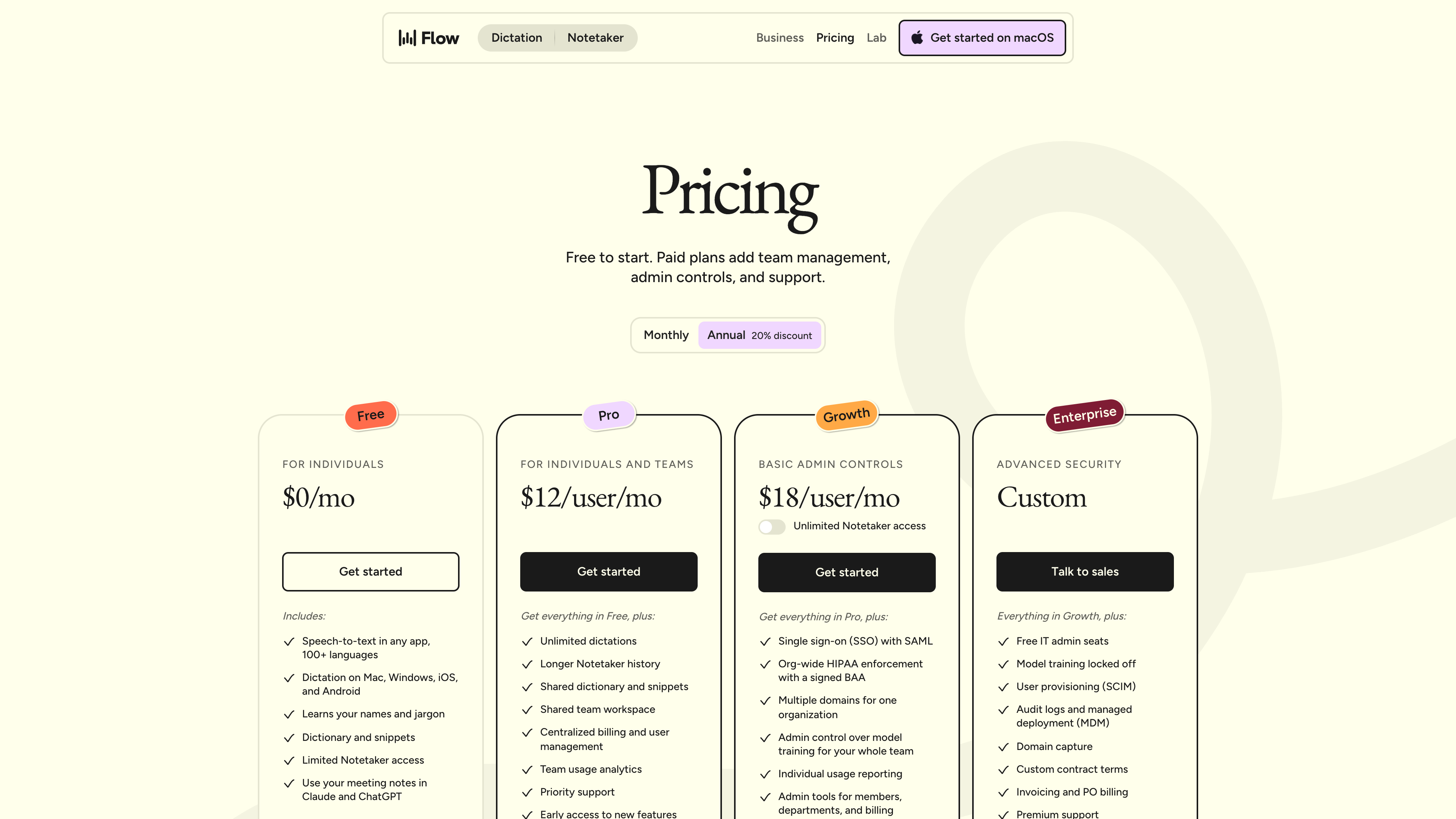
As of 2026-09-17, the official pricing page lists (the page localizes currency by region — visiting from mainland China shows yuan figures, e.g. Pro at ¥44/user/month on annual billing; USD list prices below):
| Plan | Monthly | Annual (per month) | Highlights |
|---|---|---|---|
| Free | $0 | $0 | Dictation in any app, 100+ languages, dictionary and snippets; 2,000 words/week on desktop, 1,000/week on iPhone; weekly Notetaker cap |
| Pro | $15/user | $12/user | Unlimited dictation, longer Notetaker history, shared team dictionary and snippets, centralized billing, usage analytics, priority support, early access to features |
| Growth | $23/user | $18/user | Unlimited Notetaker, SAML SSO, org-wide HIPAA with a signed BAA, multiple domains, admin control over model training |
| Enterprise | Custom | Custom | SCIM provisioning, audit logs and MDM, model training locked off, custom contracts and PO billing, dedicated SLAs |
Worth knowing at the contract level: students and educators get 50% off Pro with an education email, and nonprofits get discounts; payments run through Stripe; subscriptions can be canceled anytime, but refunds are only issued where required by law (Terms of Service).
Accounts and openness
Using Flow requires an account (Google, Apple, Microsoft, SSO, or email); the free tier needs no credit card. Team features start at Pro — shared dictionaries, shared snippets, centralized billing — while enterprise controls sit in Growth and Enterprise. On openness there is a hard boundary: the security FAQ states that the API has been sunsetted, so there is no public developer API; the only integration outlet today is Notetaker's MCP support for piping meeting notes into Claude, ChatGPT, and similar tools. A browser-based demo on docs.wisprflow.ai ("Try Flow instantly") lets you test a few sentences without installing anything. Two contract clauses to note: free accounts inactive for twelve consecutive months can be terminated, and US users agree to mandatory individual arbitration with a class-action waiver (opt-out by email within 30 days of registering).
Privacy and data handling
A dictation tool processes some of the most sensitive data you produce, and Flow's data policy has several points worth reading closely (Data Controls, Privacy Policy, security & compliance FAQ — all as of 2026-09-17):
- Transcription always happens in the cloud. There is no offline mode, and the service is not end-to-end encrypted — audio must be decrypted server-side to be transcribed. Traffic is TLS 1.2+, storage AES-256, and all data is processed and stored in the United States; EU/UK transfers rely on Standard Contractual Clauses.
- Individual and trial accounts allow dictation audio, transcripts, and your edits to be used for model improvement by default. The opt-out is the "Improve the model for everyone" toggle (Settings > Data and Privacy). Enterprise and HIPAA BAA accounts default to no training, and enterprise accounts cannot turn it on at all.
- A separate "Dictation Cloud Storage" toggle controls whether transcripts and audio history are kept on Wispr's servers; both toggles off is what Wispr calls Zero Data Retention. Note, however, that snippets and personal dictionaries sync to the cloud regardless, and usage stats like word counts are always collected.
- Output generation may call OpenAI or Anthropic models; Wispr says all third-party AI providers are under zero-retention agreements — no training on your data, and shared data is deleted within 30 days. Meeting audio is not used for training unless expressly disclosed and enabled; Google Calendar, Gmail, and other Google data are never used for training.
- The optional "Context Awareness" feature reads text from the active app window to spell names correctly; "Auto-add to Dictionary" watches your edits in the text box. Both can be turned off.
- The compliance picture needs careful reading. The homepage and pricing page advertise "SOC 2 Type II, HIPAA, and ISO 27001 certified," but the official security FAQ (2026-09-07) discloses that the previous SOC 2 Type II (Accorp Partners) and ISO 27001 (Gradient) certificates were proactively invalidated in March 2026 over integrity concerns at the original auditor (the "Delve situation"). New audits by A-LIGN are underway: SOC 2 Type I completed April 2026, while SOC 2 Type II and ISO 27001 Stage 2 remain in progress (official explanation). If you handle sensitive or regulated data, treat the FAQ — not the marketing pages — as authoritative.
Where it fits
- Text-heavy knowledge work: jobs dominated by email, documents, and chat; Wispr claims that after six months the average user types 72% of their characters through Flow (media kit, vendor figure).
- Prompting AI tools: speech supplies more context than typing, and both the site and press coverage highlight dictating to ChatGPT, Claude, and Cursor as a headline use case.
- Developers: dictated comments and docs, plus voice file-tagging in Cursor and Windsurf.
- Accessibility: people with RSI, carpal tunnel, arthritis, dyslexia, or ADHD who find typing painful (user groups documented in Wikipedia); a 40% accessibility discount is offered (Google Play listing).
- On the move: replying to messages and capturing thoughts while walking or commuting.
- Regulated settings: healthcare use is possible under a signed BAA (which disables Notetaker and cloud storage for the account).
Limitations
- Requires an internet connection: all transcription is cloud-based, so nothing works offline; third-party reviews (Android Police, via Wikipedia) flag the connectivity requirement as a core constraint.
- Training is on by default for individuals: audio and transcripts may feed model improvement unless you opt out in settings — a default in some tension with the "privacy-first" marketing.
- Chinese support is present but second-tier: no English-parity tuning commitment, code-switching with English is the acknowledged worst case, personalized styles are English-only, and the UI has no Chinese.
- Compliance transition period: old SOC 2 Type II / ISO 27001 certificates were invalidated and replacements are not fully issued yet (see above); marketing pages lag the official FAQ.
- Desktop resource usage: How-To Geek's comparative review (via Wikipedia) noted high system resource usage, startup delays, and occasional punctuation or grammar issues in certain apps.
- Platform-favorable terms: refunds in principle unavailable; mandatory arbitration and class-action waiver for US users; free accounts can be terminated after 12 months of inactivity; the free quota (2,000 words/week on desktop) resets weekly and only covers light use.
- Android is narrower: auto-detect only, with no manual language selection.
Alternatives
- Built-in dictation (Apple Dictation / Google voice typing): free, system-level, partly offline-capable, but transcribes verbatim without cleanup or formatting — the baseline Wispr's comparison page measures against.
- Superwhisper: a direct competitor on Mac/iOS named in TechCrunch coverage, with local-model options.
- MacWhisper: a local-transcription approach built on Whisper models, with a different privacy model than cloud services (Wispr maintains a comparison page for it).
- Aqua, Talktastic, BetterDictation: other products in the same space named in TechCrunch's reporting.
Sources
- Wispr Flow homepage (checked 2026-09-17)
- Wispr Flow pricing (checked 2026-09-17)
- Why Flow — official comparison page (checked 2026-09-17)
- About / media kit — Wispr (checked 2026-09-17)
- Our Series B, and what it means for you — Wispr Blog (2026-08-17) (checked 2026-09-17)
- The Master Plan — Wispr Blog (checked 2026-09-17)
- Supporting languages — Wispr Research (2026-01-19) (checked 2026-09-17)
- Use Flow with multiple languages — Wispr Help Center (checked 2026-09-17)
- Terms of Service — Wispr Flow (updated 2026-08-19) (checked 2026-09-17)
- Privacy Policy — Wispr Flow (updated 2026-08-19) (checked 2026-09-17)
- Data Controls — Wispr Flow (updated 2026-08-18) (checked 2026-09-17)
- Security and compliance FAQ — Wispr Help Center (2026-09-07) (checked 2026-09-17)
- Our path to a new, independent audit — Wispr Blog (checked 2026-09-17)
- Wispr Flow releases iOS app in a bid to make dictation feel effortless — TechCrunch (2025-06-03) (checked 2026-09-17)
- Wispr Flow raises $30M from Menlo Ventures — TechCrunch (2025-06-24) (checked 2026-09-17)
- Wispr Flow launches an Android app for AI-powered dictation — TechCrunch (2026-02-23) (checked 2026-09-17)
- Wispr Flow — Wikipedia (checked 2026-09-17)