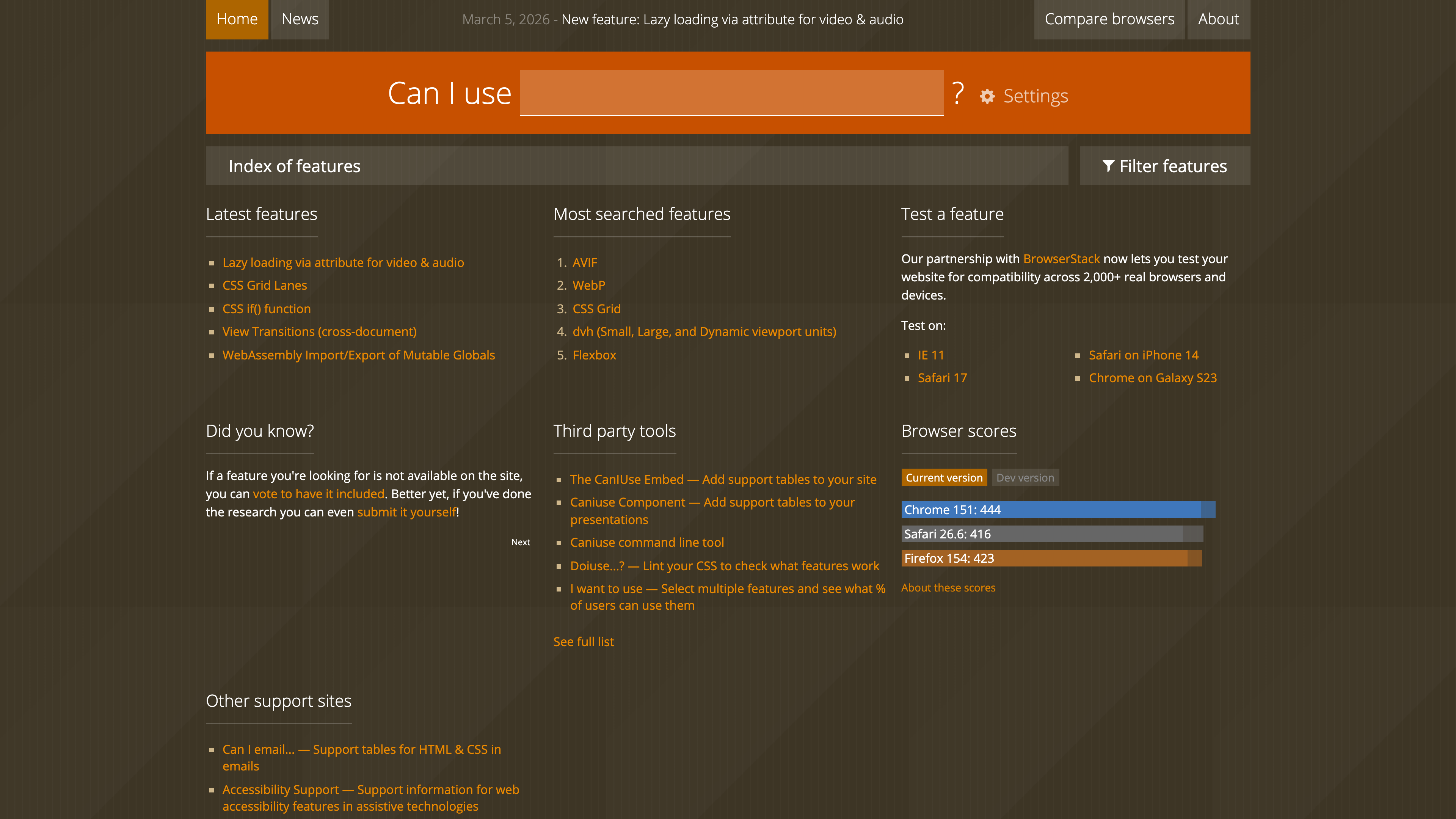
Can I Use (caniuse.com) is a free, no-signup reference site that answers an everyday front-end question: which browsers and browser versions properly support a given HTML, CSS or JavaScript feature. Each feature gets a support table broken down by browser and version, distinguishing full support, partial support, vendor prefixes, features disabled by default and more, alongside specification status, usage statistics and known issues. What verifiably sets it apart from documentation sites is that it ties support data directly to global and regional usage share, and publishes all of its support data under a CC BY 4.0 license, where it is widely reused by front-end toolchains such as Browserslist.
At a glance
- URL: https://caniuse.com/
- Type: Browser compatibility reference for front-end web technologies
- Cost: Free; pages carry Google AdSense advertising and BrowserStack is the sponsor
- Sign-up: None required; importing Google Analytics usage data requires a Google account, and contributing to the dataset requires a GitHub account
- Interface language: English
Background
The site was built and is still maintained by Alexis Deveria, with the current design largely created by Lennart Schoors in 2014 and data updates contributed by the author together with the GitHub community (About). Mozilla noted in 2019 that the project was already more than ten years old at the time, and its raw data repository has been public on GitHub since January 2012 (Fyrd/caniuse). In September 2019 the site partnered with the MDN team to integrate MDN browser-compat-data into its search results, expanding the number of support tables it can display from roughly 500 to about 10,500 (Mozilla Hacks).
On update cadence, the FAQ states that new information is usually processed within a few days, while data sourced from MDN is updated weekly. As of 2026-08-30, the data repository holds 571 site-curated feature entries, with around 5.9k stars and 1.4k forks.
Core features
Per-version support tables. Each table marks support cell by cell, per browser and version: supported, partially supported, not supported, requires a vendor prefix, disabled by default (behind a flag), polyfill available, or unknown. Numbered notes explain exactly what "partial support" means in each case. Entries also include a one-line description, the specification link and its status (e.g. W3C Candidate Recommendation), curated links to tutorials and tools, and a list of known issues. The CSS Flexbox entry, for example, is marked as status CR with global usage of 96.41% + 0.28% (as of 2026-08-30) and lists several concrete bugs in IE 10/11 and older Safari versions. Tables cover desktop browsers such as Chrome, Edge, Safari, Firefox, Opera and IE, plus mobile browsers including iOS Safari, Chrome for Android, Samsung Internet, Opera Mini, UC Browser and KaiOS Browser.
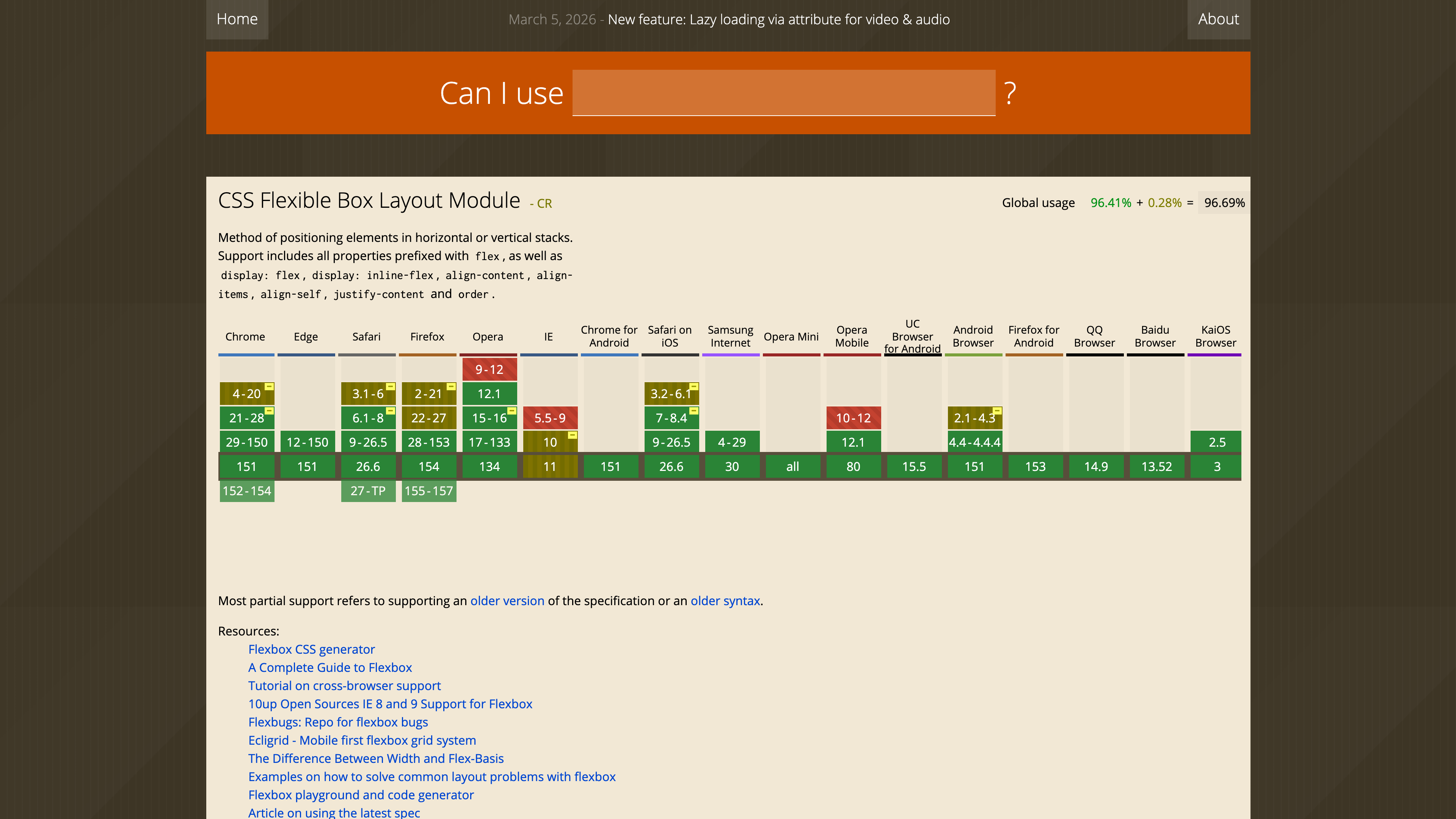
Usage data and views. The top of each table shows combined global usage for the feature, sourced from StatCounter GlobalStats (July 2026 data at the time of review). From the settings panel you can switch to country- or region-level usage data, or authorize an import of your own site's Google Analytics data to see how well a feature is supported among your actual visitors; the "Usage relative" view resizes table cells in proportion to each version's share. By default, browser versions with less than 0.5% usage share are hidden, and this threshold is adjustable (homepage tips).
Search and comparison. The homepage offers an instant search box, a feature index filterable by category (HTML5, CSS, JS API, SVG, Security and more), a "Most searched features" list, support scores for current versions of major browsers, and a "Compare browsers" entry for side-by-side comparison.
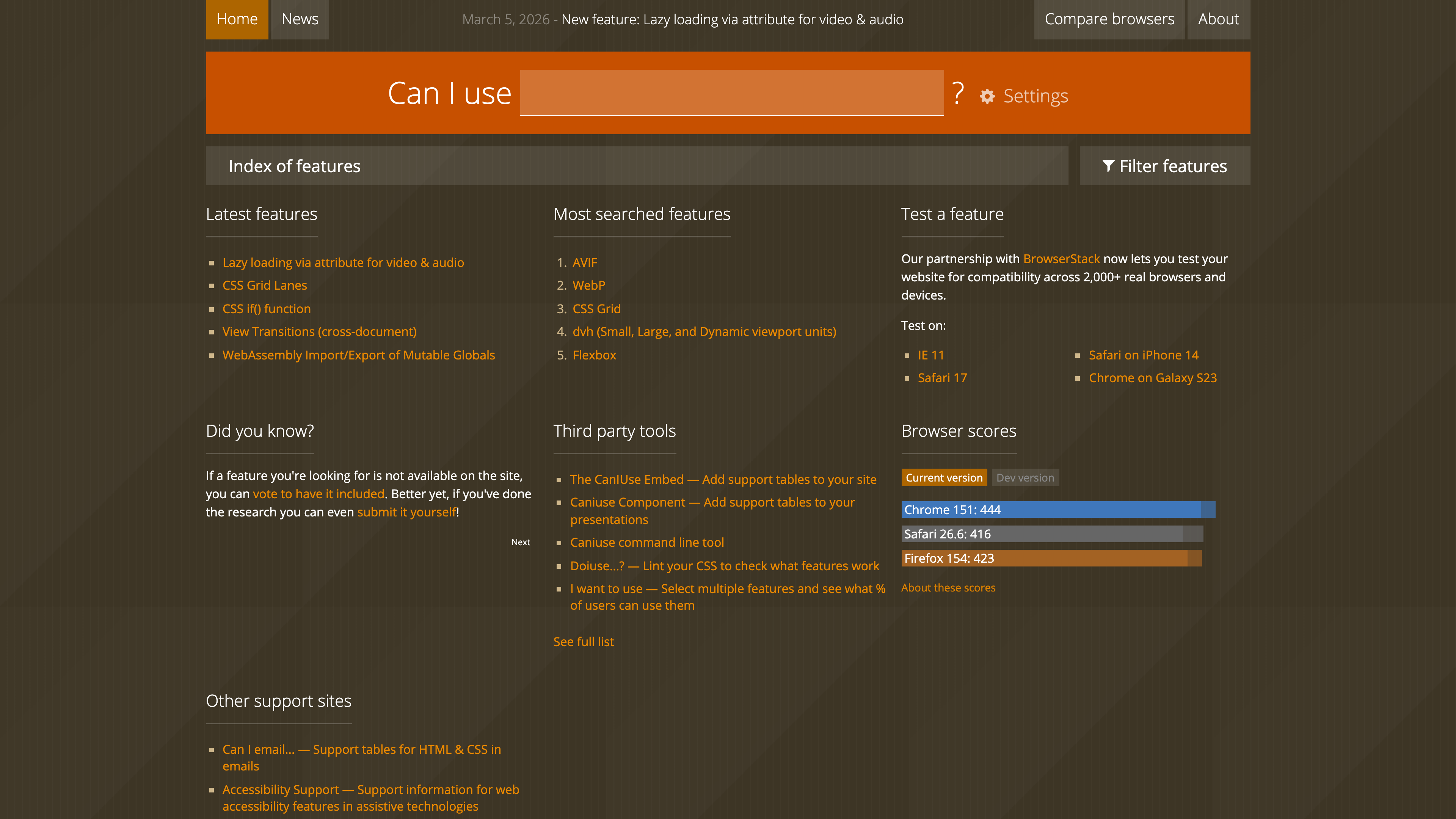
Inclusion criteria and quality control. The site only covers features that are useful to web designers and developers, likely to be implemented by most browsers, and not already fully supported even in old browsers — it aims to answer questions about mixed support rather than catalogue every web technology (About). Support claims come from a public hand-crafted test suite (tests.caniuse.com) and reliable sources, with cross-browser testing done via the sponsor BrowserStack. New features can be proposed through GitHub issues and voted on with thumbs-up reactions (issue-list), or submitted directly as data pull requests; new entries start out hidden and are only published after review and verification (CONTRIBUTING).
Open data and tooling ecosystem
There is no standalone query API; programmatic use goes through the open data:
- The raw support data lives in a GitHub repository under CC BY 4.0, with attribution to caniuse.com as the only requirement;
fulldata-json/data-2.0.jsonprovides the complete dataset in one file. - caniuse-lite packages the data in a compact npm module, consumed by Browserslist and the tools built on it, such as Autoprefixer and babel-preset-env, to target specific browser ranges.
- The homepage also lists community tools, including The CanIUse Embed for embedding support tables in web pages, the CSS linting tool Doiuse, and I want to use, which combines multiple features to compute overall user coverage.
Where it fits
- Deciding whether a new feature is production-ready, especially when combined with your own audience's browser mix.
- Debugging compatibility problems: the known-issues lists and numbered notes often pinpoint the exact defect in a specific browser version.
- Deciding whether you need vendor prefixes, a polyfill or a fallback plan.
- Consuming the data indirectly through browserslist in build pipelines to control transpilation and prefixing.
Limitations
- The interface is English-only, with no official localization.
- Features that are already universally supported are deliberately excluded, so the site is not a complete catalogue of web technologies; fine-grained, API-level compatibility lookups still call for MDN.
- "Supported" is a coarse judgement: the site's own definition is that a feature's primary purpose is largely fulfilled, which does not guarantee identical implementations; the exact meaning of partial support must be read from the notes, and critical cases still need real testing.
- Default usage figures are StatCounter's global statistics, which can diverge noticeably from a specific site's audience — hence the regional data and Google Analytics import.
- Data is not real time: new information is usually processed within a few days, and MDN-sourced data updates weekly.
Alternatives and related sites
- MDN Web Docs: fine-grained documentation backed by browser-compat-data tables, complementary to caniuse's whole-feature granularity; caniuse search results themselves include MDN data.
- Sister sites listed on the homepage: Can I email (HTML/CSS support in email clients), Accessibility Support (accessibility feature support in assistive technologies) and Can I Webview (WebView capabilities across platforms).
References
- Can I use... Support tables for HTML5, CSS3, etc (homepage) (checked 2026-08-30)
- About - Can I use (site FAQ) (checked 2026-08-30)
- Fyrd/caniuse - GitHub (raw data repository and README) (checked 2026-08-30)
- CONTRIBUTING.md (data format and contribution process) (checked 2026-08-30)
- Caniuse and MDN compatibility data collaboration - Mozilla Hacks (checked 2026-08-30)
- browserslist/caniuse-lite - GitHub (checked 2026-08-30)