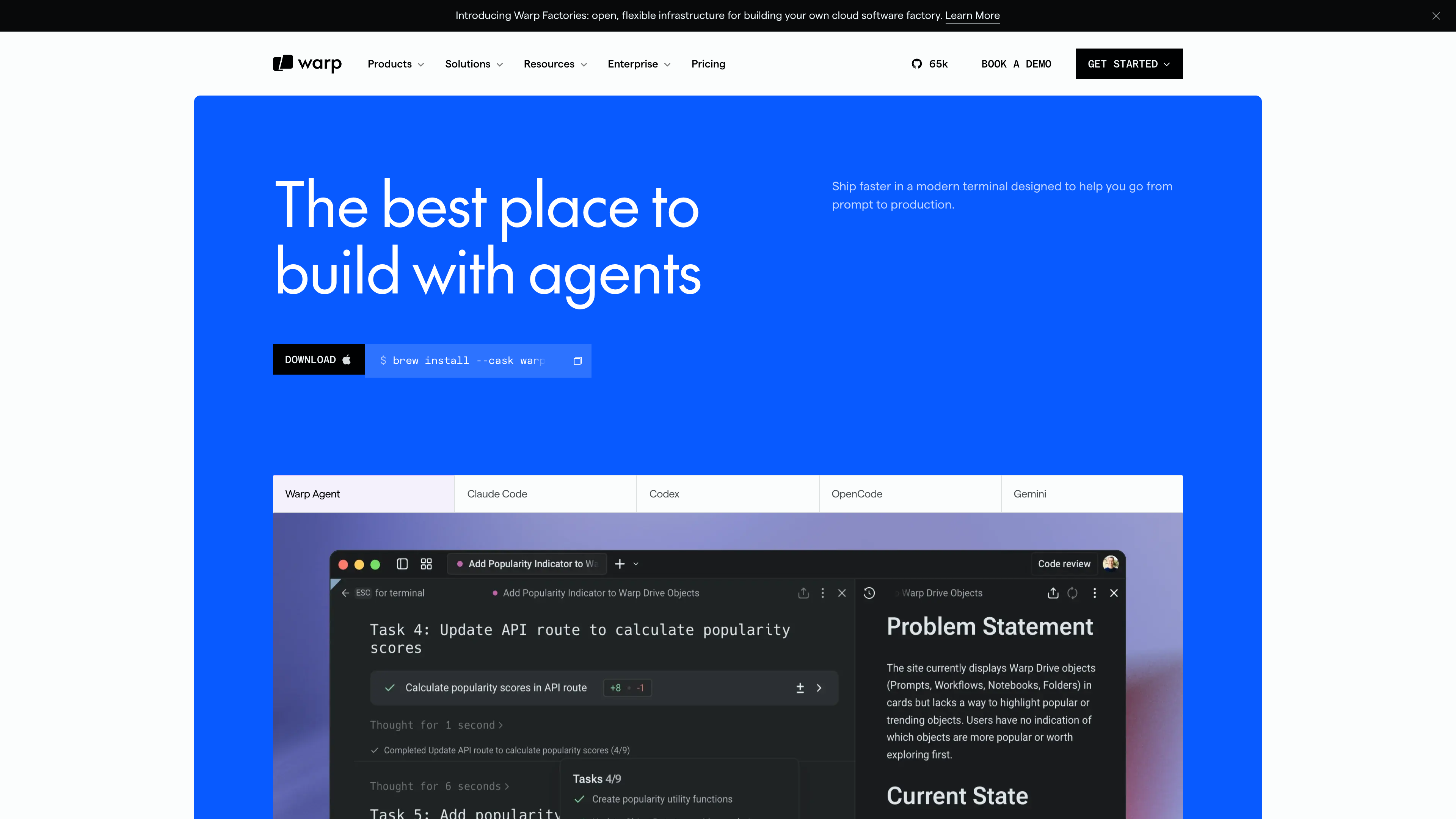
Warp is a desktop terminal application written in Rust that its makers now describe as an agentic development environment (ADE): on top of a GPU-accelerated modern terminal, it integrates AI coding agents, a code editor, team knowledge sharing, and cloud automation. Its verifiable differences from traditional terminals such as iTerm2 or Windows Terminal include block-based organization of commands and output, an IDE-like input editor, natively integrated multi-agent workflows rather than bolt-on plugins, and client code that has been open source under the AGPL since April 2026. The terminal itself is free and requires no login; AI agent usage is billed through credits.
At a glance
- URL: warp.dev
- Type: Desktop app (terminal / agentic development environment) with a website, docs, and cloud services
- Cost: The terminal is free; AI agents are metered in credits — see “Pricing and privacy” below (pricing page, as of 2026-09-16)
- Account: Not required for terminal use; AI, sync, and collaboration features require sign-in (official note)
- Interface language: English only
- Platforms: macOS (10.14+, Intel / Apple silicon), Windows (10 v1903+), Linux (mainstream distros with glibc ≥ 2.31); works with bash, fish, zsh, and PowerShell (installation docs)
Background
Warp was founded in June 2020 by Zach Lloyd, a former Google Principal Engineer who led the Google Sheets team, with the goal of reinventing one of the oldest developer tools — the terminal. The product has been written in Rust from day one, with rendering done directly on the GPU. Key milestones:
- April 2022: Public macOS beta, alongside disclosure of $23M raised (a GV-led seed and a Series A led by Figma CEO Dylan Field, with angels including Sam Altman and Marc Benioff) (TechCrunch).
- June 2023: Launch of Warp Drive for team collaboration and a 73M (company blog).
- February 2024: Linux launch; the mandatory login was dropped in November of the same year.
- February 2025: Windows launch.
- June 2025: Warp 2.0 reframed the product as an “agentic development environment,” claiming the #1 spot on Terminal-Bench (52%) and a top-5 score on SWE-bench Verified (71%) at launch (company blog).
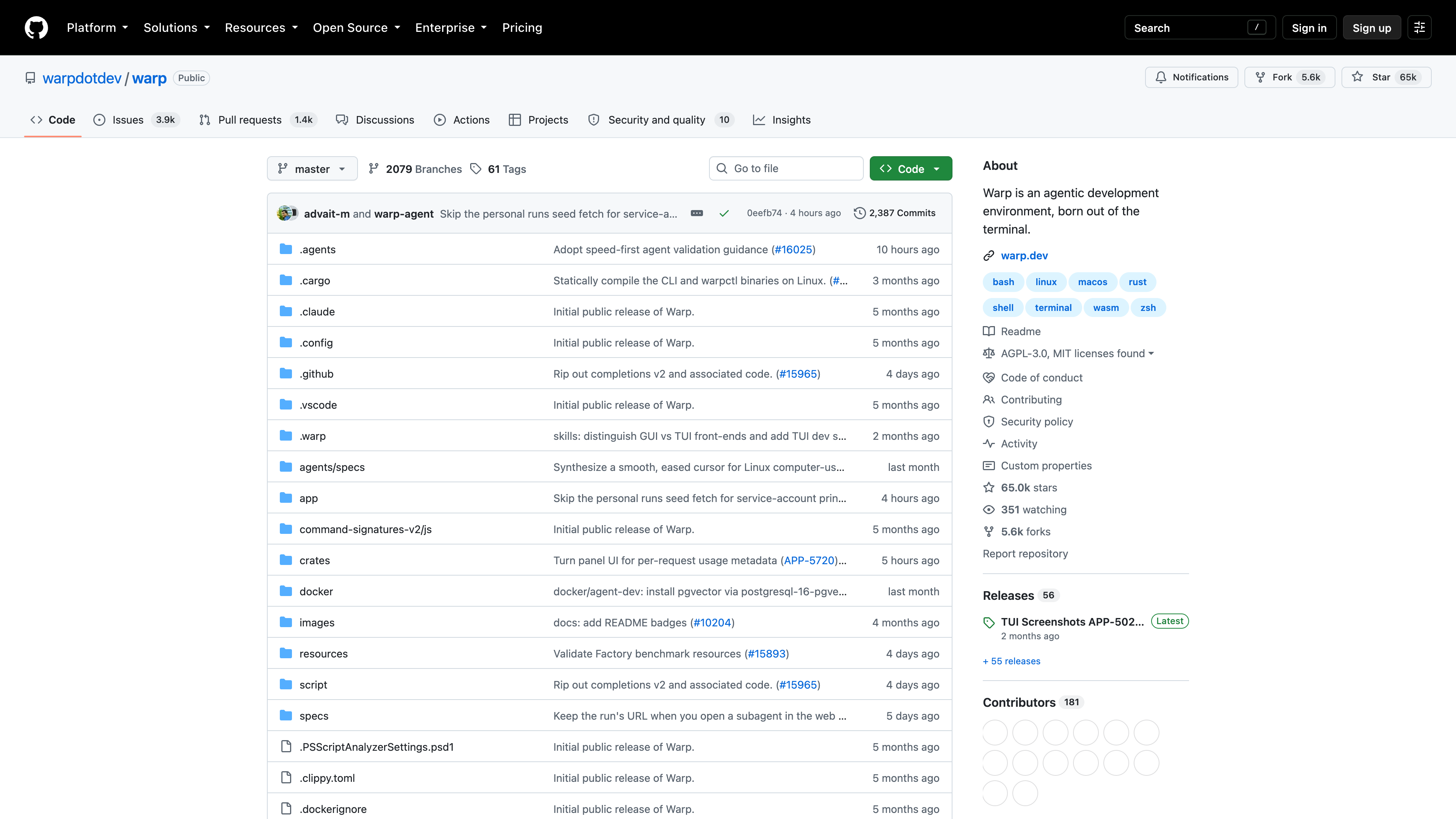
- April 2026: The client was open sourced under the AGPL v3, with the repository managed “agent-first” through Oz, Warp's cloud agent orchestration platform, and OpenAI as the founding sponsor; the company said Warp had nearly a million active developers at the time (company blog). Cloud services such as Warp Drive remain closed source.
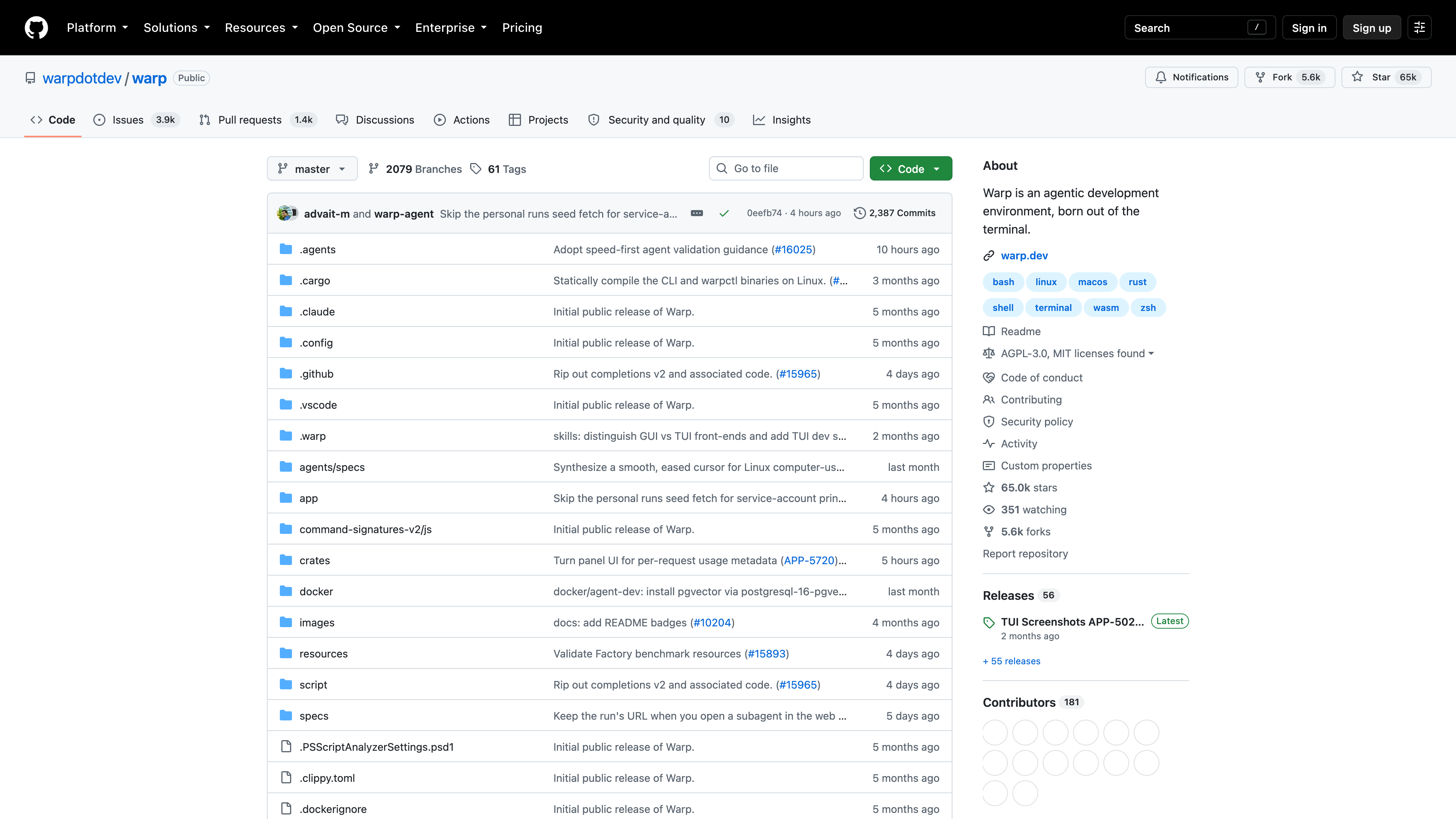
As of 2026-09-16, the warpdotdev/warp repository has about 65k stars and 5.6k forks, is licensed AGPL-3.0 (with some MIT-licensed components), and is actively committed to.
Core capabilities
A modern terminal
The terminal itself remains the foundation: commands and their output are grouped into “blocks” that can be individually copied, shared, or re-run; the input field supports mouse cursor positioning, multi-line editing, syntax highlighting, and completions out of the box — closer to typing commands in an IDE than in a classic terminal. Themes are customizable, and bash, fish, zsh, and PowerShell are supported.
One agent, three forms
The same Warp Agent is available three ways (official docs):
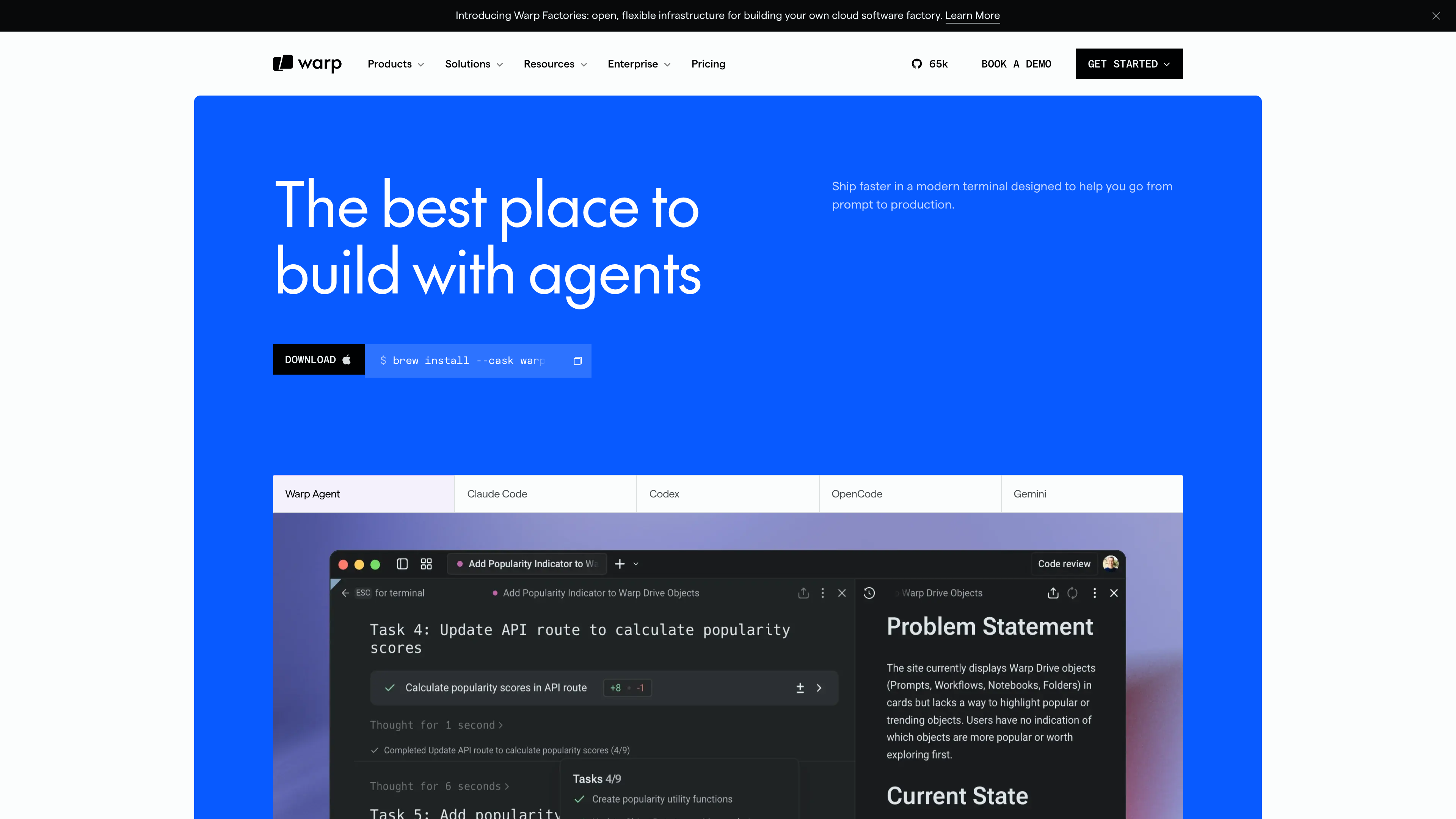
- In the app: give tasks in natural language inside the Warp window; the agent reads and writes code, runs commands, and interprets results, with optional human approval before actions execute;
- Warp Agent CLI: run the
warpcommand in any other terminal — including over SSH — to talk to the same agent; - Cloud agents: background agents on Warp's infrastructure (or your own), triggered by Slack, Linear, GitHub events, webhooks, or schedules — suited to PR reviews, issue triage, dependency updates, and other unattended work.
Code editing and multi-agent management
Since Warp 2.0, the app includes a file tree, an LSP-backed code editor, and a diff review view, so generated code can be edited in place without switching to an external IDE. Multiple agents can run in parallel, with a management UI that shows each task's status and notifies you when an agent finishes or needs help.
Multi-model and multi-harness
Warp is not tied to a single model vendor: as of 2026-09-16, the pricing page lists Claude Opus 5, GPT-5.6, Gemini 3.1 Pro, GLM 5.2, and Kimi K3 among the available models, plus open-source models such as Kimi, MiniMax, and Qwen with automatic routing. Business plans and up support bring-your-own API keys (BYOK), and Enterprise supports routing inference through your own cloud (BYOLLM). Beyond its own agent, Warp can also host third-party CLI agents like Claude Code, Codex, and OpenCode through its agent toolbelt.
Warp Drive and the Automation Platform
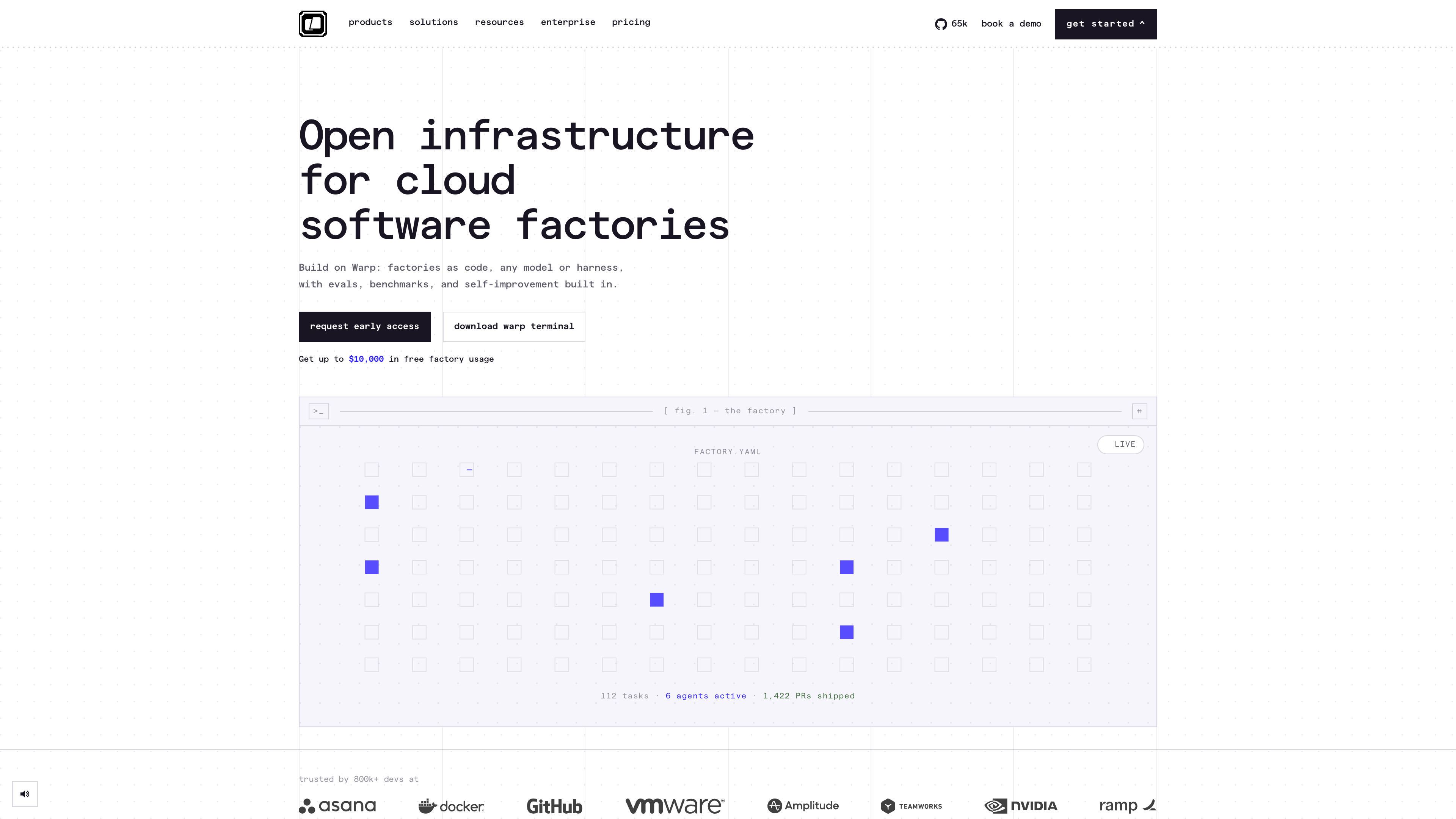
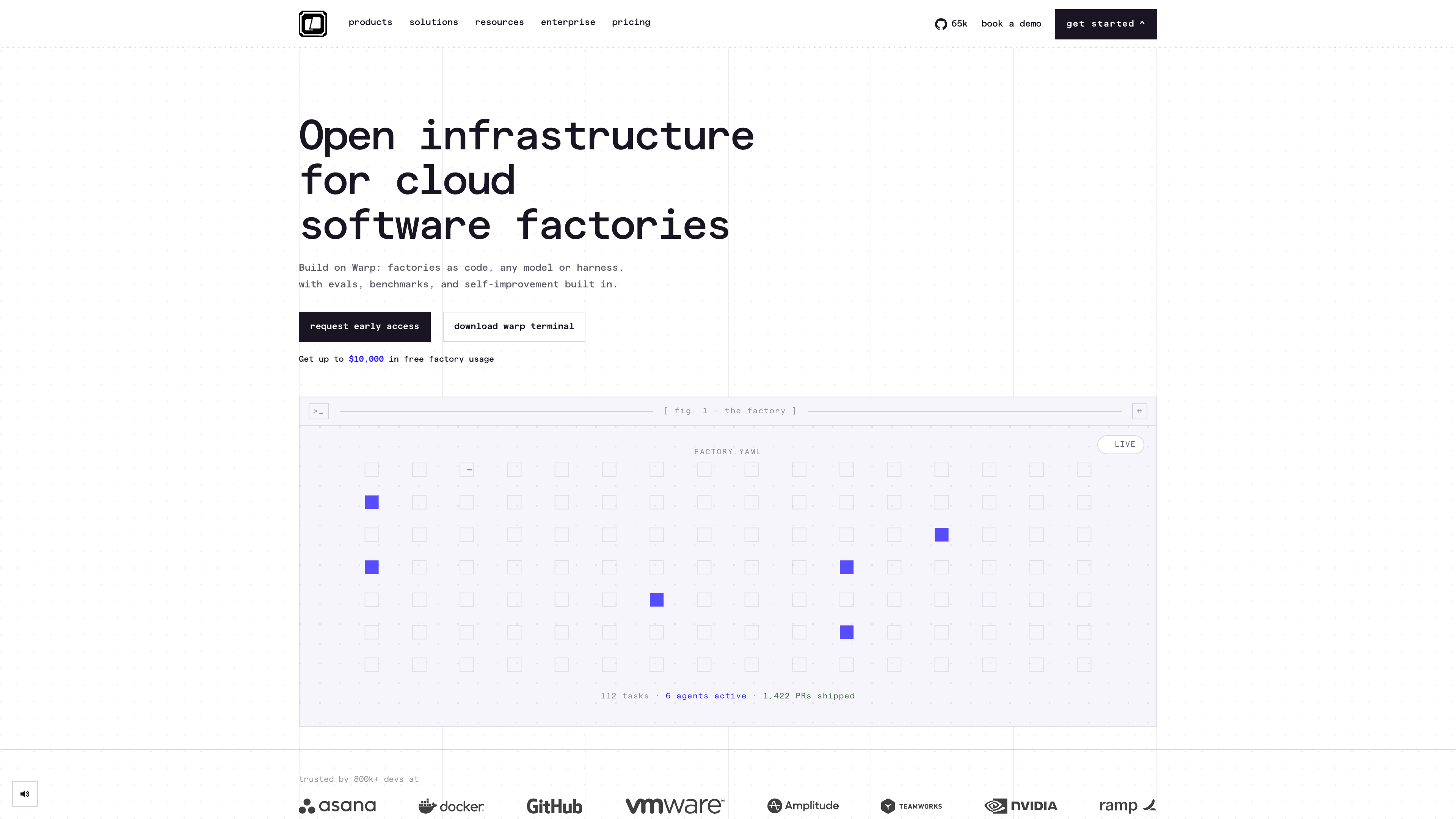
Warp Drive is a built-in team knowledge base for saving and sharing parameterized commands (workflows), runbook notebooks, and environment variables, synced across devices when signed in. On top of it, Warp offers an Automation Platform (CLI, API, SDK, MCP) and, in Early Access, Warp Factories: “factories as code” in which fleets of cloud agents triage, implement, review, and verify work in a repeatable process. As of 2026-09-16, selected teams can get up to $10,000 in free factory usage.
Accounts and openness
Since November 2024, Warp no longer requires an account: you can download it and use it as a terminal immediately. It needs internet access on first launch and works offline afterwards; AI, Warp Drive sync, and real-time collaboration require an account. Sign-up supports email, Google, and GitHub (the latter two share only your email address).
The client is open source under the AGPL v3 and can be built from source (producing a warp-oss binary with its own config directory, no auto-updates, and no production code-signing identity). Public GitHub Issues are the official feature tracker, and the roadmap is public. The cloud services — Warp Drive, AI billing, and Factories — are not open source.
Pricing and privacy
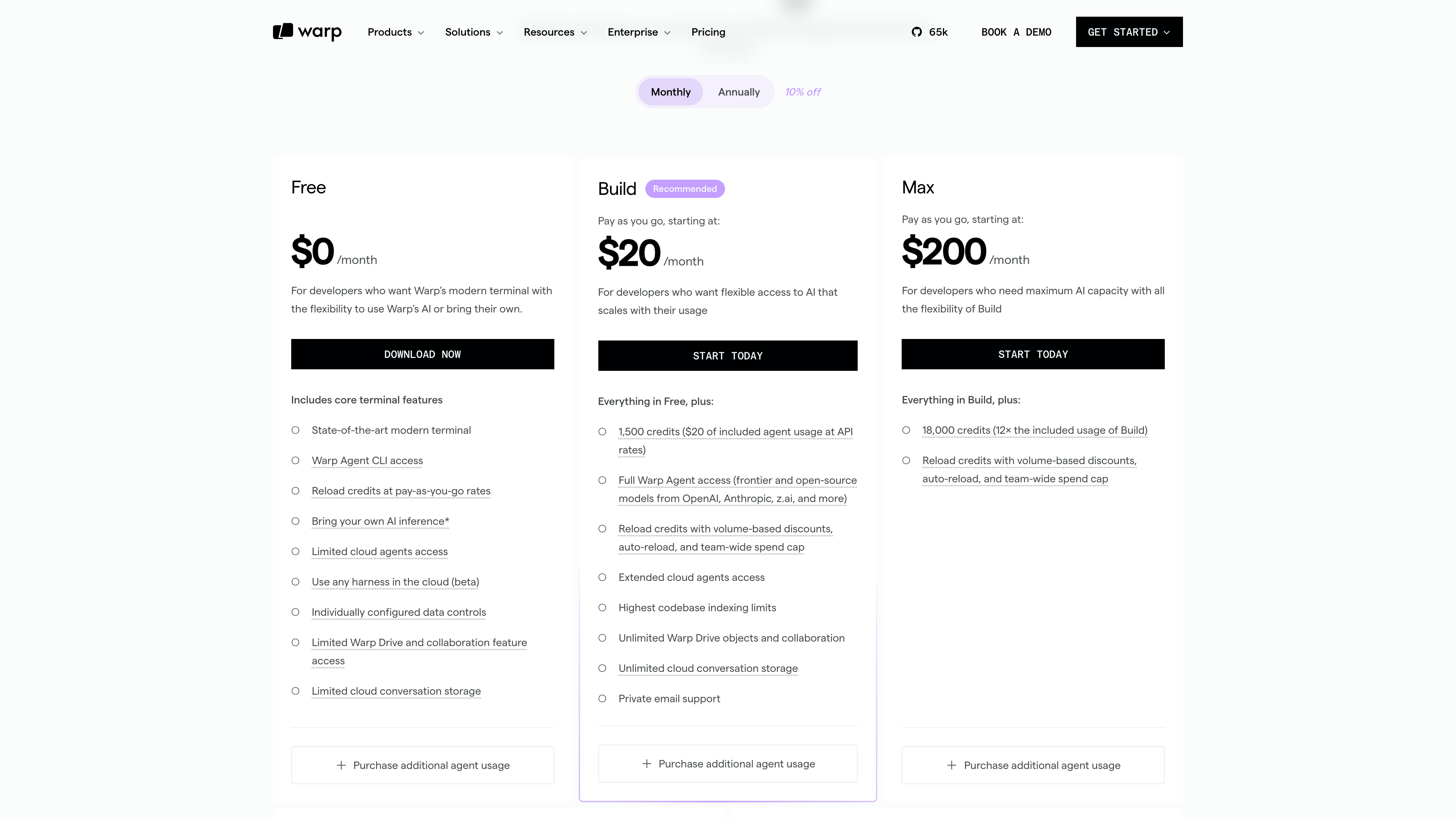
From the pricing page (as of 2026-09-16; roughly 10% off with annual billing):
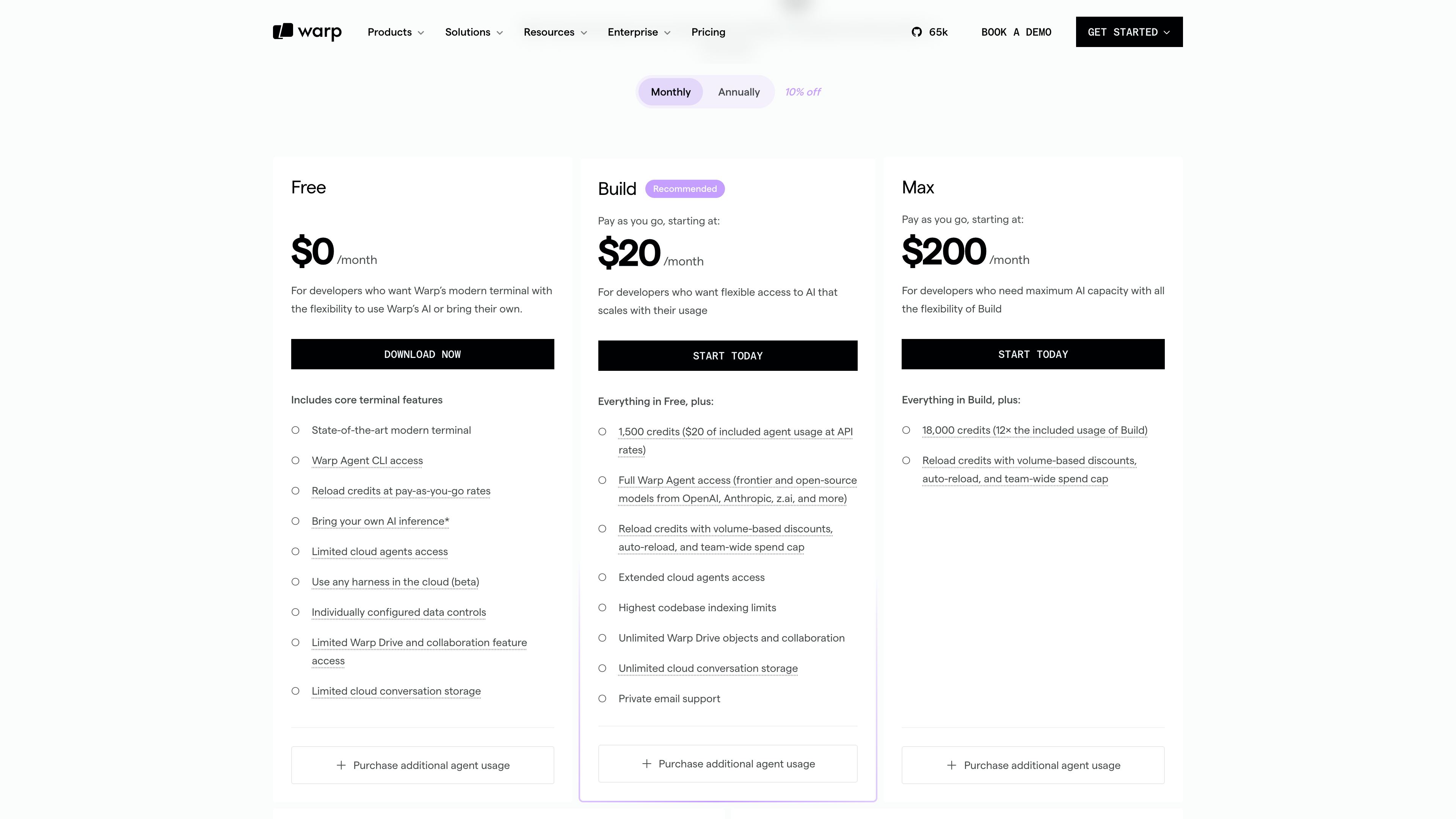
- Free ($0): the full modern terminal, Warp Agent CLI access, bring-your-own AI inference, credit reloads at pay-as-you-go rates, and limited cloud agent access;
- Build (from $20/month): 1,500 credits included (about $20 of agent usage at API rates), full Warp Agent access, unlimited Warp Drive objects and cloud conversation storage;
- Max (from $200/month): 18,000 credits for heavy AI users;
- Business (from $50/user/month, up to 25 seats): 1,500 credits per seat, SAML SSO, team usage metrics, and admin-configurable data controls;
- Enterprise (custom): BYOLLM inference, self-hosted cloud agents, enterprise data governance, and more.
On privacy, Warp states it is SOC 2 compliant and maintains Zero Data Retention agreements with all contracted LLM providers, so customer data is not retained or used for training. The app publishes its telemetry event list, offers a built-in Network Log to inspect traffic in real time, lets you disable AI features globally in settings, and supports secret redaction with custom regexes on enterprise plans.
Good fits
- Developers who want AI coding agents without leaving the terminal, keeping terminal-level context (multiple repos, SSH, arbitrary CLI tools);
- Individuals or teams who run several agents in parallel and care about diff review and permission controls;
- Engineering teams that want cloud agents to handle PR reviews, issue triage, and dependency updates automatically;
- Heavy command-line users who like Rust/GPU-native performance and an IDE-grade input experience — pure terminal use is entirely free.
Limitations
- English-only interface and documentation, with no official localization;
- Desktop only: no mobile app or web version, and rendering requires a GPU (Metal, OpenGL ES 3.0+, or Vulkan), so it cannot run on a headless remote server;
- AI is not free: cloud agents and model usage are limited on the free tier, and heavy use is billed in credits that scale with consumption;
- Closed cloud services: Warp Drive sync, AI billing, and Factories depend on Warp's infrastructure, and self-built warp-oss binaries do not auto-update;
- Limited shell support: only bash, fish, zsh, and PowerShell are officially supported — other login shells fall back to zsh;
- The earlier mandatory login and the shift to metered AI pricing were both controversial in the community; account-averse users should review the (configurable) telemetry and data policies.
Alternatives
- Traditional terminals: iTerm2 (macOS), Windows Terminal, Alacritty, kitty — free and mature, but without native agents or block-based interaction;
- CLI coding agents: Claude Code, OpenAI Codex CLI, Gemini CLI — run in any terminal (including inside Warp) but lack Warp's native GUI and multi-agent management;
- AI IDEs: Cursor, GitHub Copilot (VS Code) — editor-centric takes on the same need that Warp approaches from the terminal/agent side.
References
- Warp documentation — Getting started
- Warp pricing (checked 2026-09-16)
- Installation and platform requirements
- Warp 2.0: the Agentic Development Environment (2025-06-24)
- Warp is now open-source (April 2026)
- Open source and login for Warp (includes the 2024-11-22 login update)
- Warp for Linux (2024-02-22)
- Warp on Windows (2025-02-26)
- Warp Drive and the $50M Series B (2023-06-21)
- TechCrunch: Warp raises $23M to build a better terminal (2022-04-05)
- GitHub: warpdotdev/warp (data checked 2026-09-16)