Superlist (superlist.com) is a to-do list app from Berlin-based Superlist Software GmbH, founded by the team behind Wunderlist. It targets the gap between personal task managers and team collaboration software: most tools are either personal lists like Things or Microsoft To Do, or project-manager-oriented tools like Asana and Trello, and Superlist tries to cover both. Its verifiable distinction is that a list is not just a column of tasks but a rich document that can mix tasks, text, and images — and every task's detail view works as a note with attachments. In recent years it has added AI capabilities such as voice input and meeting notes. The app itself is free to use; integrations and AI features sit in the paid plans.
At a glance
- URL: https://www.superlist.com/
- Type: To-do list + notes hybrid productivity app for individuals and small teams
- Pricing: Free plan (up to 5 lists); Basic at 59/year, or 21/person/month billed annually (25 monthly). As of 2026-09-19, see the official pricing page and the help center plan comparison
- Sign-up: Account required; the web app supports third-party sign-in such as Sign in with Apple (observed)
- Platforms: macOS 10.15+ (Intel and Apple Silicon), iOS, Android, and a web app; no native Windows or Linux client (official download article)
- Interface languages: English, German, Spanish (App Store language list, as of 2026-09-19); the website is available in the same three languages; natural-language date parsing currently works in English only (help center)
Background
Superlist's story starts with Wunderlist: in 2010 Christian Reber and five partners founded 6Wunderkinder in Berlin and built the to-do app Wunderlist. Microsoft acquired it in 2015 (for a reported $100–200 million, per CNBC), announced its shutdown in 2019, and closed it in May 2020, directing users to Microsoft To Do. Key timeline:
- May 5, 2020: As Wunderlist shut down, Reber publicly announced Superlist as its "unofficial successor," co-founded with four other entrepreneurs including two other Wunderlist co-founders (TechCrunch, CNBC).
- April 2022: Announced a €10 million seed round led by EQT Ventures, bringing total funding to €13.5 million (CNBC).
- September 2022: Blinkist co-founder Niklas Jansen joined as a co-founder (Niklas Jansen on LinkedIn).
- November 2023: First public listing on the App Store (Apple store metadata, as of 2026-09-19).
- February 13, 2024: Official 1.0 release, launching simultaneously on Mac, iOS, Android, and the web (Christian Reber's LinkedIn announcement, GIGAZINE).
- May 2026: Version 1.54 added an MCP interface, allowing task management directly from Claude and other AI assistants (official changelog).
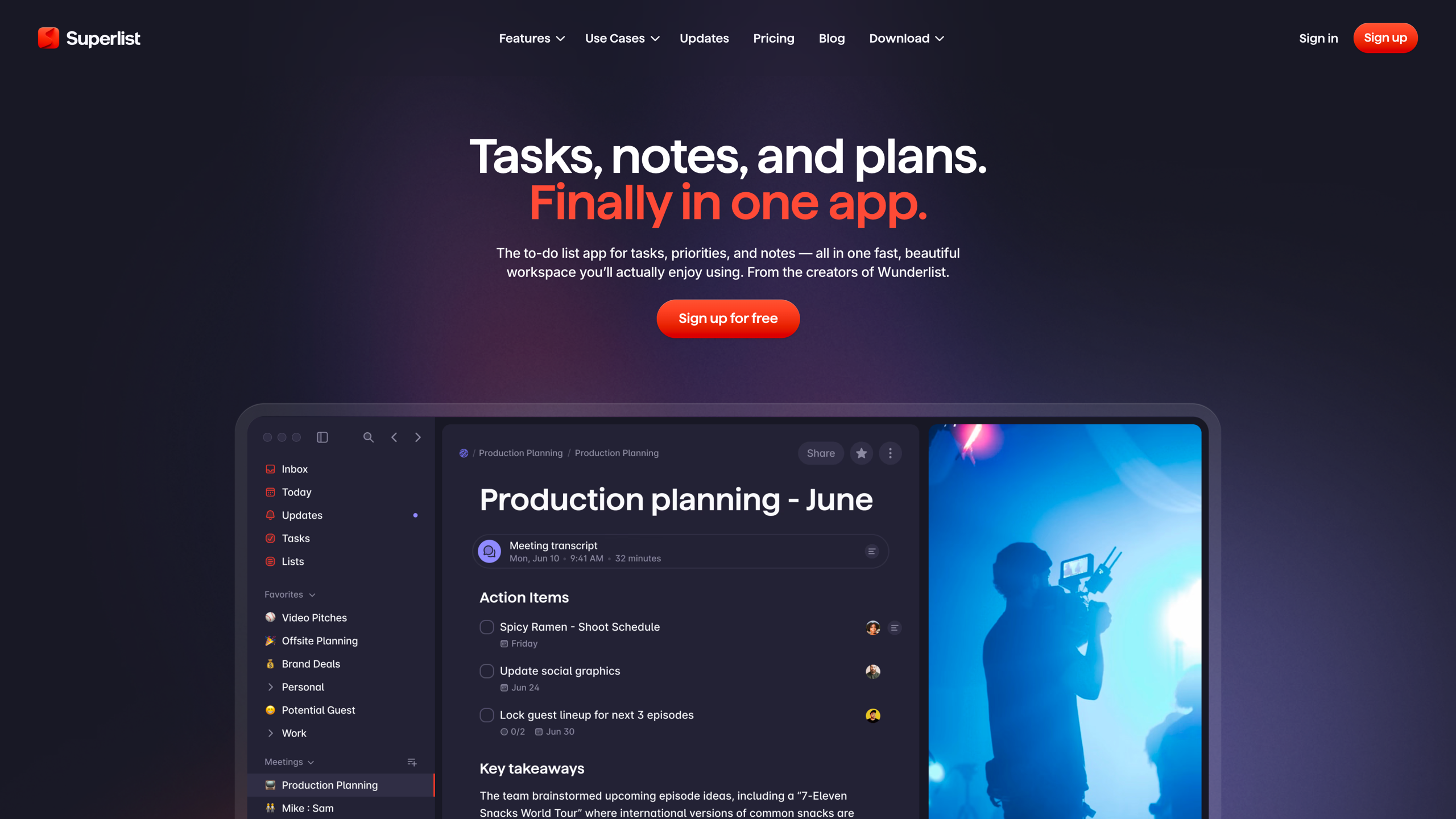
The homepage below carries the tagline "Tasks, notes, and plans. Finally in one app." with "From the creators of Wunderlist" right underneath, over a preview of the app's list interface:
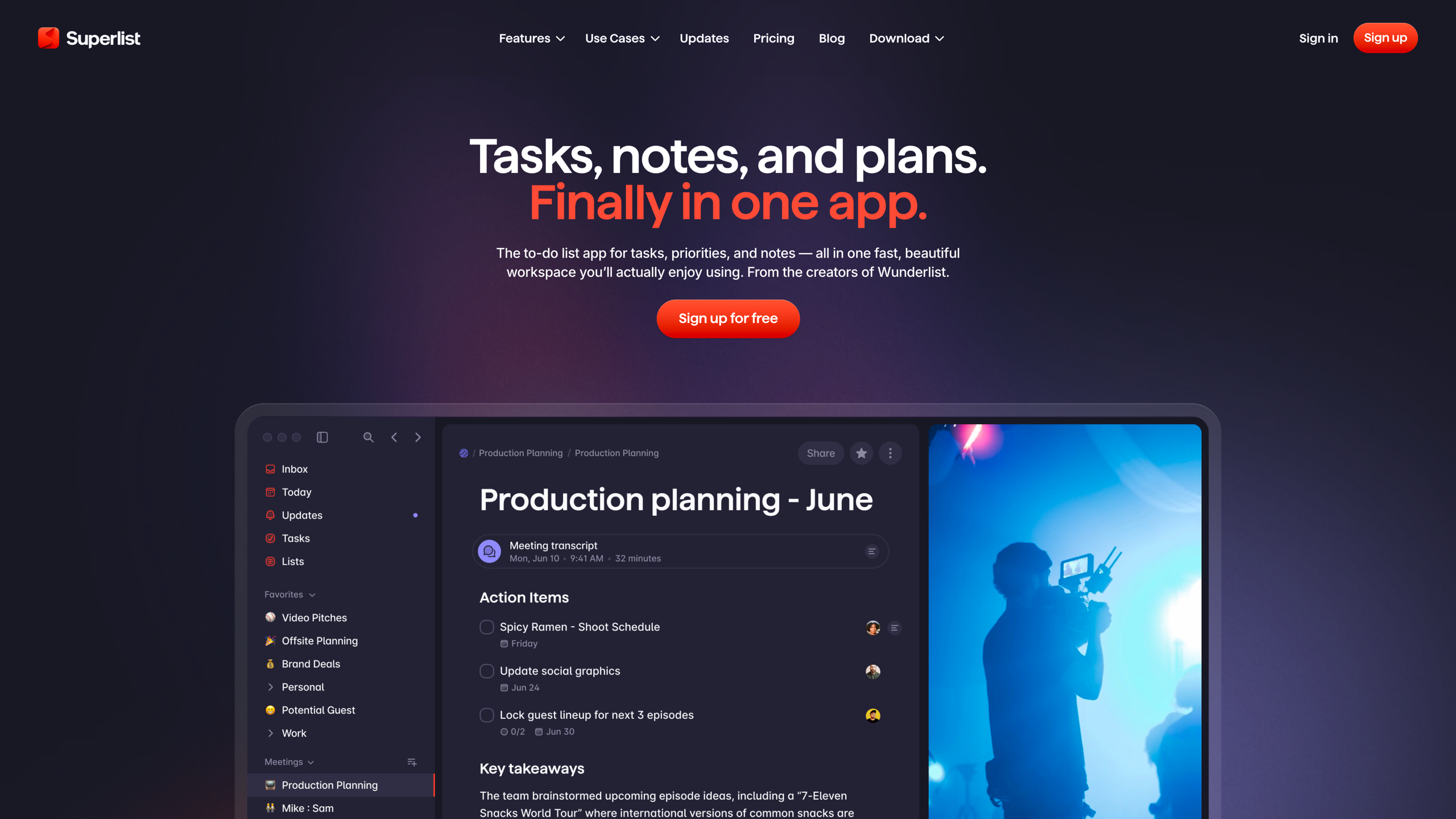
Core capabilities: lists as documents, tasks that expand into notes
List and task structure. A Superlist list is a rich document where tasks can be interleaved with text, headings, and images. Tasks support subtasks, due dates, labels, assignees, and attachments, and each task's detail page is itself a document where you can write text and nest tasks; shared tasks support discussion via text or voice messages. Lists can be grouped into sections, and built-in Inbox and Today views organize daily work (help center: the basics).
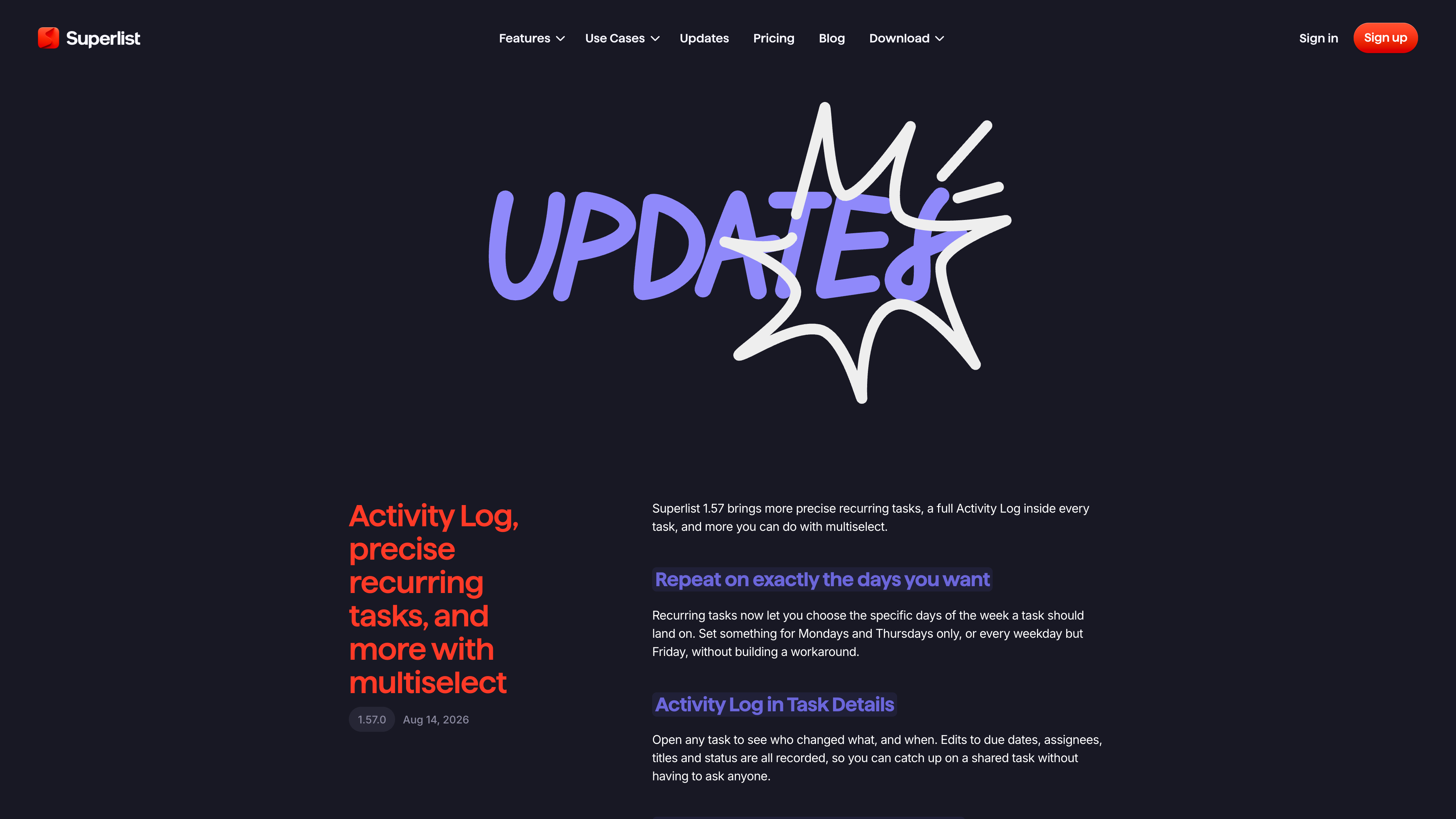
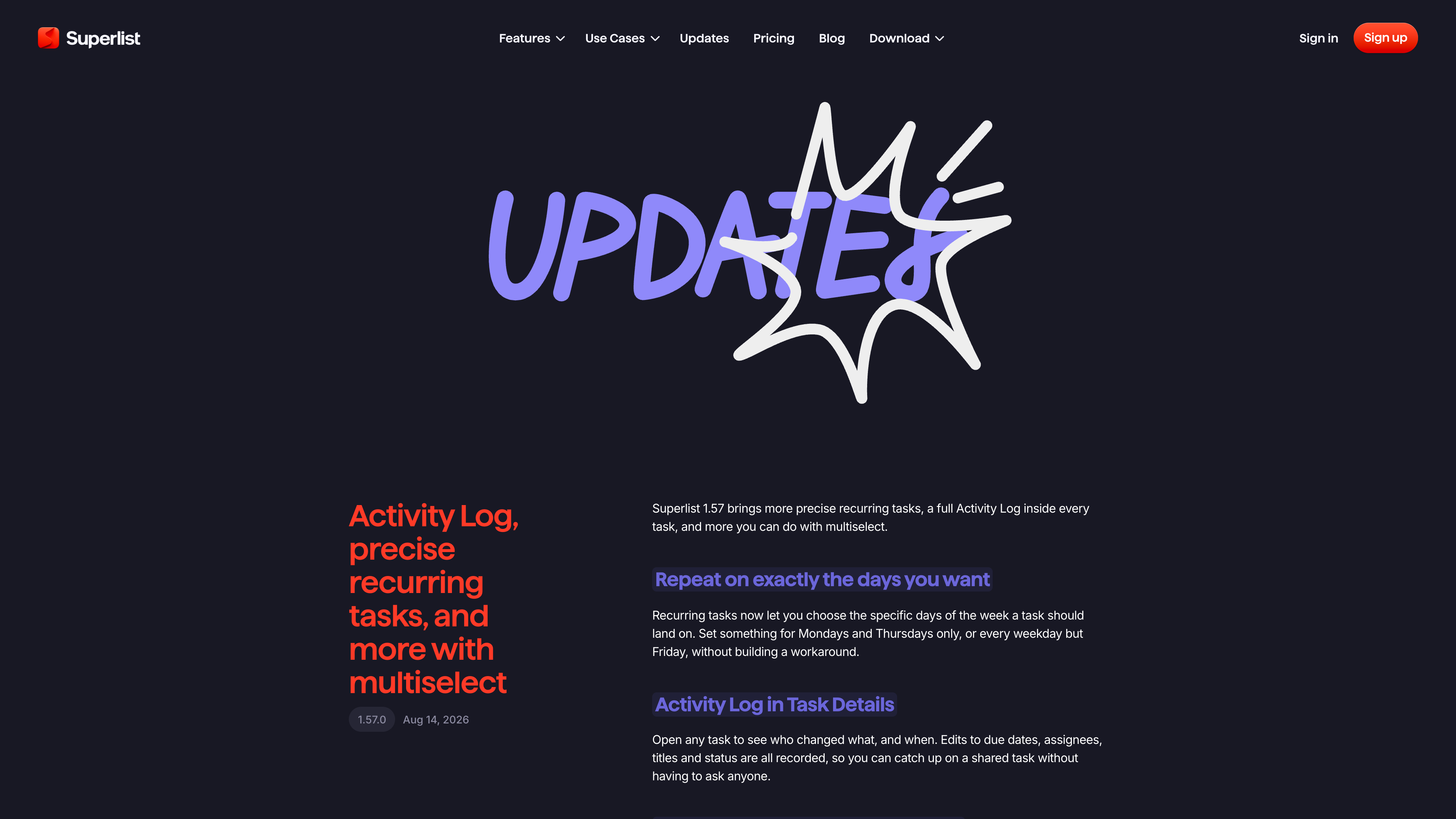
Dates and bulk actions. Typing a date in natural language while creating a task sets the due date automatically (English only for now); recurring tasks can be pinned to specific days of the week; an activity log inside every task records who changed due dates, assignees, and status, and when; multiselect allows moving, copying, and deleting tasks in bulk (changelog 1.56/1.57).
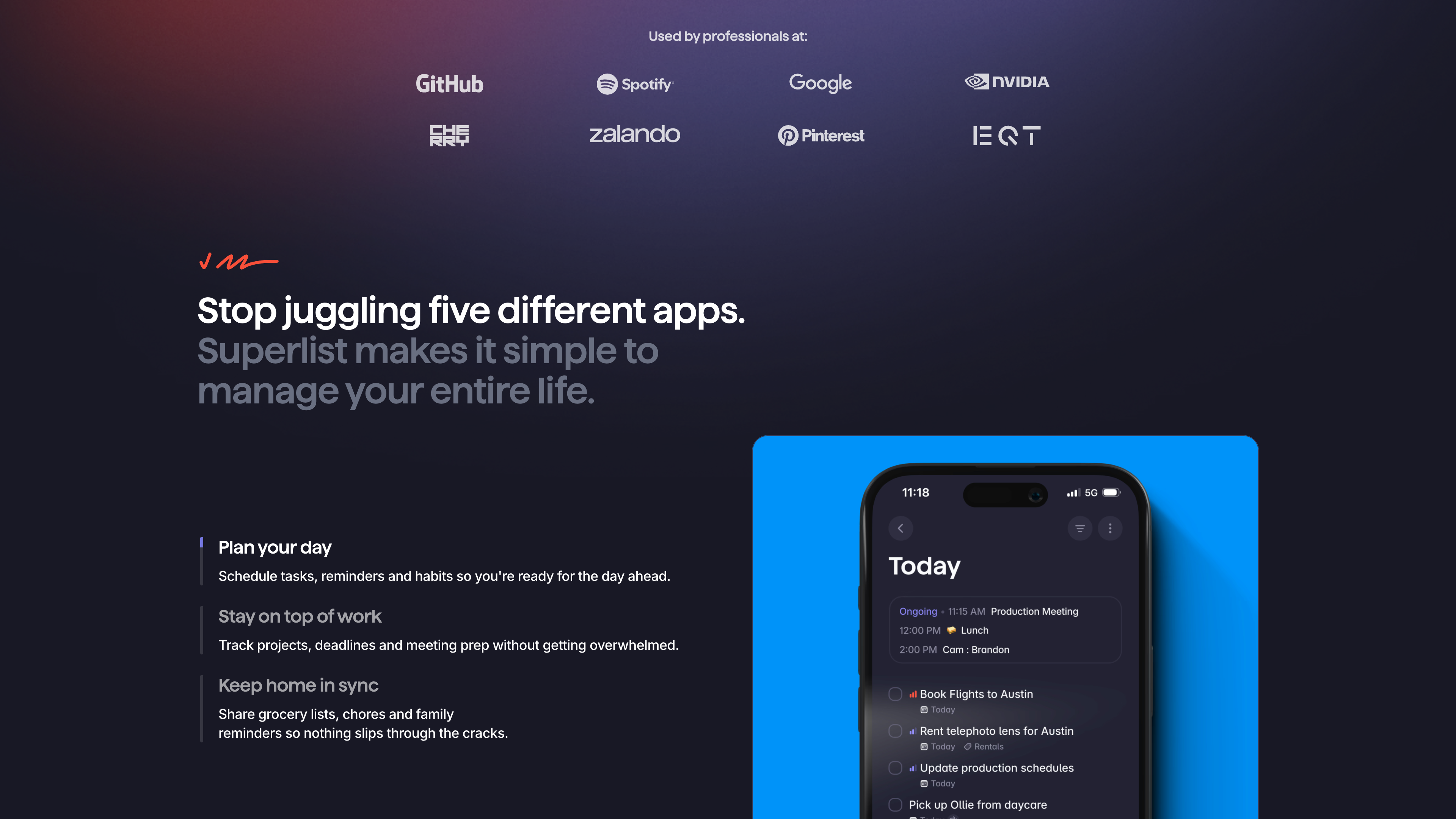
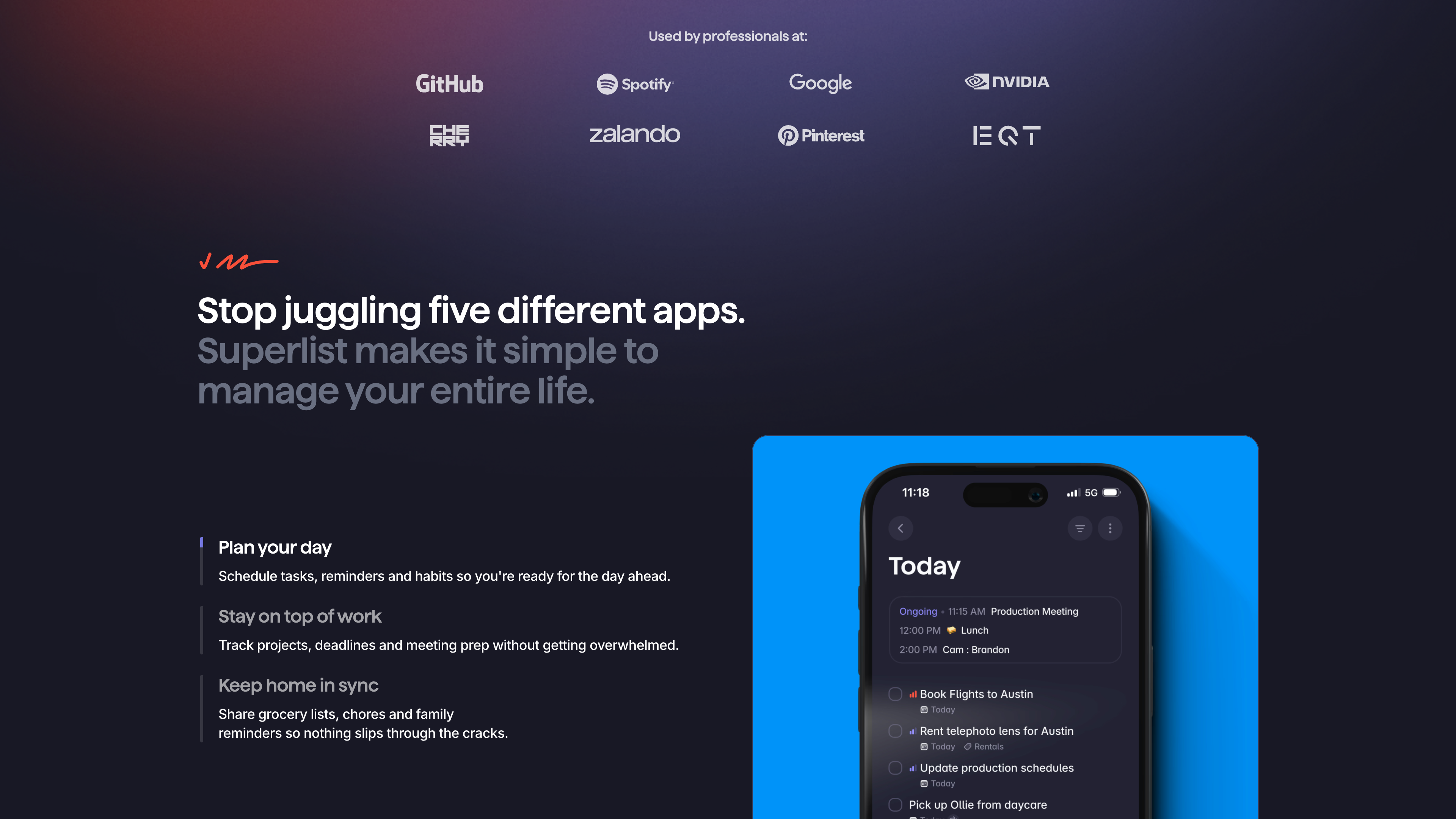
The section above shows the use cases the site emphasizes: planning your day, tracking work projects, and shared household lists, with the mobile Today view on the right.
Integrations. The help center lists integrations for Gmail (turn emails into tasks), Google Calendar (tasks alongside events), Slack, GitHub, Linear, and two-way sync with Microsoft To Do — toggled lists keep titles, completion state, and due dates in sync on both sides, which doubles as a migration path for Wunderlist users who landed in Microsoft's ecosystem. Every account also gets a personal @mail.superlist.com address, and forwarding an email to it creates a task in the Inbox (help center: integrations, Microsoft To Do sync, email forwarding). Per the current pricing page, all integrations unlock at the Basic tier.
AI features. Basic includes Talk, a voice assistant that creates tasks with due dates and subtasks from spoken input and transcribes dictated notes. Super adds Make (type "Make:" plus a description to generate an entire list), unlimited AI chat, unlimited AI meeting notes, and email/Slack task summarization. Meeting notes run on Mac (requires macOS 14 or newer) and on phones; the app detects when a Zoom, Google Meet, Microsoft Teams, Slack Huddle, or Discord call starts and offers to record it, then produces a summary and action items (help center: Talk, AI meeting notes, Make).
Open interfaces. Version 1.54 (May 2026) added an MCP (Model Context Protocol) interface: after copying connection details from Settings, you can create and manage tasks from Claude or other MCP-capable tools (changelog). As of 2026-09-19, no public REST API or Zapier/IFTTT support was found (observation).
Pricing and accounts
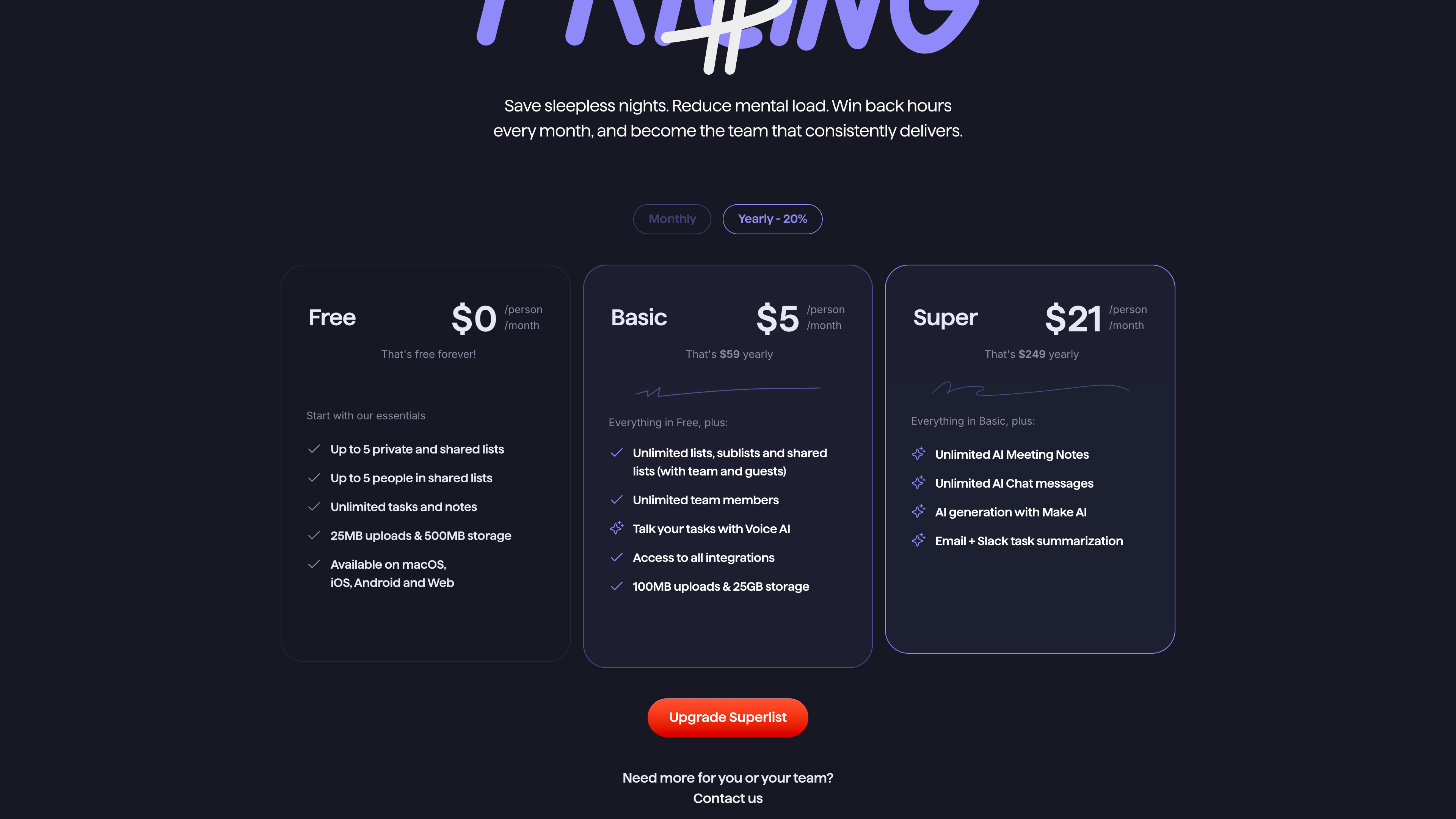
The official pricing page as of 2026-09-19:
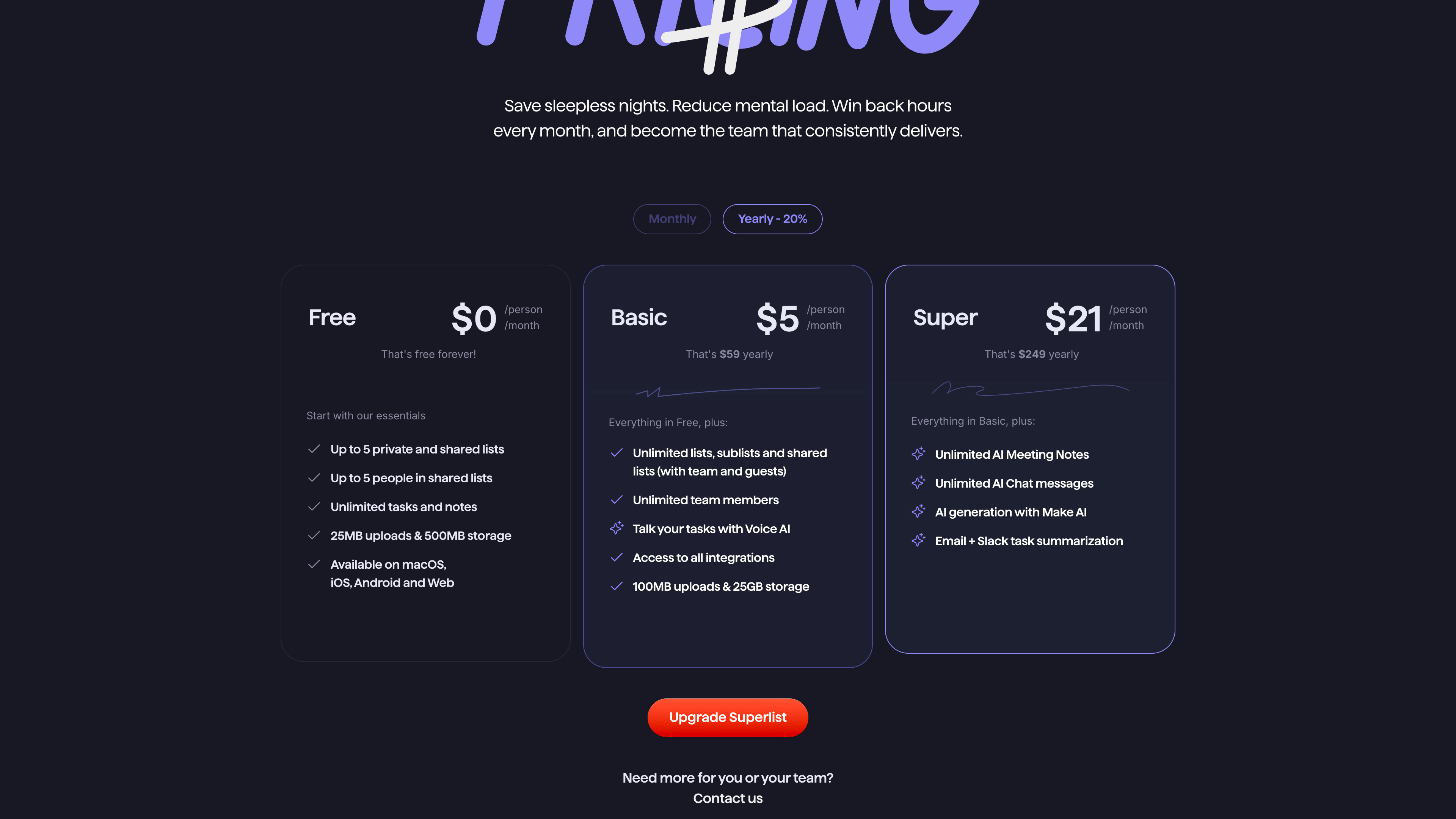
How the three tiers differ (pricing page, help center comparison):
- Free ($0): up to 5 private and shared lists, with up to 5 people in shared lists; unlimited tasks and notes; 25MB uploads and 500MB storage; all platforms.
- Basic (59/year; $6 month-to-month): unlimited lists, sublists, and shared lists; unlimited team members; all integrations and the Talk voice assistant; 100MB uploads and 25GB storage.
- Super (249/year; $25 month-to-month): unlimited AI meeting notes and AI chat, Make list generation, and email/Slack task summarization.
Team subscriptions cost the same per member as individual ones. The former Pro plan ($15/month) is no longer sold, but existing subscribers keep their benefits. Payments are accepted via credit card, PayPal, and iDEAL; mobile subscriptions run through the App Store or Google Play (help center: pricing FAQ).
Privacy and compliance
Superlist is operated by a German company, Superlist Software GmbH, and is subject to the GDPR. The privacy policy (updated 2026-06-04) lists a data protection officer, and business customers can request a data processing agreement (DPA) by email. Worth noting: its list of service providers includes several US companies — AI features involve OpenAI, alongside Cloudflare, DigitalOcean, Intercom, Sentry, and others — so task content and usage data are processed in third countries (privacy policy, terms of service).
Release cadence and current state
The official changelog ships roughly one version per month. As of 2026-09-19, the newest entry is 1.57.0 (August 14, 2026: weekday-specific recurring tasks, a per-task activity log, drag-enabled multiselect), and App Store metadata shows iOS 1.57.4 released on September 10, 2026, with a US rating of about 4.5 across 453 ratings — the product is actively maintained.
Who it's for
- Individuals who want a tasks-and-notes hybrid: lists can be written as documents with tasks embedded, so there's no switching between a to-do app and a notes app.
- Small teams needing lightweight collaboration: shared lists, assignees, comments, and the activity log cover small projects without adopting a full project-management tool.
- Former Wunderlist users: built by the same founders, with two-way Microsoft To Do sync lowering the migration cost.
- Meeting-heavy users: Super's AI meeting notes produce summaries and action items automatically, tied into the calendar.
Limitations
- Tight free-tier caps: at most 5 lists and 5 people in shared lists, and all integrations and AI features require a paid plan — regular users will end up on Basic.
- No native Windows or Linux client: those platforms rely on the web app, without system-level integration such as global shortcuts or a native offline experience.
- Limited language coverage: the interface is English, German, or Spanish only; natural-language date parsing works in English only.
- Weak automation: no public REST API and no Zapier/IFTTT support (observation, as of 2026-09-19); the current automation entry point is MCP, added in May 2026, which requires an MCP-capable AI client.
- AI processing by third parties: AI features route data through external providers such as OpenAI — evaluate carefully if cross-border data transfer is a concern.
- Uneven platform parity: meeting notes on Mac require macOS 14 or newer, and some new features (image previews, undo-while-typing) arrive on iOS first.
Alternatives
- Microsoft To Do: Microsoft's official replacement after Wunderlist's shutdown — free but simple; Superlist syncs with it two-way.
- Todoist: a long-standing cross-platform to-do app with more mature natural-language parsing and third-party automation.
- Things 3: the benchmark personal task manager in the Apple ecosystem, one-time purchase, but no collaboration and no Windows or web version.
References
- Superlist homepage (checked 2026-09-19)
- Superlist pricing page (checked 2026-09-19)
- Superlist changelog (checked 2026-09-19)
- Superlist Terms of Service (updated 2025-04-02) (checked 2026-09-19)
- Superlist Privacy Policy (updated 2026-06-04) (checked 2026-09-19)
- Help center: Download Superlist (checked 2026-09-19)
- Help center: Superlist pricing - Free, Basic and Super plans compared (checked 2026-09-19)
- Help center: Pricing FAQ (checked 2026-09-19)
- Help center: Superlist basics - lists, tasks, sections & meetings explained (checked 2026-09-19)
- Help center: Natural language processing (checked 2026-09-19)
- Help center: Microsoft To Do integration (checked 2026-09-19)
- Help center: Email forwarding (checked 2026-09-19)
- Help center: Talk - Superlist's AI voice assistant (checked 2026-09-19)
- Help center: AI meeting notes in Superlist (checked 2026-09-19)
- Help center: Discover Make (checked 2026-09-19)
- Apple App Store metadata (iTunes Lookup API) (checked 2026-09-19)
- TechCrunch: As Wunderlist shuts down, its founder announces a new productivity app called Superlist (2020-05-05, checked 2026-09-19)
- CNBC: Microsoft bought and shut down this entrepreneur's app. But now he's raised money for an unofficial successor (2022-04-12, checked 2026-09-19)
- GIGAZINE: Wunderlist successor Superlist released (2024-02-14, checked 2026-09-19)
- Christian Reber on LinkedIn: Superlist 1.0 announcement (2024-02-13, checked 2026-09-19)
- Niklas Jansen on LinkedIn (checked 2026-09-19)