superhuman.com is the website of Superhuman, the AI productivity company that was renamed from Grammarly in October 2025. It now sells a four-product suite: Superhuman Mail (email), Grammarly (writing assistant), Docs (formerly Coda) and Go (an AI assistant) (official announcement, Oct 29, 2025). The oldest and most discussed of these is the email client Superhuman Mail: founded in 2014 when the company itself was called Superhuman, it built its reputation on being "the fastest email experience ever made" — keyboard-first operation, automatic inbox triage and AI-drafted replies — at a price far above typical email add-ons, and only for Gmail and Outlook accounts (About page, Mail product page, checked 2026-10-02).
Why it's listed: it is the longest-surviving and most debated example of a paid email client, having weathered the $30/month price debate and a read-tracking privacy controversy, before being acquired by Grammarly in 2025 and then effectively absorbing its parent's name — a useful case study in premium productivity-tool business models.
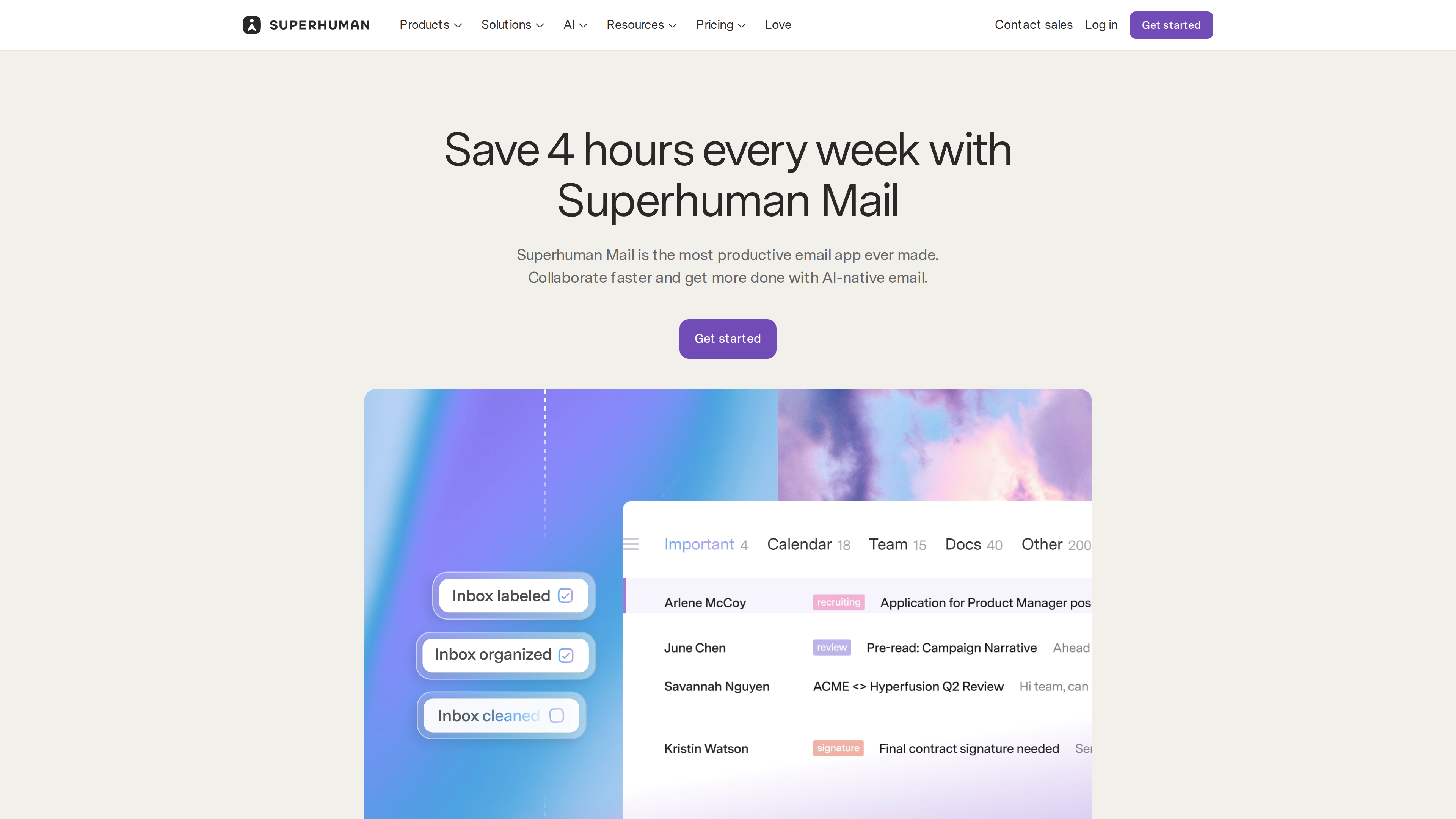
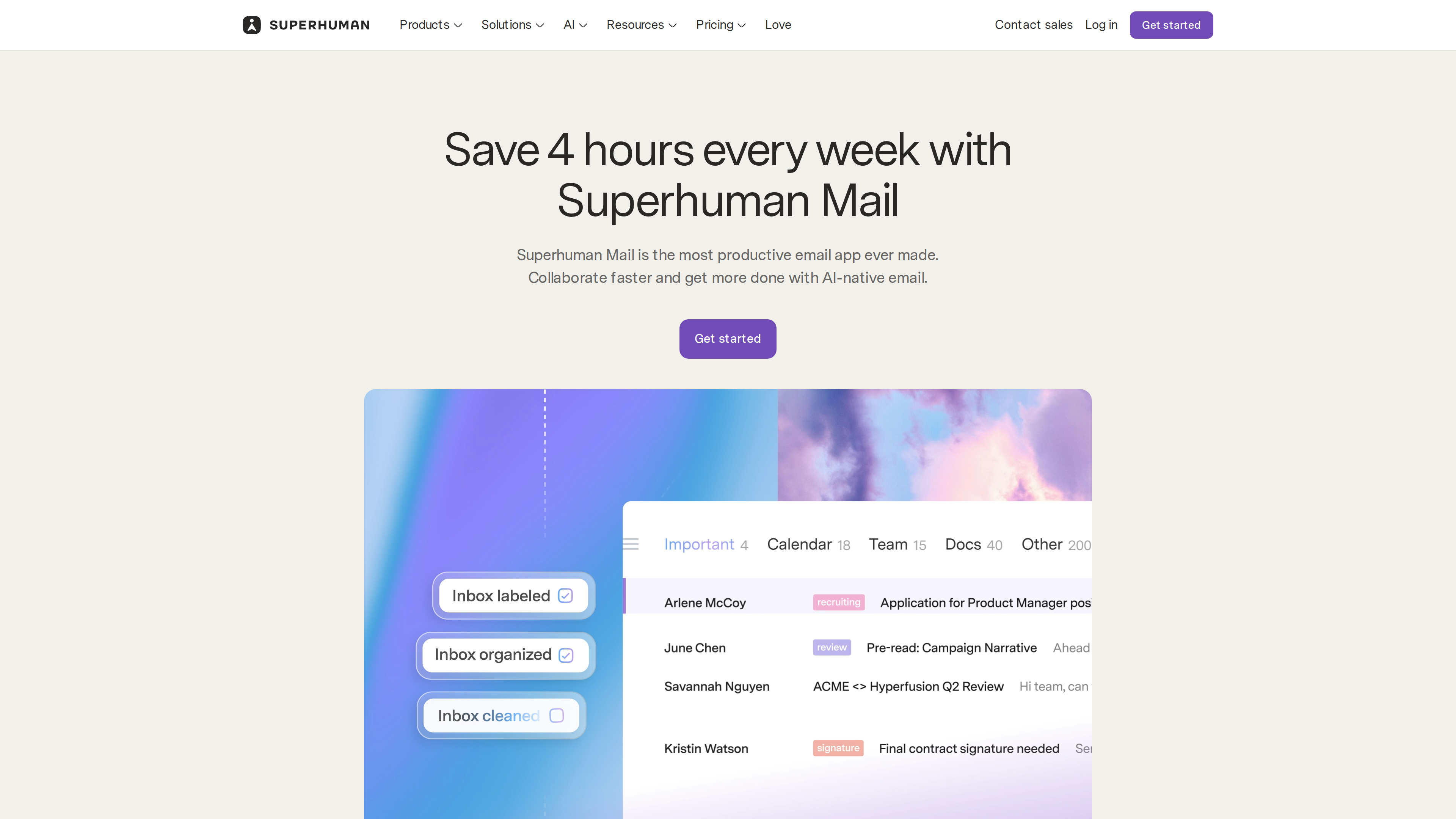
The Mail product page hero (2026-10-02): the headline promise is "save 4 hours every week," and the demo shows Split Inbox dividing the inbox into Important, Calendar, Team, Docs and Other streams.
At a Glance
| Item | Details |
|---|---|
| URL | https://www.superhuman.com (Mail product page: https://superhuman.com/mail) |
| Type | Premium email client + AI productivity suite (SaaS) |
| Supported mailboxes | Gmail / Google Workspace and Outlook / Office 365 only (the signup page offers just Google and Microsoft OAuth, signup) |
| Pricing | Mail has no free tier: Starter 25/member/mo billed annually; Business 33 annually; Enterprise custom (pricing, as of 2026-10-02). Suite plans add Free and Pro tiers covering Grammarly/Docs/Go |
| Signup | Requires a Google or Microsoft account; no free trial advertised |
| UI language | English (no official localized versions seen as of 2026-10-02) |
| Platforms | Web (mail.superhuman.com), macOS (Intel & Apple Silicon), Windows, Chrome extension, iOS/iPadOS, Android (help center) |
| Launched | Company founded 2014, development began 2015; widely covered in 2019 for its $30/month price and waitlist |
Background
- Founder: Rahul Vohra. He previously built Rapportive, a LinkedIn add-on acquired by LinkedIn. He founded Superhuman in 2014, started coding in 2015, then spent years in stealth, famously engineering product-market fit with a "very disappointed" survey methodology that later became a widely cited startup playbook (Vohra's own essay, Nov 27, 2018).
- Early model: invite-only access, a long waitlist, mandatory one-on-one onboarding calls, and a 30 a Month to Check Your Email?" (Jun 27, 2019; title verified via citation in the Wikipedia entry). Signup is now instant and self-serve, with a 15-minute getting-started guide and weekly webinars (help center).
- Funding: more than 75M Series C in 2021) and Tiger Global (Series C announcement, cross-checked against Wikipedia).
- Platform expansion: Gmail-only on the web at first; Outlook support launched in May 2022 (announcement), followed by Windows and Android apps in 2023 (Android announcement).
- Acquisition and rebrand: Grammarly announced its acquisition of Superhuman in July 2025 (official announcement); in October 2025 the Grammarly company renamed itself Superhuman, the email app became Superhuman Mail, and the products — Mail, Grammarly, Docs (formerly Coda) and Go — were bundled into a single suite subscription (announcement).
- Scale today: the company as a whole claims 40M+ daily users and 50K+ organizational customers (including the Grammarly product line; About page, 2026-10-02).
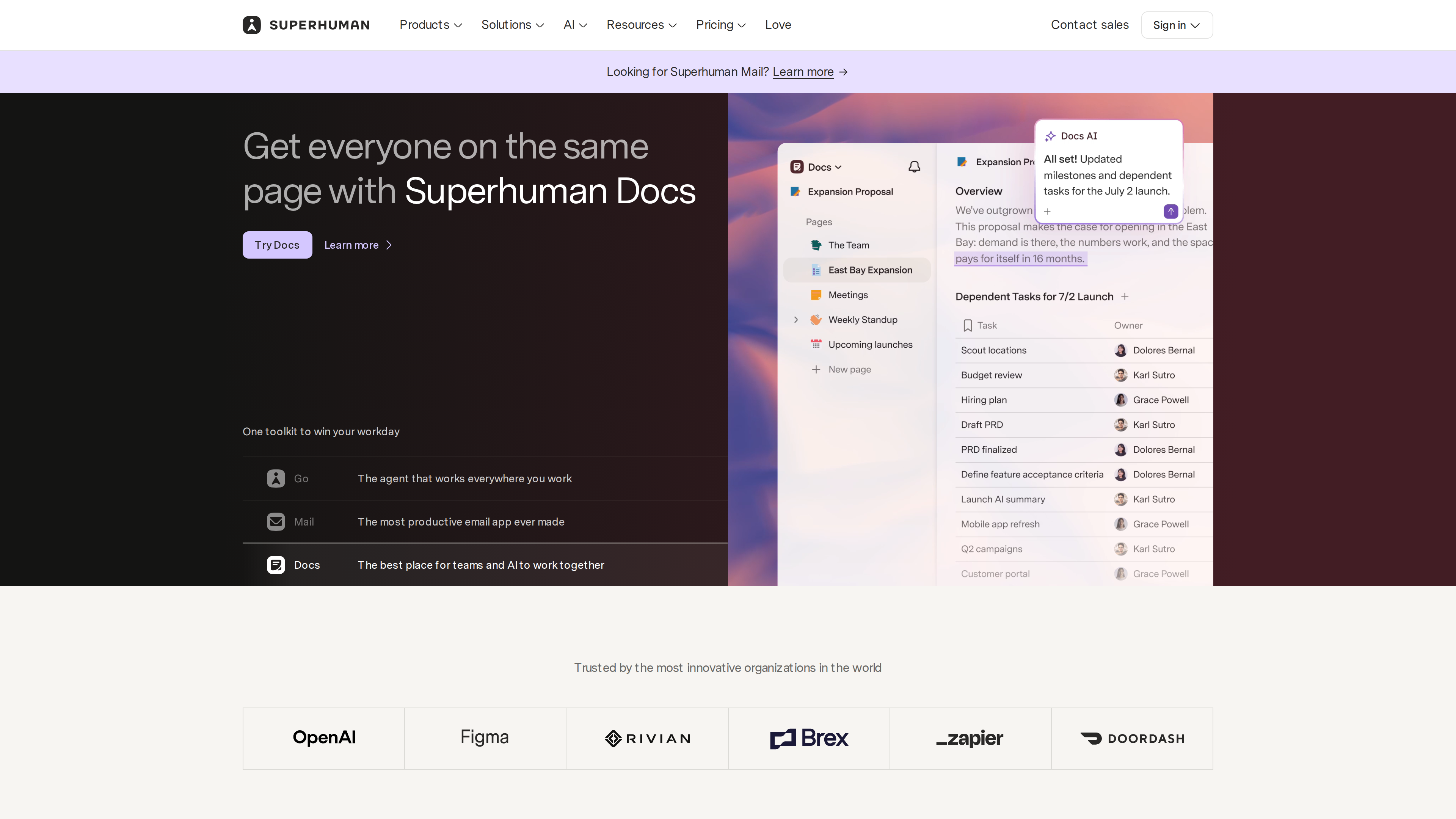
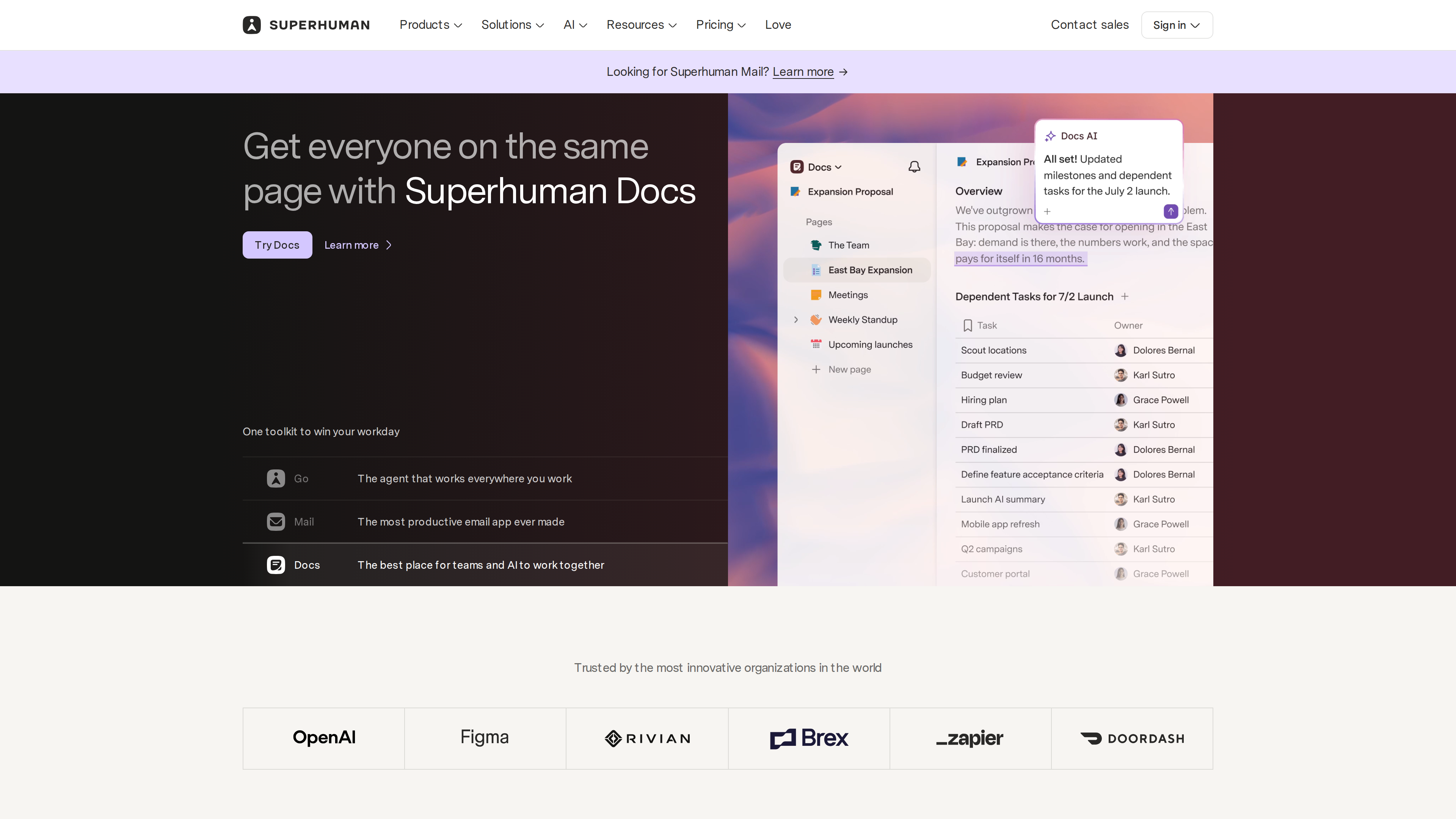
The homepage (2026-10-02): the hero carousel rotates between Go, Mail and Docs (caught here on the Docs panel), and a banner at the top asks "Looking for Superhuman Mail?" — a reminder that superhuman.com is now a suite website, not just an email client.
Core Capabilities
- Speed and keyboard flow: nearly every action has a shortcut, and Cmd/Ctrl+K opens the Superhuman Command palette; the company claims users get through email twice as fast and save four hours a week (company claims, Mail product page).
- Split Inbox: automatically splits incoming mail into streams — your team, VIPs, or notifications from tools like Google Docs, Notion and Asana — so important messages aren't buried.
- Follow-ups and deferral: set a reminder when sending ("if no reply in N days, remind me"), plus Snooze and Send Later.
- Snippets: save phrases, paragraphs or entire emails as templates — with attachments and automatic CC/BCC — and share them across a team for consistent messaging.
- Read Statuses: see when recipients opened your email and on which device. The feature is off by default and enabled per account (see "Controversies" below); a real-time Recent Opens feed is reserved for Business plans and up (help center).
- Team collaboration: share a live view of any email for comments (teammates don't need to be users), see when a colleague is already replying to avoid collisions, and share Snippets.
- Calendar integration: when you mention a date in a draft, your calendar for that day appears; Instant Event turns an email into a calendar event in one action.
- Superhuman AI: Ask AI (query your mailbox), Auto Drafts (pre-written replies in your voice), Auto Labels / Auto Archive (automatic triage), Auto Summarize (thread summaries), Instant Reply, Write with AI, Auto Reminders, and the Superhuman Mail MCP server that lets Claude and ChatGPT read and act on your mailbox (AI overview).
- Offline access: caches messages opened, searched or received in the last 30 days, up to 1,250 emails per Split (help center).
- A newer, app-free form: post-acquisition, "Superhuman Mail for Gmail" and "Email Assistant (Outlook)" run the AI agent inside your existing Gmail or Outlook web inbox — auto-labeling, archiving, drafting and reminding without a new app (Gmail version, Outlook version).
Pricing (as of 2026-10-02)
Standalone Superhuman Mail plans (Mail pricing):
| Plan | Monthly | Annual (per month) | Includes |
|---|---|---|---|
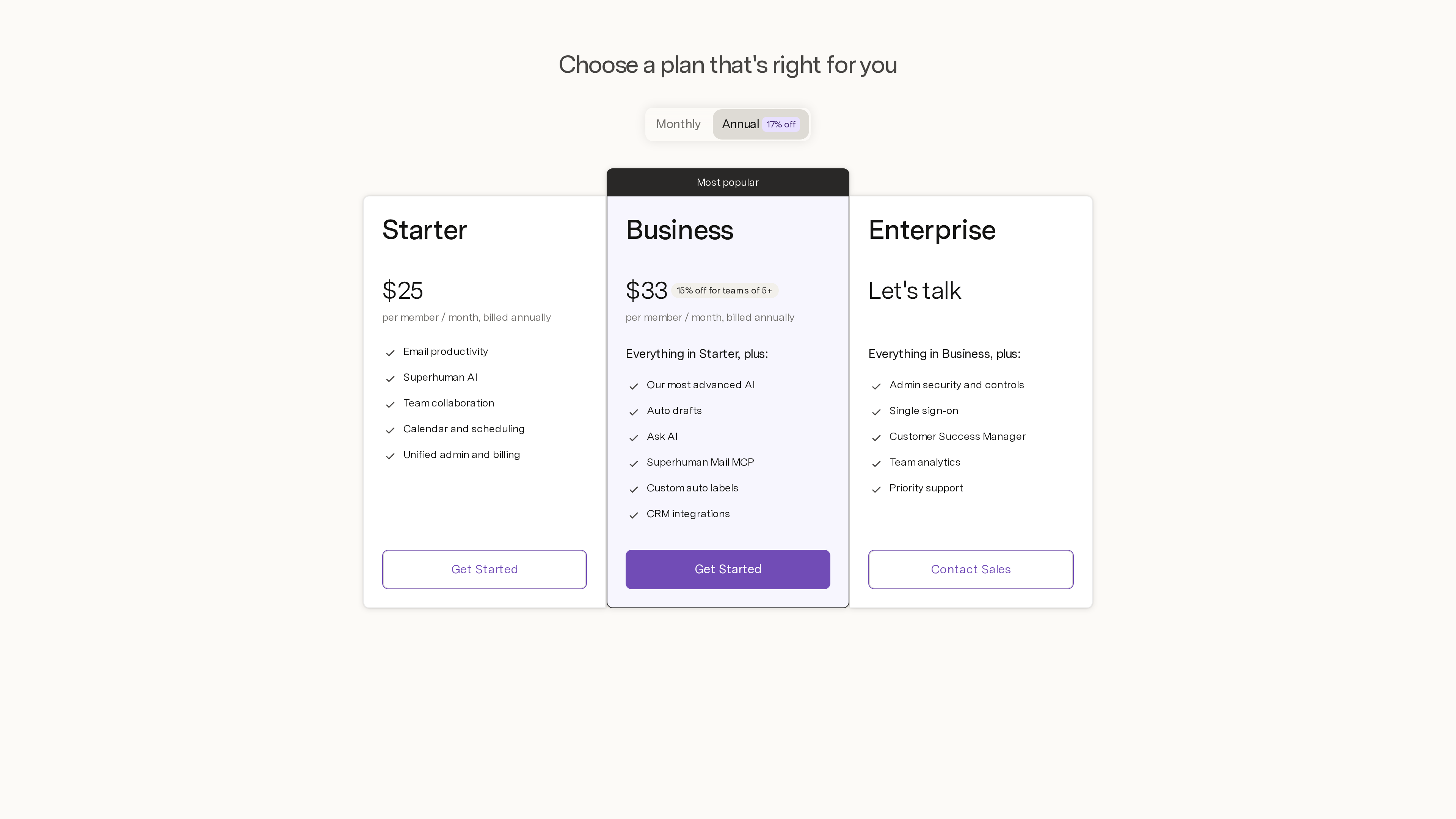
| Starter | $30/member/mo | $25/member/mo | Email productivity, Superhuman AI, team collaboration, calendar and scheduling, unified admin and billing |
| Business | $40/member/mo | $33/member/mo (15% off for 5+ accounts) | Adds the most advanced AI, Auto Drafts, Ask AI, Mail MCP, custom auto labels, CRM integrations (HubSpot, Salesforce, etc.) |
| Enterprise | Contact sales | Contact sales | Adds admin security controls, SSO, a Customer Success Manager, team analytics, priority support |
Suite plans (suite pricing): Free (12/member/mo billed annually, 33 annually / $40 monthly — same price as Mail Business but including all four products), Enterprise (custom).
Also of note: eligible startups (≤$10M raised, fewer than 50 employees, affiliated with an approved partner, not existing customers) get the Mail Business plan free for 12 months, up to 5 seats (program details). Neither the pricing page nor the signup flow advertises a free trial.
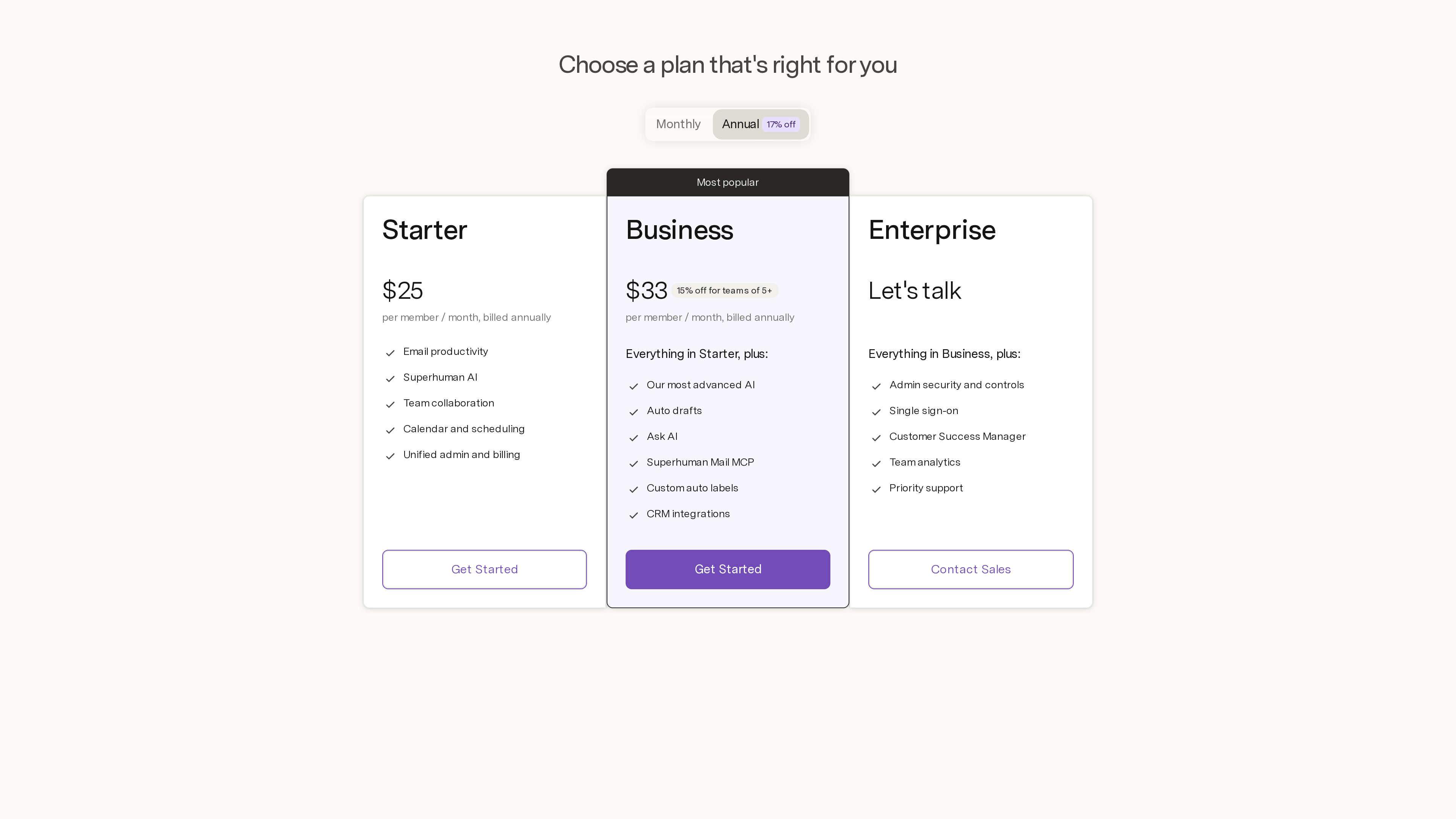
The Mail pricing page (2026-10-02, annual view): Starter at 33 per member per month; toggling to monthly billing shows 40 respectively.
Privacy and Data
- The current privacy policy (effective Jul 6, 2026) names the legal entity Superhuman Platform Inc. (formerly Grammarly) and states the company "makes money when users purchase our paid products and not by selling or monetizing user content."
- AI training: the company-wide policy may use user content to train AI models, with an opt-out control in account settings; its AI vendors are contractually barred from training on customer content. For Mail specifically, the help-center FAQ goes further — "Neither Mail nor any vendor trains on your data" — and notes that with Ask AI enabled, emails are stored (encrypted) with a SOC 2 compliant third-party vendor, while Instant Reply and Auto Summarize queries/responses are kept for 90 days (help center).
- Compliance: SOC 2 compliant; connects via OAuth rather than storing passwords; offers a GDPR data processing addendum (official statement).
Who It's For
- Executives, salespeople, recruiters, founders and heavy email users who process large volumes of work email and will pay for speed.
- Individuals and teams already on Gmail or Outlook who want a new "operating layer" without changing their underlying mailbox.
- Teams that want read receipts, follow-up reminders and shared messaging (Snippets) for sales and collaboration.
Controversies and Limitations
- Expensive: from $30/month with no free tier and no advertised trial, it sits at the top of the email-tool price range; whether it pays off depends on your email volume.
- Gmail and Outlook only: self-hosted mail, iCloud, Fastmail and other providers are not supported (observed on the signup page, 2026-10-02).
- The 2019 read-tracking controversy: early versions of Superhuman embedded tracking pixels in sent mail by default and showed recipients' approximate locations, which former Twitter design VP Mike Davidson criticized as surveillance in "Superhuman is Spying on You" (Jul 2019). Rahul Vohra publicly apologized and changed course: location logging was stopped and historical location data deleted, read statuses became opt-in, and an option to disable remote image loading was prioritized (archived official response, Jul 3, 2019). Read statuses remain available as an opt-in feature, and the structural issue — recipients cannot opt out of being tracked — persists.
- A newer company-level controversy (2026): Grammarly's (now Superhuman's) "Expert Review" feature simulated editorial feedback from hundreds of real writers and journalists — including Stephen King and Kara Swisher — without their permission. After public backlash the feature was shut down, and journalist Julia Angwin filed a class-action lawsuit against the company in March 2026 (TechCrunch, SFGate). The feature belongs to the Grammarly product, but the defendant is the same company.
- English-only UI: a barrier for non-English users (observed 2026-10-02).
- AI/data trade-offs: Ask AI and Auto Drafts require processing email content, and the company-wide AI-training setting is on by default unless you opt out — privacy-sensitive users should review account settings before enabling AI features.
References
- Superhuman homepage, Mail product page, Mail pricing, suite pricing, About, privacy policy (checked 2026-10-02)
- Official blog: Grammarly acquisition (Jul 1, 2025), Becoming Superhuman (Oct 29, 2025), Introducing: Superhuman (Oct 29, 2025), PMF engine (2018), Series C (2021), Outlook support (2022), Android launch (2023)
- Help center: downloads & platforms, Superhuman AI overview, Read Statuses
- Third parties: Mike Davidson: Superhuman is Spying on You, 2019 official response (Wayback), TechCrunch: Expert Review lawsuit, Wikipedia entry (cross-check)