Stellarium Web (stellarium-web.org) is an online planetarium that runs entirely in the browser. It brings the core experience of the well-known open-source Stellarium software to a web page: open the site and you immediately see a sky rendered for your current time and location, ready to pan, zoom, and scroll through time to find planets, constellations, the Milky Way, and deep-sky objects. Compared with the installable desktop version it requires no setup at all, and compared with other web-based star charts it inherits its rendering quality, data sources, and development team directly from the Stellarium project, which has been evolving for more than two decades.
At a Glance
- URL: https://stellarium-web.org/
- Type: Online planetarium / sky simulation
- Cost: Free, with no paywalled features; funded by donations and sales of the paid mobile app (see below)
- Account: Not required for stargazing features; only the observation log (NoctuaSky) requires sign-in
- Interface language: English (as of 2026-09-01, the UI remained in English when visited with a Chinese browser locale, and no language switcher was found)
- Requirements: A browser with WebGL support
Background
Desktop Stellarium is a free, open-source planetarium for computers, released under the GPL-2.0 license and coordinated by Fabien Chéreau, who started the project in the early 2000s. The official site lists a default catalog of over 600,000 stars, constellation systems for more than 40 cultures, telescope control, and a plugin system, and the project is still actively releasing new versions (v26.2 as of 2026-09-01).
The web version is a separate product line. According to the in-app "About" dialog, Stellarium Web is a two-person project built on the open-source Stellarium Web Engine, developed by Fabien Chéreau, the original creator of Stellarium, and his brother Guillaume. The rendering engine is published on GitHub under the AGPL-3.0 license; it draws the sky with WebGL and supports atmosphere simulation, Gaia star data, and HiPS survey imagery, and it was still being maintained as of 2026-09-01.
On the operations side, the in-app privacy policy states that Stellarium Web is developed by Stellarium Labs and Noctua Software Ltd: Noctua Software is a Hong Kong company founded by the Chéreau brothers (per the Stellarium Labs site), while Stellarium Labs SAS is a French company created in 2017 by Stellarium's original creator. The same companies develop and sell the Stellarium Mobile / Stellarium Mobile Plus apps.
Core Features
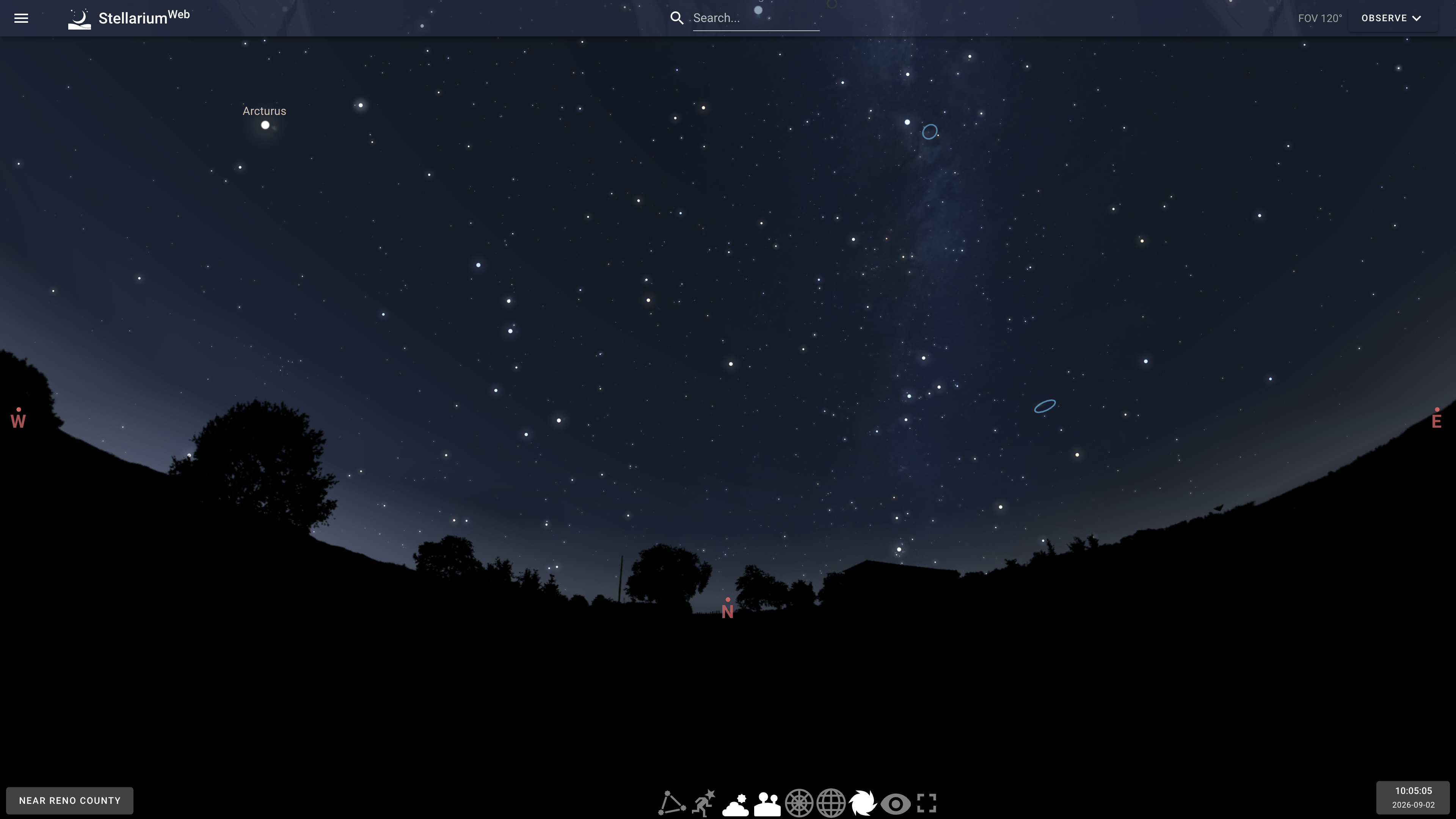
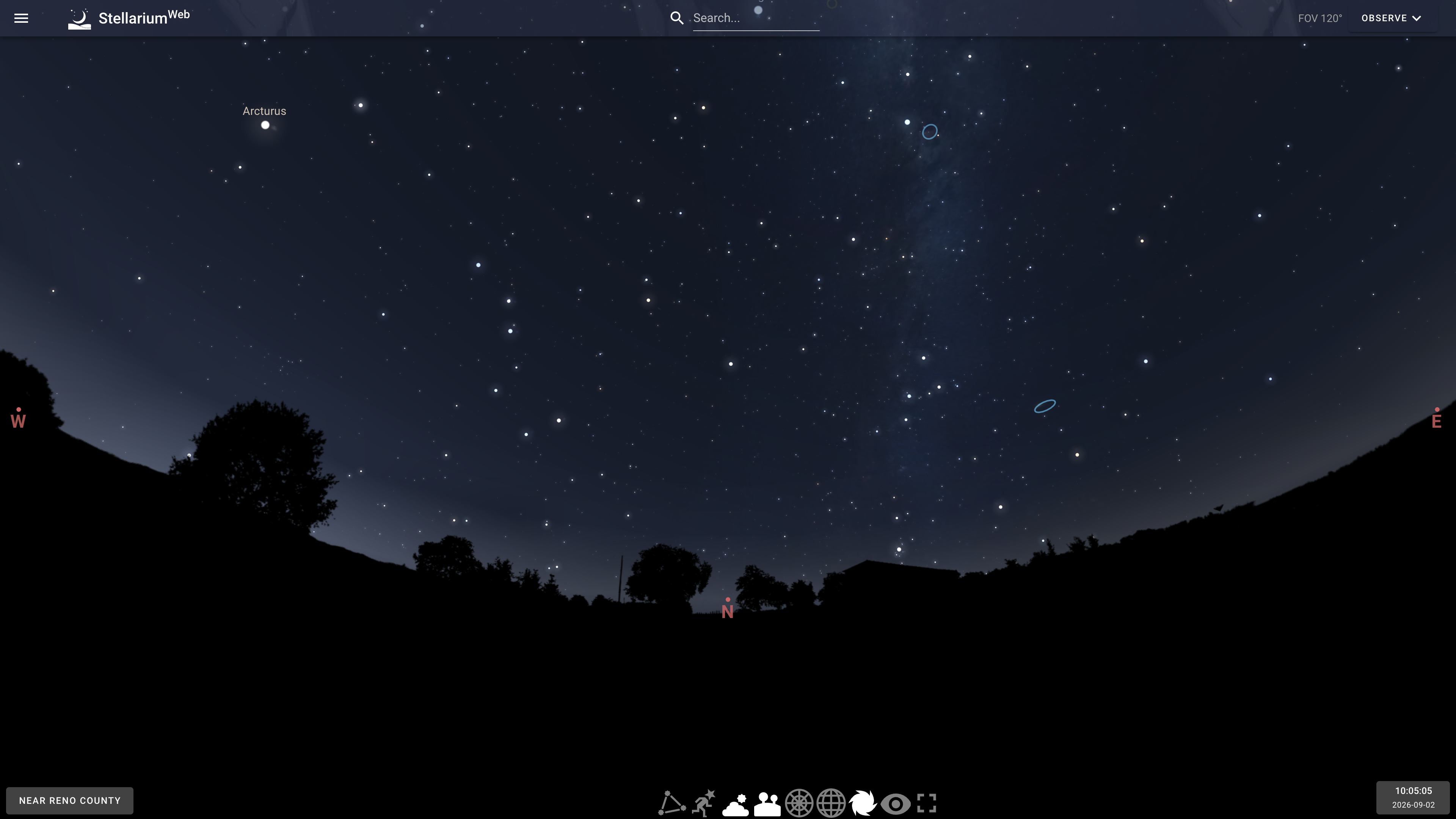
The site opens directly into a real-time sky rendered for your current time and geographic position (above). You can drag to look around and scroll to zoom, the top toolbar shows the current field of view (FOV), and the bottom toolbar toggles layers such as the ground landscape, atmosphere, and azimuthal or equatorial grids. The location button at the lower left and the time button at the lower right let you move the observing point anywhere on Earth and dial time backward or forward, which works for planning an observing session or revisiting a historical sky.
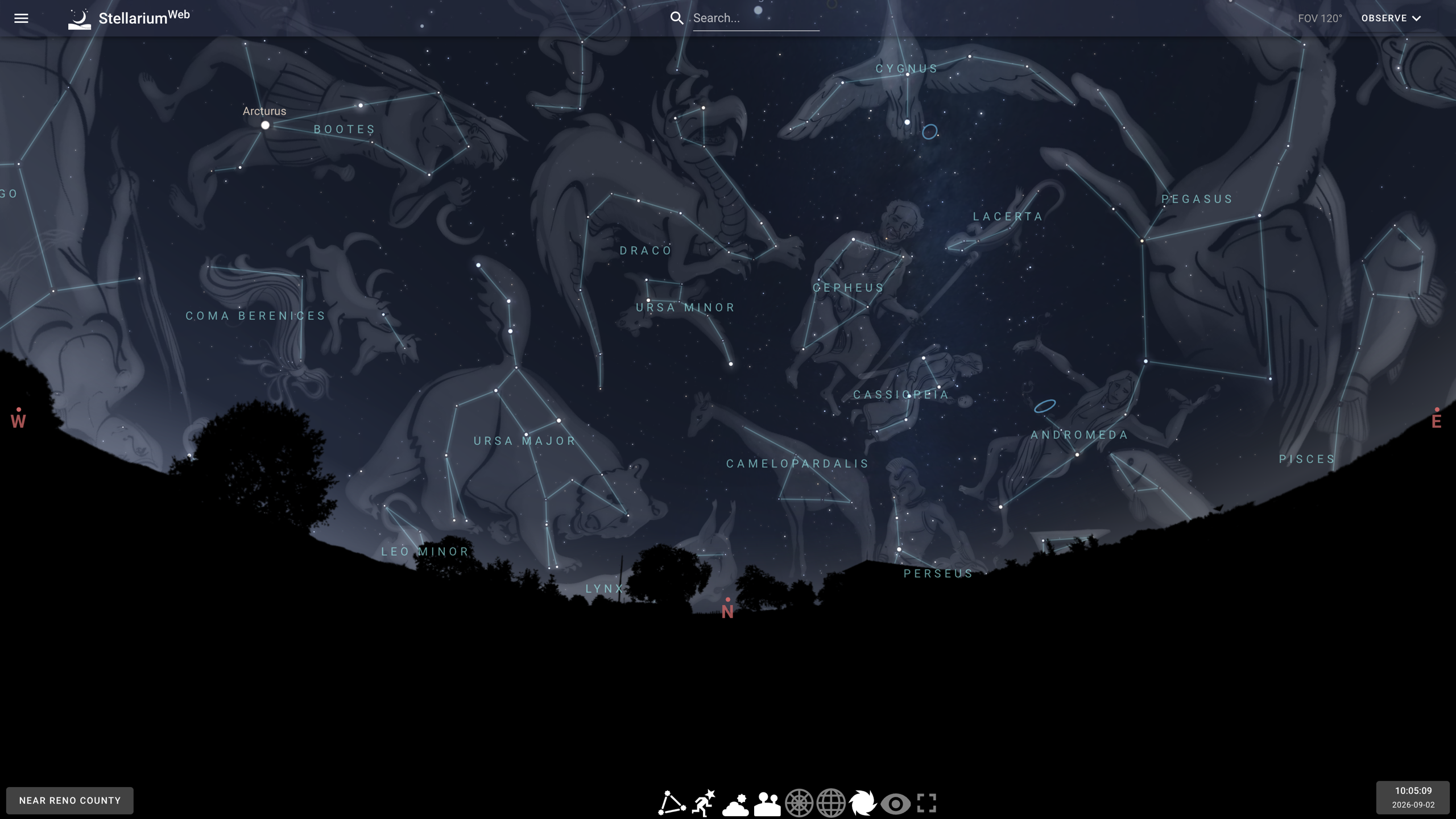
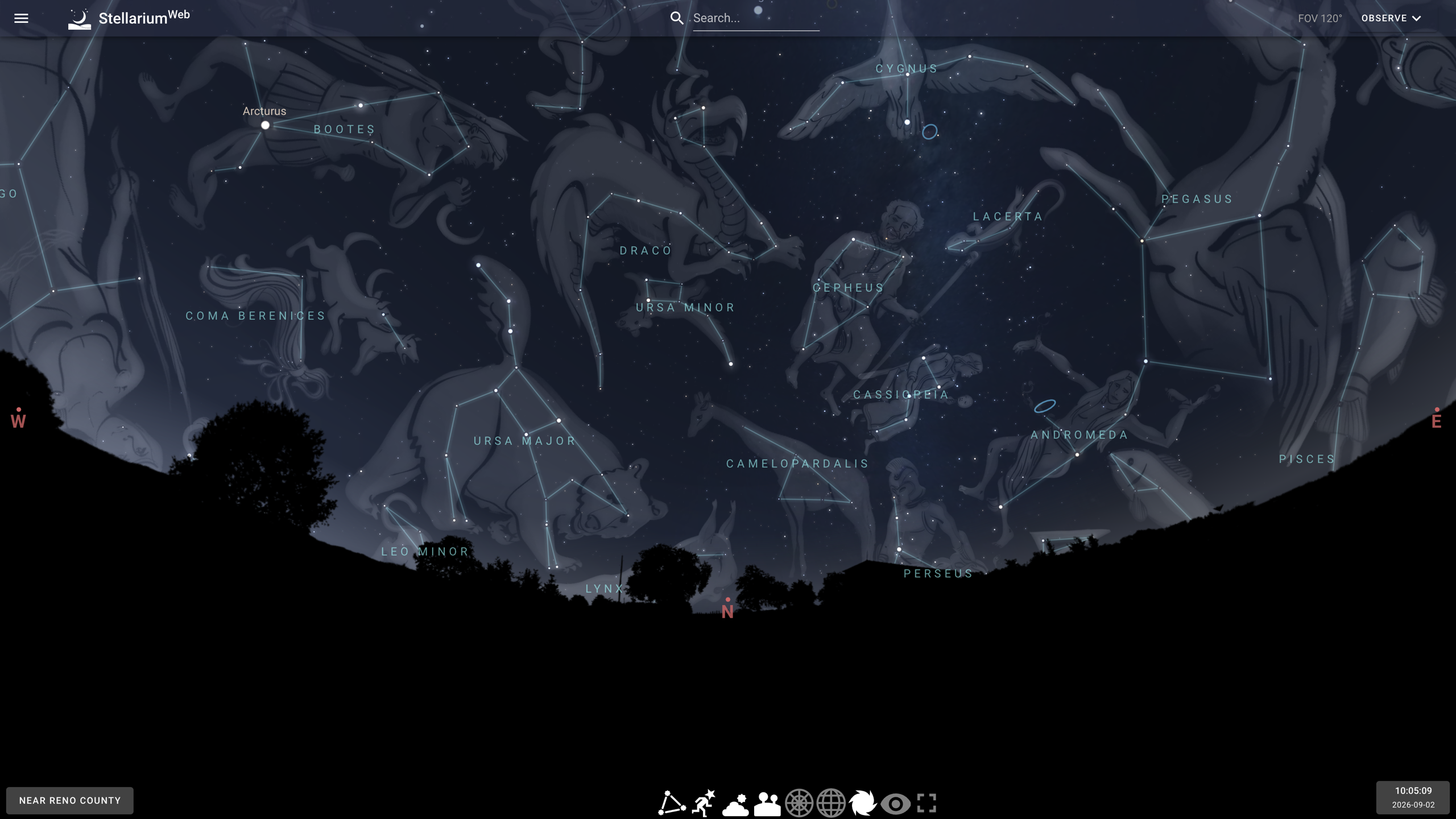
The bottom toolbar can overlay constellation lines, names, and artwork (above), turning scattered stars into recognizable figures — the layer most beginners reach for when learning the sky.
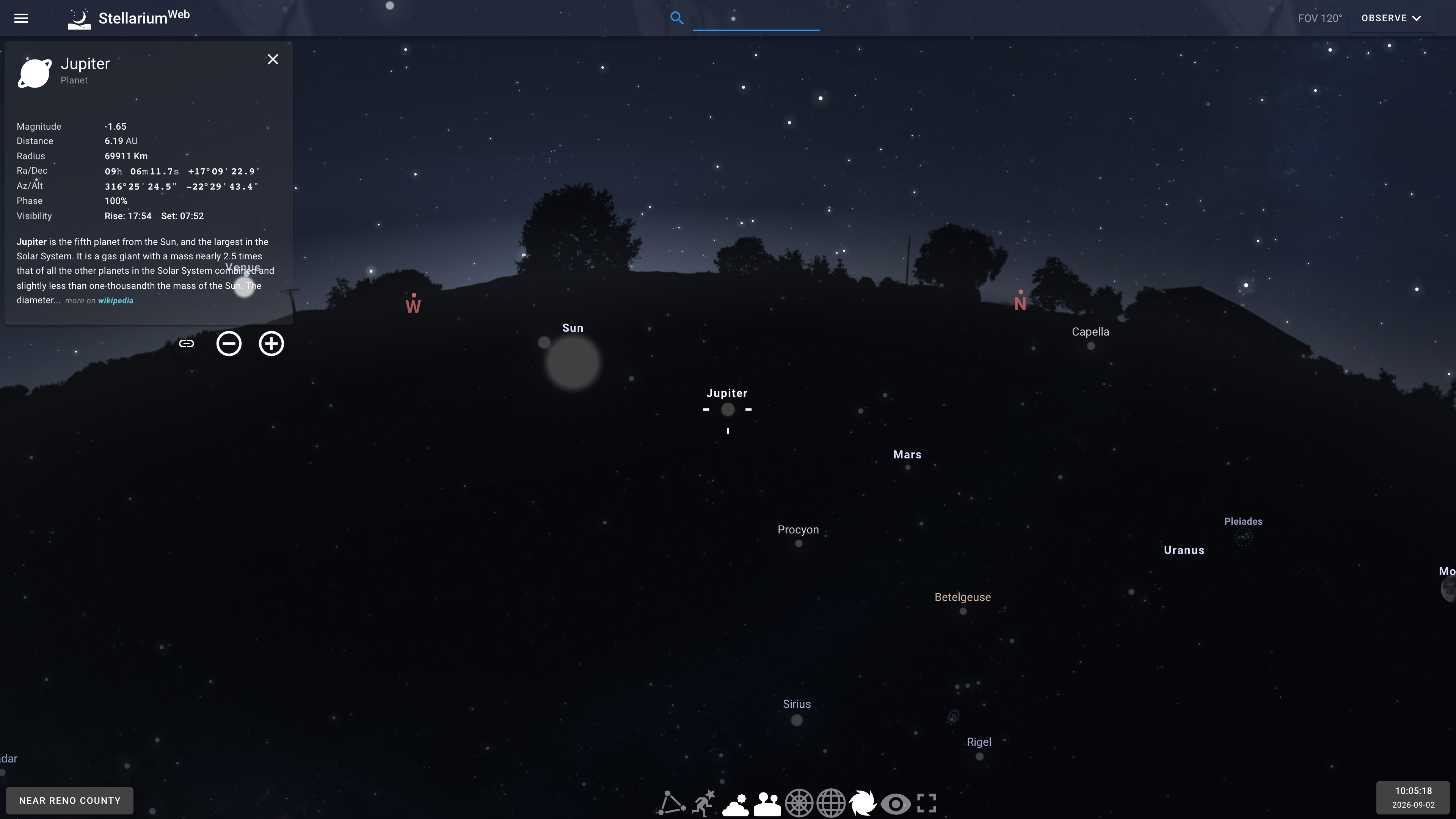
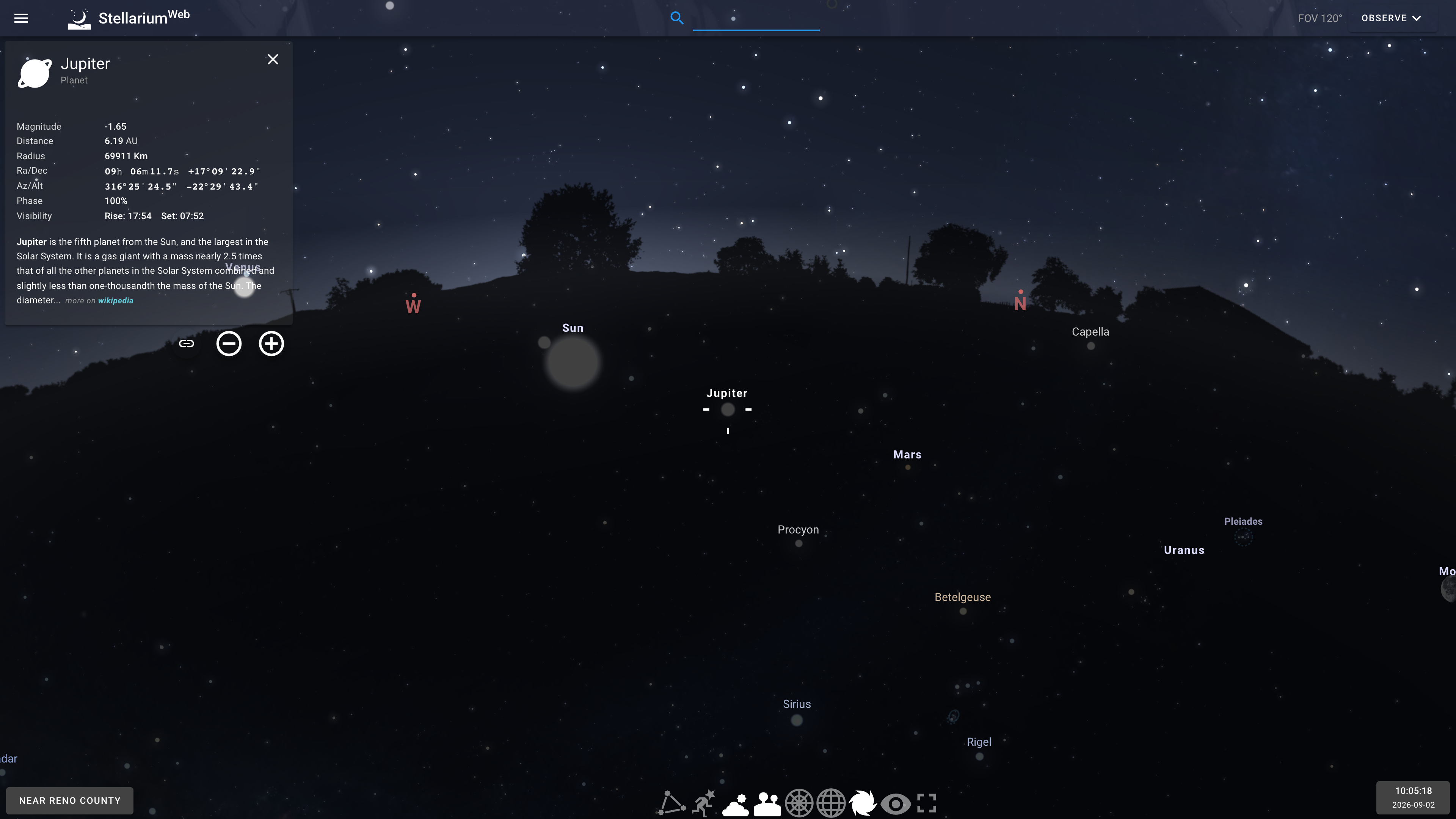
The search box at the top finds objects by name. Selecting Jupiter (above) centers the view on the planet and opens an information panel with magnitude, distance, radius, equatorial and horizontal coordinates, phase, and rise/set times for the day, plus a short description sourced from Wikipedia with a link to the full article.
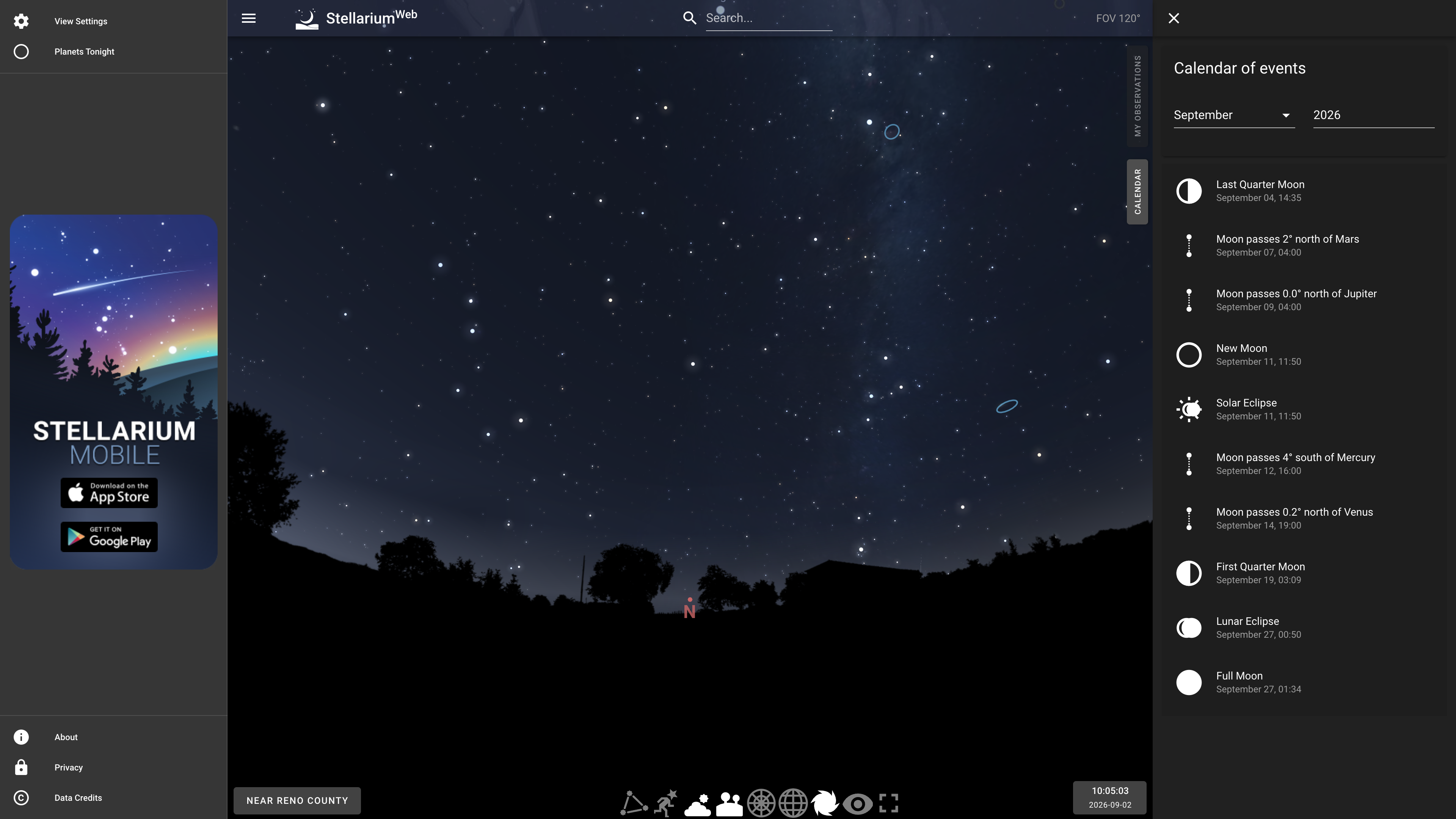
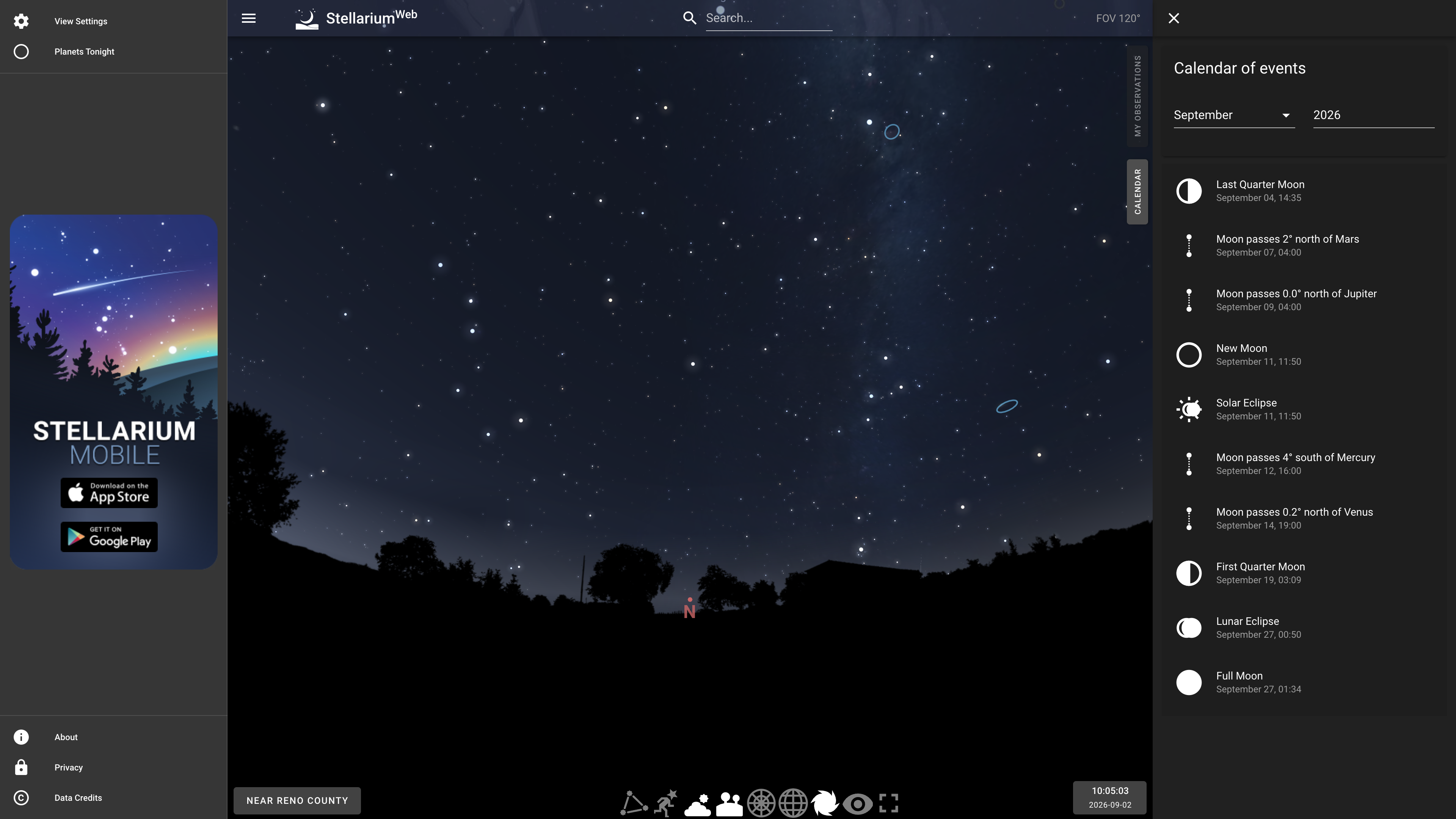
In addition, the Calendar page in the side menu lists upcoming events by month — moon phases, conjunctions, solar and lunar eclipses (below) — and Planets Tonight summarizes which planets are visible on the current evening. Location and time settings stay in sync across all pages.
Observation Log and Accounts
The site works fully anonymously. The "My Observations" page contains an observation log called NoctuaSky for recording dates, locations, instruments, and notes from your sessions; this is the only feature that requires creating an account and signing in. Per the privacy policy, registration collects your name, email address, login name, and password, and the dates, locations, instrument details, notes, and attached images in your log are stored on their servers.
Data Sources
The in-app "Data Credits" dialog lists where the sky data comes from: star data combines ESA's Gaia DR2, the Hipparcos catalog, and the Bright Star Catalogue (5th revised edition); deep-sky objects come from HyperLeda, SIMBAD, OpenNGC, and the Caldwell catalogue; and the background sky imagery is the Digitized Sky Survey from STScI/NASA. These are the standard professional data sources in astronomy software, setting it apart from purely artistic star renderings.
Pricing and Business Model
Stellarium Web itself is completely free, and no paywall or subscription option was found anywhere on the site as of 2026-09-01. The in-app "About" dialog explains the model: the project asks users to donate to the Stellarium project or buy the paid mobile app, with the money going toward server and development costs. The side menu permanently displays store links for Stellarium Mobile, which comes in a free version and a paid Plus version — the one clear paid boundary in this product line.
Privacy and Data
The in-app privacy policy states that the site collects visitors' local time and location to compute a personalized sky map, and may collect technical information such as browser type and IP address. Registered users' account details and observation logs are stored on the operator's servers. A cookie notice banner appears on first visit. The contact address given in the policy is contact@stellarium-labs.com.
Who It's For
- Beginners learning stars and constellations in a browser, with nothing to install;
- Observers checking planet positions and rise/set times for a given night and place before heading out;
- Teachers and presenters who need an instantly available sky and events calendar in class;
- Developers looking for an open-source planetarium renderer they can embed in a web page (Stellarium Web Engine).
Limitations
- Feature-light compared with the desktop version: no telescope control, plugin system, scripting interface, or multi-culture constellation sets, and astrophotography-grade simulation is out of scope; use the desktop version for those needs.
- The interface is currently English-only (observed on 2026-09-01), whereas the desktop app offers a multilingual UI including Chinese — a hurdle for non-English-speaking beginners.
- Rendering depends on WebGL, so older devices or browsers with hardware acceleration disabled may struggle.
- Sky rendering and data loading require a network connection, so it is not suited to fully offline field use; the companion Stellarium Mobile app covers mobile devices.
- The web app itself is delivered as a hosted front-end service; what is open source is the underlying rendering engine (AGPL-3.0), and the licensing boundary between the two is worth noting.
References
- Stellarium Web (including the in-app About, Privacy, and Data Credits dialogs)
- Stellarium desktop official site
- Stellarium Web Engine (GitHub, AGPL-3.0)
- Stellarium desktop repository (GitHub, GPL-2.0)
- Stellarium Labs