Screen Studio (screen.studio) is a screen recording app that runs exclusively on macOS, built around the idea of "automatic post-production": it records precise mouse movement data alongside the capture, then automatically generates smooth zoom animations at the moments that matter, adds motion blur and click effects to the cursor, creates captions, and frames everything with wallpapers and shadows. The result is that someone with no editing skills can produce product demos, courses and social videos that look professionally edited, in minutes (homepage, checked 2026-10-02).
Compared with "record and share" tools like Loom, Screen Studio focuses on the visual polish of the final video and on-device processing; compared with traditional editors like Camtasia, it automates the manual work of camera moves, cursor treatment and framing. Its title tag says it plainly — "Professional screen recorder for macOS"; Windows users are not the audience.
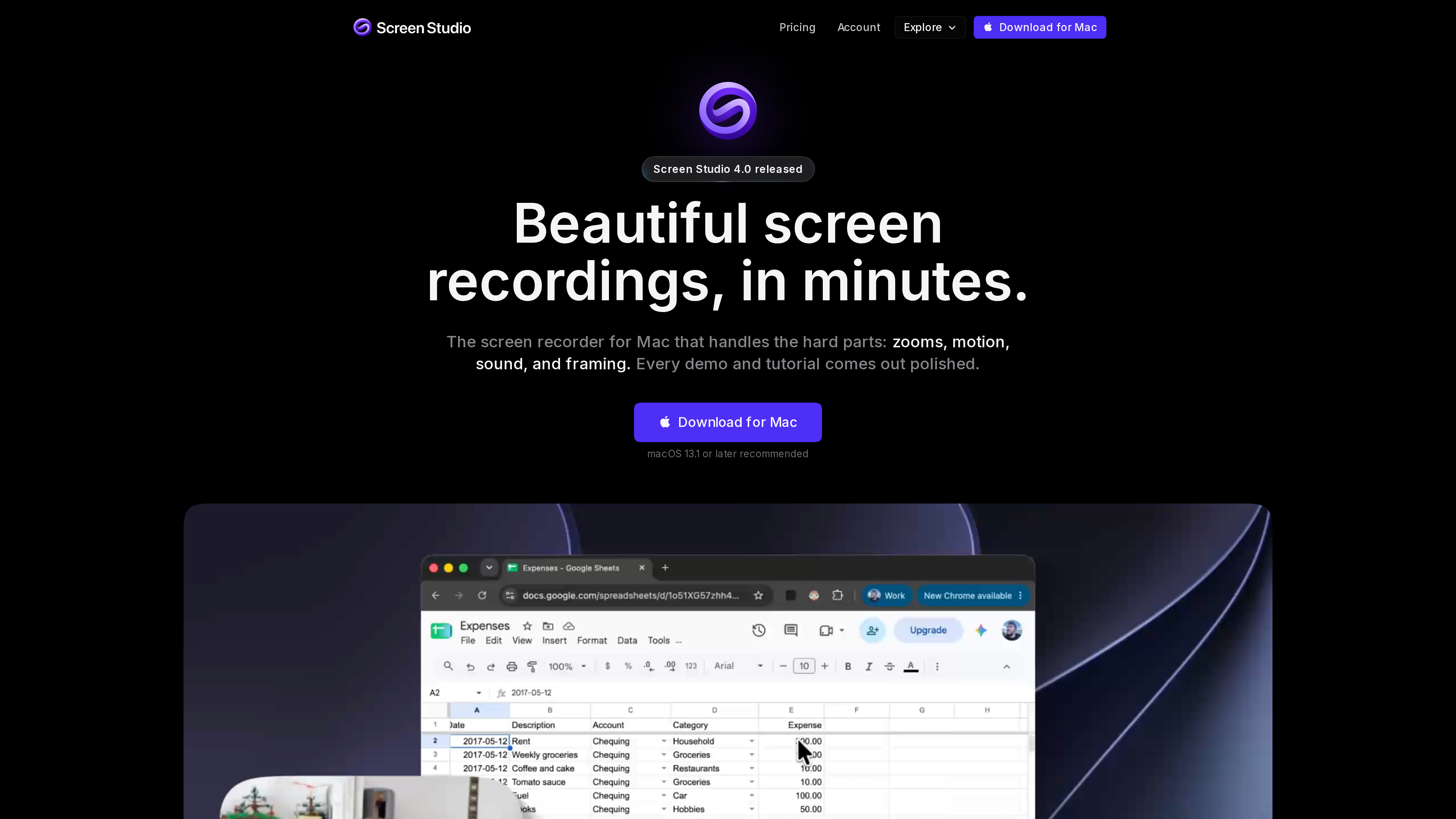
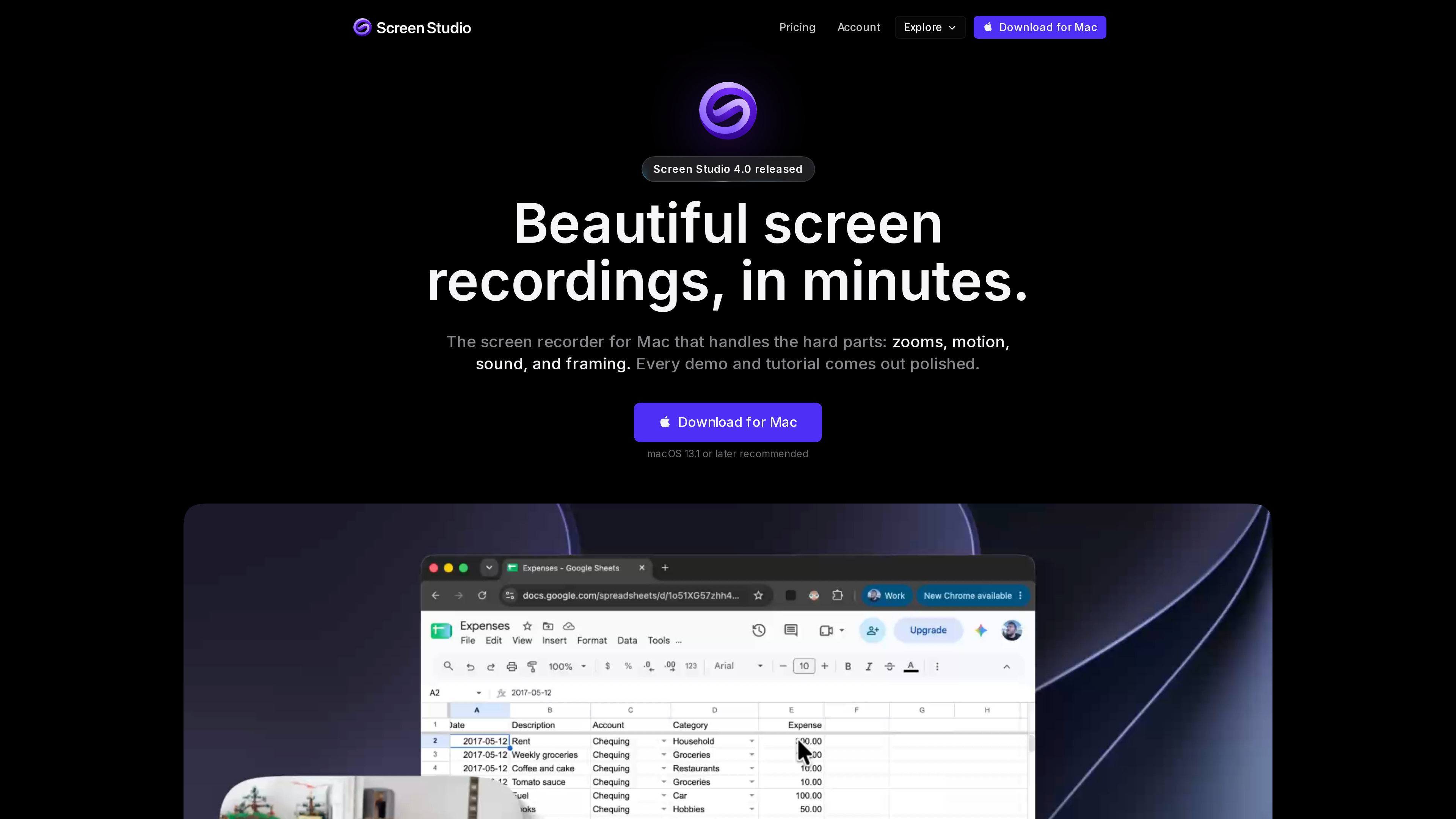
The homepage (screenshot from 2026-10-02) leads with "Beautiful screen recordings, in minutes" under a "Screen Studio 4.0 released" banner; the demo footage below shows the kind of automatically zoomed and framed output the app produces.
At a glance
| Item | Details |
|---|---|
| URL | https://screen.studio/ |
| Type | macOS screen recorder with automated post-production (paid desktop app) |
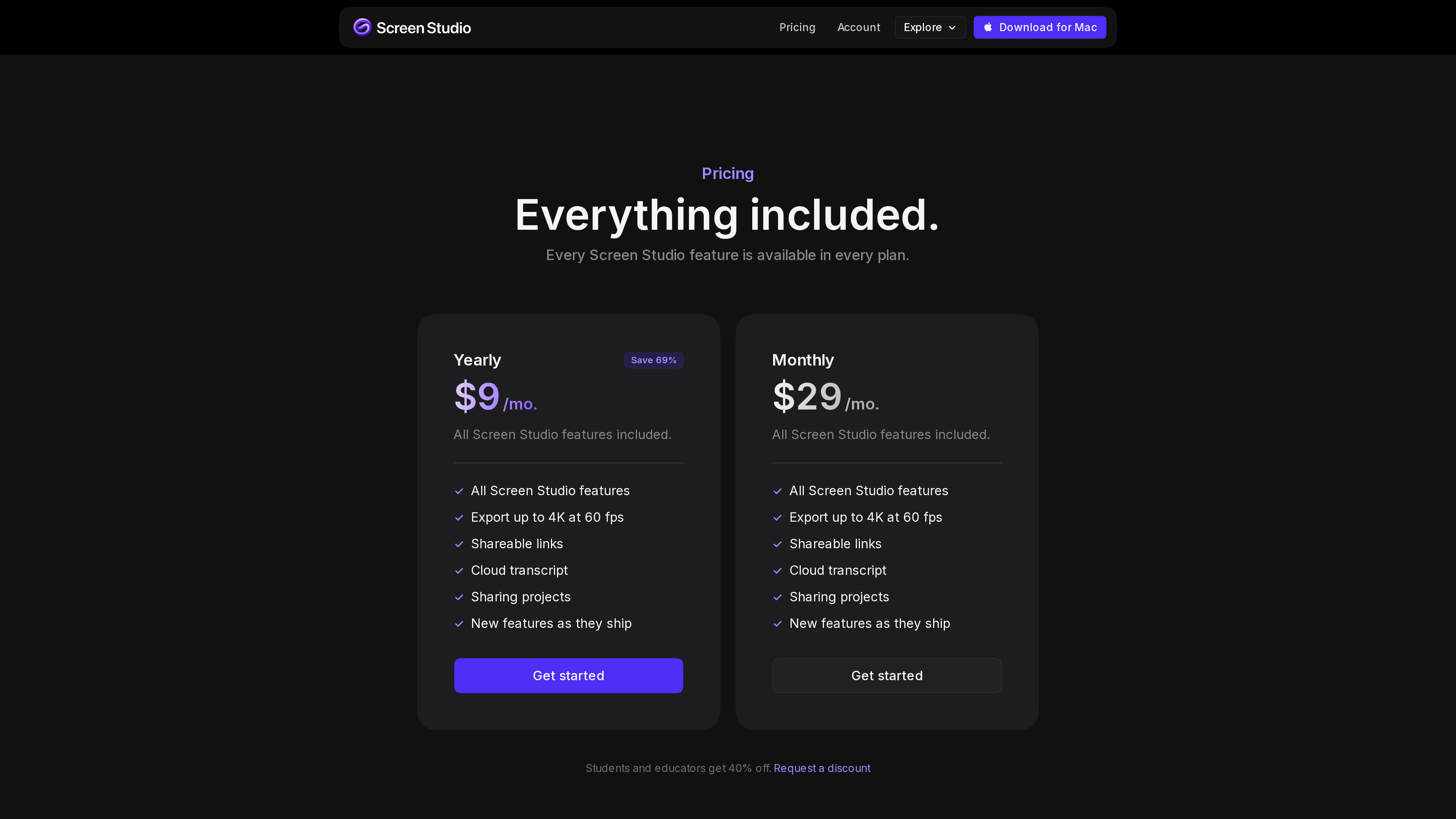
| Pricing | Subscription: 29/mo billed monthly; identical features in both plans; 40% off for students and educators (pricing section, as of 2026-10-02) |
| Platform | macOS only (macOS Ventura 13.1+ recommended; Apple M1 or later recommended, Intel limited to MacBook Pro 2018+ / MacBook Air 2020+); the FAQ states there are no near-future Windows plans (FAQ) |
| Interface language | English (no official localization as of 2026-10-02) |
| Launch | Late 2022 — the site was live in November 2022 and selling licenses by December 2022, per the Wayback Machine (2022-11-01 snapshot) |
Background
- An indie product: Screen Studio is developed by Polish developer Adam Pietrasiak (@pie6k on social media). The site's copyright line is his personal name, and the subscription agreement (last updated 2025-09-04) is concluded with "Timpler Adam Pietrasiak", a sole proprietorship based in Kraków, Poland (Master Subscription Agreement). Payments run through Lemon Squeezy.
- From perpetual licenses to subscription: at launch in late 2022 the app was sold as a one-time purchase (Standard 139, with one year of updates). New customers can now only subscribe; the FAQ confirms old licenses remain valid and can be renewed to regain update access, but perpetual licenses are no longer sold to new buyers (FAQ).
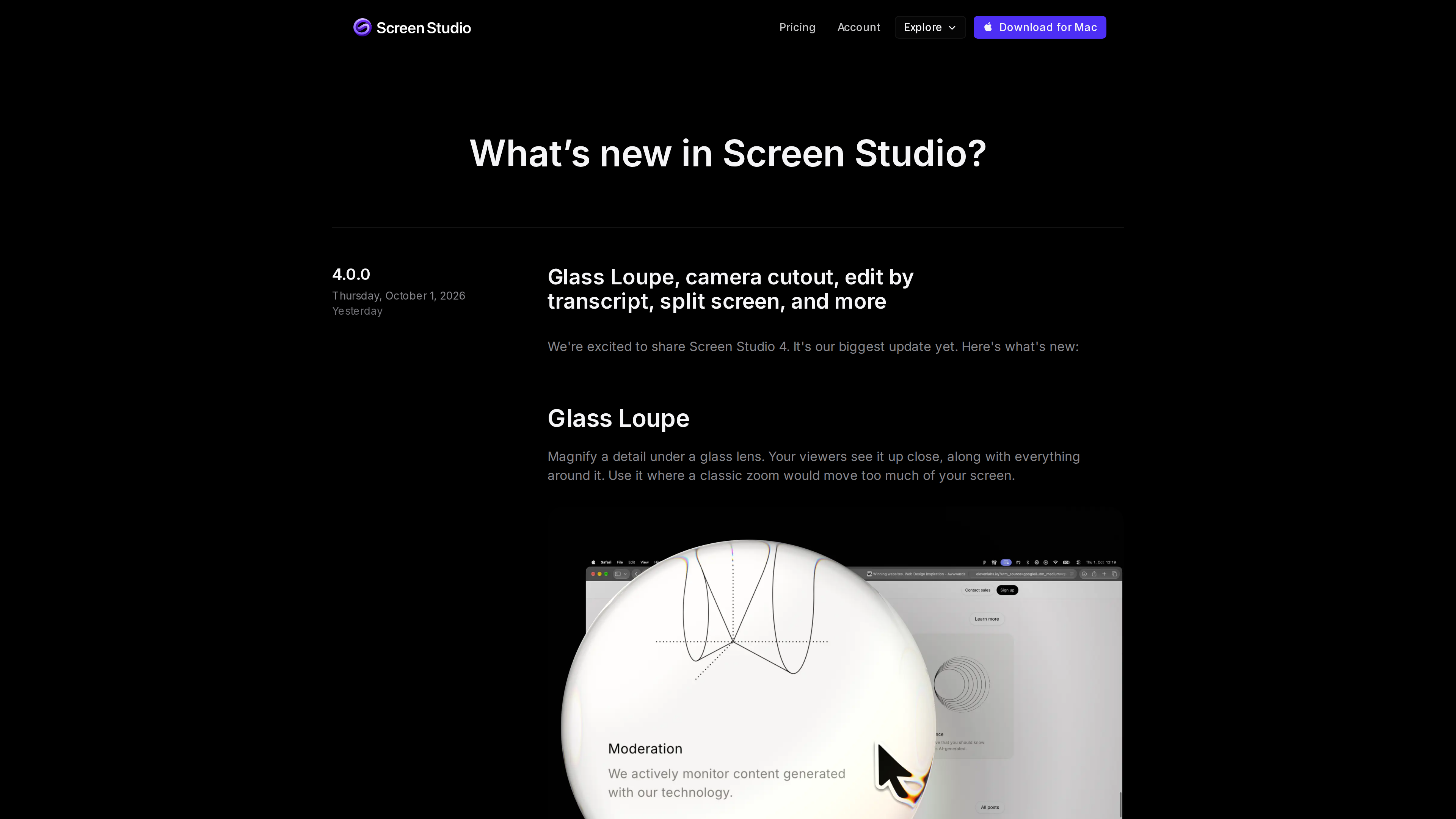
- Release cadence: the public changelog lists more than 150 version entries. Version 3.0 (December 2024) introduced shareable links and camera layouts; version 4.0 shipped on October 1, 2026 with the Glass Loupe zoom, camera cutout, transcript-based editing and split-screen layouts.
- User base: the homepage features testimonials from people at Stripe, Notion, GitHub, Framer, Y Combinator and others (vendor-curated quotes), and the app has become a common choice for developer and product-demo videos.
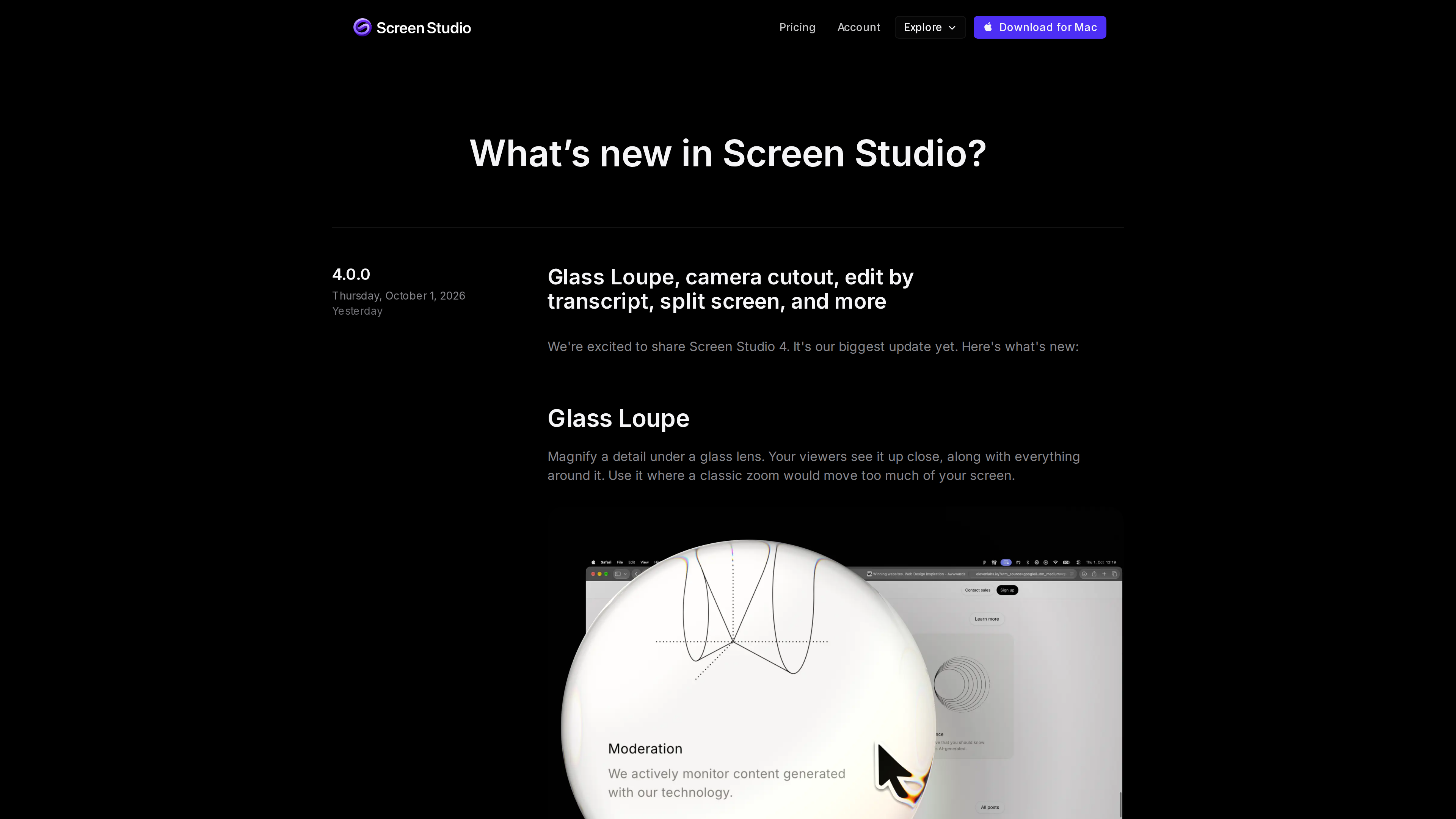
The changelog page (screenshot from 2026-10-02) shows the latest entry, 4.0.0, dated October 1, 2026.
Core capabilities
Automatic camera moves and zooms
- Automatic zoom: because Screen Studio logs what you did while recording — where you clicked, for example — it can zoom in on the moments that matter without any manual keyframing. You can also drop manual zooms on the timeline and point them anywhere. Two zoom styles are available (Classic and Loupe), and 4.0 adds the Glass Loupe, which magnifies a detail under a glass lens without moving the rest of the frame.
- A custom upscaler: the company says its real-time upscaler was trained on more than 5,000 generated macOS screenshots and SwiftUI apps, delivers up to 6.5× magnification and runs entirely on the Mac, keeping zoomed-in text sharp (homepage).
- Smart framing: zooms are balanced automatically so the webcam view never covers the cursor.
Cursor and motion effects
Since the cursor is never baked into the footage, everything about it stays editable after recording: optics-based motion blur smooths fast movements, shaky paths become steady glides, clicks can show a quiet circle or ripple, cursor size and style can be restyled at any time, an idle cursor fades out of view, and the cursor can loop back to its starting position for seamless looping clips. This is the core technical difference from most recorders, which capture the cursor into the pixels and lock it in place (FAQ).
Camera layouts and aspect ratios
- A single recording can move between layouts: fullscreen camera, split screen, a corner camera overlay, screen only, and the new camera cutout, which removes the webcam background on-device so the presenter sits directly on the screen. The camera can hide automatically during silence, and face tracking keeps the picture centered as you move.
- Record once, post everywhere: switching between 16:9, 1:1 and 9:16 re-aims zooms, rearranges layouts and repositions captions automatically. Reel mode overlays the Instagram or TikTok interface on top of the video so you can check that nothing important ends up hidden under platform UI.
Recording and editing
- You can capture the whole display, a single window or a custom area, along with webcam, microphone and system audio. Utilities include resizing the recorded window to an exact pixel size in one click, hiding desktop icons, speaker notes, a countdown, and pause/resume. During recording the take is saved to disk every two seconds, so even a power loss doesn't lose the footage. Recording is built on Apple's native ScreenCaptureKit, which the developer says keeps the Mac responsive.
- Edit by transcript: introduced in 4.0, this lets you edit video like text — delete a sentence to cut it from the timeline. Filler words and long pauses can be cleared in one pass; there's also trimming, speed changes, automatic speed-up of typing segments, background music, AI voiceover (text-to-speech) and a ⌘K command menu.
- Audio and captions: noise reduction and the Podcast voice mode run on-device; captions are generated locally with Whisper or Apple's speech recognition, come in multiple text and animation styles, and can be exported as an .srt file.
- Brand styling: backgrounds can be a macOS wallpaper, gradient, custom image or an Unsplash photo, with adjustable shadow and inset. The whole look can be saved as a preset and shared with a team to keep videos consistent.
Device recording, privacy masks and export
- Connecting an iPhone or iPad over USB lets you record the device directly; Screen Studio wraps the footage in a matching device bezel, with nothing to install on the device itself.
- Masks cover sensitive data such as API keys or email addresses after the fact, blending into the surrounding UI; Highlight dims the rest of the frame to guide attention.
- Export specs: MP4 at 720p, 1080p or 4K at up to 60 fps; GIFs up to 1080p. Shareable links stream at 1080p/60 for videos up to 30 minutes, with per-second comments, view counts and private links. The finished video can also be copied to the clipboard and pasted straight into Slack, Linear or a doc, and entire projects (up to 20 GB, zooms and cuts included) travel as a single download for a teammate to keep editing (homepage, shareable links guide).
Privacy and data handling
Screen Studio describes itself as "offline first": recordings and projects live on your Mac, and transcription, noise reduction, face tracking, background removal, super resolution and encoding all happen locally. Cloud features are optional and disclosed at the point of use: shareable links and shared projects are uploaded when you create them; cloud transcription is opt-in and the audio is said to be deleted from the server once the transcript returns; AI voiceover sends the text you type. Usage analytics never include recording content and can be turned off in Settings (homepage, 2026-10-02). These are the vendor's own commitments; treat them accordingly if your content is sensitive.
Pricing (as of 2026-10-02)
Prices taken from the pricing section:
| Plan | Price | Notes |
|---|---|---|
| Yearly | $9/mo, billed yearly (labeled "Save 69%") | Everything included: all features, 4K 60fps export, shareable links, cloud transcript, project sharing, new features as they ship |
| Monthly | $29/mo | Identical feature set to the yearly plan |
| Education | 40% off | Students and educators; automatic verification with an educational email address, or send proof of status to team@screen.studio (discount page) |
Notes: the two plans differ only in billing period; no free tier or trial is listed on the site. The subscription agreement states that fees are payable in advance and are non-refundable (Master Subscription Agreement).
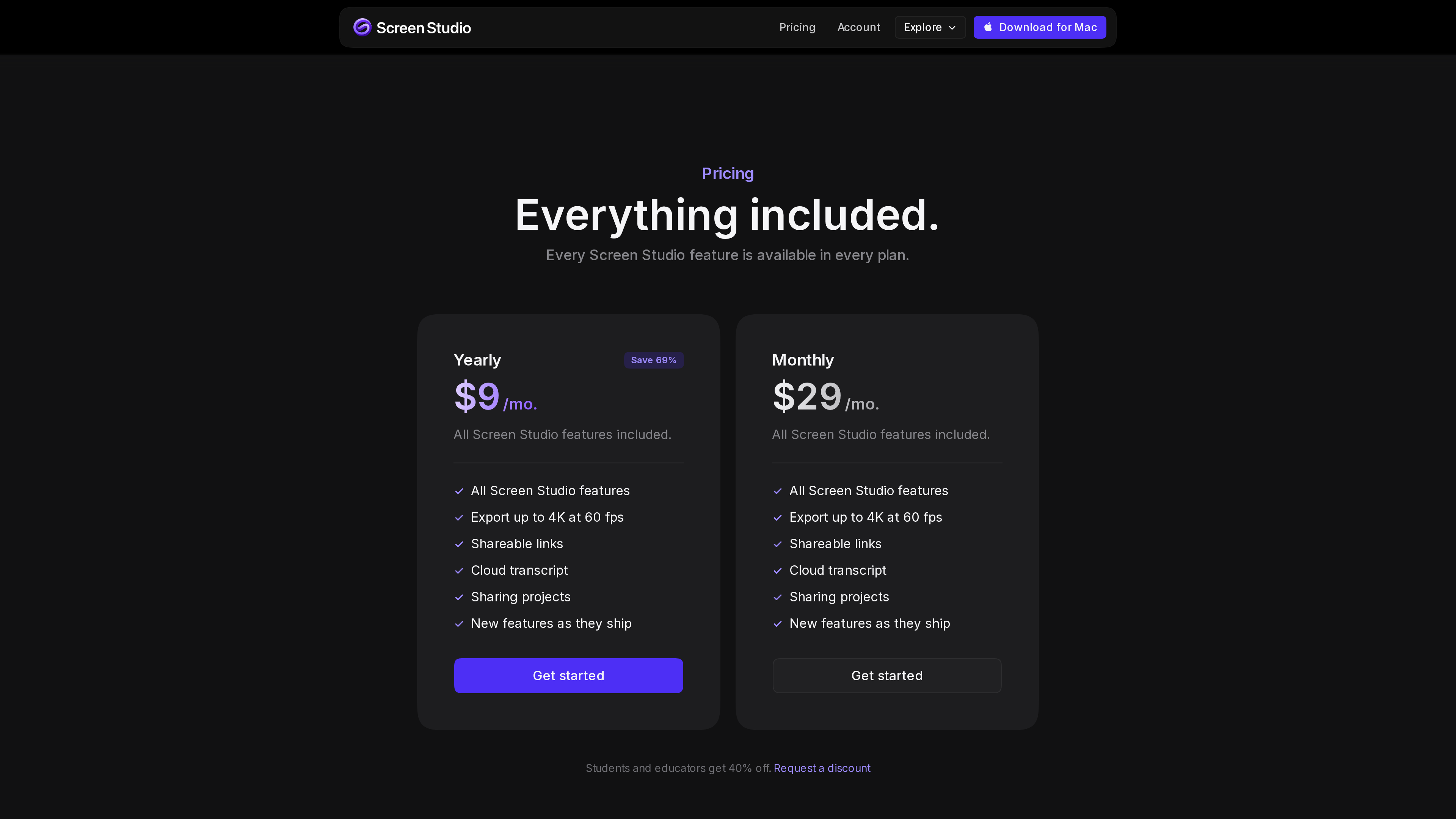
The pricing section (screenshot from 2026-10-02): both plans include every feature, and the page notes a 40% discount for students and educators.
Who it's for
- Developers, indie makers and SaaS teams who frequently ship product demos and release videos.
- Course creators and educators making tutorials that benefit from captions, keystroke overlays and close-up zooms.
- Social media producers who want to record once and distribute across 16:9, square and vertical formats.
- Mobile developers who need iPhone/iPad demos framed in device mockups.
Limitations
- macOS only: the FAQ states there are no near-future plans for Windows; Windows and Linux users are excluded entirely (FAQ).
- Hardware requirements: Apple silicon is recommended; Intel support is limited to MacBook Pro 2018+ and MacBook Air 2020+, and some features depend on your macOS version (system requirements).
- No free tier: no free plan or trial is listed on the site, and the subscription agreement makes fees non-refundable, so there's no official way to evaluate before paying (as of 2026-10-02).
- Perpetual licenses discontinued: buyers who prefer one-time purchases can only subscribe; existing license holders must renew to keep receiving updates.
- Shareable link cap: videos shared via link are limited to 30 minutes; longer content must be exported as a file.
- English only: the app and documentation are English-only, which may be a barrier for some users.
- Some features are labeled Beta or rely on the cloud (Podcast audio mode, cloud transcription, AI voiceover) and should be evaluated for maturity and data handling.
References
- Screen Studio homepage, changelog, roadmap (checked 2026-10-02)
- Master Subscription Agreement (updated 2025-09-04)
- Screen Studio Guide: system requirements, shareable links, export settings
- Educational discount page
- Wayback Machine: screen.studio snapshot of 2022-11-01