
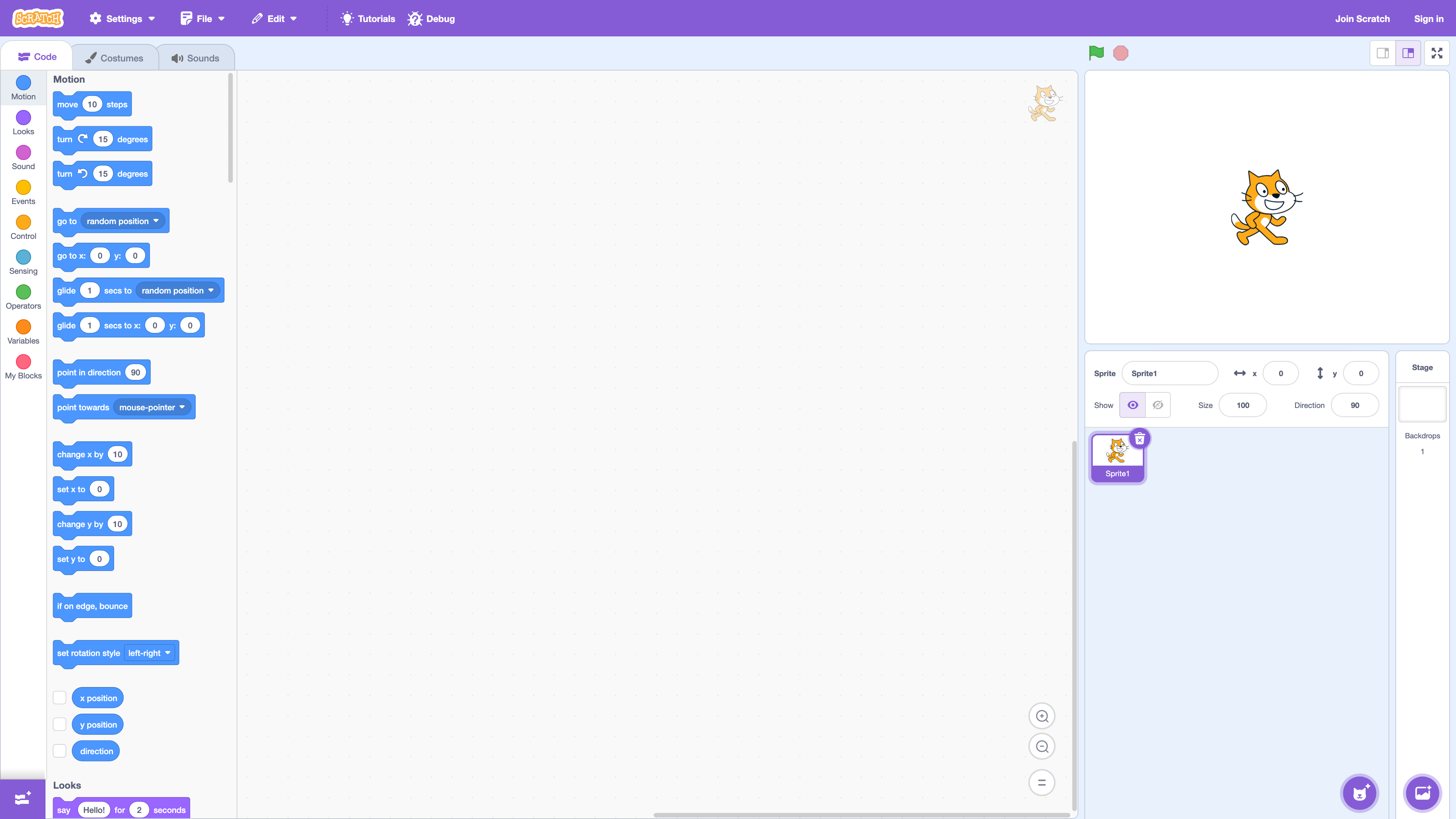
Scratch (scratch.mit.edu) is a block-based programming platform that runs in the browser. The team describes it as "the world's largest creative learning community for kids": it is designed for ages 8–16, but people of all ages use it, and a simplified sibling app, ScratchJr, targets ages 5–7 (About, For Parents). What sets it apart from comparable products is its "open creation + online community" model: Code.org is a nonprofit course platform aimed at schools, Tynker is a commercial subscription service, and UC Berkeley's Snap! is an extended reimplementation of Scratch aimed at high-school and introductory college computer science. Scratch is completely free, and sharing and remixing are built into the product itself.
At a glance
- URL: https://scratch.mit.edu/
- Type: block-based coding editor + creative sharing community
- Cost: the editor and community are entirely free, run by a nonprofit funded by donations and sponsors; no advertising on the site
- Account: the editor works without an account; sharing projects, creating studios, and posting comments require one, and sharing also requires a confirmed email address
- Interface languages: 80 options in the site footer (including Simplified and Traditional Chinese), as of 2026-08-30
- Platforms: desktop browsers (Chrome/Edge/Firefox/Safari, versions from the last three years) and tablets; offline apps for Windows, macOS, ChromeOS, and Android (tablets only); no Linux app, and phones cannot be used for creating
Background: from MIT to the Scratch Foundation
Scratch was developed at the MIT Media Lab by the Lifelong Kindergarten group led by Mitchel Resnick. The project received NSF funding in 2003, and the site and language launched publicly in May 2007 (MIT News). Scratch 2.0, released in May 2013, moved creation into the browser; Scratch 3.0, released in January 2019, was an HTML5/JavaScript rewrite that dropped Flash. Also in 2019, Scratch was transferred from MIT to the independent nonprofit Scratch Foundation. The current Terms of Service (version dated 2026-01-22) state that MIT is now merely a hosting provider with no other affiliation to the Scratch Team, while the scratch.mit.edu domain remains in use.
Scale figures need careful sourcing. The official statistics page stopped updating in mid-2024: the numbers it shows today — 135,078,559 registered users, 164,307,034 shared projects, roughly 990 million comments, and about 34.9 million studios — are frozen values generated on 2024-07-14 (its monthly traffic data is frozen at 2024-08-25). The Scratch Foundation homepage (as of 2026-08-30) instead claims "200 million kids create on Scratch for free," a different basis that the organization has not reconciled publicly. Cite either figure with its source and date.
The editor
The editor replaces syntax with drag-and-drop blocks and ships with built-in sprite, backdrop, and sound libraries, plus drawing and upload tools (see the cover image). There are 11 official extensions (per the scratch-gui source): Music, Pen, Video Sensing, Text to Speech (partner: AWS, requires internet), Translate (partner: Google, requires internet), and hardware extensions for Makey Makey, micro:bit, LEGO MINDSTORMS EV3, LEGO BOOST, LEGO Education WeDo 2.0, and Vernier sensors. Cloud variables store numbers only, are stored together with your username where others can see them, and accounts at the "New Scratcher" rank cannot use projects that contain them (official FAQ).
On platforms: desktop browsers need a version from roughly the last three years; tablets work but lack "key pressed" blocks and right-click menus; phone browsers can only play projects and post comments. Offline apps cover Windows (currently distributed only via the Microsoft Store), macOS, ChromeOS, and Android tablets — not Linux. Connecting micro:bit or LEGO hardware from a desktop also requires Scratch Link (Download page, system requirements).
Community: sharing, remixing, moderation
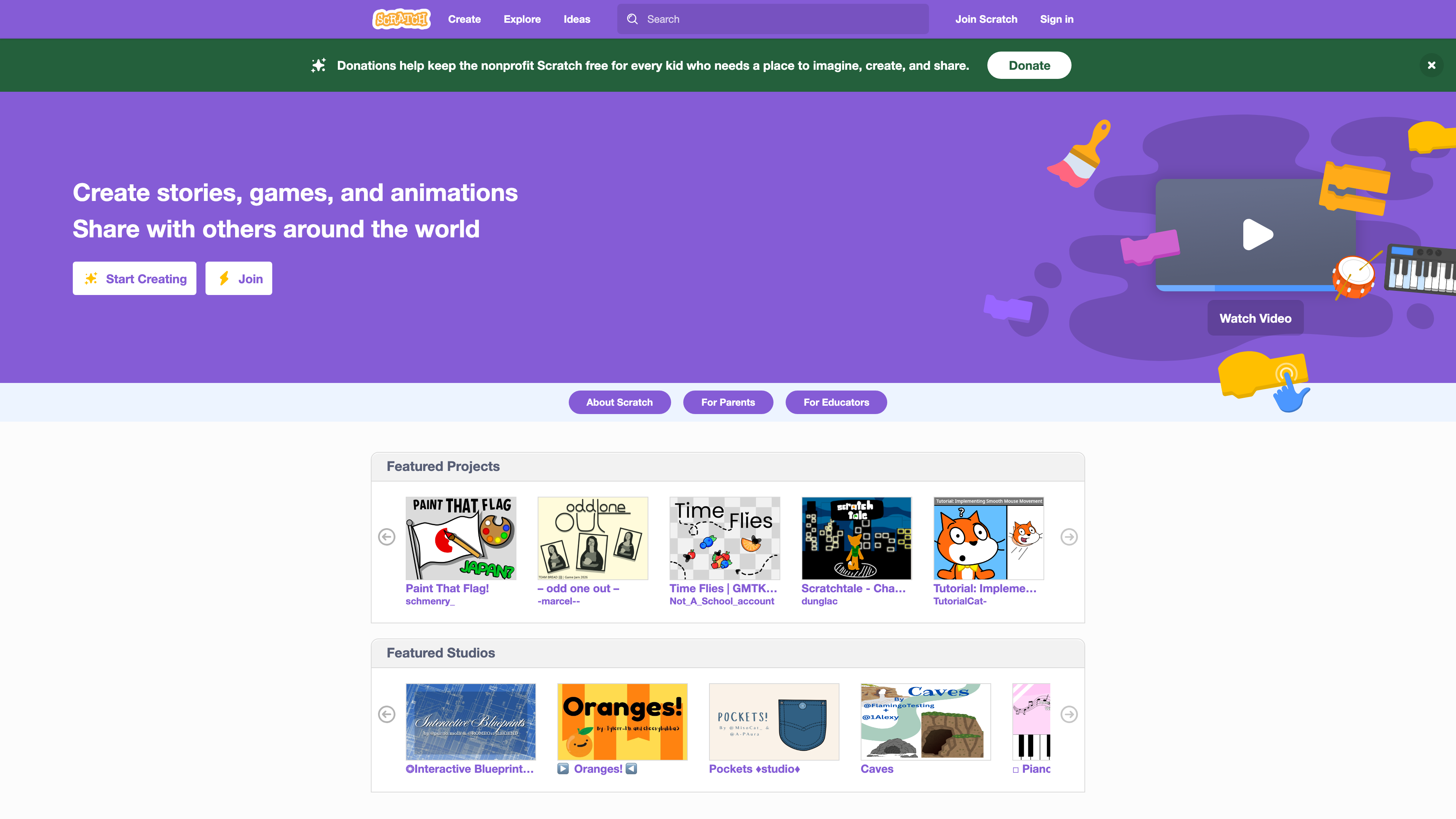
The homepage (above) leads with a "Start Creating" button plus featured projects and studios. The community loop is: share a project → others love, favorite, and comment → remix. Remixing is explicitly encouraged: once a project is shared, nobody can stop others from building on it, and the site automatically generates a credit link back to the original author (remix FAQ). Studios are curated collections of projects; there are also discussion forums and a community-run Scratch Wiki.
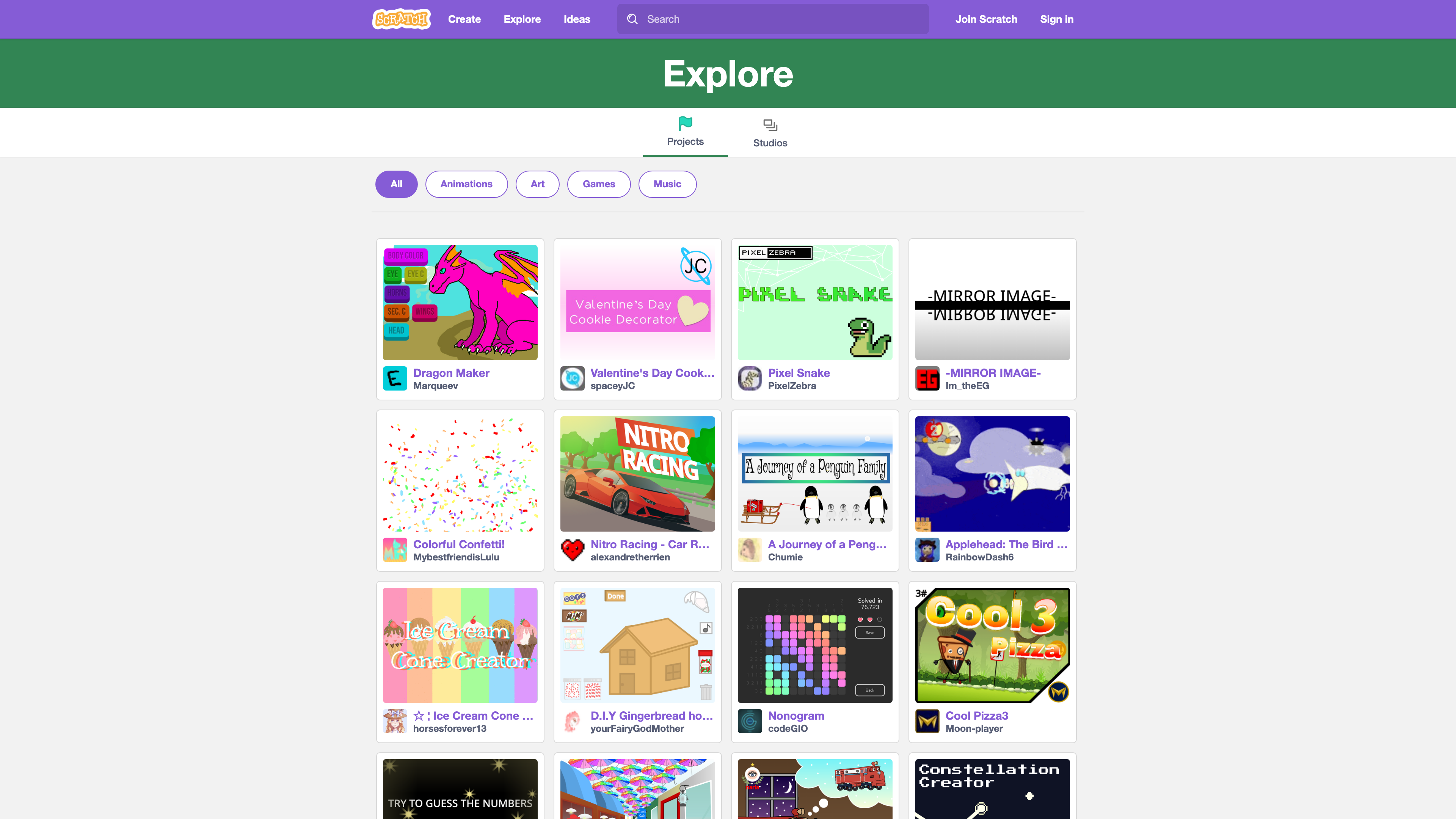
The Explore page (above) surfaces public projects by category — animations, art, games, music — uploaded continuously by real users. Six community guidelines apply: be respectful, protect personal and contact information, give helpful feedback, embrace remix culture, be honest, and keep the site friendly. Enforcement combines daily report handling by the Scratch Team, a CleanSpeak profanity filter, and a per-user Report button (Community Guidelines, For Parents).
Open source and content licensing
The editor (scratch-gui) and website (scratch-www) source code are published under the AGPLv3 license in the scratchfoundation GitHub organization (67 public repositories as of 2026-08-30); Terms of Service §7.1 says the same. The Scratch name, logo, Scratch Cat, and related characters are Scratch Foundation trademarks, limited to personal, educational, and non-commercial use directly connected with the service — commercial use needs separate permission. The popular third-party tool TurboWarp describes itself as "a Scratch mod" (it compiles projects to JavaScript for speed) and is not an official product.
On content rights, two parallel statements are worth knowing. The official FAQ says that by sharing a project, its creator agrees to license it under Creative Commons Attribution-ShareAlike (CC BY-SA), so anyone may download, remix, and reuse it. The current Terms of Service §8.2 add that users grant other users a non-exclusive license for personal use within the service, and grant the Scratch Team a broad, perpetual, sublicensable license — including for promotion and for training AI models — while creators keep their copyright. You may sell your own projects, provided you hold rights to all included materials and do not use trademarked assets such as the Scratch Cat or logo; a full DMCA process is in place.
Privacy and minors
Under the current Privacy Policy (version dated 2026-03-27), registration collects a username, password, country, gender, and email (a parent or guardian's email may be requested), and other users only see your username and country. The team states it does not sell or rent account information, follows a COPPA-style data-minimization approach, and grants EEA/UK/Swiss users full GDPR rights. The terms require anyone under 18 to have a parent or guardian accept them and supervise use; teachers can bulk-create classroom accounts that need no student email (Educators).
Where it fits, and its limits
Scratch suits introductory programming teaching, game/animation/interactive-story creation by children and teenagers, and classroom projects: free, ad-free, install-free, with an official tutorial library and Coding Cards. Adults can use it too, but nothing on the platform is aimed at them, and the community's content skews heavily toward work by minors.
Practical limits: creating is impossible on phones (playing and commenting only); the official statistics page has been frozen since mid-2024; new accounts carry New Scratcher restrictions (for example, no cloud-variable projects) until they earn the Scratcher rank through community activity; there is no official Linux offline editor; and desktop hardware extensions depend on Scratch Link.
References
- About Scratch and For Parents: positioning, ages, and privacy notes
- Scratch Terms of Service (2026-01-22) and Privacy Policy (2026-03-27)
- Scratch Statistics (frozen mid-2024)
- MIT News: Creating from Scratch (2007), Celebrating 10 years of Scratch (2017)
- github.com/scratchfoundation
- Official help center: remixing and CC licensing, cost, system requirements, selling projects



