Riverside (riverside.com, formerly Riverside.fm) is a remote recording and content-production platform that runs in the browser. It targets one core problem: in remote interviews and podcast conversations, everyone's picture and sound are at the mercy of their internet connection. Riverside's answer is local multi-track recording — each participant's audio and video are captured directly on their own device in separate tracks and uploaded to the cloud progressively while recording, so the final files are unaffected by connection quality, up to 4K video and uncompressed 48kHz WAV audio (recording page, checked 2026-10-02).
Around this recorder, Riverside has grown into a record-edit-publish workflow: a text-based video editor, AI clip generation and transcription, multistreaming, webinars, podcast hosting, and a newsletter feature launched in 2026. Its homepage lists customers including Spotify, Microsoft, The New York Times, TED and Marvel (homepage, 2026-10-02).
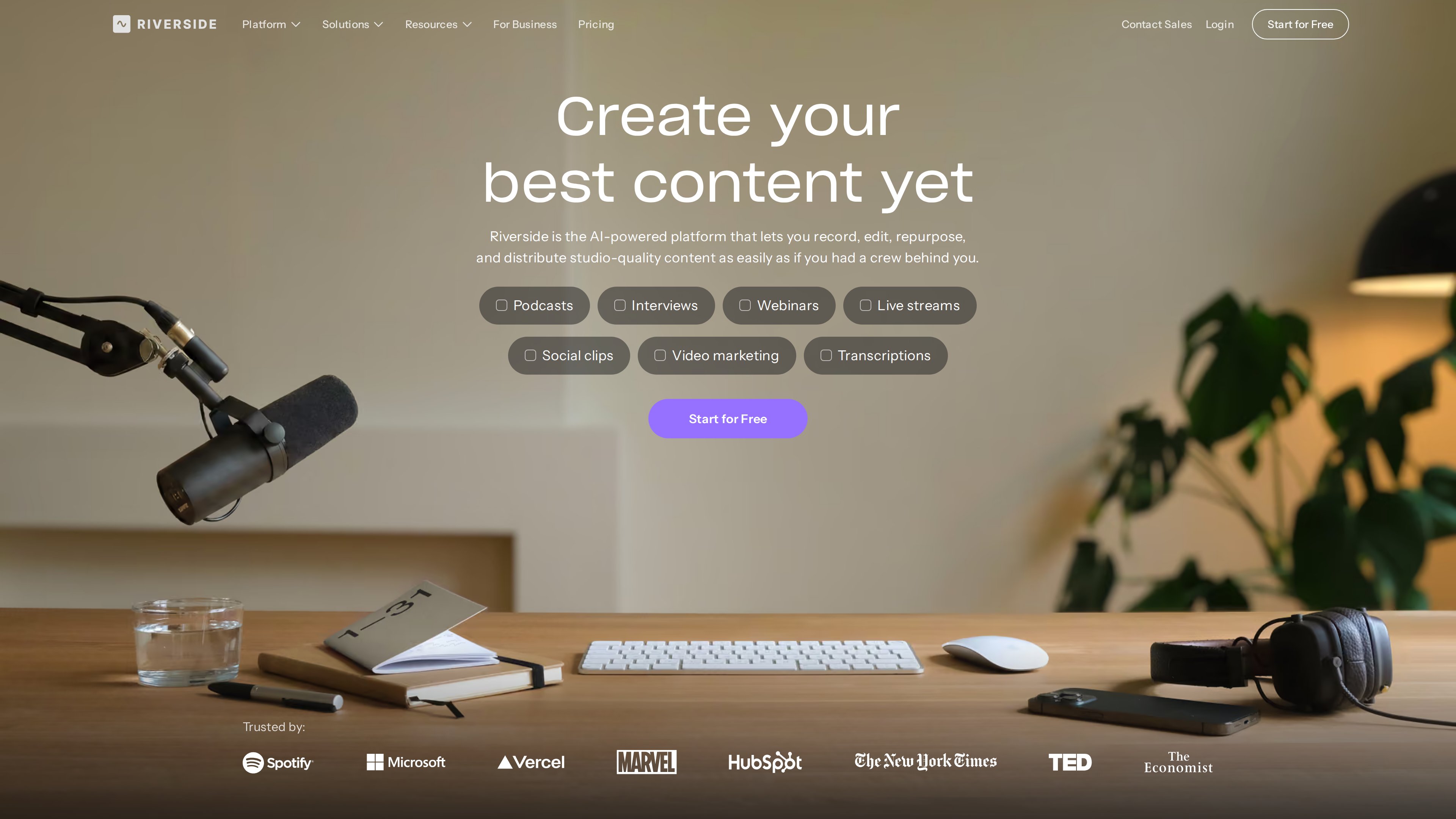
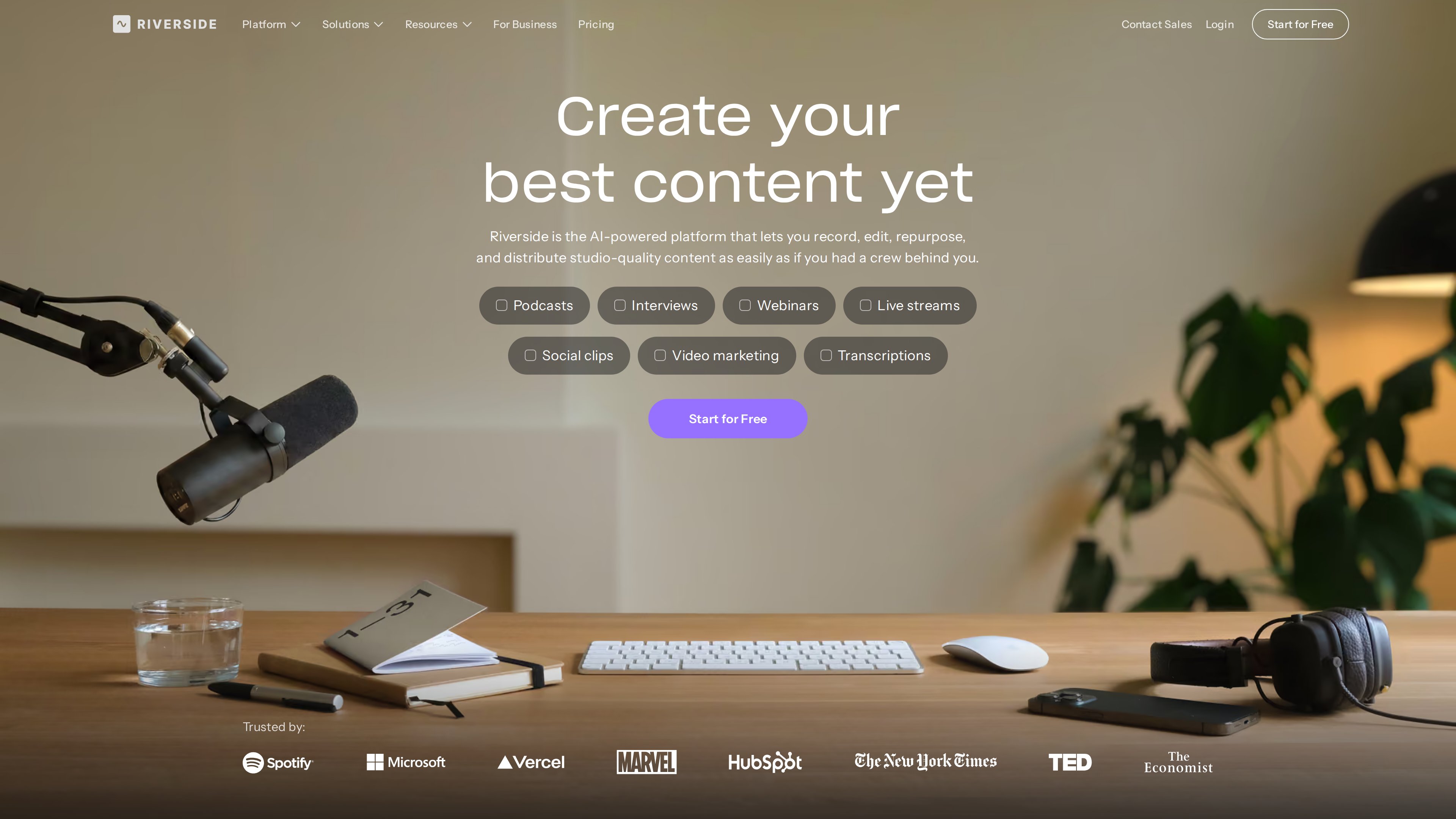
The homepage (screenshot, 2026-10-02) summarizes the platform's main uses — podcasts, interviews, webinars, live streams, social clips, video marketing and transcription — above a row of showcased customers.
At a Glance
| Item | Details |
|---|---|
| URL | https://riverside.com/ (riverside.fm redirects here) |
| Type | Remote podcast/video recording and editing platform (SaaS, browser-first) |
| Operator | RiversideFM, Inc. (Terms of Use) |
| Pricing | Free plan available; paid plans from Pro at 24/mo billed yearly; 14-day trial on paid plans (pricing, as of 2026-10-02) |
| Sign-up | Required for hosting/recording (Google, Apple, Spotify or email); guests join via a link with no account or install |
| Interface language | English; a German version of the site is also offered |
| Apps | Browser; native Mac app; iOS, Android and iPad apps |
| Launch | Founded 2020; publicly launched November 2020 (TechCrunch launch coverage) |
Background
- Founders: Riverside was founded by brothers Nadav Keyson (CEO) and Gideon Keyson (CTO); the official About page states a 2020 founding. The pair first built a platform for video debates between politicians before pivoting to a general-purpose remote podcast recorder. The company started in Amsterdam and is now headquartered in Tel Aviv, Israel; as of 2022 the team was spread across Tel Aviv, New York and Amsterdam with roughly 90 employees (About page, TechCrunch Series A coverage, 2021, Series B coverage, 2022). Note: TechCrunch's 2022 report says "founded in 2019," slightly at odds with the company's own 2020 claim.
- Launch and early customers: Riverside came out of stealth in November 2020, just as demand for remote recording surged. Early customers included Hillary Clinton's podcast and Verizon Media, and Spotify was already a customer at launch (TechCrunch).
- Funding: a 9.5M Series A in 2021 (led by Alexis Ohanian's Seven Seven Six); a 30M Series C in December 2024 (led by Zeev Ventures), bringing total funding to roughly $80M. Creator-investors include Casey Neistat, Marques Brownlee and Guy Raz (TechCrunch Series C coverage).
- Scale: the company told TechCrunch that creators recorded over 100 million minutes on the platform in 2024 alone (same source).
- Spotify partnership: since 2024, Spotify for Podcasters embeds a "Create with Riverside" button, letting podcasters record and edit with Riverside inside Spotify's web product (TechCrunch).
- Rebrand: the product was originally Riverside.fm; the brand is now simply Riverside and the site has moved to riverside.com (the About page is titled "formerly Riverside.fm").
Recording: Local Tracks Are the Point
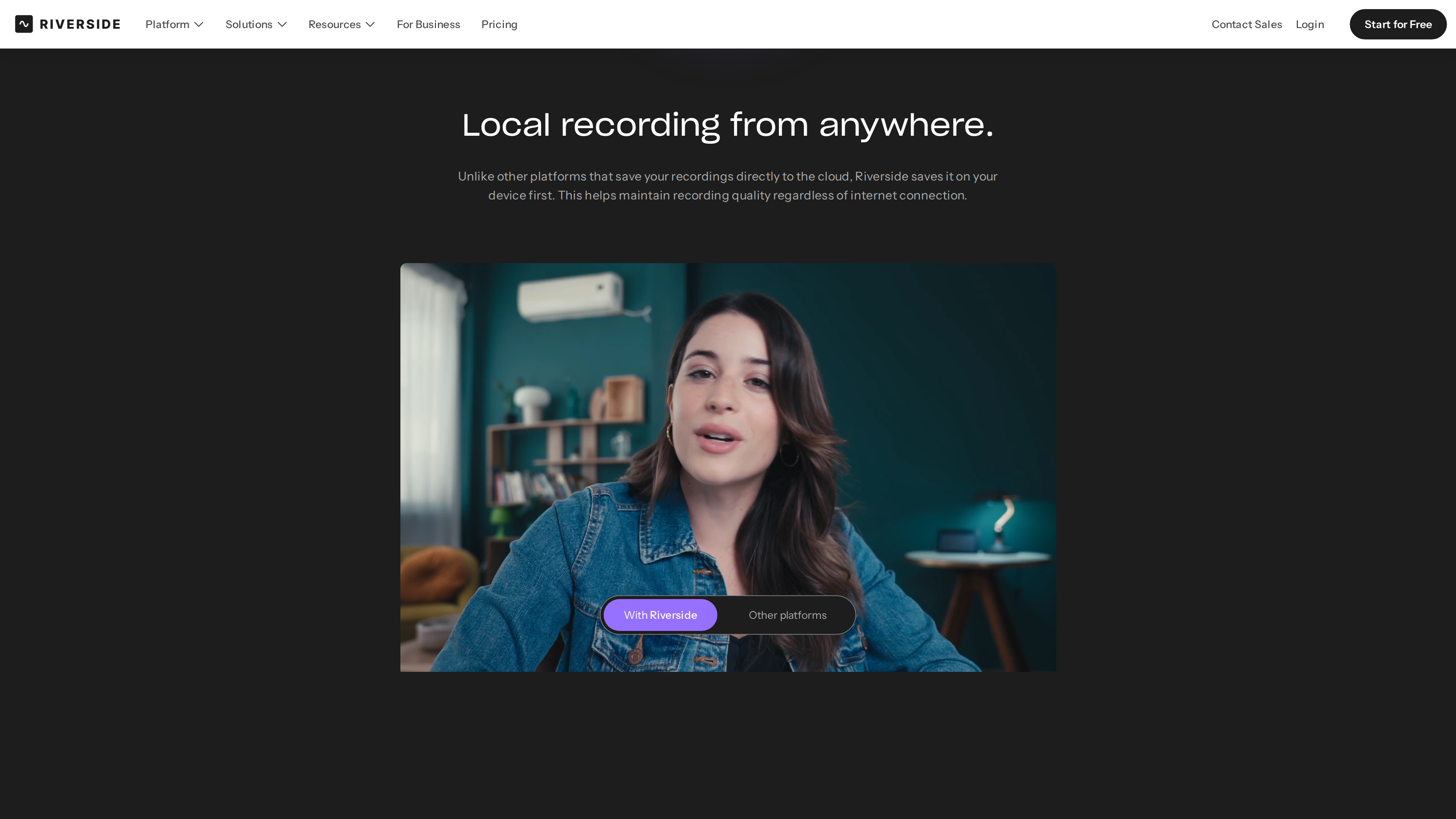
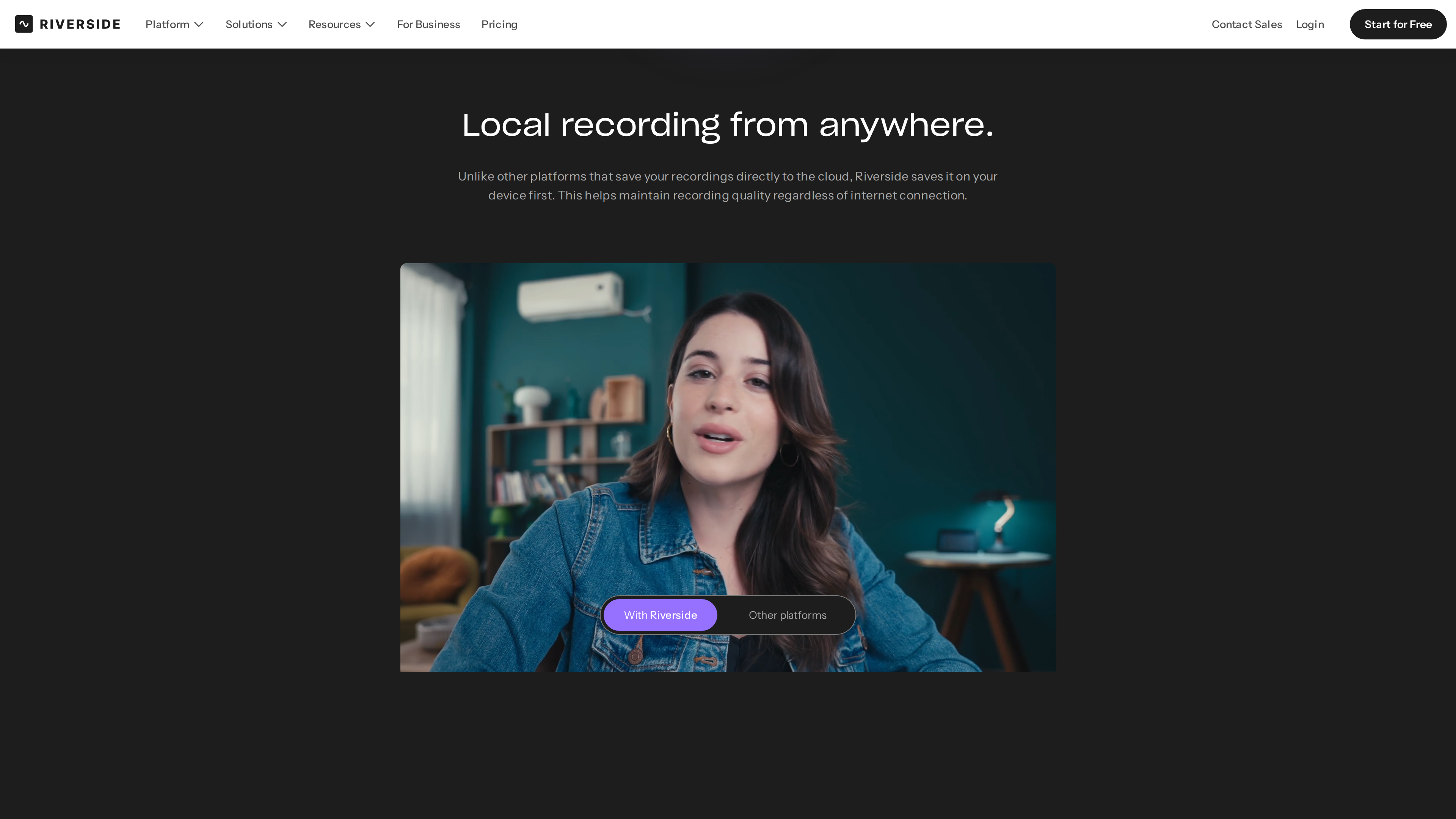
The recording page (screenshot, 2026-10-02) demonstrates the difference between Riverside's local recording and platforms that capture the call over the internet, via a "With Riverside / Other platforms" comparison.
- Record locally, upload as you go: instead of saving the call to the cloud, Riverside records each person's audio and video on their own device first, uploads progressively during the session, and keeps automatic backups — the company says files survive even a browser crash (FAQ).
- A separate track per person: host and every guest get perfectly in-sync individual audio and video tracks, making it easy to remove crosstalk or change layouts in post. Up to 10 people can be recorded per session (host plus 9 guests); audience members can watch live without being recorded (FAQ).
- Quality: up to 4K video and uncompressed 48kHz WAV audio at constant frame rate on desktop; screen shares are recorded locally on their own track too. Mobile recording tops out at 1080p (4K on the Business plan) (pricing comparison table, as of 2026-10-02).
- Zero friction for guests: guests click a link and join — no account, no download (FAQ).
Editing, Transcription and AI
- Text-based editing: recordings are automatically transcribed; deleting or moving text in the transcript edits the video like a document. A traditional timeline and multi-track editing are also available, edits are non-destructive, and the Business plan exports XML for Adobe Premiere or Final Cut Pro (FAQ).
- Transcription: 100+ languages with speaker detection and a claimed 99% accuracy; a standalone transcription tool on the site is free to use with MP3/WAV/MP4/MOV uploads (transcription page).
- AI repurposing: Magic Clips automatically finds highlights and produces shorts sized for YouTube, TikTok and Instagram; an AI Co-Creator generates per-channel promo assets (clips, posts, thumbnails, headlines). Other AI tools remove filler words and silences, fix eye contact, generate B-roll, auto-switch layouts, translate and dub into 30+ languages, and VideoDub corrects misspoken lines by editing the transcript with AI voice and lip-sync (homepage, FAQ).
- AI credits: features such as AI Translation and AI B-roll consume AI Credits (2,000 included on Pro, 12,000 on Business; more can be purchased), while core features like Magic Clips, Magic Audio and the AI Co-Creator do not (pricing FAQ, as of 2026-10-02).
Live Streaming, Webinars and Distribution
- Live streaming: stream in up to 1080p Full HD, multistream to YouTube, Facebook, LinkedIn, X, Twitch, Instagram and TikTok simultaneously or via custom RTMP — while still recording locally in up to 4K. A unified chat, audience call-ins, Q&A and studio branding are built in (livestream page, FAQ).
- Webinars: registration, automated reminder emails, Q&A/polls and HubSpot lead sync; the Webinar plan supports up to 100 registrants, Business up to 10,000 (pricing).
- Podcast hosting and publishing: built-in hosting with analytics and one-click distribution to Spotify, Apple Podcasts, YouTube and more; the Grow plan hosts two shows and can publish video podcasts to Apple Podcasts (homepage, pricing).
- Newsletters: launched in June 2026, the feature turns existing recordings into newsletters with AI and sends them from within the app — positioned as "turn what you said into written content" rather than a Substack replacement (TechCrunch).
Apps and Open Capabilities
- Browser: the desktop experience is browser-first for hosts and guests alike.
- Mac app: a native app with local screen recording, virtual backgrounds and a distraction-free space outside the browser (Mac app page); no Windows client was listed as of 2026-10-02.
- Mobile apps: official iOS, Android and iPad apps for inviting guests, local recording, managing recordings and touch-friendly editing; a phone can also scan a QR code to act as a second camera or high-res webcam for a desktop session (mobile page).
- Open capabilities: the Business plan adds API access and SSO (Okta, Azure). A Riverside MCP connector lets AI assistants such as Claude, ChatGPT and Cursor search transcripts, edit and cut clips, and publish to social media once connected (pricing FAQ).
Pricing and the Free Plan (as of 2026-10-02)
Prices below are from the live pricing page:
| Plan | Monthly | Yearly (effective/mo) | Highlights |
|---|---|---|---|
| Free | $0 | — | Try recording, editing and some AI tools (details below) |
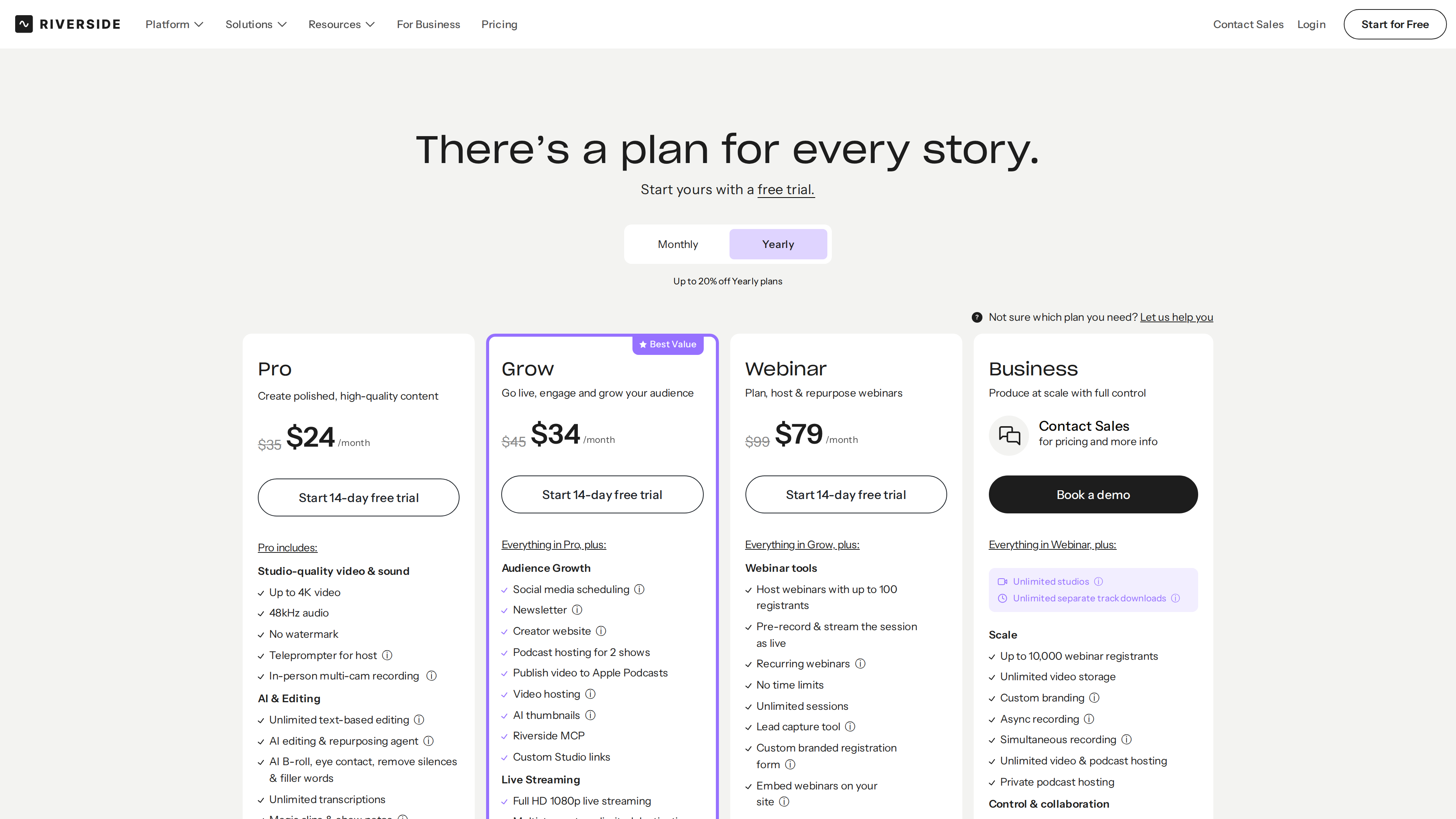
| Pro | $35/mo | $24/mo | Up to 4K/48kHz, no watermark, host teleprompter, unlimited text-based editing and transcription, podcast hosting, 1 studio, 15 hrs/mo separate-track downloads |
| Grow | $45/mo | $34/mo | Everything in Pro + social scheduling, newsletter, creator website, video hosting, AI thumbnails, MCP, 1080p multistreaming, 2 studios, 20 hrs/mo |
| Webinar | $99/mo | $79/mo | Everything in Grow + webinar tools (100 registrants), Q&A/polls, HubSpot integration, 3 studios, 25 hrs/mo |
| Business | Custom | Custom | Unlimited studios and track downloads, 10,000 webinar registrants, SSO, SOC2/ISO27001, API, collaborative editing, 24/7 priority support |
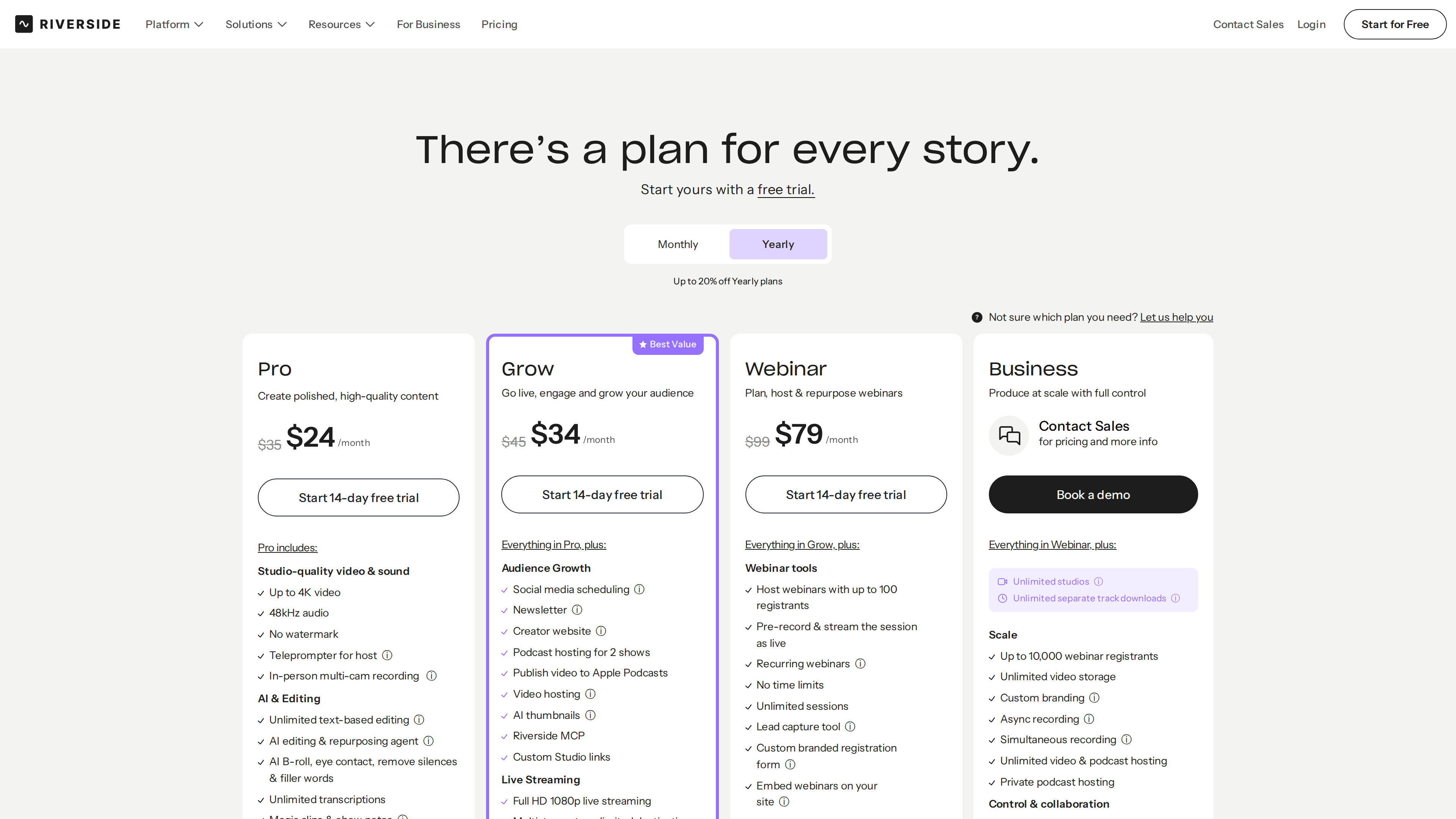
The pricing page (screenshot, 2026-10-02, yearly view): Pro at an effective 34/mo, Webinar at $79/mo; Business is sales-led.
Notes:
- Paid plans include a 14-day free trial. Recording time itself is unlimited on every plan; what is capped monthly is separate-track downloads (the per-participant studio-quality files) — once the cap is hit you wait for the next billing cycle or upgrade (pricing FAQ).
- Free plan: the homepage and FAQ confirm a free tier with no credit card required, covering recording, editing and some AI tools. Caveat: as of the check date the pricing page's comparison table no longer lists a Free column; page materials describe the free tier as 2 one-off hours of multi-track recording at up to 720p with a Riverside watermark plus unlimited single-track recording — treat those specifics as subject to change and confirm after signing up.
- A "studio" is the billing and organization unit: one studio per show, with its own recordings, hosting, analytics and website — two podcasts or two clients call for two studios (pricing FAQ).
- The pricing page's own FAQ quotes older monthly prices (39 Grow) than the prices it displays (45); the table above follows the displayed prices.
Privacy and Content Policy
Riverside's FAQ states that it does not own or use your content in any way; recordings are private to you and your team by default, with encrypted connections and secure cloud storage. The Business plan advertises SOC2 and ISO27001 compliance (FAQ, pricing). The operating entity is RiversideFM, Inc. (Terms of Use).
Who It's For
- Remote interview and video podcasts that care about source quality and per-person tracks, especially with non-technical guests.
- Creators who want to record once and distribute everywhere: high-quality local capture, AI highlight clips, and direct publishing to Spotify, Apple and YouTube.
- Marketing and brand teams producing webinars, customer testimonials and internal video, with HubSpot lead sync.
- Podcasters already hosting on Spotify, who can use Riverside without leaving Spotify for Podcasters.
Limitations
- A thin free tier: page materials describe it as 2 one-off hours of multi-track recording at 720p with a watermark — enough to test the workflow, not to run a show (as of 2026-10-02; the pricing comparison table no longer details the free tier).
- Separate-track download caps: even paid plans limit original track downloads to 15–25 hours per month (except Business), which heavy producers should budget for.
- Quality ceilings outside desktop recording: live streaming maxes at 1080p, and mobile recording at 1080p except on Business (4K); the headline 4K capture is a desktop-local-recording scenario.
- Browser-dependent on desktop: apart from the Mac app, no Windows client was listed as of 2026-10-02 — Windows users work in the browser.
- English-first interface: the site offers a German version, but the product UI is English, which may be a hurdle for some users (observed 2026-10-02).
- AI results vary: AI Translation and B-roll are metered by credits, and features like VideoDub lip-sync or AI dubbing are worth validating in a trial before committing to a tier.
Alternatives
Comparable remote multi-track recorders include Zencastr and Podcastle (TechCrunch's listed competitors); Substack launched a built-in recording studio in 2025 that competes directly with Riverside (TechCrunch).
References
- Riverside homepage, About, Pricing, FAQ, Recording, Transcription, Livestream, Mobile, Mac app, Terms of Use (all checked 2026-10-02)
- TechCrunch: Riverside.fm launches (2020-11-09)
- TechCrunch: $9.5M Series A (2021-04-22)
- TechCrunch: $35M Series B (2022-04-26)
- TechCrunch: Spotify integration (2024-02-12)
- TechCrunch: $30M Series C (2024-12-09)
- TechCrunch: newsletter launch (2026-06-30)