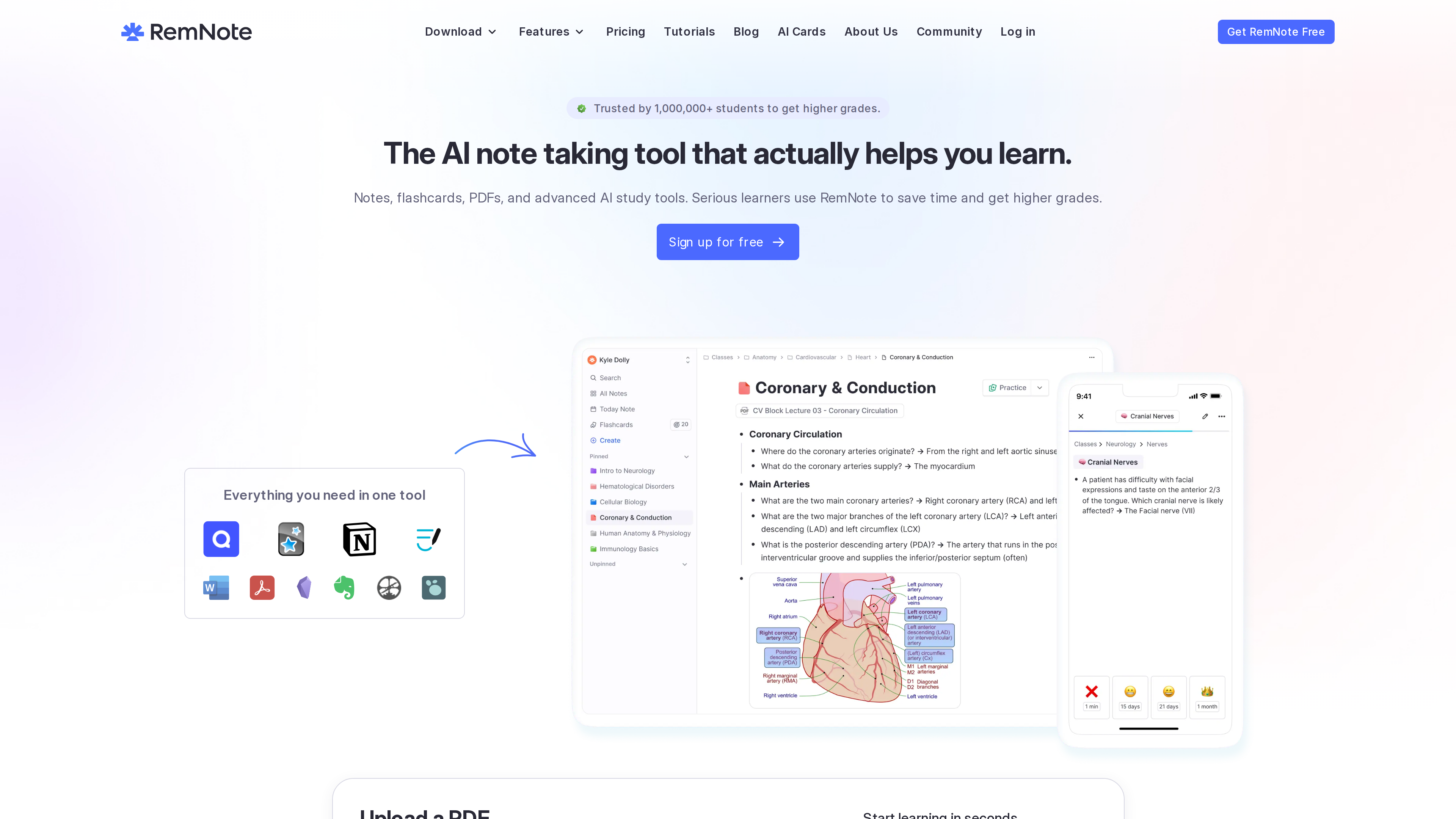
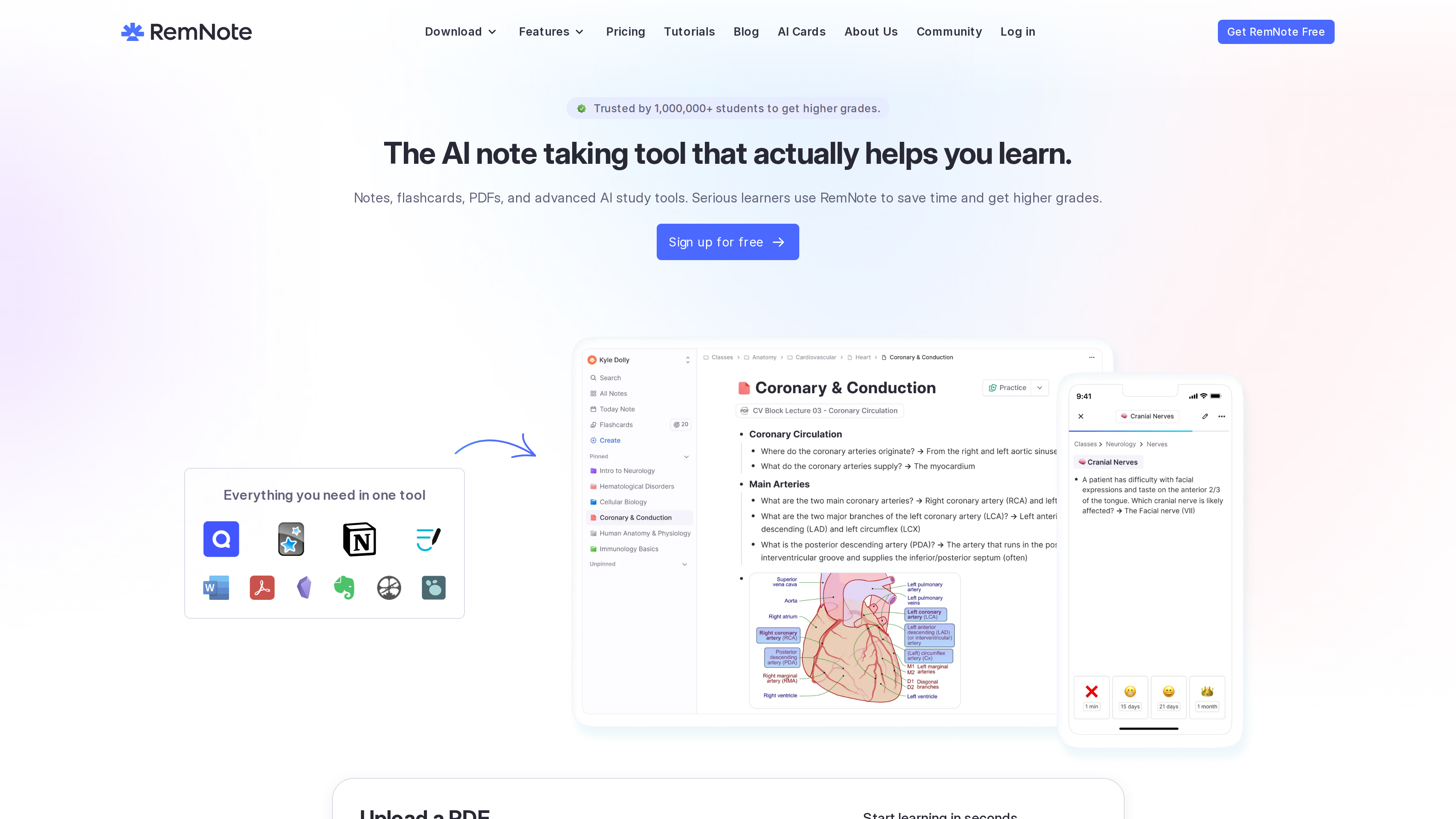
RemNote is a learning tool that merges outline-based note-taking with spaced repetition: notes, flashcards, PDF annotation, and AI study features live in a single application, which — per the official FAQ — means you don't have to switch between tools like Notion, Anki, or Quizlet. Its verifiable differentiators: spaced-repetition flashcards are built in natively (the default scheduler is directly based on Anki SM-2), and annotations made in its PDF reader can be turned into flashcards on the spot. All dynamic data in this profile (prices, quotas, etc.) is as of 2026-09-30.
Site at a Glance
- URL: https://www.remnote.com/
- Type: Outline-based notes + spaced-repetition flashcards (with PDF annotation and AI features)
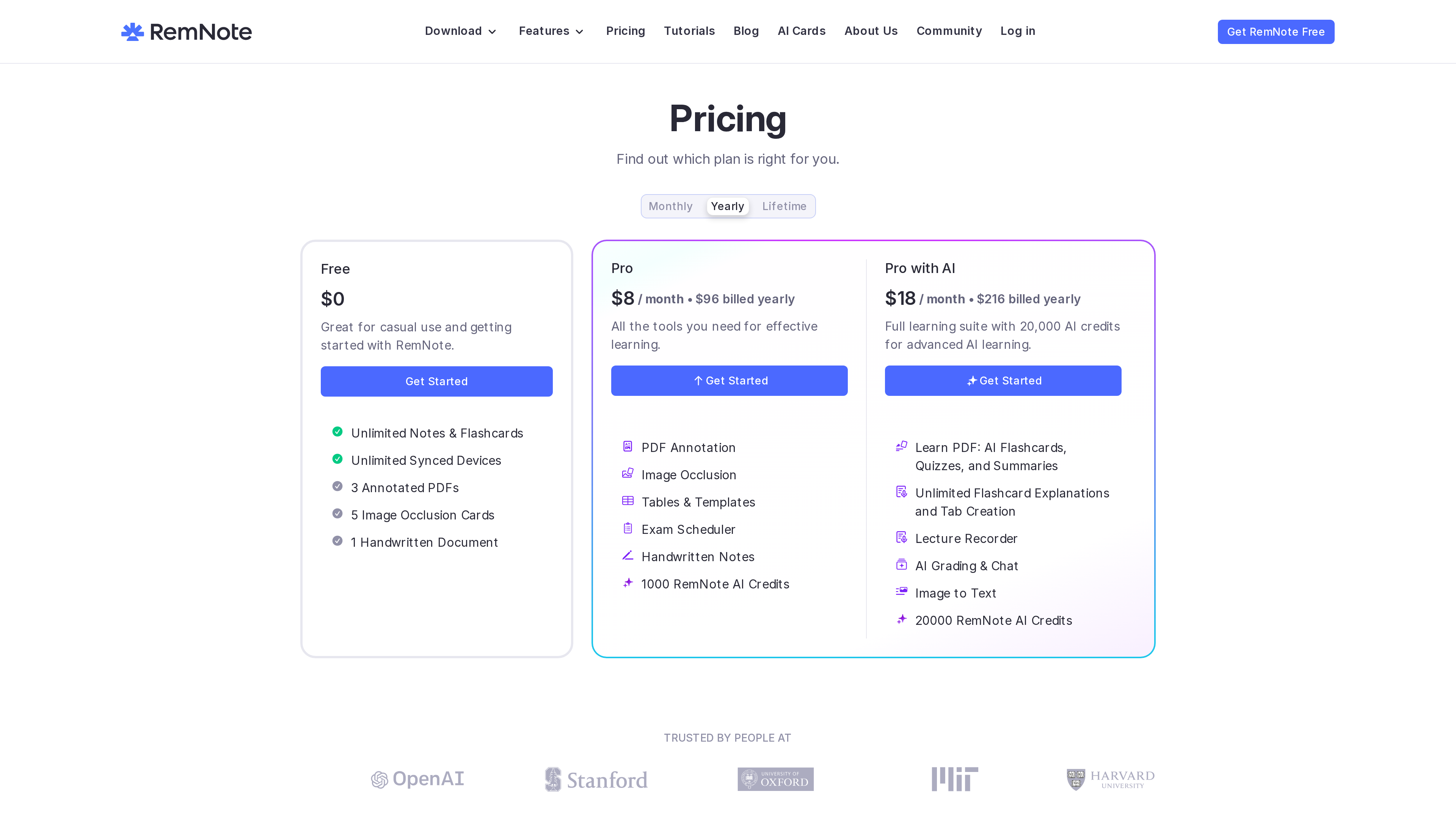
- Cost: Free plan at 8/month billed yearly (18/month billed yearly ($216/year)](https://www.remnote.com/pricing); a one-time Life-Long Learner plan also exists (price not shown on the static page) — as of 2026-09-30
- Registration: Account required ("Sign up for free")
- Interface languages: RemNote states its interface is available in multiple languages, translated by AI and reviewed by community volunteers, but no complete language list is published; the Help Center is available in English and Simplified Chinese
- Platforms: Web, Windows / macOS / Linux desktop apps, iOS / Android mobile apps, and a Chrome Web Clipper (see the download page)
Background
- According to its About page, RemNote was "Founded in 2020 at MIT", with a mission to "reinvent how people learn, think, and collaborate." The founding team includes Martin Schneider, Moritz Wallawitsch, Mike Kenny, and Matty Kenny; Martin Schneider is the current CEO, and the team is remote-first.
- The company says it has raised a $2.8M seed round, with investors/advisors including General Catalyst, Soma Capital, DoNotPay CEO Joshua Browder, and Udemy co-founder Eren Bali. The site footer reads "Originated at MIT / Backed by General Catalyst" and is signed "RemNote Inc."
- On longevity, RemNote pledges that if the company shuts down, it will release all code as an open source project, keep data exportable, and never convert existing features into paid ones for existing users.
- The homepage claims "Trusted by 1,000,000+ students"; this figure is self-reported and not independently verified.
Core Capabilities
Outline Notes with Bidirectional Links
RemNote organizes everything as hierarchical bullet outlines (Rems) that can be indented, collapsed, and zoomed into. Any bullet can be linked to any other via References (typing [[, ++, or @), with additional mechanisms such as tags (##) and portals (((). Templates (attached to tags, with properties), tables/databases, daily documents, instant search, and a knowledge graph are also included.
Integrated Flashcards and Spaced Repetition
Flashcards are created inline while writing notes (e.g., typing == or >>). Card types include Q&A, cloze, image occlusion, multiple choice, list cards, and LaTeX formula cards. The default scheduler is Anki SM-2 (with minor changes, per RemNote); FSRS v6 is also built in (officially claimed to reduce review load by 20–30%, but labeled beta), and custom schedulers are supported. RemNote says cards come due when it estimates you have about a 10% chance of forgetting them. An Exam Scheduler plans daily tasks backward from an exam date.
PDF Annotation with the RemNote Reader
The RemNote Reader supports highlighting, annotating, and drawing on PDFs, .docx/.odt, .pptx/.odp, plain text (auto-converted to PDF), and web pages (Web Reader); annotations can directly generate flashcards.
AI Study Tools
AI features include generating flashcards/quizzes/summaries from notes, PDFs, PPTs, and YouTube; an AI Tutor chat; AI explanations for cards; a Learn PDF guided mode; AI grading; image-to-text; and real-time lecture transcription. AI usage is metered in credits, with quotas varying by plan (see below).
Pricing (as of 2026-09-30)
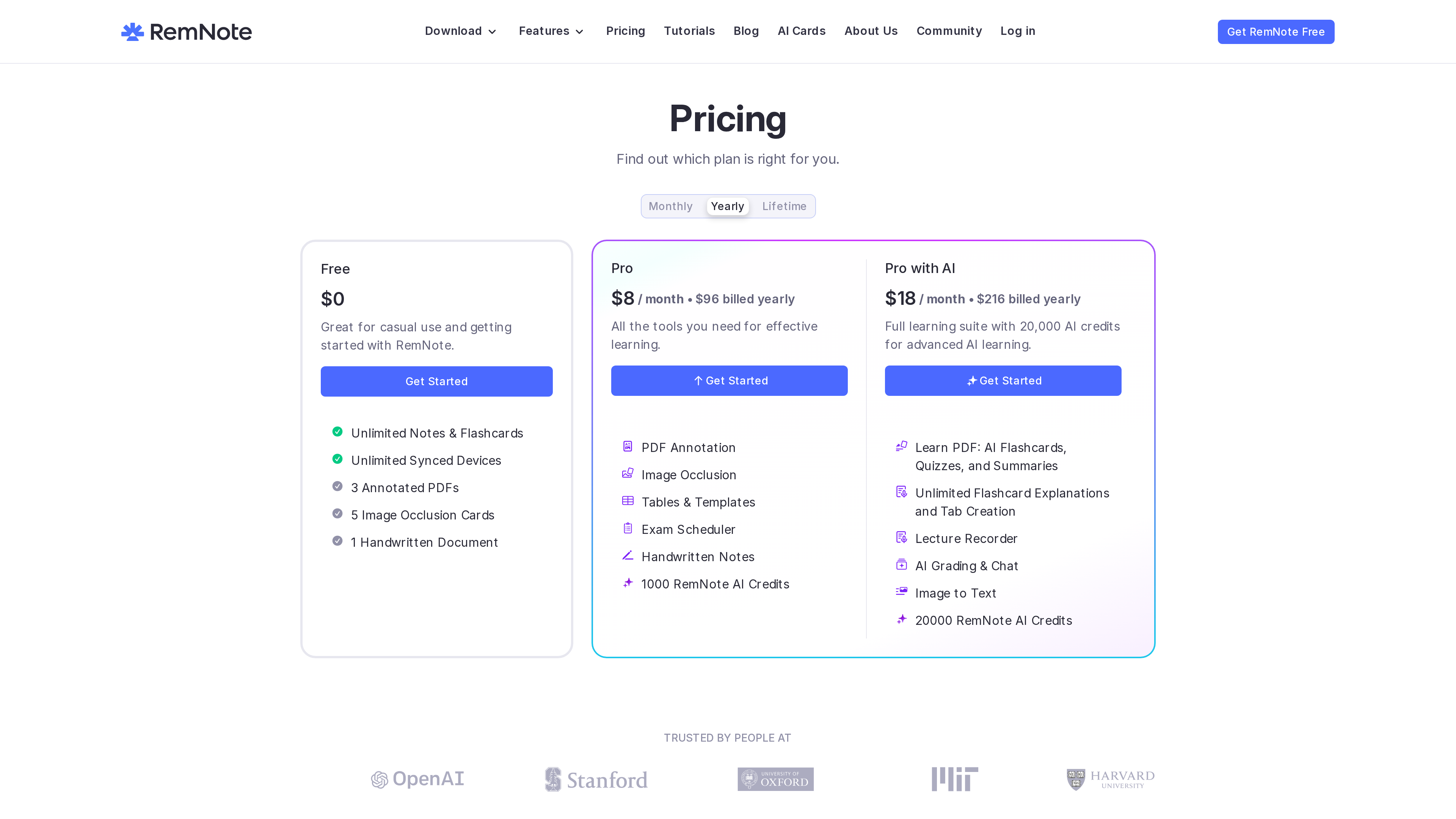
The pricing page shows yearly-billed prices by default, across three subscription tiers plus a buyout option:
- Free ($0): Unlimited notes and flashcards, unlimited synced devices; but only 3 annotatable PDFs, 5 image occlusion cards, 1 handwritten document, 1 exam schedule, 250 AI credits/month, 20 file uploads/day (≤8MB each), and 2 knowledge bases; no plugins/themes, no local knowledge bases, no daily cloud backups.
- Pro (96 billed yearly): Unlocks PDF annotation, image occlusion, tables & templates, the Exam Scheduler, handwritten notes, etc., with 1,000 AI credits/month and files up to 300MB. The page's structured data separately lists a $10 monthly-billed price.
- Pro with AI (216 billed yearly): 20,000 AI credits/month, including Learn PDF, unlimited card explanations, Lecture Recorder, AI Grading & Chat, and more. Extra credits can be topped up at $10 per 20,000 credits; topped-up credits don't expire.
- Life-Long Learner (one-time purchase): Lifetime local Pro features, lifetime updates, and lifetime free sync (within free-tier limits); however, the server-side Pro features — including the 1,000 monthly credits — are only covered for 5 years, after which the account falls back to free-tier quotas. The price is not shown on the static page.
Other policies: enrolled students and faculty get 25% off Pro subscriptions with an institutional email (not applicable to the buyout plan or AI portions; must subscribe on the web, not via in-app purchase); payments are fully refundable within 30 days.
Accounts and Openness
- Accounts and offline use: An account is required. The desktop and mobile apps support extended offline editing and review with automatic sync on reconnect, but the initial download and login require a connection, and the web version only works offline on pages already open. Most AI features and plugins are unavailable offline.
- Local vs. cloud: There are two knowledge base types — synced KBs (cloud, multi-device) and local KBs (desktop only; data never passes through RemNote's servers). Synced KBs get daily cloud backups kept for at least 60 days (downloadable on Pro).
- Import: Anki .apkg (including scheduling info and media, though CSS, custom JS, and some TTS don't carry over), .rem backups, .db knowledge bases, and several other note/flashcard app formats.
- Export: Single documents or entire KBs can be exported as .rem backups (excluding image/PDF binaries), OPML, Anki .apkg (cards only), HTML, and more; printing to PDF is supported.
- Plugins and API: The official plugin platform plugins.remnote.com offers a full API and GitHub templates; installing plugins and themes is a Pro feature. The desktop app also ships a built-in MCP server, letting local AI clients such as Claude Desktop, Cursor, and ChatGPT Desktop search or edit notes directly.
- Privacy: RemNote states it does not currently offer end-to-end encryption. AI features send note snippets to third parties including OpenAI, Groq, Replicate, and Anthropic; bullets marked Super Private are never sent, and all AI features can be switched off in settings. RemNote also collects flashcard review performance metadata (without card text) to tune its algorithms.
Who It's For
- Students and exam-takers who want to learn and memorize in one place: medicine, languages, and other memory-heavy subjects benefit from image occlusion and cloze cards created right inside notes.
- Heavy PDF readers: annotate textbooks and papers, then turn annotations into flashcards.
- Users who want an integrated setup instead of shuttling cards between a notes app and Anki.
- Privacy-conscious users: a desktop-only local knowledge base keeps data off RemNote's servers, though plugins remain a Pro feature.
- Classroom settings: lecture transcription and exam-date-based review planning are designed for enrolled students.
Limitations
- No end-to-end encryption: RemNote acknowledges that cloud content is theoretically accessible to the company; sensitive material must rely on local KBs or Super Private tags.
- Restricted access in mainland China: A dedicated help article confirms users in mainland China may hit slow loading and sync failures; RemNote suggests a full-system proxy or the desktop app's offline mode.
- Tight free-tier limits: Only 3 annotatable PDFs, 5 image occlusion cards, and 250 AI credits/month; plugins, themes, local KBs, and daily cloud backups all require payment (as of 2026-09-30).
- Weak offline support on the web: Closing or refreshing the tab makes it unavailable; the desktop app is recommended.
- FSRS is still in beta: RemNote advises against using it for critical cards.
- Migration is not lossless: Anki imports exclude CSS/JS/TTS, and .rem backups exclude image and PDF binaries.
- The buyout plan isn't fully lifetime: LLL's server-side features (including the monthly AI quota) are only guaranteed for 5 years.
- Low language transparency: No full interface-language list is published; translations depend on community volunteers, so quality and coverage in smaller languages are uncertain, and whether a Chinese interface exists could not be verified.
- Key figures are self-reported: Claims such as "1,000,000+ students" lack third-party verification, and no independent press coverage could be obtained during this review.
Alternatives for Reference
- Anki: A free, open-source, dedicated flashcard app where you maintain the notes-to-cards relationship yourself. RemNote's founders describe themselves as "Anki users who felt constrained by Anki's question-answer format"; RemNote differs in unifying notes and card creation, basing its default scheduler on Anki SM-2, and additionally supporting FSRS. Anki decks can be imported (minus CSS/JS).
- Logseq / Obsidian: Both are local-first and built around local Markdown files; RemNote is cloud-account-based by default, closed source (with only a shutdown-triggered open-source pledge), and lacks end-to-end encryption. Its differentiation lies in combining outline notes with native spaced repetition and AI study tools.
- The site's footer links to comparison landing pages for Obsidian, Roam, Notion, and Quizlet, but their content could not be verified for this profile.
References
- RemNote homepage and pricing page (checked 2026-09-30)
- RemNote About page
- RemNote Help Center (Simplified Chinese edition): documentation on spaced repetition, import/export, privacy, offline mode, mainland China connectivity, and more