
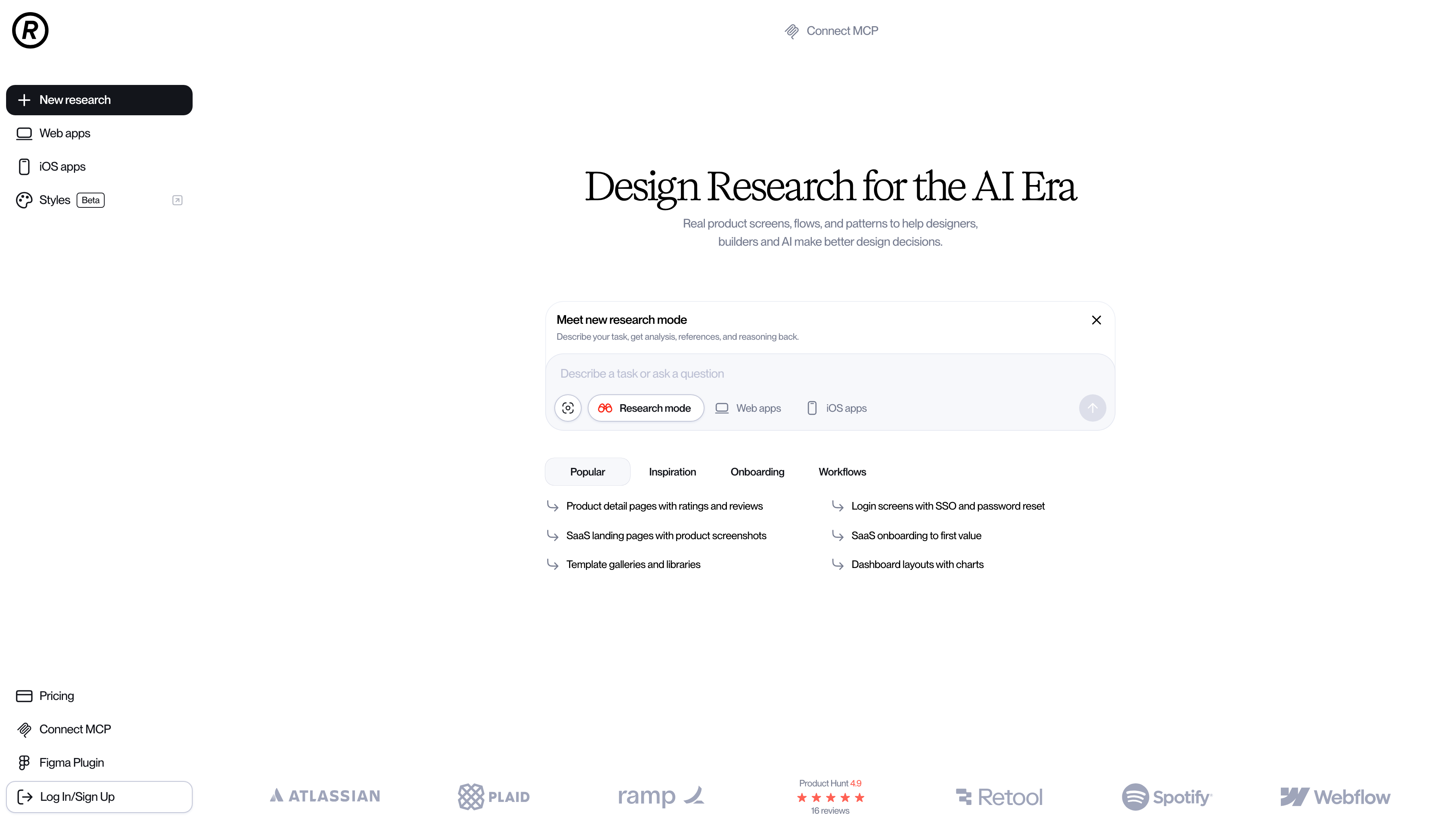
Refero is a reference library of real product interfaces: it captures, tags, and organizes screen-by-screen recordings of 400+ web and iOS products so designers and developers can check how established products solve a given design problem before building their own. Unlike Dribbble-style communities that showcase concept work, everything in Refero comes from live products; as of September 2026, its pricing page states the library holds more than 142,000 screens with new ones added weekly. Over the past two years the product has clearly pivoted toward AI-assisted design research, adding a conversational research mode, an AI-readable design system library, and an MCP server.
At a Glance
- URL: https://refero.design/
- Type: UI/UX design reference library (real product screenshots)
- Cost: Limited free tier; Pro at 10/month billed annually (250; per-seat Team plan
- Account: A small preview is browsable without an account; full search results require sign-in (Google or email one-time code); 18+ only
- Interface language: English
Background
Refero is operated by Refero Inc., a Delaware corporation, per its Terms of Use and Privacy Policy. The site has no About page, and third-party background details such as the launch date could not be confirmed at the time of review (September 2026), so they are omitted here. The homepage displays a Product Hunt badge showing a 4.9 rating across 16 reviews.
The Screenshot Library and How You Search It
The core asset is a continuously updated archive of real product screens covering both the web and iOS versions of hundreds of well-known products, including Mercury, Sunsama, and Resend. The real value lies in how the archive is organized. The homepage exposes several classification axes:
- Page Types: dashboards, pricing pages, log-in screens, 404 pages, blogs, careers pages, and more;
- Flows: multi-screen sequences such as onboarding, subscribing, adding to cart, password reset, and account deletion;
- UX Patterns: filtering and sorting, ratings and reviews, dark mode, empty states;
- UI Elements: component-level shots of dialogs, cards, tables, skeletons, sidebars, and the like;
- Sites: every captured screen of a single product in one place.
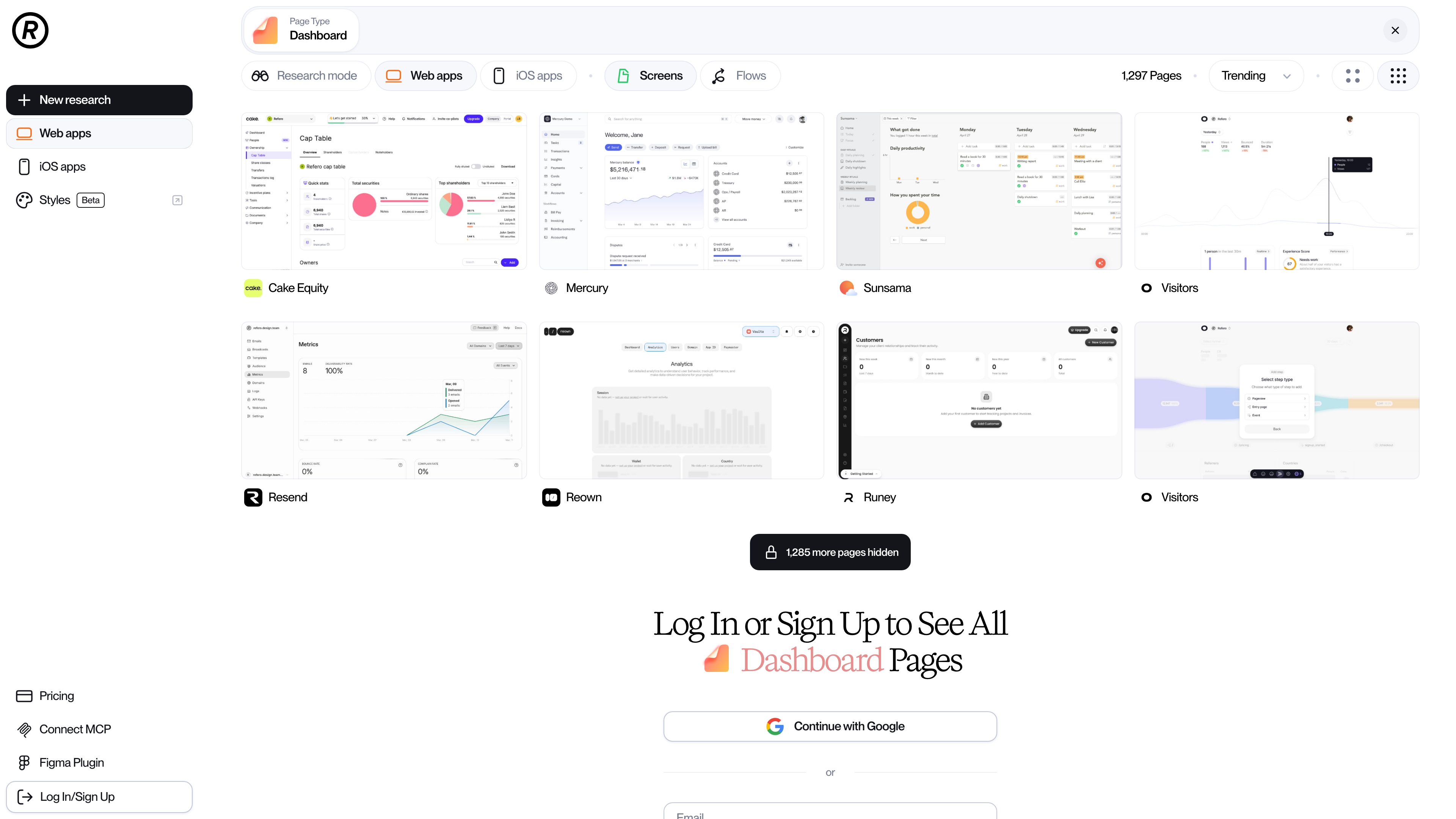
Anonymous browsing shows only a small slice of the library. In the Dashboard category pictured above, 1,297 result pages exist but roughly a dozen are visible before a "log in to see all" wall appears. Even a signed-in free account reaches only about 3% of the collection and is limited to basic search by tag or company, per the official plans documentation.
Beyond keyword search, Refero supports reverse image search (upload a screenshot to find similar designs). The newer Research mode (Beta) is a conversational entry point: describe a design task and receive AI-generated analysis, references, and reasoning.
AI Tooling and Integrations
Recent development focuses on feeding real design references to AI coding tools:
- Refero MCP: an MCP server that gives ChatGPT, Claude, Cursor, Codex, and similar tools live access to screens, flows, and styles, so an agent can "research" real products before generating UI. Live research through MCP requires a paid plan.
- Refero Skill: a research-first design methodology for AI agents, installable separately.
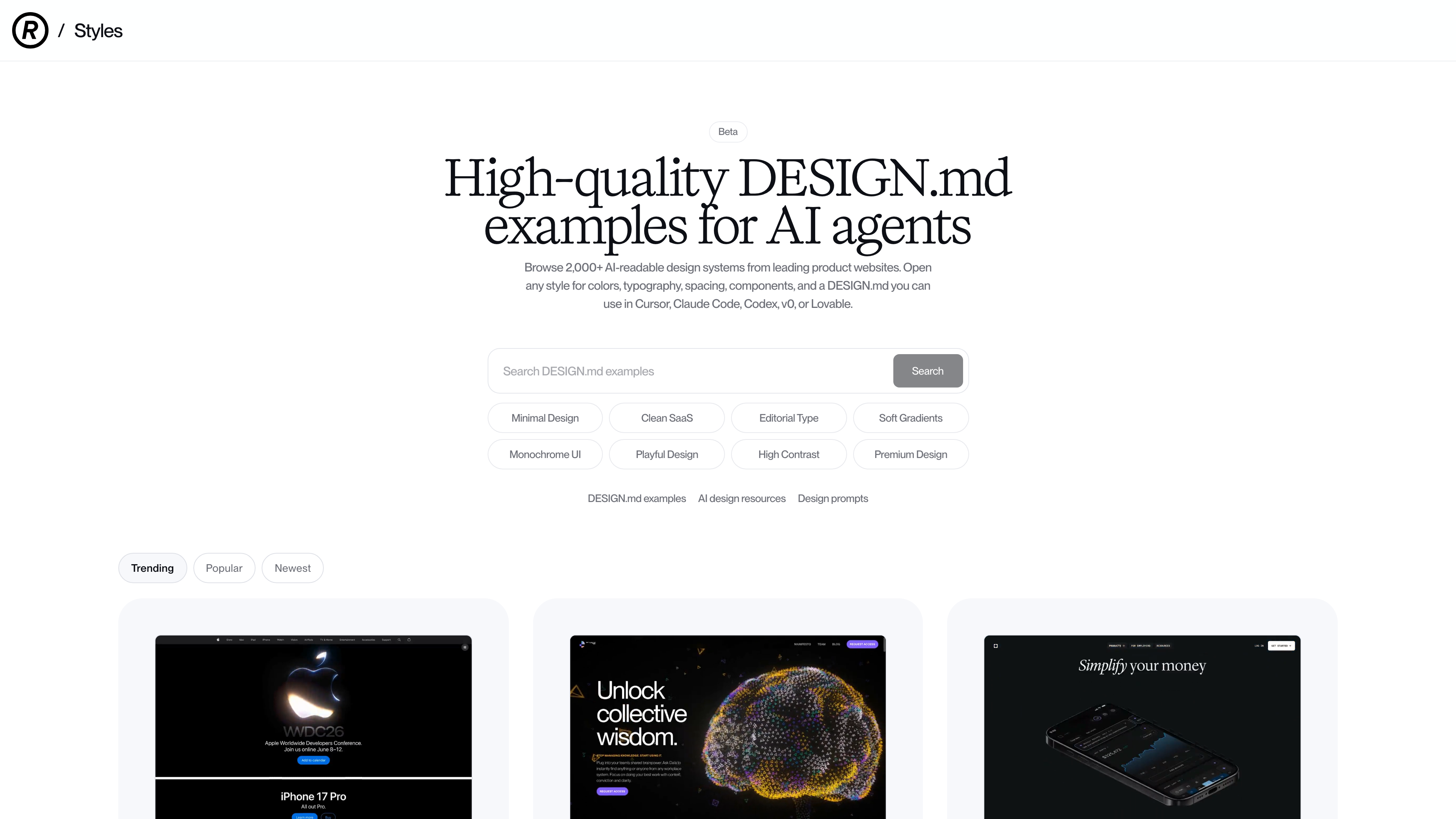
- Styles (Beta): a companion site at styles.refero.design with 2,000+ AI-readable design systems (DESIGN.md files) extracted from leading product websites — colors, typography, spacing, and components — ready to paste into Cursor, Claude Code, v0, or Lovable.
- Figma plugin: search and place Refero references inside Figma; paid plans only.
Pricing
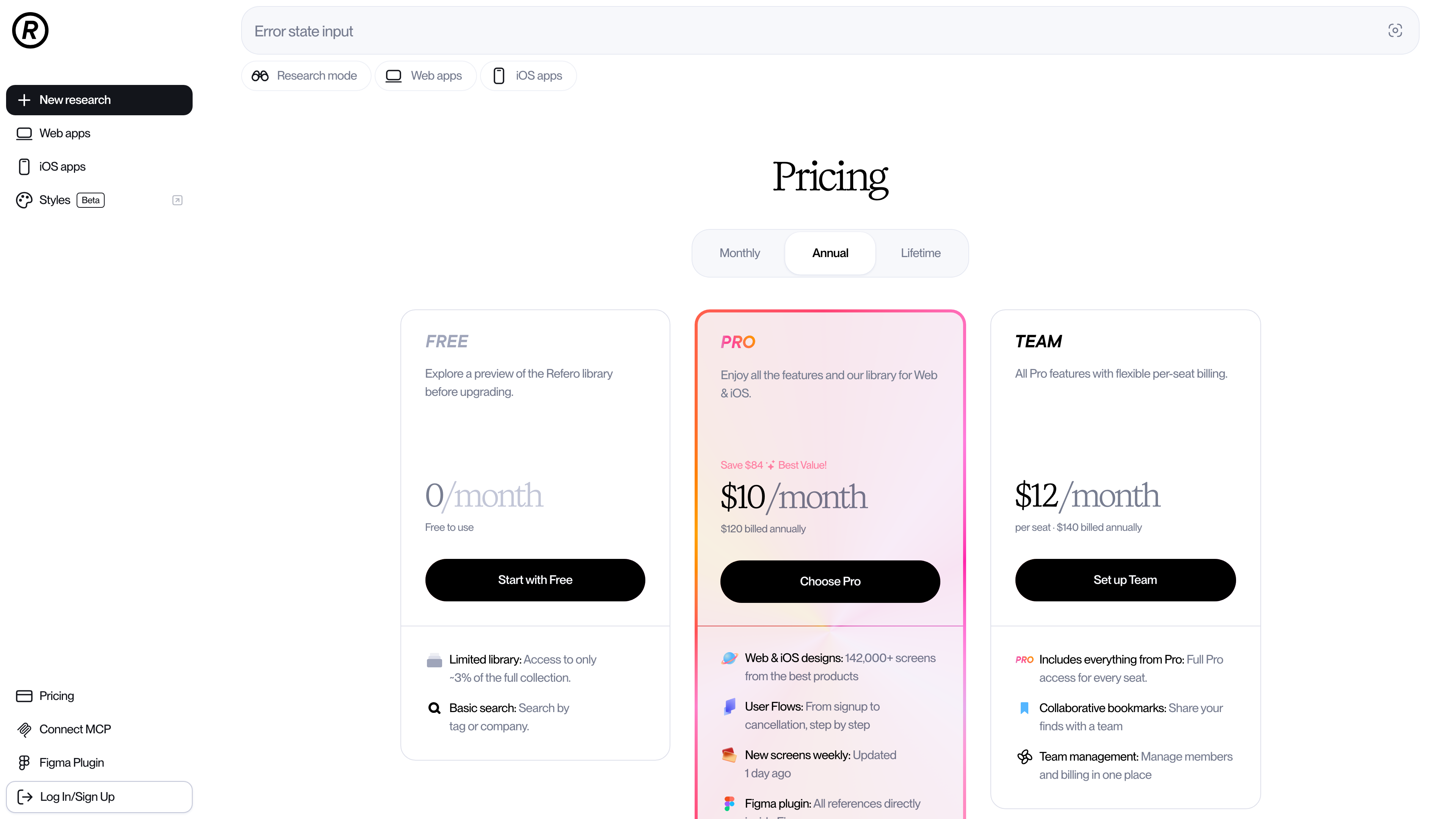
Prices below were verified on the official pricing page in September 2026 and may change:
- Free: $0. Roughly 3% of the library, basic search, no MCP or Figma plugin.
- Pro: 10/month billed annually ($120/year). Full library, user flows, downloads, Figma plugin, MCP, and Skill.
- Team: 140/seat/year for 1–5 seats, with per-seat discounts as seats grow (130/year for 6–10 seats; 120/year for 11+). Adds collaborative bookmarks and team management.
- Lifetime: a one-time $250, including Pro and MCP access.
- Students get 40% off monthly and annual Pro with proof of enrollment.
Two caveats: Refero explicitly does not offer a free trial, so the free tier is the only way to evaluate the library, and each subscription is licensed to a single user — account sharing violates the terms. New payments run through Stripe and are generally non-refundable except where consumer law requires it (see Terms of Use, sections 4 and 7).
Content Rights and Acceptable Use
The interfaces and trademarks in the library remain the property of their respective owners. Refero's Terms of Use permit using the content for design research, inspiration, internal reference, and ordinary product design work, while explicitly prohibiting scraping or systematic extraction, resale or redistribution, and use in training machine-learning models or datasets. Rights holders can request removal or correction through Refero's Copyright Policy. On privacy, Refero states it does not use user-uploaded content to train general-purpose AI models under its control unless the user opts in.
Where It Fits
- UI/UX designers doing competitive research or hunting real examples of a specific page type or component;
- Independent developers comparing mature approaches to onboarding, paywalls, or settings pages before building their own;
- Teams using AI coding tools like Cursor or Claude Code that want generated UI grounded in proven product design, via MCP or DESIGN.md;
- Design teams building a shared reference collection with the Team plan's collaborative bookmarks.
Limitations
- The free tier exposes only about 3% of the library, and anonymous previews are smaller still — with no free trial, judging the archive's depth requires paying.
- Coverage skews toward English-language SaaS and consumer products; interfaces from Chinese products are rare, which limits usefulness for teams primarily building for that market.
- The interface is English-only.
- Training ML models on the content is contractually prohibited, ruling out dataset-style use cases.
- Screenshots reflect products at capture time; redesigned products leave outdated screens in the archive (weekly additions mitigate but do not eliminate this).
Alternatives
- Mobbin: also a paid library of real product screens and flows, with deeper mobile coverage;
- Dribbble / Behance: designer portfolio communities dominated by concept work — a different proposition from live product interfaces.



