Reclaim (reclaim.ai) is an AI scheduling assistant that works on top of the calendar you already use. Connect Google Calendar or Microsoft Outlook, and a set of background "agents" continuously place tasks, personal habits, recurring meetings, focus time and meeting buffers into your schedule — then automatically move things around when conflicts, PTO or shifting priorities get in the way. Unlike all-in-one suites such as Motion that replace your calendar, Reclaim's own help docs describe it as "a calendar assistant that works with your Google or Outlook calendar (not replace it)": smart events are written back as real calendar events, so you keep working in your existing calendar client.
The product was founded in Portland, Oregon in 2019 and acquired by Dropbox in August 2024. It continues to operate under a "reclaim.ai from Dropbox" brand, with a free-forever Lite plan for individuals (homepage, checked 2026-10-02).
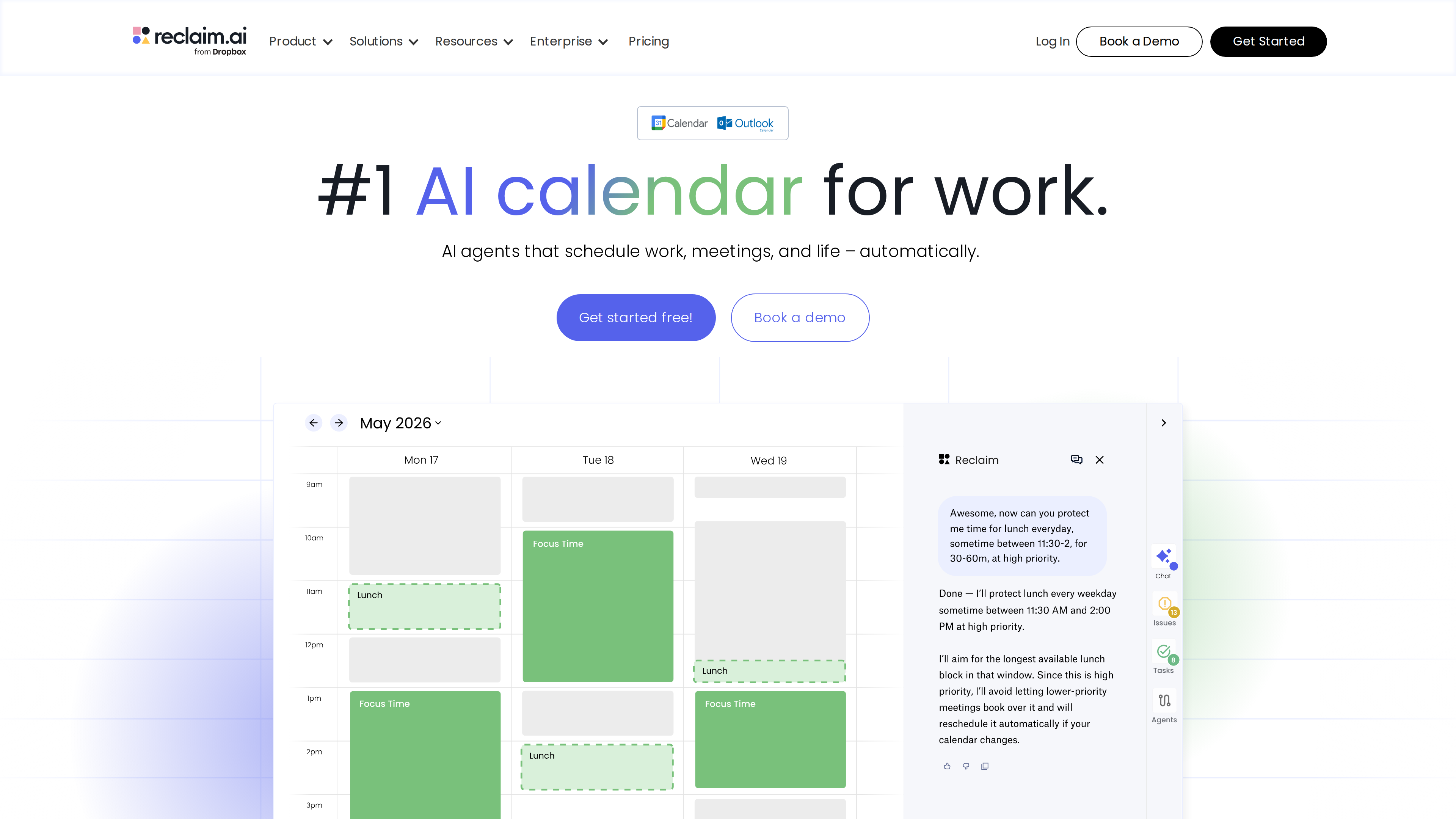
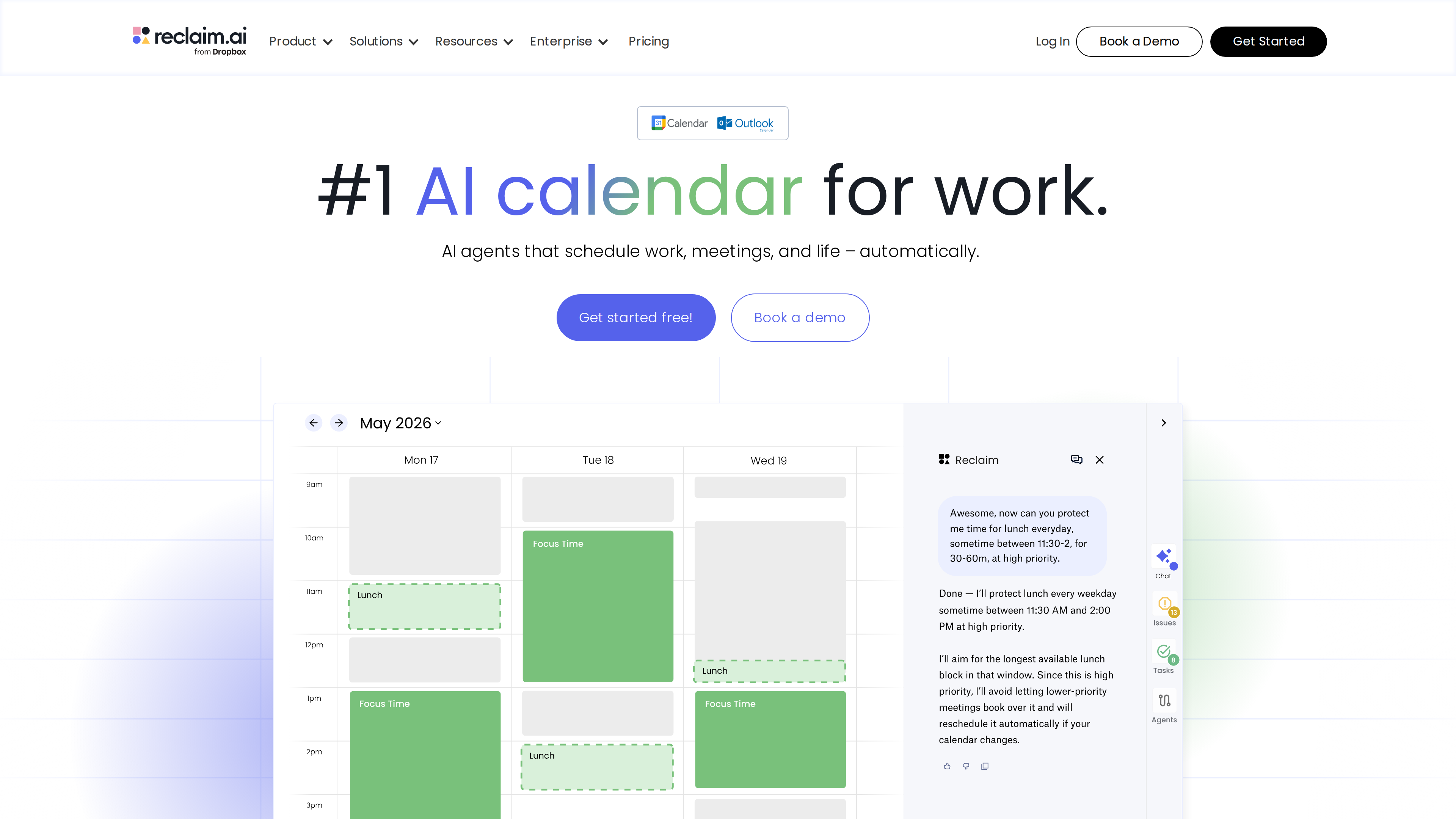
The homepage (screenshot taken 2026-10-02) shows the product pitch in action: on the left, a week view filled with smart Focus Time and Lunch blocks; on the right, the AI assistant chat, where a request like "protect me time for lunch everyday, sometime between 11:30–2, for 30–60m, at high priority" gets a reply explaining it will defend the longest available slot, keep lower-priority meetings from booking over it, and reschedule automatically when the calendar changes.
At a glance
| Item | Details |
|---|---|
| URL | https://reclaim.ai/ |
| Type | AI calendar auto-scheduling assistant (SaaS; web app + calendar add-on, not a calendar replacement) |
| Cost | Free-forever Lite plan; paid tiers at 15 / $22 per seat/month billed yearly (pricing, as of 2026-10-02) |
| Sign-up | Account plus a connected Google or Outlook calendar; no credit card for the free plan; new users get a 14-day Business-plan trial, then roll back to Lite (homepage) |
| Interface language | English only (no official localization observed as of 2026-10-02) |
| Launched | Founded 2019 (TechCrunch) |
Background
- Founding: Reclaim was founded in 2019 by Henry Shapiro and Patrick Lightbody, headquartered in Portland, Oregon. At the time of the acquisition the team of 22 moved to Dropbox together (TechCrunch, 2024-08-22).
- Funding: More than $9.5 million raised pre-acquisition from Index Ventures, Gradient Ventures, Flying Fish, Operator Partners, Character.vc, Yummy Ventures, meeting-scheduling company Calendly itself, and angels including Grafana CEO Raj Dutt and former GitHub CTO Jason Warner (TechCrunch, About page investor list).
- Dropbox acquisition (August 2024): The founders announced in an official blog post (2024-08-20) that Reclaim.ai had been acquired by Dropbox; deal terms were not disclosed. The post promised "no planned changes to pricing or customer support anytime soon" and cited a footprint of 43,000+ companies and 320,000+ users at the time.
- Where it stands now: The acquisition FAQ confirms both founders and all employees stayed, with Reclaim's product and pricing remaining separate from Dropbox's. Development has continued under Dropbox: Outlook support — Google Calendar-only at acquisition — was reported launched by local press in May 2025 (Portland Inno, 2025-05-16, paywalled), and the docs now confirm full support for both Google Calendar and Microsoft Outlook (see the Outlook integration page), followed by the agent-based "Reclaim 2.0" platform and integrations with ChatGPT, Claude and Cursor (Reclaim 2.0 help docs). The site now claims "600,000+ users across 70,000 companies" (vendor figure, as of 2026-10-02).
- Legal entity: Reclaim.ai Inc.; terms governed by Oregon law, mailing address 548 Market St, San Francisco (Terms of Service, last updated 2024-04-08).
Core capabilities
Reclaim's automation is organized around "agents," which the official docs define as "a standing instruction about your calendar that Reclaim carries out in the background." Each agent has ideal time windows, duration, busy/free state, visibility and priority settings, and a preview mode shows its impact on your calendar before anything is applied. The main agents and feature lines:
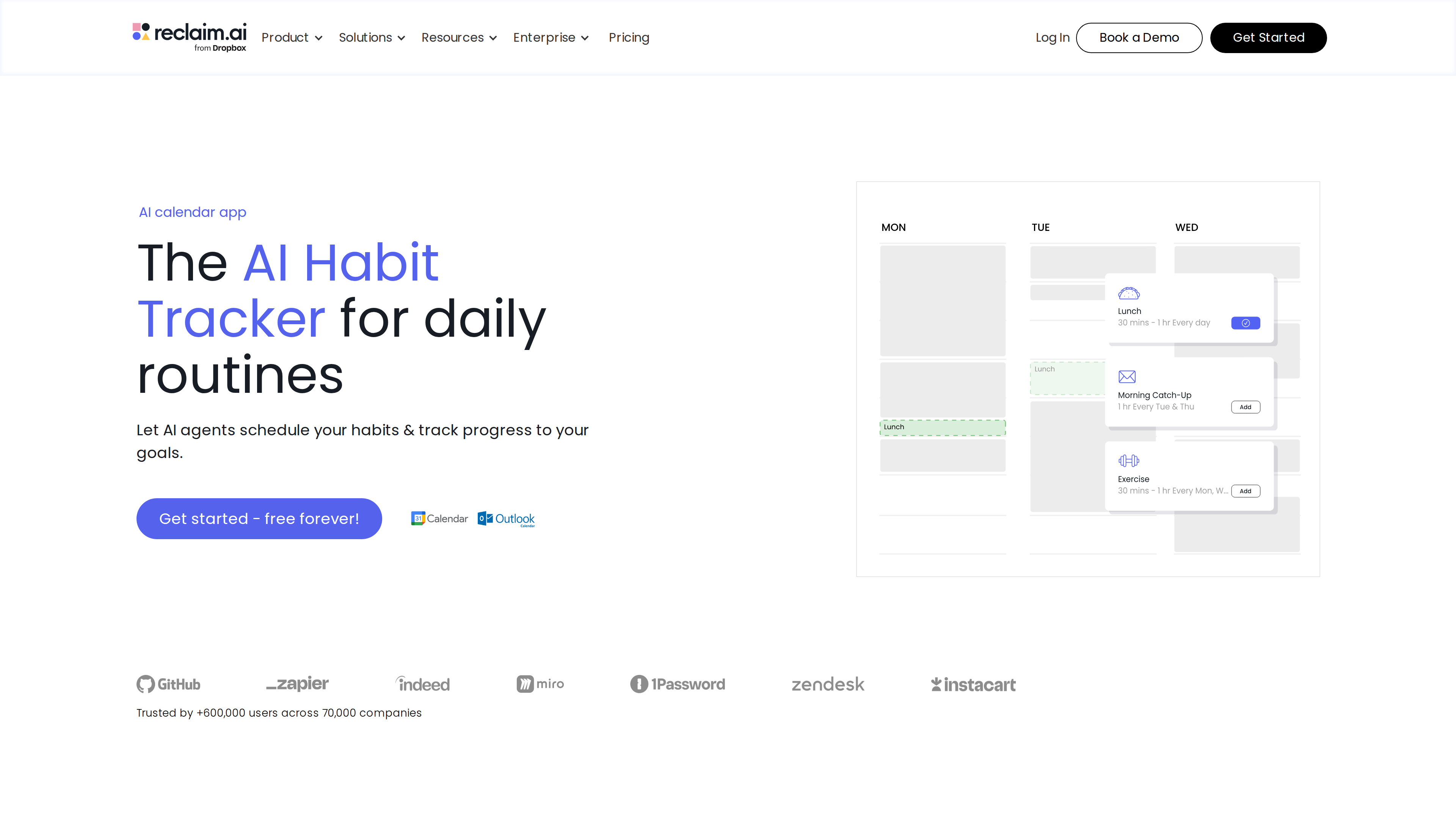
- Habits: Set a scheduling window and frequency for routines like lunch, exercise or weekly planning; the AI finds the best slot each day and reschedules around meetings or PTO. 100+ habit templates are offered, and you control whether synced events show full details or just "Busy" on a work calendar (Habits page).
- Tasks: Turns tasks from Jira, Asana, ClickUp, Todoist, Linear or Google Tasks into calendar work sessions, scheduled by deadline and priority; large tasks can be split into multiple sessions and everything reshuffles as plans change (Tasks page).
- Smart Meetings (formerly Smart 1:1): Puts recurring 1:1s and team meetings on autopilot — the AI considers every attendee's availability, time zone and priority, and when conflicts or vacations arise it moves the meeting to the next best time instead of letting it die (Smart Meetings page). The feature grew out of the earlier Smart 1:1; the 2024 acquisition post mentioned migrating users to "the new Smart Meetings" platform. Note: since 2026, attendees without a paid seat in Smart Meetings of 3+ people are billed as "Attendee Users" (AUs); 2-person meetings don't require AUs (pricing).
- Buffer Time: Automatically adds prep and recovery time around video calls, and travel time around events with detected locations (including extra airport buffer for flights), preventing back-to-back days (Buffer Time page).
- Focus Time: Set a weekly focus goal and the AI defends deep-work blocks in calendar gaps, letting higher-priority work interrupt only within your rules.
- Calendar Sync & Scheduling Links: Sync events across multiple calendars to avoid double-booking (personal events can sync as private "Busy" blocks), plus booking links that share your availability externally.
- Planning & analytics: A daily Planner view, personal Time Tracking, team-level People/Workforce Analytics, and a Team OOO Calendar for out-of-office visibility.
- AI Assistant & MCP integrations: A chat assistant that creates agents, finds meeting times and resolves conflicts in natural language, with human-in-the-loop approval before changes apply; MCP connectors bring the same controls into ChatGPT (listed in the ChatGPT Apps marketplace), Claude and Cursor (AI Assistant page, ChatGPT integration doc). The page shows both "Get started free" and "Join the waitlist" buttons, so actual availability may depend on your account.
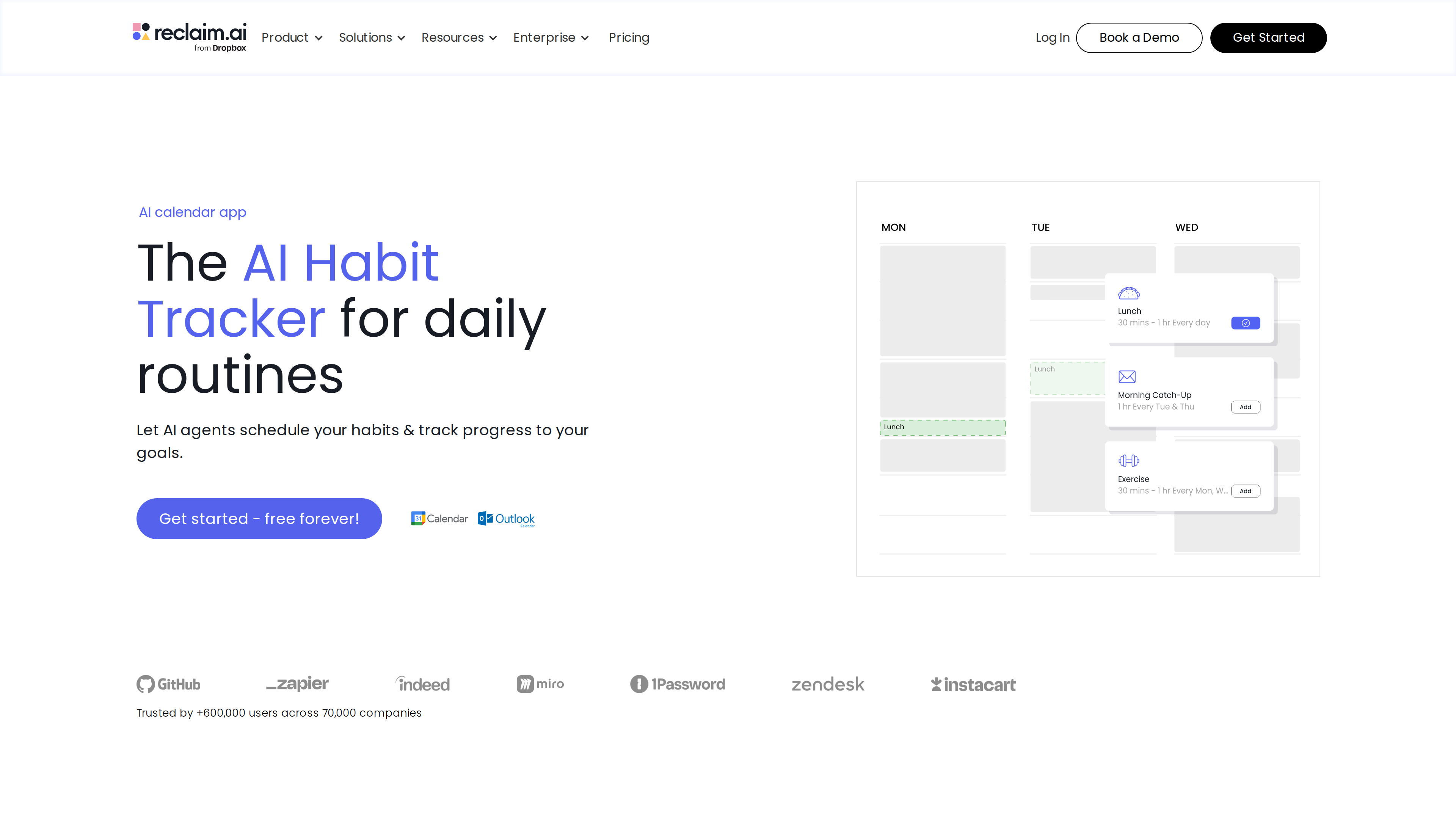
The Habits page (screenshot taken 2026-10-02) shows template cards being added to a calendar — e.g., "Lunch: 30 mins – 1 hr, every day" — with the AI responsible for finding each day's best slot.
Pricing (as of 2026-10-02)
Standard prices from the pricing page (shown at yearly billing, labeled "SAVE 20%"). A "new user" promo banner offered an extra discount at screenshot time; it is a temporary promotion and not reflected below:
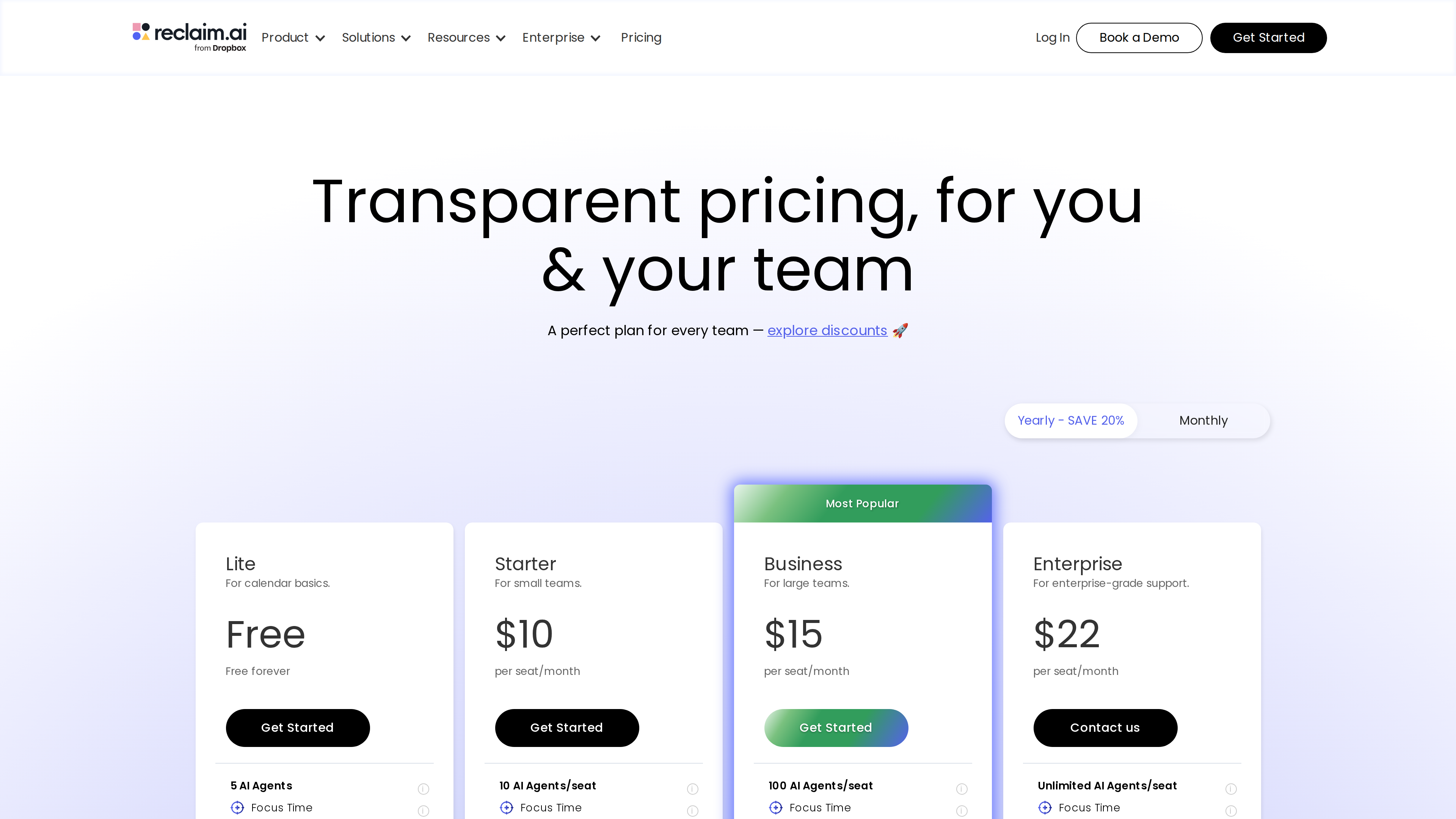
| Plan | Yearly (per seat/mo) | Monthly (per seat/mo) | Key limits |
|---|---|---|---|
| Lite | Free | Free | 1 user, 1-week scheduling range, 1 Calendar Sync, 1 Scheduling Link, limited integrations, 5 AI agents |
| Starter | $10 | $12 | Up to 10 seats, 8-week range, 3 Syncs, 3 Links, unlimited integrations, 10 agents/seat |
| Business | $15 | $18 | Up to 100 seats, 12-week range, unlimited Syncs & Links, Team OOO Calendar, delegated access, 100 agents/seat |
| Enterprise | $22 | Not offered monthly | 100+ seats, SSO & SCIM, domain capture, unlimited agents |
Notes:
- The Lite plan requires no credit card; new accounts start with a 14-day Business trial and roll back to Lite if they don't pay (homepage).
- Discounts: 50% off for 12 months for students/educators; 20% off for 3 years for nonprofits and startups; 20% off for 6 months when switching from Clockwise, Motion or Calendly (pricing).
- Attendee User add-ons: e.g., 3 extra AUs on Starter from $8/month (yearly terms); the page notes a launch promo making AUs free "through July 31st" (year not stated — check the live page).
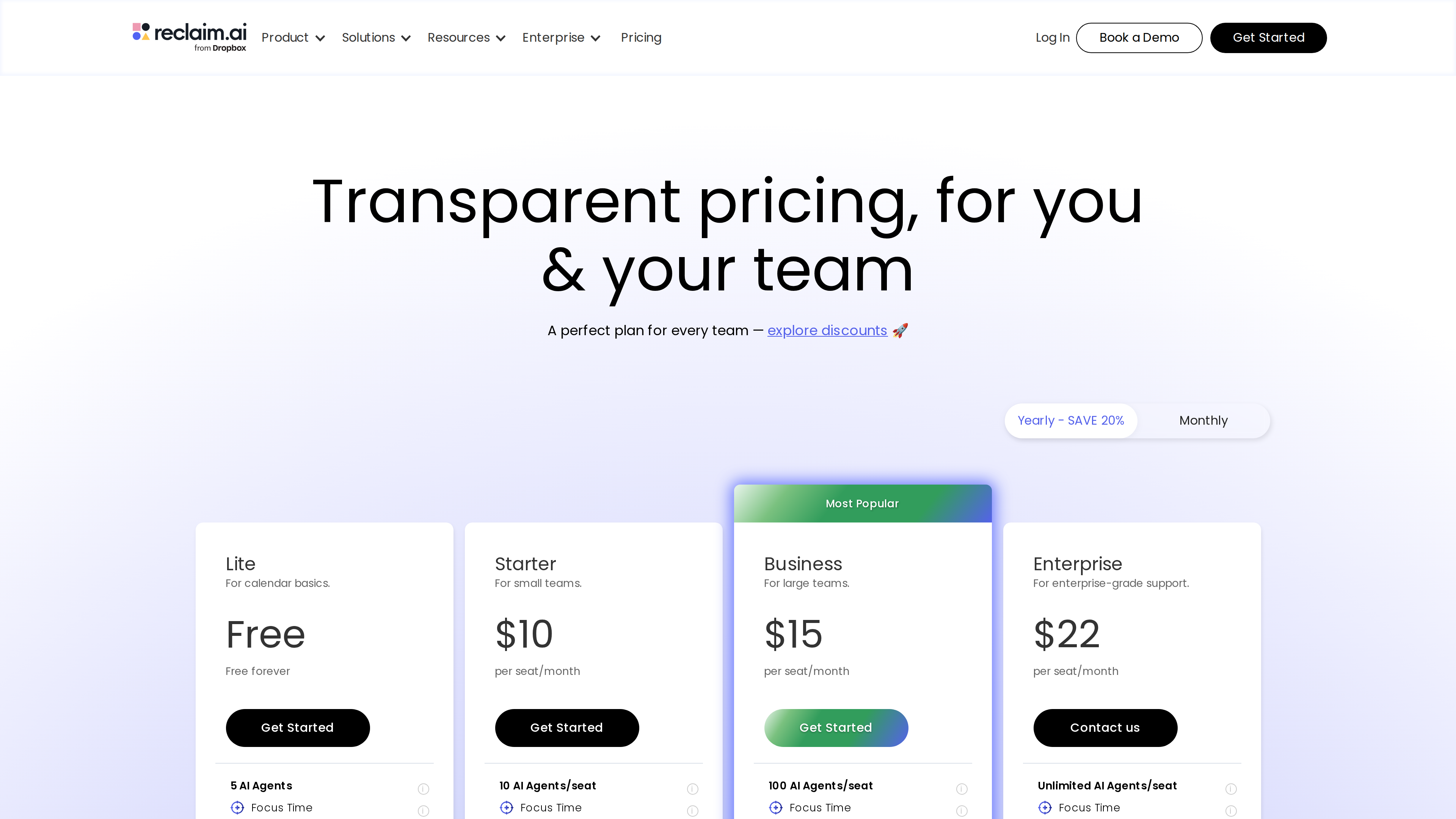
The pricing page (screenshot taken 2026-10-02): four tiers with Business marked "Most Popular." All tiers include the base agents (Focus Time, Habits, Buffer Time, Smart Meetings); the tiers differ on seat count, scheduling range, sync/link quotas and enterprise controls.
Good fit for
- Knowledge workers and managers whose calendars are fragmented by meetings and who want focus time and breaks defended automatically.
- Teams that want to-dos from Jira/Asana/ClickUp/Todoist to materialize as real calendar time blocks.
- Managers and executive assistants maintaining lots of recurring 1:1s and team syncs who are tired of manually re-coordinating them.
- People already working in ChatGPT/Claude who want calendar control inside those conversations (via MCP).
Limitations
- Google/Outlook only: A connected Google Calendar or Microsoft Outlook calendar is required (official docs). Other services (e.g., iCloud) can only feed in one-way via shared-calendar sync — a poor fit if you live outside those two ecosystems.
- Tight free tier: Lite's 1-week scheduling range, single calendar sync and single scheduling link work for basic individual use but not for multi-calendar, long-horizon planning.
- English only (observed 2026-10-02), including the help center.
- No dedicated mobile app: The official model is that events are written back to Google/Outlook and viewed in those mobile calendar apps; there is no standalone Reclaim phone app for managing everything.
- Some new capabilities have unclear availability: the AI Assistant page shows both "get started" and "waitlist" entries, and AU billing for 3+ person Smart Meetings is in a launch-promo period whose long-term pricing impact is still open (as of 2026-10-02).
- Broad calendar permissions: AI scheduling needs read/write access to your calendar. The homepage states "We don't train AI on your data," but privacy-sensitive users should read the privacy policy before granting access.
- Reported impact numbers ("7.6 hours saved per week," "600k users") are vendor self-reported and not independently verified.
Alternatives for comparison
- Motion (usemotion.com): Also built around AI auto-scheduling, but as a replacement-style all-in-one suite (tasks, projects, docs, meetings) with no free plan and higher prices; Reclaim instead layers onto your existing calendar and keeps a free tier. (Motion is also profiled in this catalog for comparison.)
- Clockwise: The closest in spirit — a team calendar optimizer. Reclaim's pricing page offers a discount for switching from Clockwise, confirming they compete head-on (pricing).
- Calendly: Focused on external booking links and also one of Reclaim's investors; Reclaim's Scheduling Links overlap, but its core value is automation inside the calendar.
References
- Reclaim homepage, pricing, About (checked 2026-10-02)
- Official blog: Reclaim is joining Dropbox (2024-08-20)
- Help center: Dropbox + Reclaim.ai acquisition FAQ
- TechCrunch: Dropbox acquires Index Ventures-backed AI scheduling tool Reclaim.ai (2024-08-22)
- Help center: How to use Reclaim with your existing calendars, Agents Overview, Reclaim 2.0 + ChatGPT integration
- Outlook integration page, Terms of Service