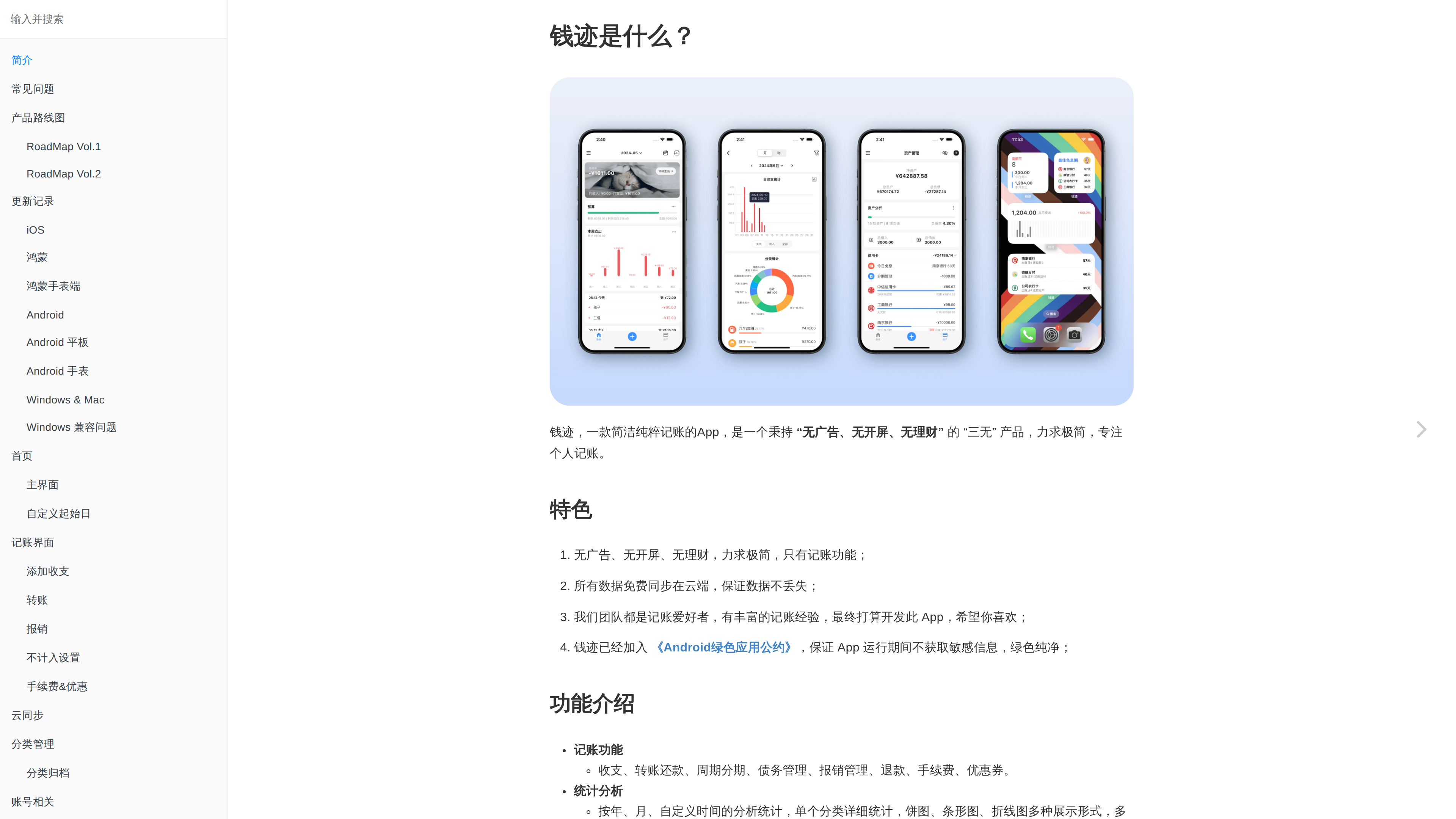
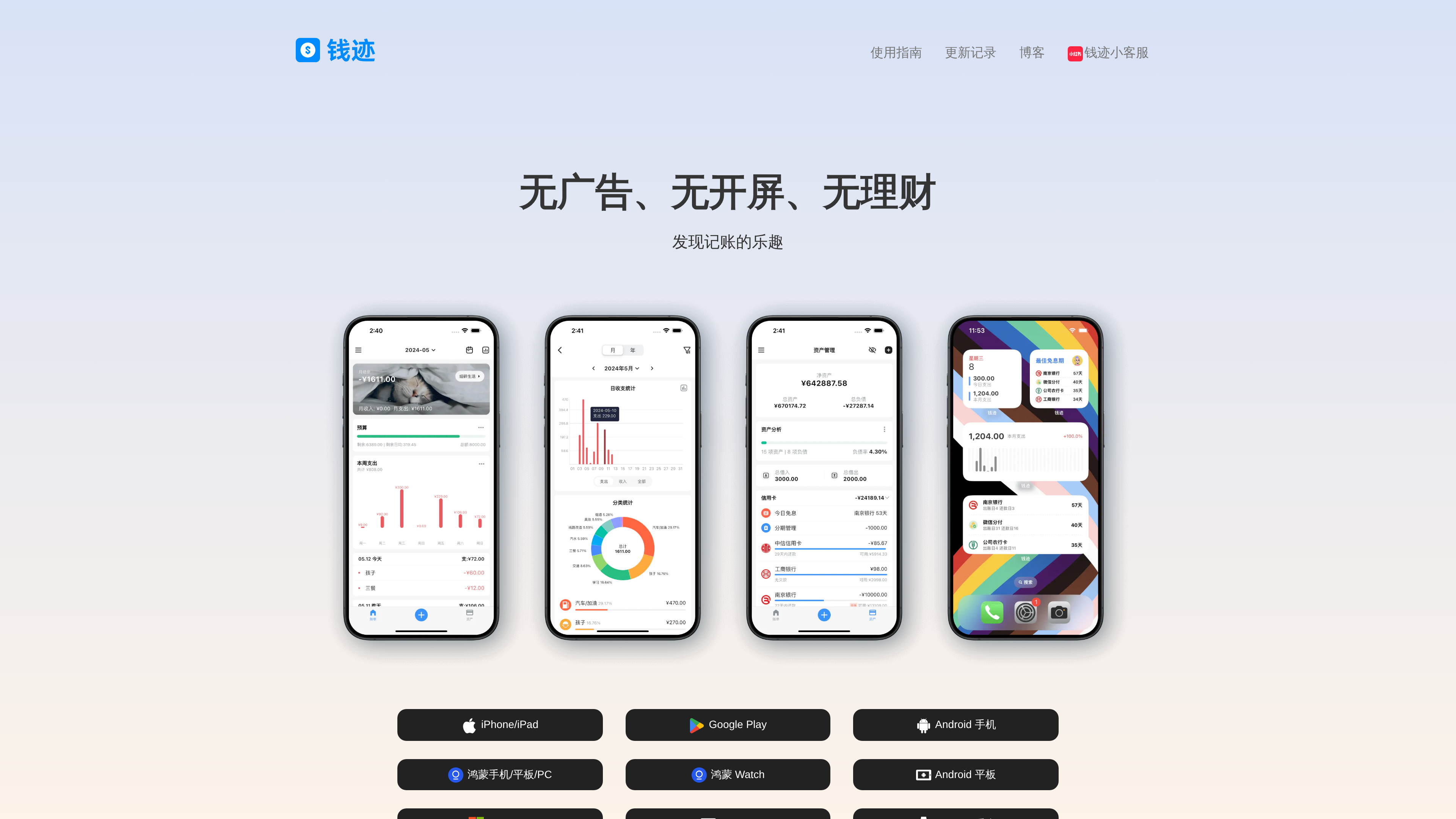
Qianji (qianjiapp.com) is a Chinese bookkeeping app known for its "three no's" promise — no ads, no splash screen, no wealth-management sales. It does bookkeeping and nothing else: quick income/expense entry, two-level categories, multi-account asset management, multiple ledgers, recurring and installment billing, and reports — with encrypted cloud sync across Android, iOS, Windows, Mac and HarmonyOS (including watches) (homepage, user guide, checked 2026-10-01).
Where mainstream Chinese finance apps bolt on loan ads, communities and splash ads, Qianji's whole differentiation is cleanliness: open it, log, leave. Its App Store description reports more than 6 million users — an unusually durable run for an indie-built app.
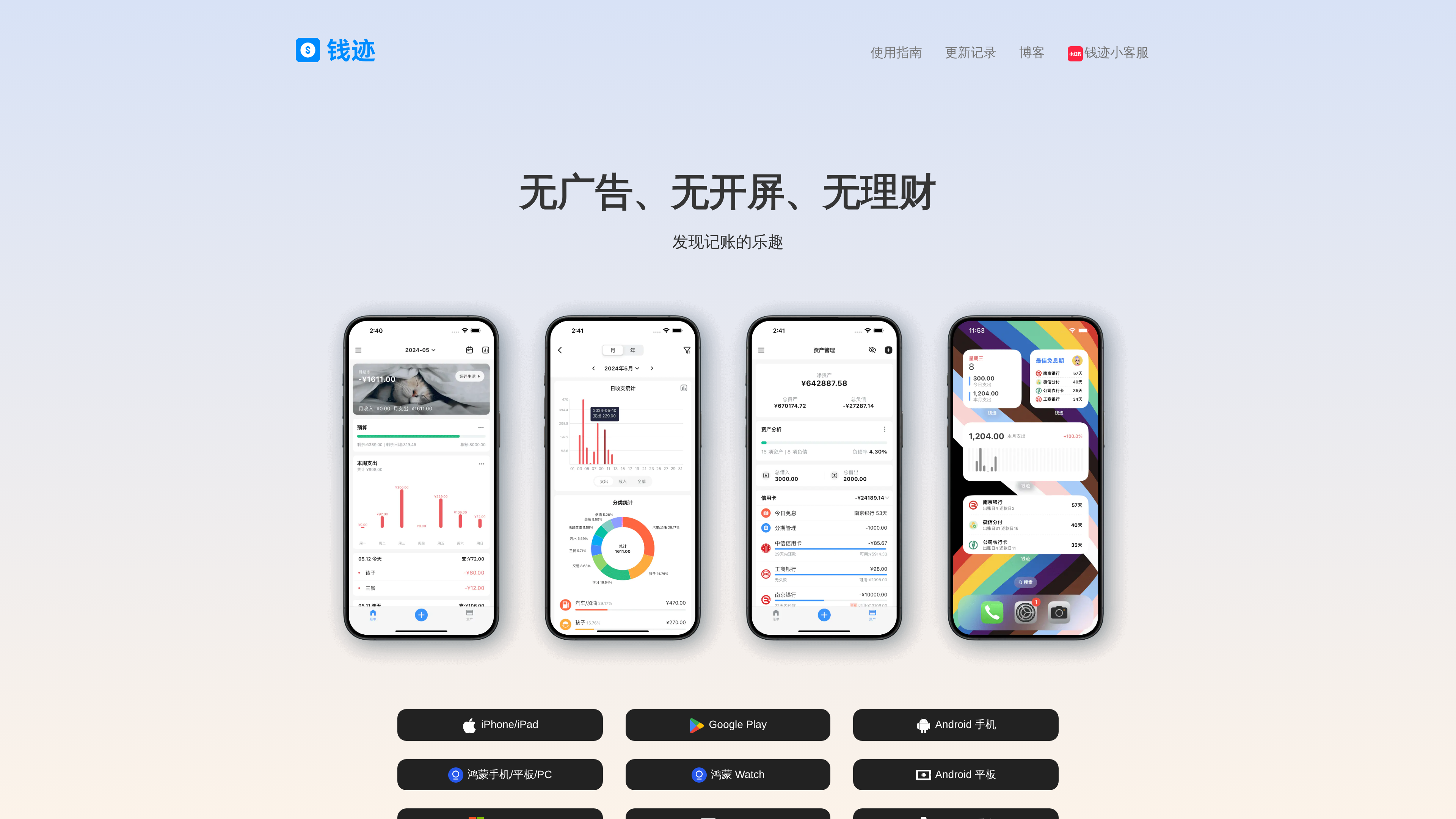
The homepage screenshot above (2026-10-01) shows the main ledger view, monthly/yearly charts, the asset overview and home-screen widgets on four demo phones; download entries cover iOS, Android, HarmonyOS phone/tablet/PC and HarmonyOS Watch.
At a Glance
| Item | Details |
|---|---|
| URL | https://www.qianjiapp.com/ |
| Type | Personal bookkeeping app (mobile + desktop, multi-platform) |
| Cost | Most features free; membership ¥6/month, ¥24/half-year (Android only), ¥36/year or ¥128 lifetime — one purchase covers all platforms (member policy, as of 2026-10-01) |
| Sign-up | Optional: local-only bookkeeping without an account (no sync, custom categories, assets or stats); account enables cloud sync |
| Interface language | Chinese |
| Clients | Android, iOS, iPad, Windows, Mac, HarmonyOS phone/tablet/PC, HarmonyOS Watch, Android tablet/watch |
| Launched | First version written late 2017; published on Coolapk in early 2018 (developer's own account) |
Background
- A tool built for himself: Qianji was written by developer Li Tang (Tang Yuchun, community handle litang0908) in about three weeks during a gap year at the end of 2017. He and a bookkeeping friend were fed up with existing apps' "ads everywhere and background self-waking," and wanted "a clean bookkeeping app" (his posts on the indie-developer community w2solo, ijiandao interview).
- Accidental launch: listed on Coolapk in early 2018, it gained 300+ users on day one via the "fresh apps" board, so he kept shipping; he maintained it on weekends while working at Yuanfudao, quit in May 2019 to go full-time indie, and registered Xi'an LiTang Technology Co., Ltd. that September (his account, maigoo entry).
- Growth: Coolapk downloads neared 190k by the end of 2018 and passed 1 million in February 2020; by November 2019 total downloads exceeded 1.5 million with 40–50k daily actives (ijiandao, w2solo); the App Store now cites 6M+ users (as of 2026-10-01).
- Principles: the original promise was "no ads, no background, no self-waking," later completed as "no ads, no splash, no wealth management," plus a standing commitment to China's Android Green App Convention (w2solo, member policy).
Key Features
- Quick entry: income, expense, transfers/repayment, refunds, reimbursement, coupons/fees — with customizable two-level categories.
- Asset management: cash, bank cards, credit cards, WeChat/Alipay-style network accounts, stored-value and investment accounts in one net-worth view.
- Reports: yearly/monthly/custom-period analysis with pie, bar and line charts and per-category drill-down.
- Multiple and shared ledgers: separate ledgers for life, business, renovation, travel and more; shared ledgers (membership) let family members log together.
- Recurring and installments: automatic posting for rent, subscriptions and salary; consumption and credit-card installment tracking (2 free, up to 80 for members).
- AI auto-bookkeeping: an opt-in feature added in late 2024 that reads bill details and matches category, account and notes — a paid feature with a 7-day trial, free for members. Notably, the developer had long refused this category of feature because it required screen monitoring, and eventually shipped it strictly as a manual opt-in (auto-bookkeeping doc, FAQ).
- Import/export: import bills from mainstream platforms and export your data anytime.
- All-platform sync: one account syncs Android, iOS, Windows, Mac and HarmonyOS automatically, with encrypted storage (FAQ).
- Clean-experience details: straight to the entry screen with no splash, home-screen widgets/tiles/quick-launch, and password/biometric lock.
Pricing (as of 2026-10-01)
Prices from the member policy; purchases are non-refundable, so trial first:
| Plan | Price | Notes |
|---|---|---|
| Free | ¥0 | Quick entry, categories, asset management, reports, recurring bills, multiple ledgers and most other features |
| Monthly | ¥6/month | Member features: shared ledgers, themes, bill photos, higher installment caps, AI auto-bookkeeping |
| Half-year | ¥24 (Android only) | Same |
| Yearly | ¥36/year | Same |
| Lifetime | ¥128 (one-time) | Same; one account works across all platforms |
Note: in May 2023 the iOS lifetime price briefly showed ¥148 due to Apple's floating exchange rates; the developer reverted it to ¥128 and refunded the difference — current prices are as shown in the in-app member center (official note).
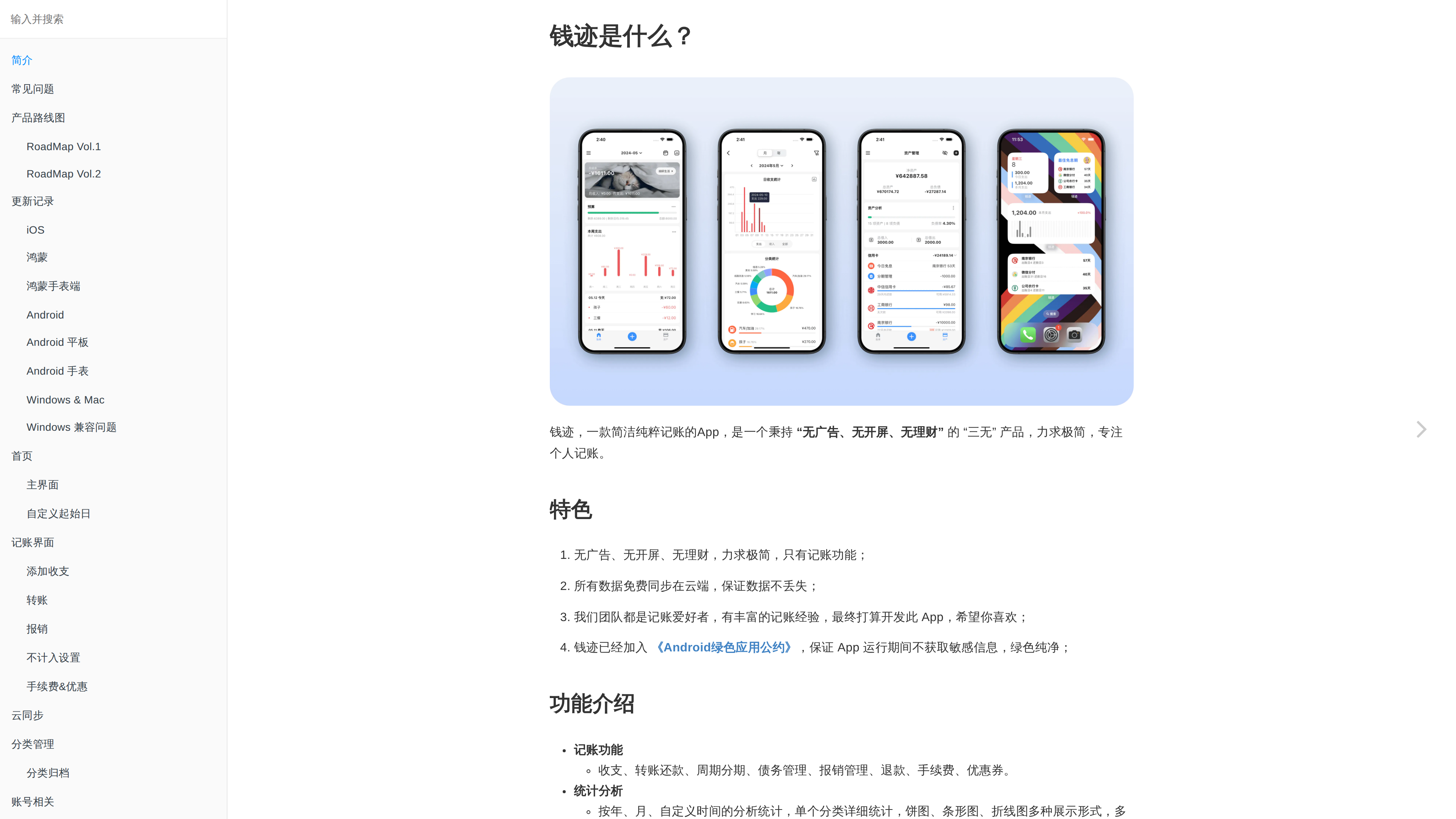
The user guide screenshot above (2026-10-01) shows documentation organized per platform — including HarmonyOS watch and Windows compatibility notes — with the "three no's" positioning and full feature list up front.
Who It's For
- People who want to keep books seriously but were driven away by ads and financial-product pitches: pure bookkeeping, open and log.
- Multi-device users: quick entry on the phone, big-screen reports on the computer, all synced.
- Households and couples: shared ledgers (membership) for tracking family spending together.
- Anyone with recurring obligations: rent, subscriptions and installments post automatically, nothing forgotten.
Limitations
- No bank-feed sync: unlike products that pull official statements automatically, Qianji is manual-first (AI auto-bookkeeping is an optional paid assist) — consistency takes discipline.
- Power features are paid: shared ledgers, bill photos and installment caps require membership, which heavy family users will likely need.
- No investment features: the flip side of the "three no's" promise — portfolio tracking needs another tool.
- A Chinese-language product: UI and docs are in Chinese; multi-currency scenarios depend on actual in-app support (observed).
- Financial data is sensitive: storage is encrypted per the developer, but cloud-averse users can stay in local mode (no account).