
PairDrop is an open-source file transfer tool that runs entirely in the browser: open the same web page on several devices and those on the same local network automatically discover each other, then send files over a peer-to-peer WebRTC connection that never touches a server. It is a fork of Snapdrop that adds cross-network capabilities — persistent device pairing and temporary public rooms — plus conveniences such as ZIP downloads for multi-file transfers. The official instance at pairdrop.net is free and requires no account, and the whole stack can be self-hosted.
At a Glance
- URL: https://pairdrop.net/
- Type: Open-source web app (PWA), works in desktop and mobile browsers
- Cost: Free, no ads; development is donation-funded (BuyMeACoffee)
- Signup: None — the server assigns a random display name you can edit
- Interface languages: 30+, including English, Simplified and Traditional Chinese, and Japanese
- License: GPL-3.0 (GitHub repository)
Background
PairDrop is maintained by GitHub user schlagmichdoch; the repository was created in January 2023 as a fork of Snapdrop, the pioneer of this "radar-style" local transfer concept. Snapdrop's original website was later acquired by LimeWire and the open-source project has largely stopped evolving (see SnapDrop repository issue #663). PairDrop kept the core idea, added new features, and is now the more actively developed implementation of the two. As of 2026-08-30 the repository has about 11k stars; the latest release is v1.11.2 from February 2025, which is also the version shown in the footer of pairdrop.net.
Technically, the frontend is vanilla HTML/JS/CSS, the backend is Node.js, files move over WebRTC, and discovery plus pairing signaling runs over WebSockets (README).
Core Features
Automatic discovery on the local network
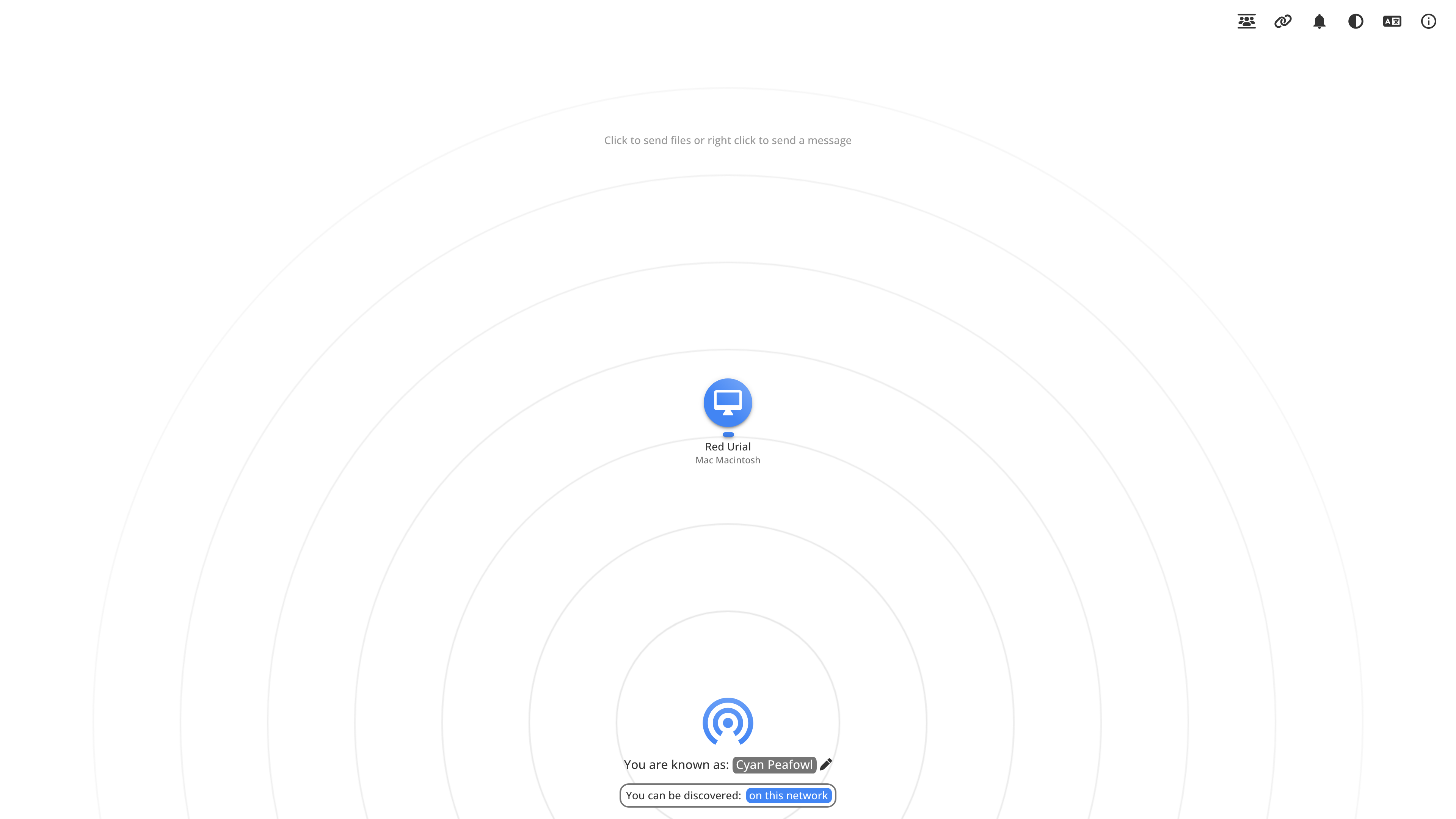
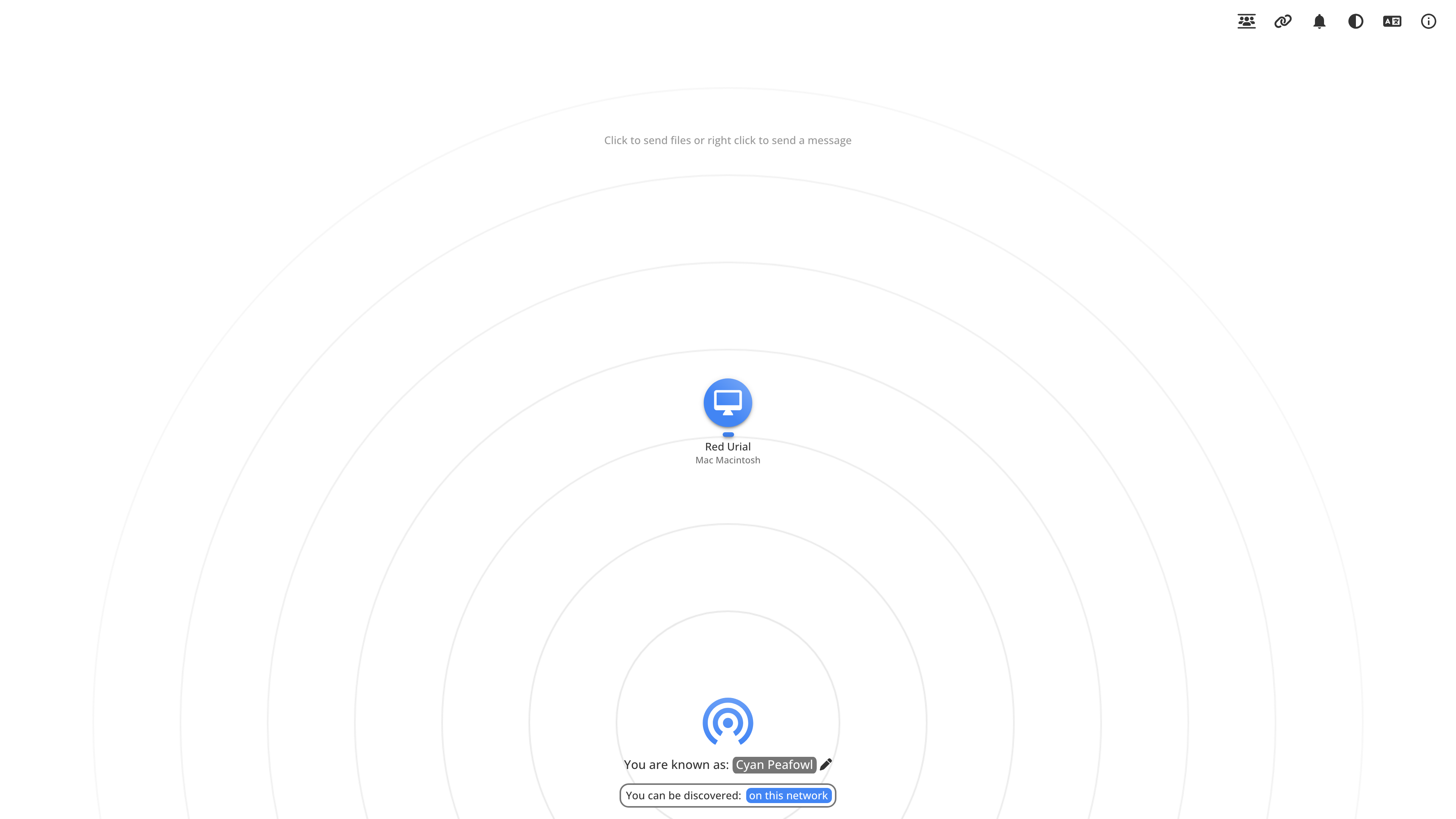
When you open pairdrop.net, the signaling server groups devices that share a public IP into the same "room", and each device appears as a circular avatar on a radar-style interface. The screenshot below shows two browser instances that found each other: this device is called Cyan Peafowl, and the second device, Red Urial, sits on the radar — left-click to send files, right-click to send a text message.
Files travel over a WebRTC data channel directly between the two devices. The official FAQ states that the server does not even use a database, and that files on the same network are never sent to any server. The recipient confirms each request before the transfer starts, completed files download automatically where possible, multi-file transfers arrive as a ZIP with an overall progress indicator, and small touches include audio/video preview, keeping devices awake during transfers, and a warning before the page is closed mid-transfer.
Beyond the LAN: paired devices and public rooms
Outside a shared local network, PairDrop offers two connection modes — its main additions over Snapdrop:
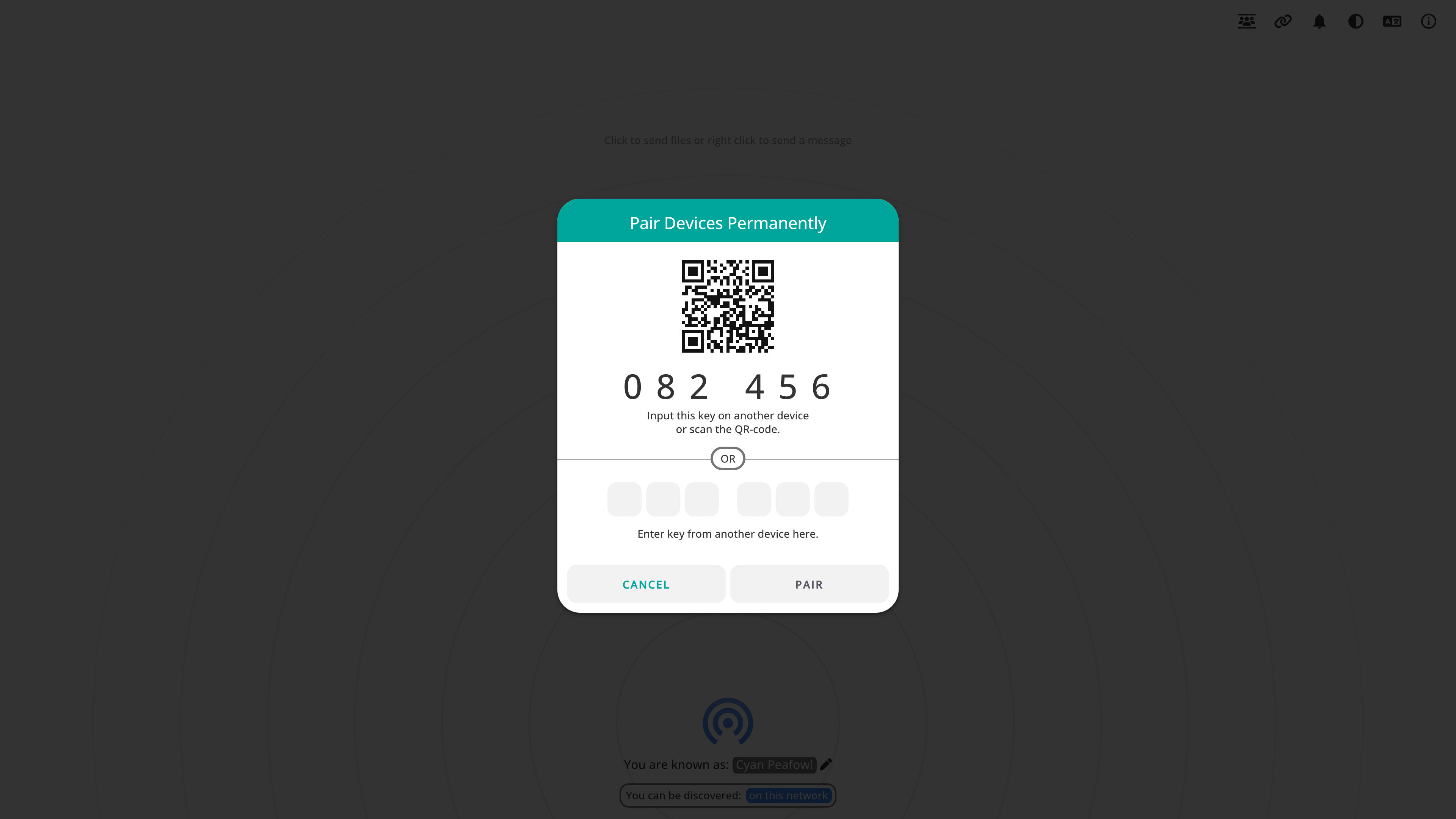
- Persistent pairing: pair two devices permanently with a 6-digit code or a QR code. The pairing secret is stored locally in the browser (IndexedDB), so paired devices keep finding each other on any network until you unpair them.
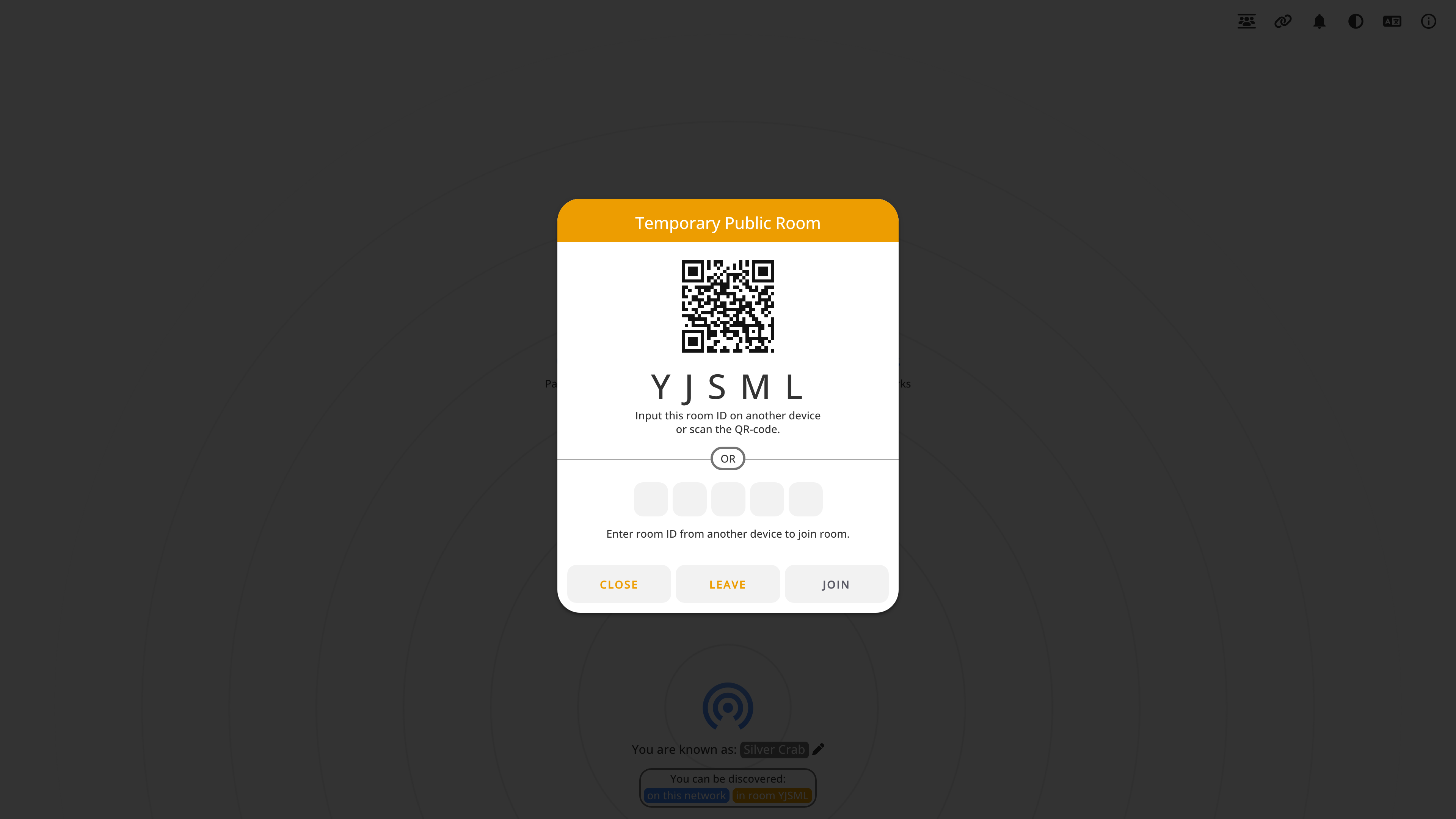
- Temporary public rooms: join a room with a 5-letter code or QR code for ad-hoc transfers with other people's devices. Rooms are temporary — closing PairDrop leaves all of them.
In both cases, devices behind different NATs are connected through PairDrop's TURN relay server, which is slower than a direct LAN connection.
Platform integration
- Send files or text directly from the share menu on iOS and Android, the context menu on Windows, the file manager on Ubuntu, or from the command line.
- Installable as a PWA; note that iOS only supports installing it via Safari, and Android only via Chrome or Samsung Browser (FAQ).
- Translations are maintained by the community on Hosted Weblate, with 30+ languages available.
- The FAQ lists compatible third-party clients such as the Snapdrop Android app and Snapdrop for Firefox.
Privacy and Security
- No account system: devices are identified by a server-assigned random nickname, and the server does not use a database.
- Same-network transfers never land on any server, and WebRTC encrypts data in transit.
- Boundaries worth knowing: transfers between paired devices or devices behind NATs are relayed through the official TURN server, and the signaling process still requires trusting the server operator. End-to-end "zero trust" signaling is listed as a planned improvement (issue #180). For sensitive files, a self-hosted instance gives you more control.
Self-Hosting
PairDrop ships with thorough self-hosting documentation: run it with Docker (linuxserver.io or ghcr.io images) or directly with Node.js on port 3000. Key points:
- A reverse proxy must set
X-Forwarded-For, otherwise all clients become mutually visible. - PWA installation, persistent pairing, and display-name editing require HTTPS.
- Internet transfers need your own TURN server (a coturn docker compose example is included), or your own STUN/TURN via
RTC_CONFIG. - A WebSocket fallback can be enabled for VPN environments, but traffic then passes through the server — only enable it on instances you trust.
- A self-hosted frontend can point at the official signaling server via
SIGNALING_SERVERto interoperate with pairdrop.net users.
When It Fits
- Moving photos or documents between phone and computer at original quality, without chat-app compression.
- Account-free transfers across a mix of Android, iOS, Windows, macOS, and Linux devices.
- Quickly distributing files to several people on the same network, such as in meetings or classrooms.
- Teams that want full data control by running an instance on their internal network.
Limitations
- Both sides must have the page open at the same time; there is no offline storage or transfer history, and public rooms are temporary.
- Cross-network transfers depend on the official TURN relay and are slower and less reliable than direct LAN transfers; many VPNs block WebRTC, and the official instance offers no WebSocket fallback.
- Signaling is not yet zero-trust, so you must trust the server operator.
- Being browser-only, it cannot run persistently in the background like a native app, and PWA capabilities on iOS are limited by Safari.
- It is a solo-maintained project with a calm release cadence: the latest release, v1.11.2, dates from February 2025 (as of 2026-08-30) — check the project's activity before building long-term workflows around it.
Alternatives
- Snapdrop: the project PairDrop forked from, built on the same concept. After the LimeWire acquisition the original site changed shape, and the open-source repository has largely stopped evolving.
- LocalSend: an open-source AirDrop alternative (Apache-2.0) with native apps for all major platforms; both sides need the app installed, but nothing depends on a browser.
References
- PairDrop official site
- GitHub repository and README (feature list, differences from Snapdrop, tech stack, donation note)
- Official FAQ (connection model, privacy and security notes, PWA installation, shortcuts)
- Self-hosting guide
- Releases (v1.11.2, 2025-02-24)
- SnapDrop repository issue #663 (community discussion after the LimeWire acquisition)
All pages above were checked on 2026-08-30.



