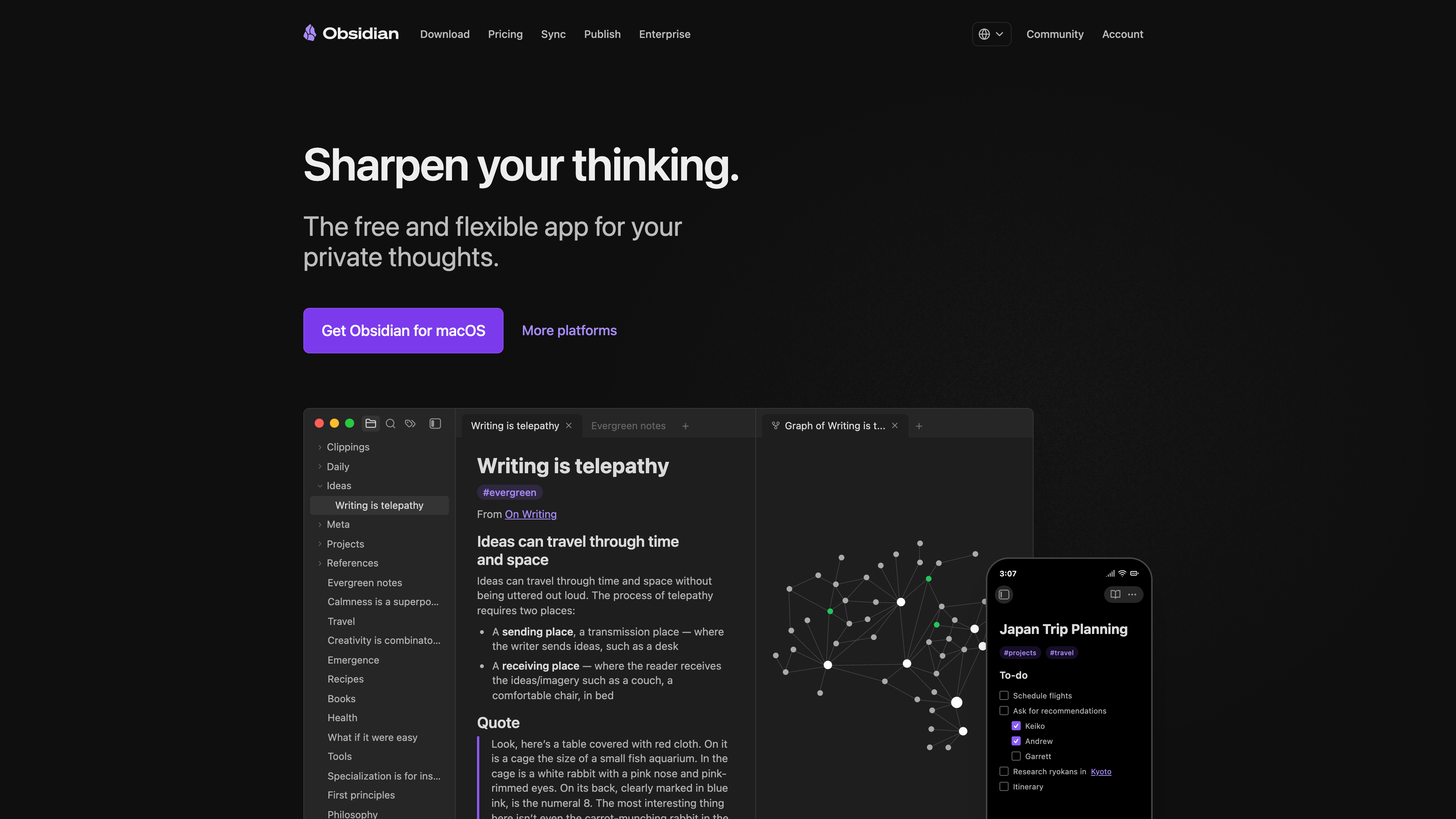
Obsidian (obsidian.md) is a note-taking and personal knowledge management (PKM) app developed by the Canadian company Dynalist Inc. Its core idea is to turn an ordinary folder on your disk — called a vault — into a network of interlinked notes: every note is a plain-text Markdown file stored on your own device, nothing passes through a cloud server, no account is required, and the app works fully offline. Three verifiable differences from cloud-based tools like Notion: the data format is open (plain text that no company can lock you out of — the official line is "your knowledge should last"); the app itself is free for personal and commercial use (since February 2025, a commercial license is no longer required); and functionality grows through a community ecosystem — as of 2026-09-12 the official directory lists 7,537 plugins and 739 themes. One caveat worth stating up front: Obsidian's code is closed source. What is open is the file format, not the software.
At a glance
- URL: https://obsidian.md/
- Type: Local-first note-taking / personal knowledge base app (Windows, macOS, Linux, iOS, Android, plus a browser Web Clipper extension and a CLI)
- Cost: The app is free (personal, non-profit, and commercial use alike); optional paid services start at 8/site/month for Publish, billed annually (official pricing as of 2026-09-12)
- Account: Not required for any app feature; an account is only needed to purchase add-on services or join the community sites
- Interface languages: The app UI is community-translated — the official translations repo covers dozens of languages including Simplified and Traditional Chinese; the website itself is available in 15 languages
- Launch: First public beta on March 30, 2020; version 1.0 on October 13, 2022 (Wikipedia, consistent with official release records)
Background
Obsidian was founded by Shida Li (@licat, CTO) and Erica Xu (@silver, COO). The two met at the University of Waterloo and previously built the outlining tool Dynalist together. They started Obsidian during the COVID-19 lockdown — the official blog records the first line of code on January 31, 2020 — and opened the public beta that March. Xu's framing on the About page is that she set out to build "the perfect note-taking app for her notes." The legal entity is Dynalist Inc., a Canadian company (the Terms of Service place it under Ontario jurisdiction).
The current CEO, Steph Ango (community handle @kepano), authored the popular Minimal community theme and joined as CEO in February 2023 (see the About page team list and his The Verge Decoder interview). The About page lists a team of roughly eight people (plus one "office cat"), and the company describes itself as "100% supported by our users, not investors" — revenue comes entirely from the optional services and licenses below. A February 2025 announcement states that people in over 10,000 organizations use Obsidian at work, many in high-security sectors such as government, cybersecurity, healthcare, and finance.
Key product and policy milestones:
- December 2022: Canvas, an infinite whiteboard, ships; in March 2024 its file format is opened as the public JSON Canvas specification.
- November 2024: The Web Clipper browser extension launches for saving and highlighting web pages into a vault.
- February 20, 2025: Obsidian becomes free for work — previously, organizations with two or more employees needed a Commercial license; it is now fully optional.
- Mid-2025: Version 1.9 introduces Bases, a core plugin that turns note properties into database-style views (cross-confirmed by Wikipedia and heise's coverage).
- May 2026: Two independent security audits of Obsidian Sync are published (see "Privacy and security" below).
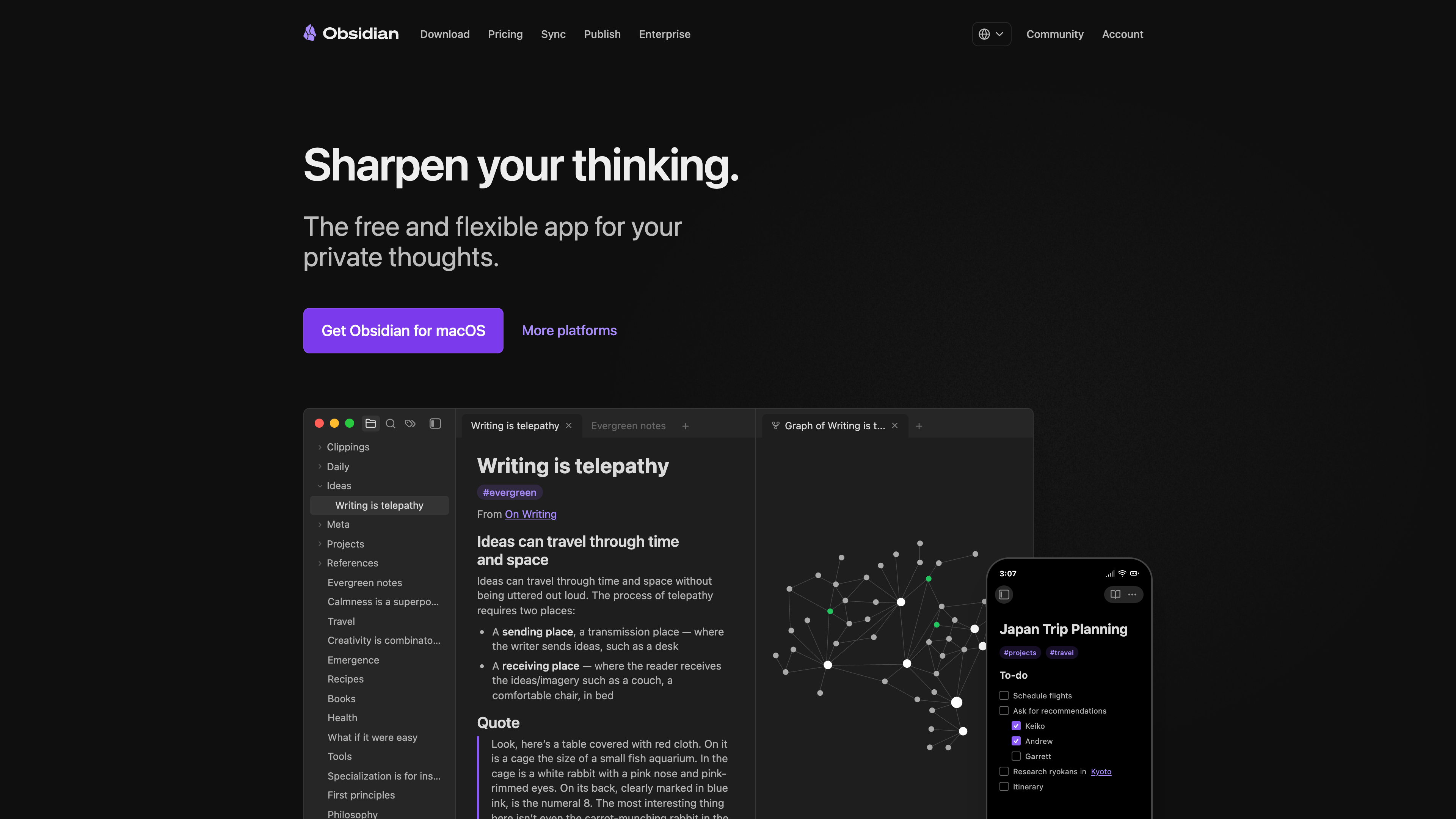
The homepage (above) states the positioning on the first screen — "the free and flexible app for your private thoughts" — and embeds real app screenshots: a file tree on the left, the note in the middle, and the link graph on the right, which are also the product's three most central interface elements.
Core capabilities: a knowledge network on top of local files
The basic unit in Obsidian is the vault — literally a folder on your disk. Each note is an .md plain-text file; images, PDFs, and other attachments are ordinary files too, manageable with any file manager, Git, or text editor. Main capabilities:
- Bidirectional links and the graph view: Link notes with
[[double brackets]](or standard Markdown links); backlinks are collected automatically. The graph view renders the whole vault's link structure as an interactive network — the reason Obsidian is often described as a digital Zettelkasten tool. - Canvas: An infinite 2D board for arranging notes, cards, images, and web pages with connections — useful for thinking visually or planning presentations.
- Bases: Database-style views over note properties (front-matter metadata), rendered as tables, boards, or even maps — covering part of what people use Notion databases for.
- Editor and core plugins: Live Preview and source modes, templates, daily notes, outlines, bookmarks, a command palette, and 28 core plugins in total that can be toggled individually (Help site list), keeping the default interface lean.
- Cross-device and capture: iOS/Android apps, the Web Clipper extension (Chrome, Safari, Firefox, Edge, and more), and the Obsidian CLI for automation (see the download page and the Help site).
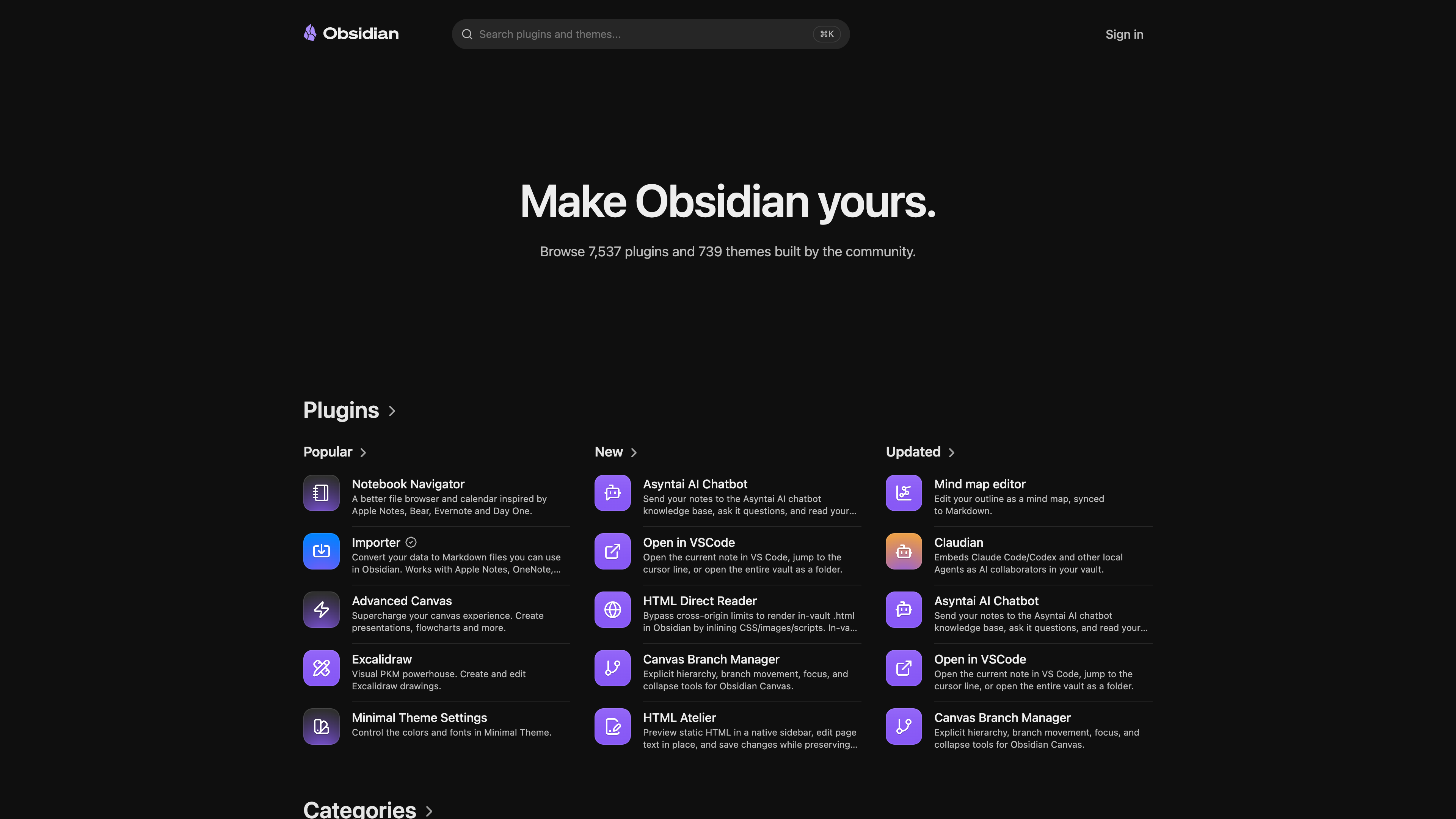
- Community plugins and themes: The main source of Obsidian's extensibility. The official directory (screenshot below) is organized by Popular / New / Updated; the largest categories are Integrations (1,132), Files (1,066), AI (895), and Editing (817). Well-known plugins such as Excalidraw, Dataview, and Tasks turn Obsidian into a programmable knowledge workbench. Per the privacy policy, plugins listed in the official directory must follow developer policies: no client-side telemetry, and any network access must be disclosed.
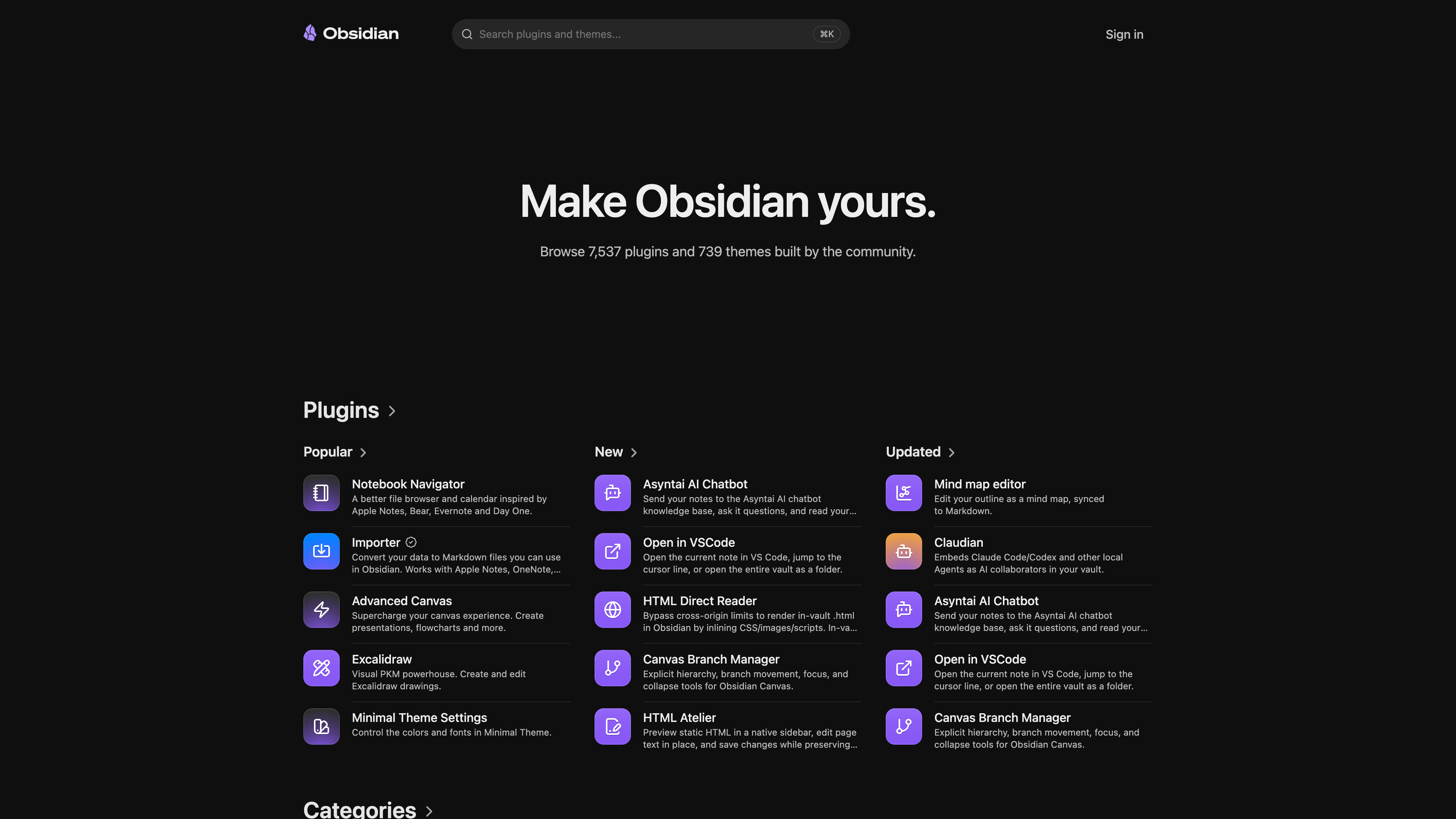
The official plugin directory (above, captured 2026-09-12) states the ecosystem's size at the top: 7,537 plugins and 739 themes. Plugins are community-built with source code on GitHub, but quality and maintenance vary — installing a third-party plugin means running someone else's code inside your note environment, and Obsidian's own install flow warns about this explicitly.
Accounts and paid services
No account is needed for any app feature. An Obsidian account exists for exactly one purpose: purchasing the optional services and licenses (pricing page, as of 2026-09-12):
| Item | Price | What you get |
|---|---|---|
| Sync Standard | 5 monthly) | End-to-end encrypted sync: 1 synced vault, 1 GB storage, 5 MB max file size, 1-month version history |
| Sync Plus | 10 monthly) | 10 synced vaults, 10 GB storage (upgradable to 100 GB), 200 MB max file size, 12-month version history, shared vaults |
| Publish | 10 monthly) | Publish notes as a public website (digital garden / docs), with theme customization, graph, and full-text search |
| Catalyst | $25 one-time | Early access to beta versions and community badges — a "support development" tier |
| Commercial | $50/user/year (optional) | No longer required since February 2025; organizations buying 25+ licenses can be featured on the Enterprise page |
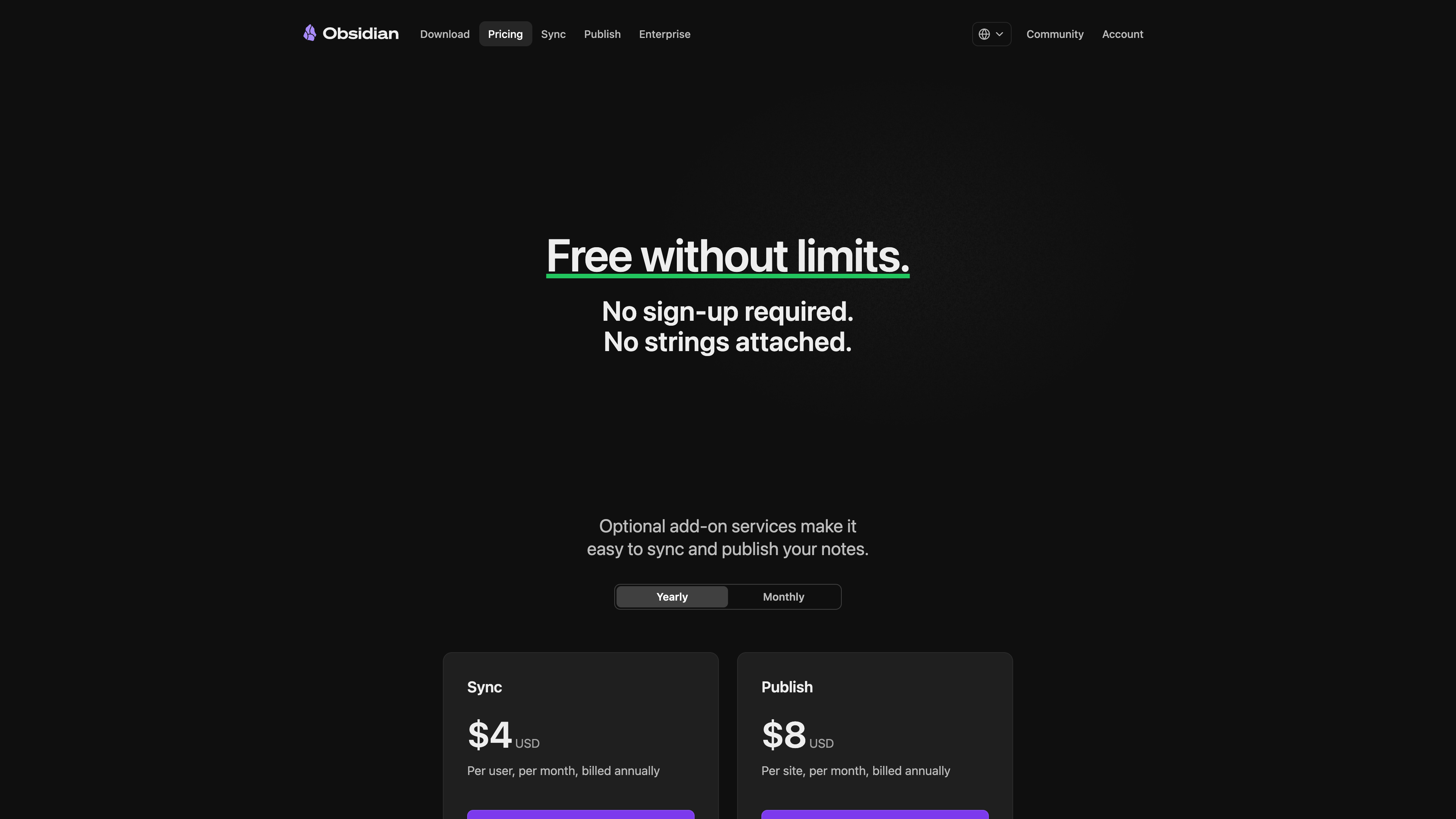
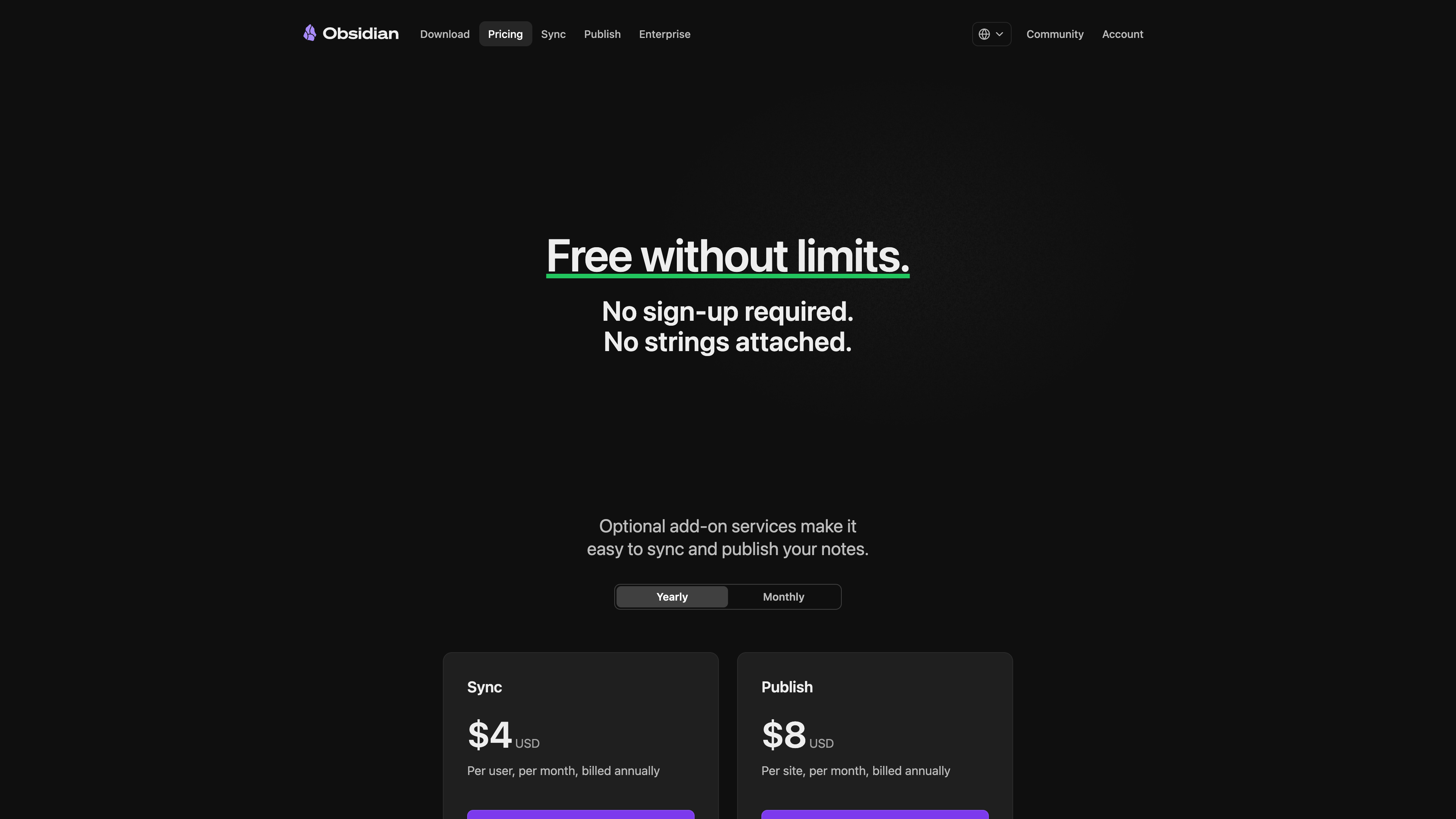
The pricing page (above) leads with "free without limits, no sign-up required," and the only paid cards are Sync and Publish. Both carry a 7-day no-questions-asked refund; students, faculty, and non-profit employees get 40% off. The commercial-license history is worth noting: before February 2025, organizations of two or more had to pay; the current Terms of Service state that for-profit organizations and government entities may use Obsidian commercially for free, and the Commercial license has become a support-the-developers channel (purchasing grants Obsidian the right to display your organization's logo for promotion, opt-out by email). Because notes live locally, community alternatives exist for both syncing (cloud drives, Git) and publishing — the paid services buy convenience and official encrypted infrastructure.
Privacy and security
Privacy is Obsidian's headline promise, and it is checkable: the privacy policy states that "all data is saved locally on your device and is never sent to our servers," that no personal data and no telemetry are collected, and that the app only goes online to check for updates (which can be disabled), browse the plugin directory, or load embedded web content. In the Verge interview, the CEO also confirms the app ships no built-in AI features (the Web Clipper excepted), on the principle that AI should not replace the user's own thinking.
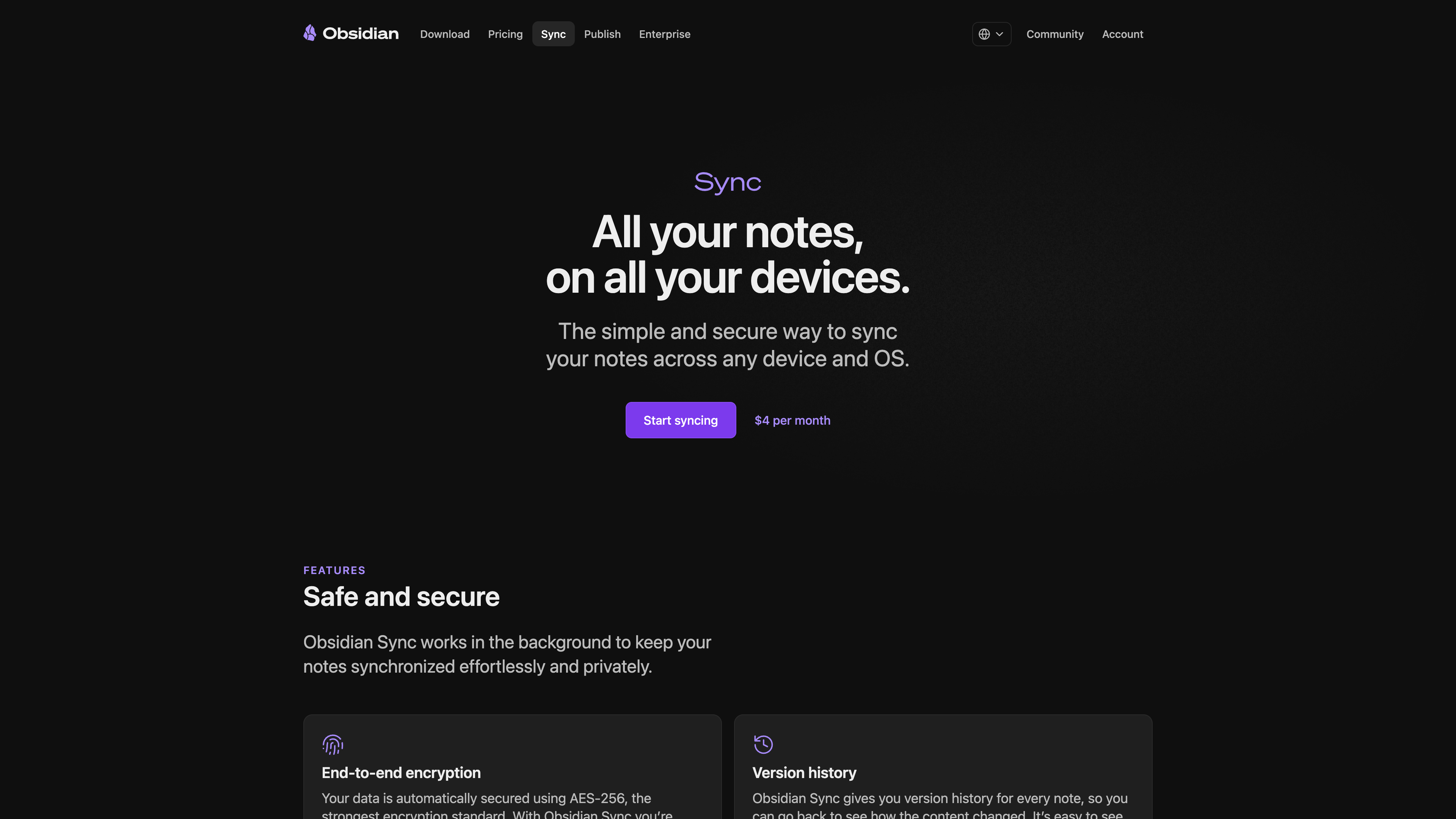
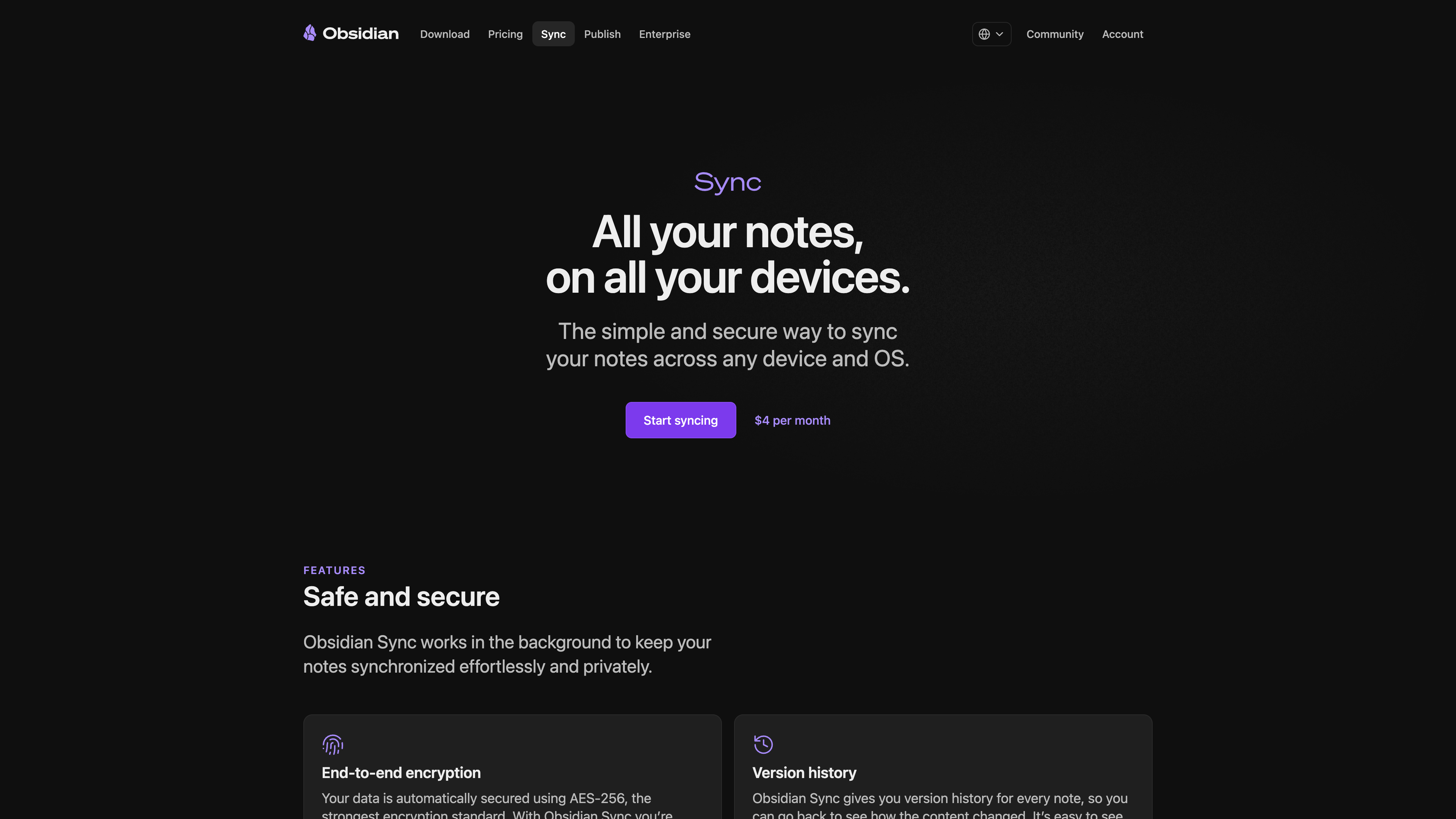
The paid Sync service (above) uses AES-256 end-to-end encryption — file names included — so the company cannot read synced content. In May 2026 Obsidian published two independent audits of Sync's API, server, and cryptography, completed by Cure53 (October 2024) and Trail of Bits (December 2025); the apps themselves were audited twice by Cure53 in 2024, and the announcement says all findings have been addressed. If a subscription lapses, server-side data is kept for one month and then permanently deleted; local vaults are unaffected.
Good fits
- Long-term knowledge bases where data ownership matters: plain-text files will still open in any tool a decade from now — well suited to "second brain" style accumulation.
- Writing, research, and study: links plus the graph work well for literature notes and Zettelkasten writing; Bases can manage reading lists and projects.
- High-confidentiality environments: offline-capable, no telemetry, data never leaves the machine — which explains the claimed adoption in government, finance, and healthcare.
- Users who want deep customization: plugins, themes, CSS snippets, and the CLI make nearly every layer modifiable.
Limitations
- Closed source: Obsidian is not open source. The terms state the software is "licensed, not sold" and prohibit reverse engineering (except for developing non-commercial plugins). The open file format mitigates lock-in, but the app's future rests with a small company.
- No web version: A client must be installed; shared computers and browser-only environments are out.
- Official sync costs money, free alternatives take work: Cross-device sync means either a Sync subscription or DIY setups with iCloud, Git, or third-party cloud drives — the latter being especially fiddly on mobile, with conflict handling well short of an integrated cloud service.
- A real learning curve: Markdown is a barrier for newcomers, and many capabilities that rival apps include out of the box (kanban, calendars, task management) require picking and configuring community plugins whose quality, compatibility, and long-term maintenance are not guaranteed.
- Collaboration is not a strength: Sync's shared vaults sync files across devices; they are not Google-Docs-style real-time co-editing. Team knowledge bases are not its home turf.
- Non-English support is community-driven: UI translations are volunteer-maintained, and the Help site and official support are primarily in English.
Alternatives
- Logseq: An open-source (AGPL) local-first outliner, also built on local Markdown/Org files and bidirectional links — the closest open-source alternative.
- Joplin: An open-source note app with built-in end-to-end encrypted sync and web clipping, self-hostable.
- Notion: The opposite direction — a cloud-hosted all-in-one workspace where collaboration and databases work out of the box, at the cost of offline capability and data ownership.
References
- Obsidian homepage (checked 2026-09-12)
- About Obsidian (checked 2026-09-12)
- Obsidian Pricing (checked 2026-09-12)
- Obsidian Sync (checked 2026-09-12)
- Obsidian Publish (checked 2026-09-12)
- Obsidian Community Plugins (checked 2026-09-12)
- Obsidian Download (checked 2026-09-12)
- Obsidian Terms of Service (2025-02-20) (checked 2026-09-12)
- Obsidian Privacy Policy (2023-11-01) (checked 2026-09-12)
- Obsidian is now free for work - Obsidian Blog (2025-02-20) (checked 2026-09-12)
- Obsidian Sync audits by Cure53 and Trail of Bits - Obsidian Blog (2026-05-13) (checked 2026-09-12)
- Announcing JSON Canvas - Obsidian Blog (2024-03-11) (checked 2026-09-12)
- Save the web (Web Clipper) - Obsidian Blog (2024-11-11) (checked 2026-09-12)
- Obsidian Help (checked 2026-09-12)
- obsidianmd/obsidian-translations - GitHub (checked 2026-09-12)
- Obsidian (software) - Wikipedia (checked 2026-09-12, cross-check only)
- How the head of Obsidian went from superfan to CEO - The Verge Decoder (2025-08-18) (checked 2026-09-12)