Napkin AI (napkin.ai) is a "visual AI" platform launched publicly in August 2024 by the US company Second Layer, Inc. It targets a concrete workplace problem: your idea is already written down, but you have neither the time nor the design skills to turn it into a graphic. Napkin collapses design into a single generation step — paste or import text, click the lightning icon next to a paragraph, and the AI produces several candidate visuals grounded in what you wrote; everything remains editable afterward. Where template-first tools like Canva ask you to pick a layout and fill it in, Napkin is generation-first: the visual structure is inferred from your text rather than imposed by a fixed template. The product line now has two parts: Napkin Visuals for text-to-visual generation, and Napkin Slides, an AI presentation builder that entered beta in July 2026.
At a glance
- URL: https://www.napkin.ai
- Type: AI text-to-visual generation / infographics (plus an AI presentation product)
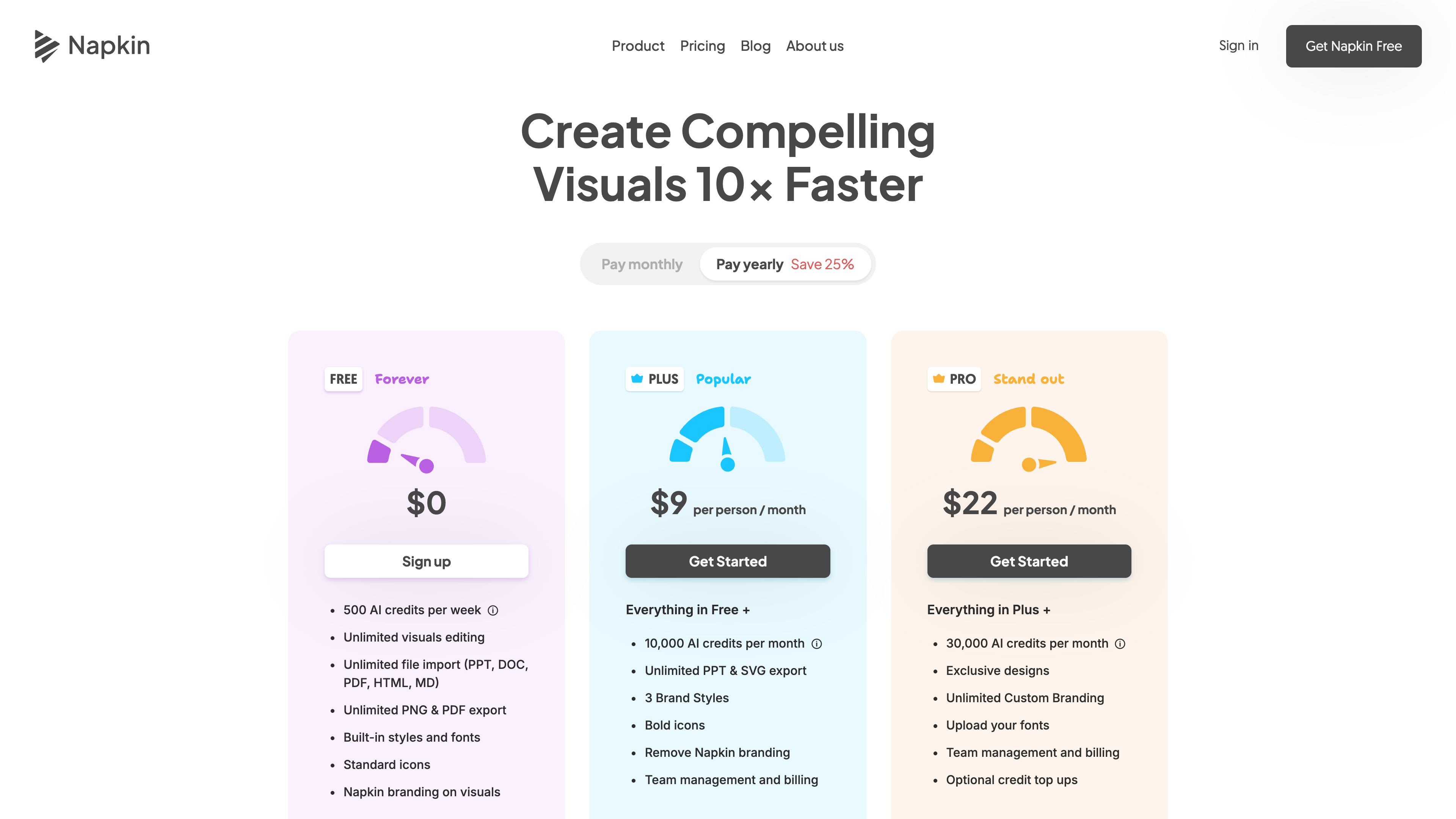
- Cost: Free plan at 9/person/month billed yearly (22/person/month billed yearly ($30 monthly); as of 2026-09-16, see the official pricing page
- Sign-up: An account is required (Google account or email/password); registration and visual generation are desktop-only
- Interface languages: English, French, Spanish, Italian, Korean, and Portuguese (footer switcher); generated content supports 60+ languages, including Chinese input
- Launched: August 7, 2024 (public launch out of stealth)
Background
Napkin founders Pramod Sharma (CEO) and Jerome Scholler (CTO) previously co-founded Osmo, an educational gaming company started in 2013 that used computer vision to connect iPad apps with physical play pieces; Osmo was acquired by Indian edtech company Byju's for $120 million in 2019 (TechCrunch). Their motivation for Napkin came from daily life at Osmo: drowning in long documents and hundred-slide decks, while the rare visual that captured an idea at a glance stayed rare (About us, launch post).
The product went through three iterations: an AI-assisted sketching tool (users didn't want to draw with a mouse), then a library of visual frameworks such as Venn diagrams and pie charts (users didn't know which one to pick), and finally, once large language models matured, the text-first approach that defines Napkin today. The company launched out of stealth on August 7, 2024, announcing a $10 million seed round from Accel and CRV; Accel partner Rich Wong was also an early Osmo investor. At launch the team was about 10 people based in Los Altos, California; the team page lists members from the US, France, and India.
Major updates since launch (from the official blog): multi-language support in August 2024; Custom Styles for branding in March 2025; PPT export and file import in April 2025; Elastic Designs with text-visual sync in May 2025; Custom Generation for specifying visual types in June 2025; a major mind map upgrade in September 2025; AI data charting in February 2026; element-level editing and Effects in April 2026; rebuilt flowcharts in May 2026; and the Napkin Slides beta in July 2026.
Core workflow: from text to editable visuals
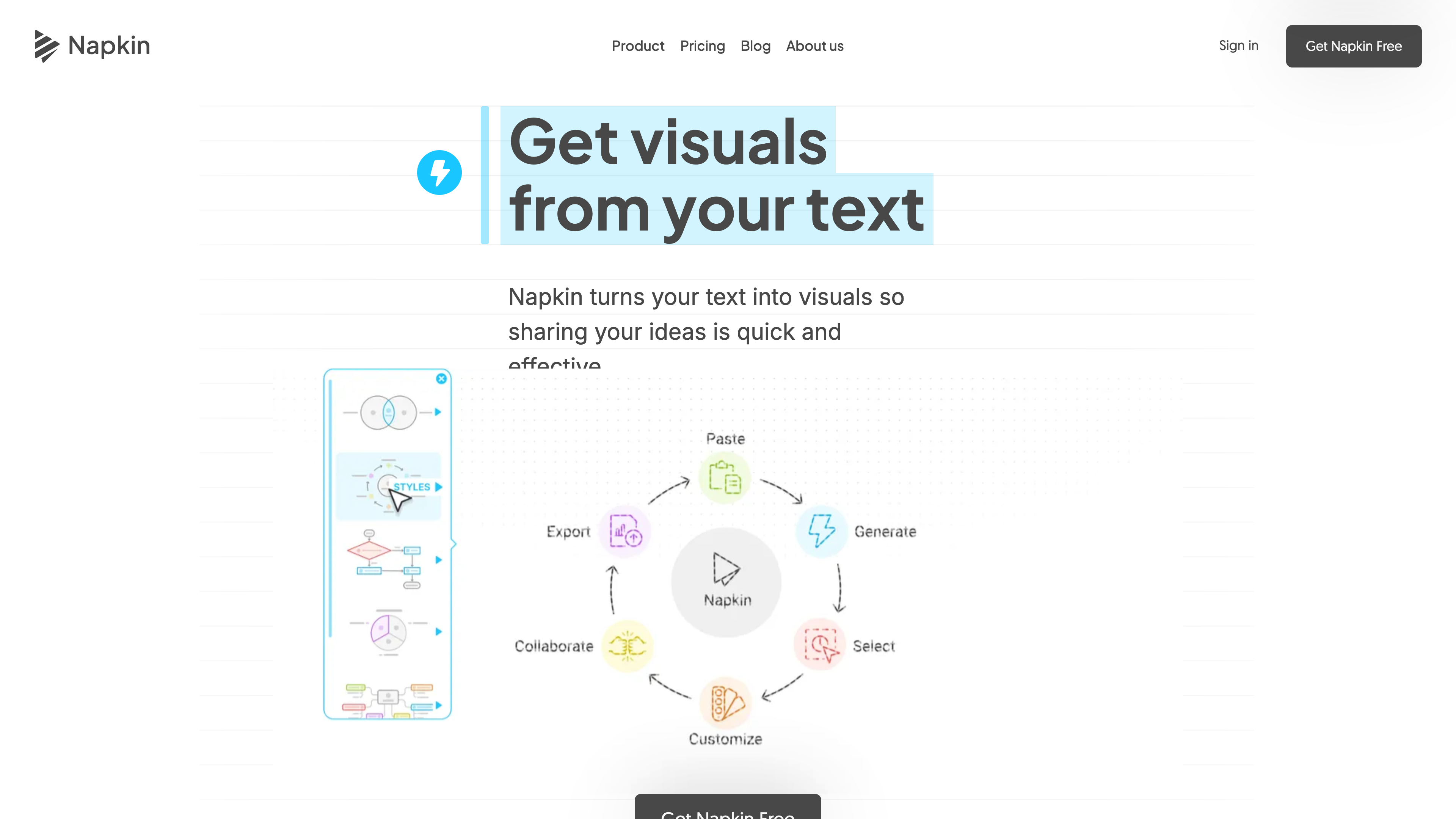
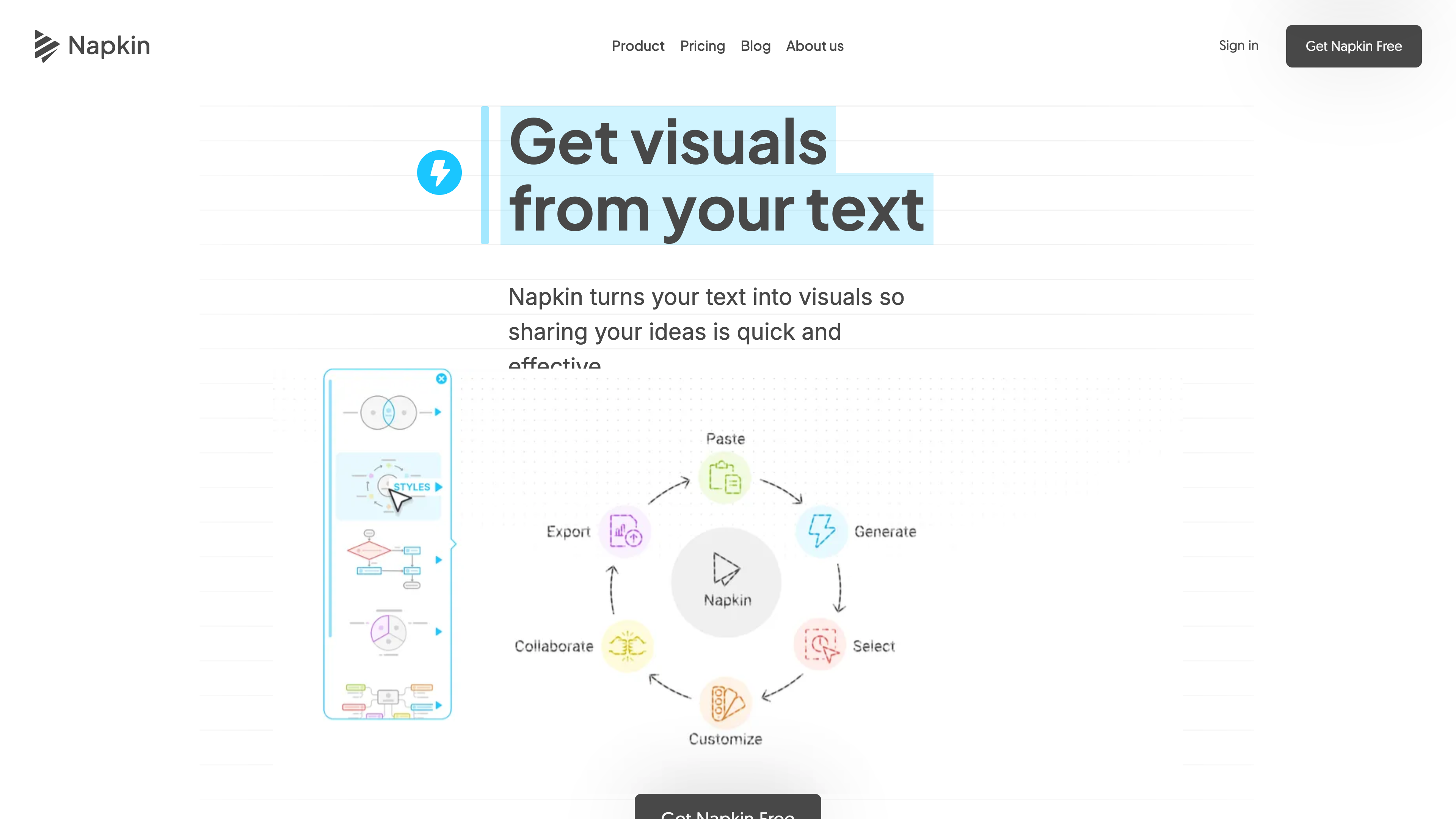
Napkin describes a four-step flow (How it works):
- Import or paste text: write directly in the editor, paste content, or import PPT, DOC, PDF, HTML, and Markdown files; you can also give the AI a topic and let it draft an outline. The company emphasizes that no prompt-writing is needed — the AI works from your existing text.
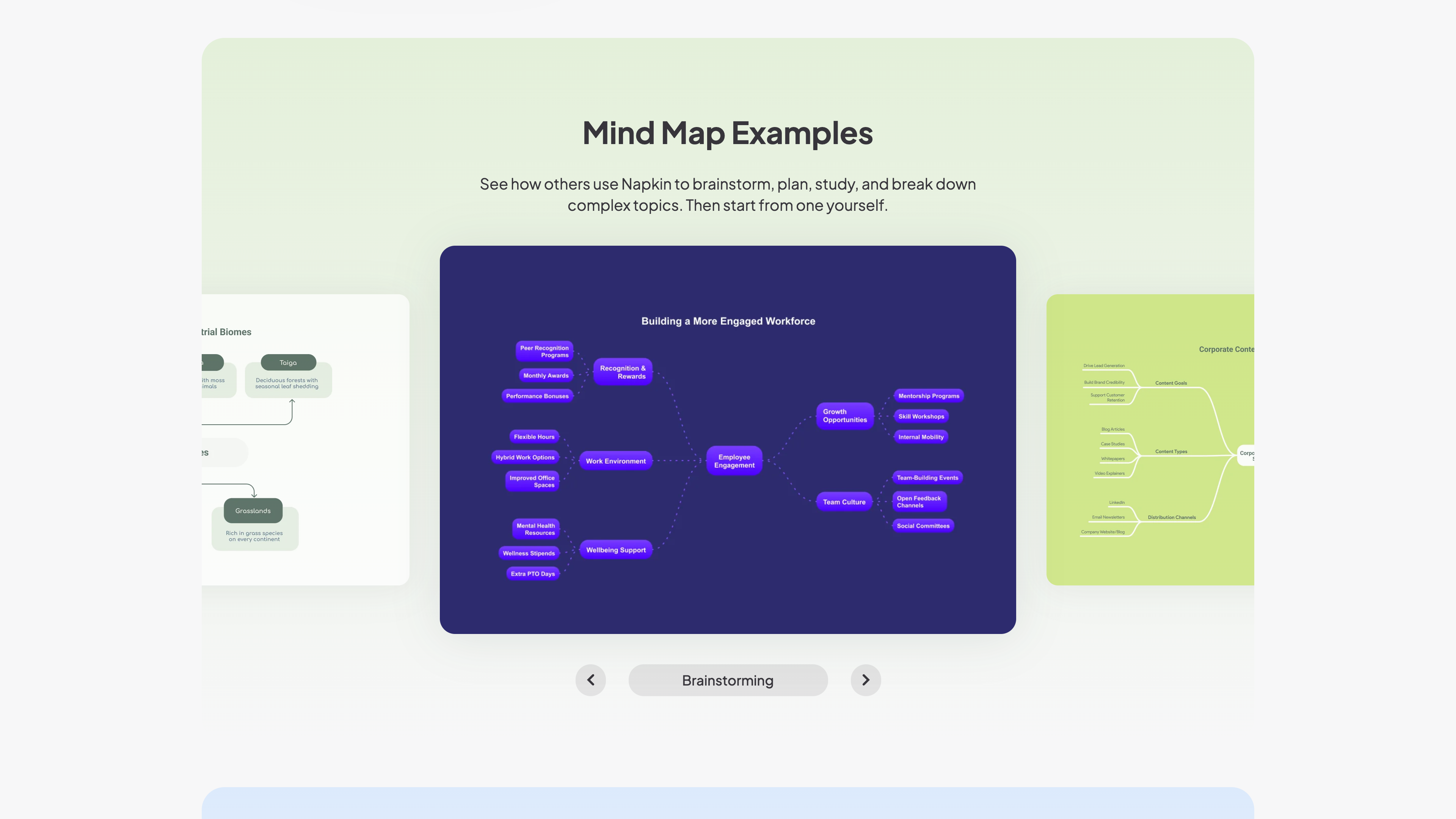
- Click to generate: a lightning icon (called Autospark) appears beside paragraphs; clicking it produces multiple candidate visuals across dozens of layouts — infographics, flowcharts, mind maps, Venn diagrams, timelines, decision trees, and more.
- Edit deeply: colors, fonts, icons, connectors, and layouts are all adjustable; since April 2026 you can ungroup and rebuild visuals element by element, and Effects can restyle an entire visual (realistic, editorial, sketch, and more) while keeping its content and structure intact.
- Export: PNG and PDF on the free plan; PPT and SVG on paid plans. PPT exports remain editable in PowerPoint, Google Slides, and Keynote.
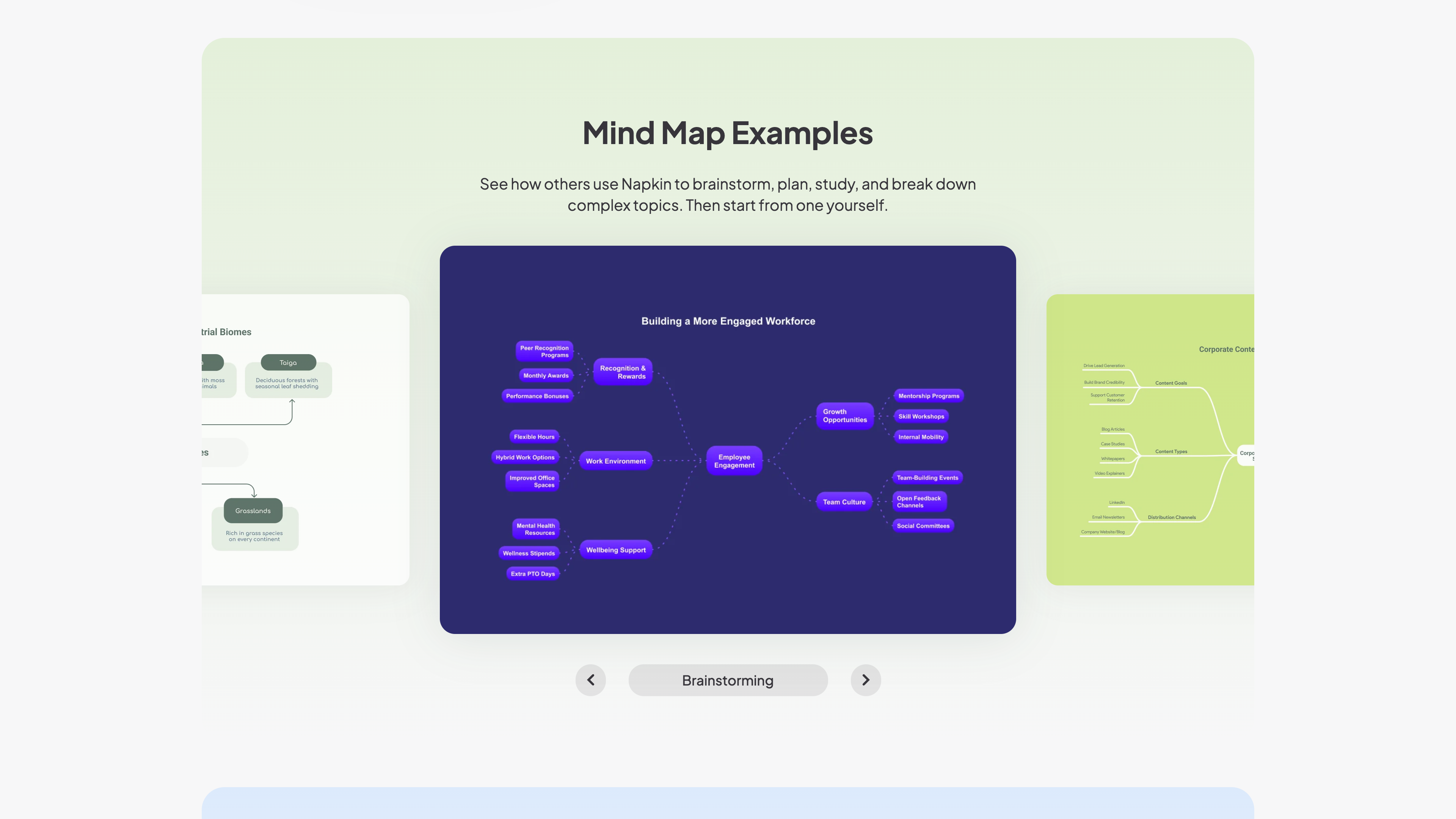
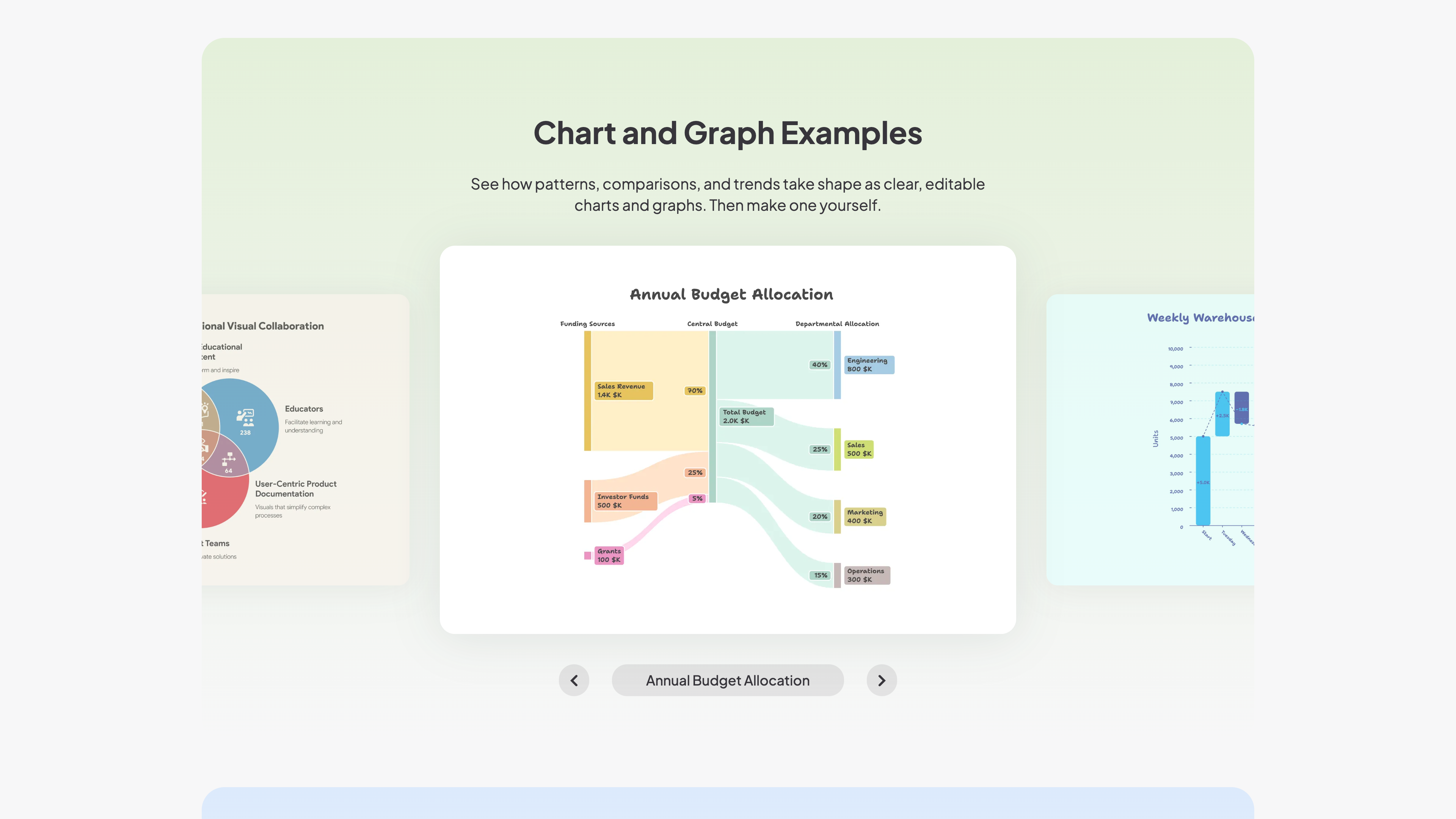
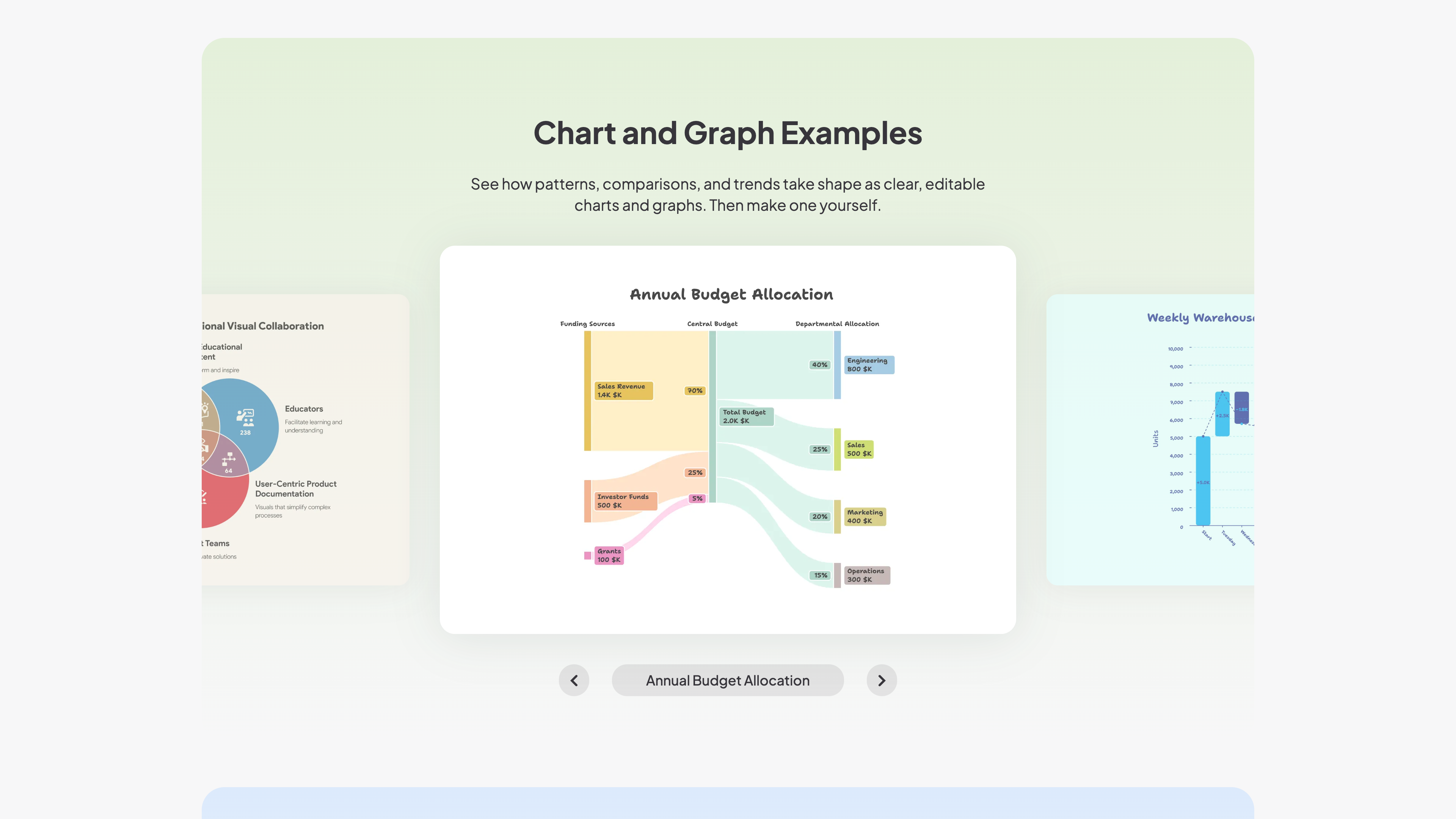
The data charting feature added in February 2026 lets you paste data and have the AI pick suitable chart types, returning several options at once; the site's gallery shows Sankey diagrams, waterfall charts, tables, Venn diagrams, and more.
Pricing and credits
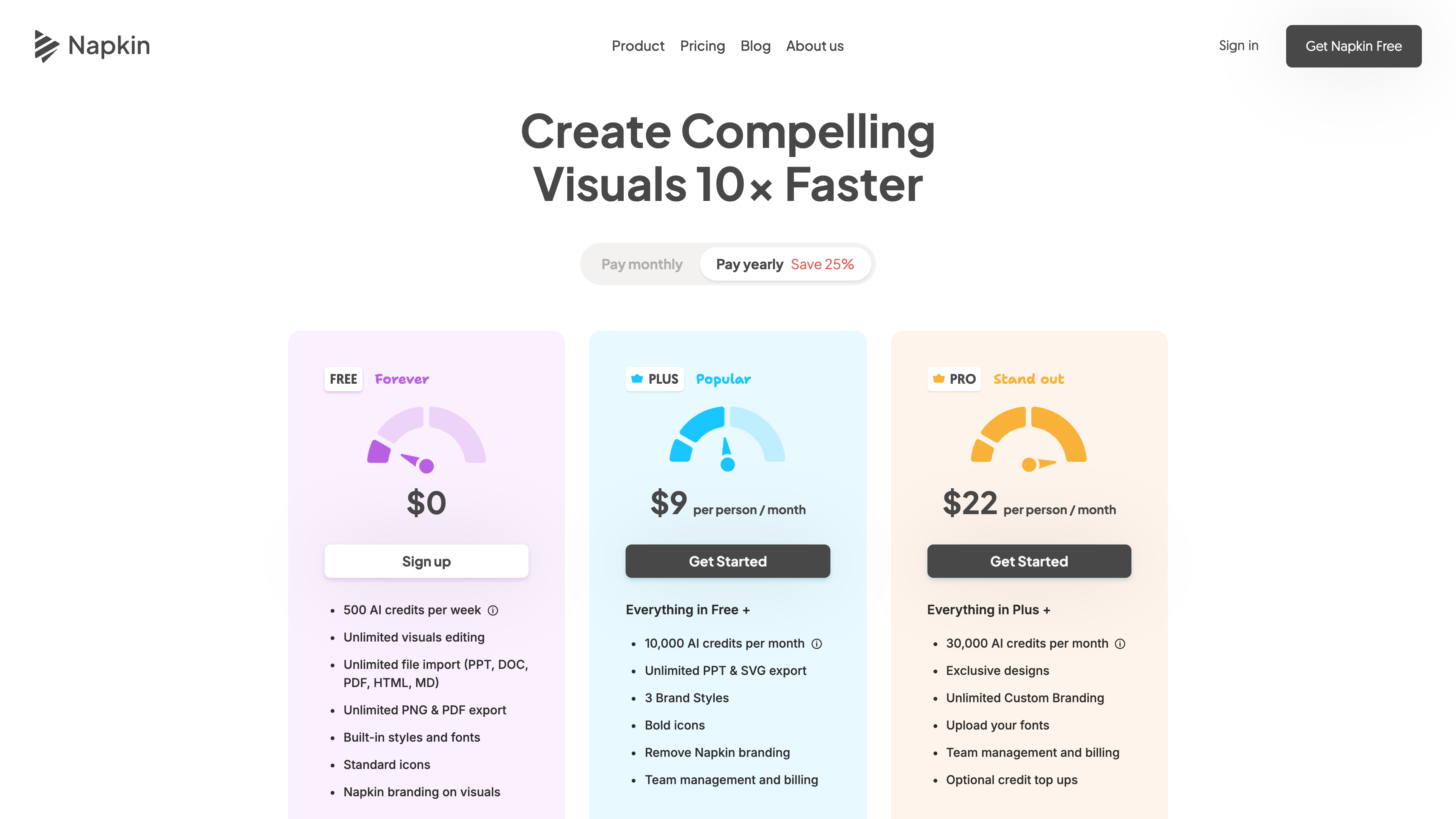
Usage is metered in AI credits — roughly one credit per word selected for generation (the company notes this may change for more complex outputs). As of 2026-09-16, the official pricing page lists:
| Plan | Price | Credits and key features |
|---|---|---|
| Free | $0 | 500 AI credits per week; unlimited editing and file imports; unlimited PNG/PDF export; built-in styles, fonts, and standard icons; Napkin branding on visuals |
| Plus | 12 monthly | 10,000 AI credits per month; unlimited PPT/SVG export; 3 brand styles; branding removed; team management and billing |
| Pro | 30 monthly | 30,000 AI credits per month; exclusive designs; unlimited custom branding and font uploads; optional credit top-ups |
Yearly billing saves 25% over monthly. An Enterprise plan is available on request. Napkin explicitly does not offer student or non-profit discounts, positioning the free plan as sufficient for lightweight use; extra credits can be purchased if you run out.
Collaboration, mobile, and API
- Teams: invite members to a shared Teamspace, co-edit the same Napkin in real time, and leave feedback with built-in comments and highlights; paid plans bill per additional accepted seat.
- Mobile: you can view existing work and create or edit Slides presentations on a phone; visual generation is desktop-only, and so is account creation.
- Offline: there is no offline mode — generation and data management are cloud-based (official note).
- API: Napkin ships a developer API (api.napkin.ai). Create a token in the Developers tab of your account settings, then submit text via
POST /v1/visual, poll for completion, and download the files. It supports SVG/PNG/PPT output, 21 built-in styles plus custom styles, BCP 47 language tags, and up to four variations per request, drawing on the same credit balance as the app. Generated file URLs expire after 30 minutes, so host them yourself.
Usage rights and content policy
- Rights to generated visuals: Napkin's help center states that visuals created with Napkin are "not subject to copyright" and may be used freely on websites, social media, presentations, books, and elsewhere (copyright FAQ). Sharma told TechCrunch that generated imagery does not use public or IP-protected data, so users shouldn't have to worry about rights on generated content.
- Branding: free-plan exports carry Napkin branding; Plus and above remove it.
- Data use: by default, your content may be used in anonymized form to improve Napkin's models; you can opt out anytime under Account Settings → Data Privacy by turning off "Use my content for product improvements" (privacy FAQ). The pricing FAQ adds that contracts with AI subprocessors prohibit them from training on customer data.
- Accuracy: the AI transparency page warns that AI-generated results can be inaccurate, incomplete, or misleading, and that you are responsible for reviewing them before relying on or publishing them.
Who it's for
- Content creators and marketers who need quick graphics for blog posts, social posts, and landing pages.
- Consultants, product managers, and project managers turning meeting notes and proposals into flowcharts, comparisons, and timelines that drop straight into decks.
- Teachers and trainers converting lesson text into classroom-ready mind maps and concept diagrams (educators feature prominently in the site's testimonials).
- Anyone pasting data who wants business-grade Sankey, waterfall, or bar charts without bouncing between spreadsheets and design tools.
The common thread is "text first, visual second." Work that demands pixel-level control still belongs with professional designers and design software.
Limitations
- Output quality tracks input quality: TechCrunch's hands-on found that well-structured, clearly narrated text works best; vague or abstract input can produce visuals disconnected from the source, or content the AI simply invented (its test generated pros and cons that appeared nowhere in the text). Review everything before use.
- A uniform look: early reviews criticized a homogeneous design language; Custom Styles and Effects have since widened the range, but the output still carries a recognizable "business illustration" feel.
- Platform and language limits: no Chinese interface (Chinese content generation is fine), no offline mode, and desktop-only registration and visual generation.
- Free-plan boundaries: 500 weekly credits can feel tight for heavy users, exports carry Napkin branding, and there is no student discount.
Alternatives to consider
- Gamma: also generation-first, but focused on complete AI-generated decks and documents; Napkin's strength is the single, deeply editable visual, and it only entered full presentations with Napkin Slides in 2026.
- Canva: a vast template and asset ecosystem where AI assists the editor; Napkin's founders frame the difference as "others add generation to an editor — we do generation first, editing second" (TechCrunch interview).
- Microsoft PowerPoint Copilot / Designer: a natural fit for teams deep in Office; Napkin is suite-agnostic and exports PPT you can keep editing anywhere.
References
- Napkin AI homepage and pricing (checked 2026-09-16)
- Introducing Napkin AI: The First Visual AI for Business Storytelling (2024-08-07) and the Napkin blog
- About us and AI Transparency
- TechCrunch: Napkin turns text into visuals with a bit of generative AI (2024-08-07)
- Napkin Help Center — copyright, privacy, account, and offline FAQs
- Napkin API documentation