Luma (luma.com) is an event hosting and registration platform. Organizers use it to spin up event pages, collect free RSVPs or sell tickets, manage guest lists, check attendees in with QR codes, and keep their community engaged through calendar subscriptions and newsletters; visitors can browse the Discover page to find public events by city and category. Launched in 2020 around paid Zoom classes, it now covers tech meetups, run clubs, launch parties, reading groups and many other in-person formats, under the tagline "Delightful events start here" (homepage, checked 2026-10-02).
Two clarifications up front. First, this Luma has no connection to Luma Dream Machine (lumalabs.ai), the AI video product already listed on this site — they are different companies that happen to share a name. Second, the legacy domain lu.ma currently returns a 301 redirect to luma.com (including lu.ma/xxx event short links), so the service effectively runs on luma.com (redirect behavior verified 2026-10-02).
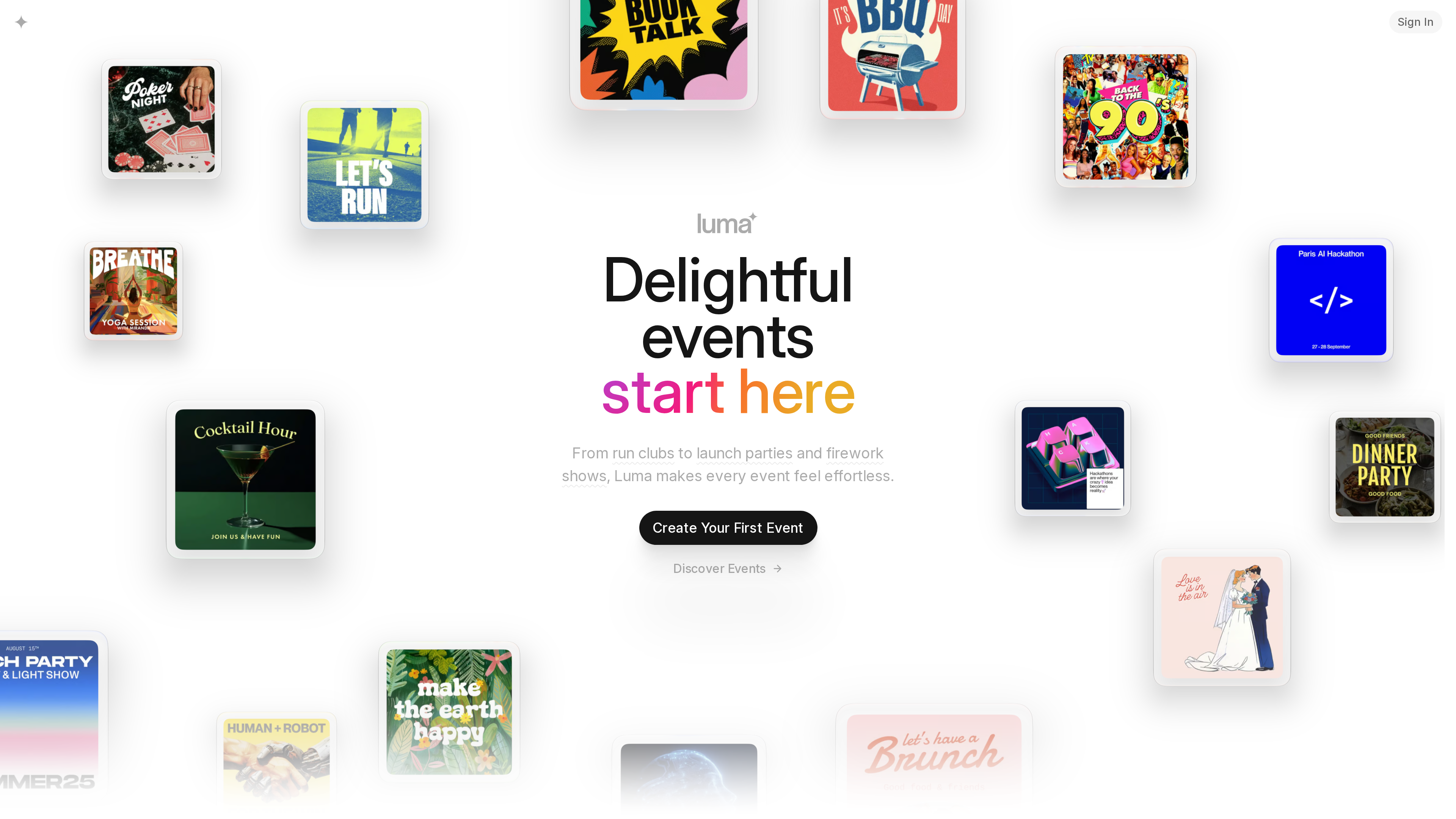
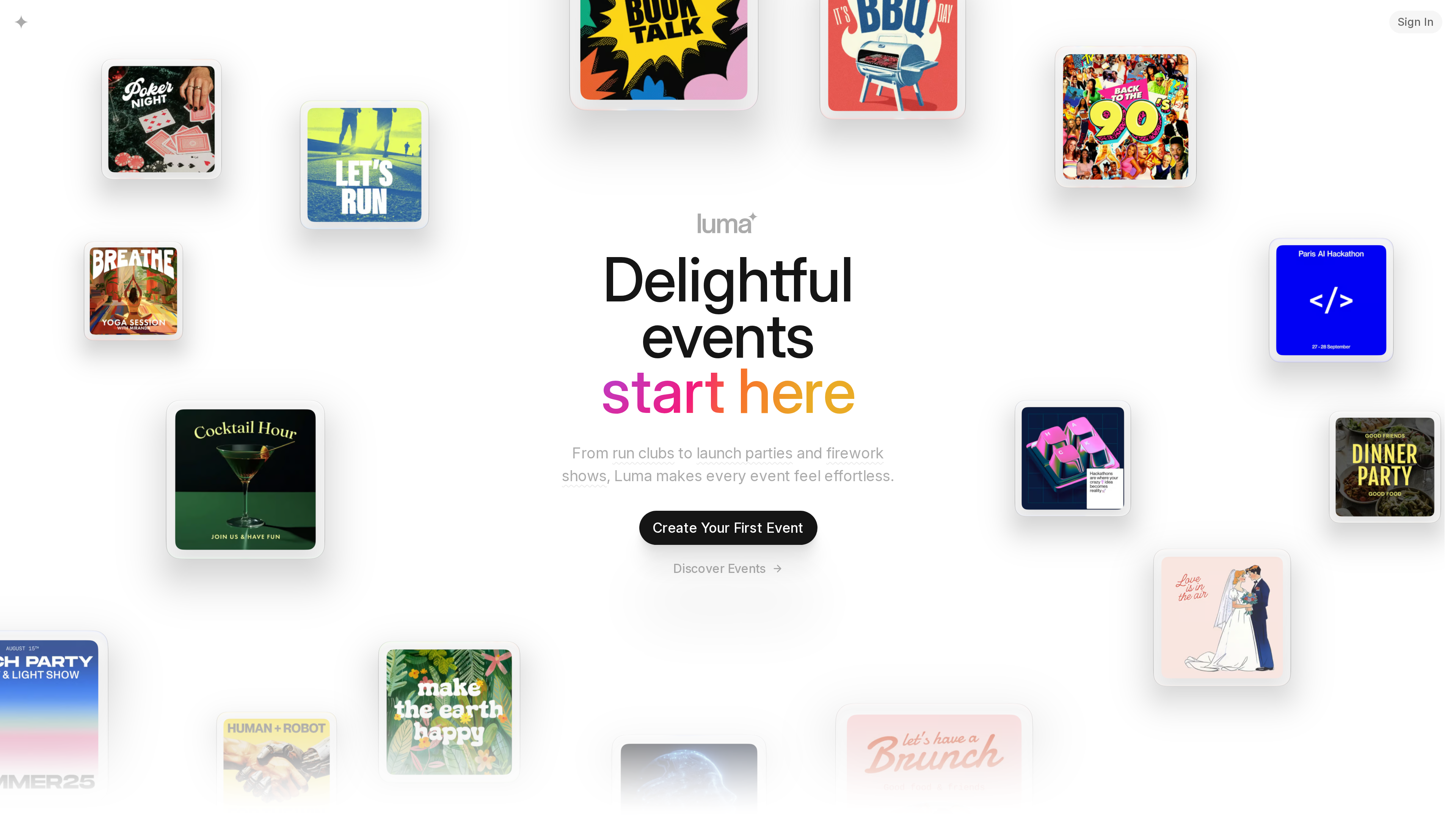
The homepage (2026-10-02) shows an animated wall of event covers with two entry points: "Create Your First Event" and "Discover Events".
At a Glance
| Item | Details |
|---|---|
| URL | https://luma.com/ (legacy domain lu.ma 301-redirects here) |
| Type | Event hosting, registration/ticketing and community platform (SaaS) |
| Pricing | Free plan at 59/month billed annually ($69/month billed monthly): 0% platform fee. Custom Enterprise plan (pricing page, as of 2026-10-02) |
| Sign-up | Hosts need an account (email/phone code, Google or Apple — no password required); guests register with just a name and email, no account needed (help center) |
| Interface languages | About 48 locales including Simplified/Traditional Chinese, Japanese, Korean, Spanish, French and German, auto-detected from the browser (official documentation, as of July 2025); event content is written by hosts, with one-tap machine translation |
| Mobile apps | iOS app (requires iOS 18+) and Android app (core features; full management via the web app) |
| Launch | Founded end of March 2020, launched about a week later (Crunchbase News interview with the founders, 2020-12-07) |
Background
- Origin: Luma was founded at the end of March 2020 by Victor Pontis and Danqing Liu. The pair built the first version to help a friend who had been laid off keep teaching paid yoga classes online — organizing Zoom sessions, engaging members and processing payments were all painful at the time. In its early days the platform mainly hosted paid classes, live shows and communities on top of Zoom (Crunchbase News interview, 2020-12-07).
- Funding: The only documented round is a $3 million seed announced in December 2020, co-led by Maven Ventures and Venrock — the company's first funding. The same report describes the company as San Francisco-based, with more than 10,000 hosts and 500,000 cumulative attendees at the time. As of 2026-10-02, no later funding rounds have been found in official disclosures or first-hand reports.
- Scale: Co-founder Victor Pontis told Business Insider in May 2024 that Luma had grown 5x over the previous year, with about 2 million people per month registering for events (Business Insider). That report positions Luma as a competitor to Partiful, alongside incumbents such as Meetup and Eventbrite.
- Legal entity: Luma Labs, Inc., per its Terms of Use and Privacy Policy.
Key Features
Event pages and registration
Hosts can publish a well-designed event page in minutes: add a name, location and time, then customize themes, covers and visual effects (Plus unlocks custom event URLs). Guests do not need a Luma account to register — name and email are enough — and the confirmation email carries a calendar invite that is added automatically. Hosts can add custom registration questions, require approval (registration only counts once approved) and set capacity limits with an automatic waitlist (Event Registration Process, Creating a Paid Event).
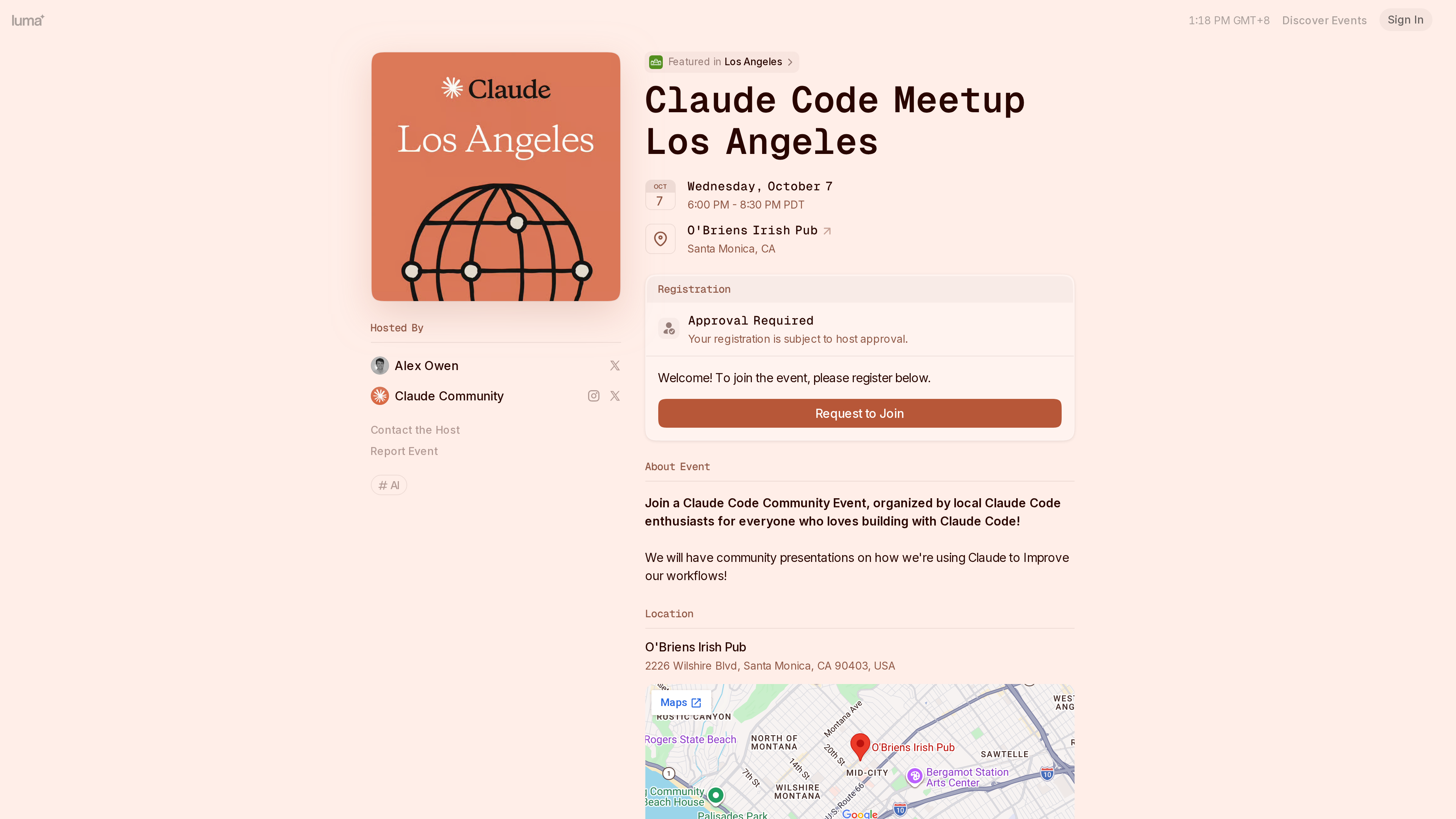
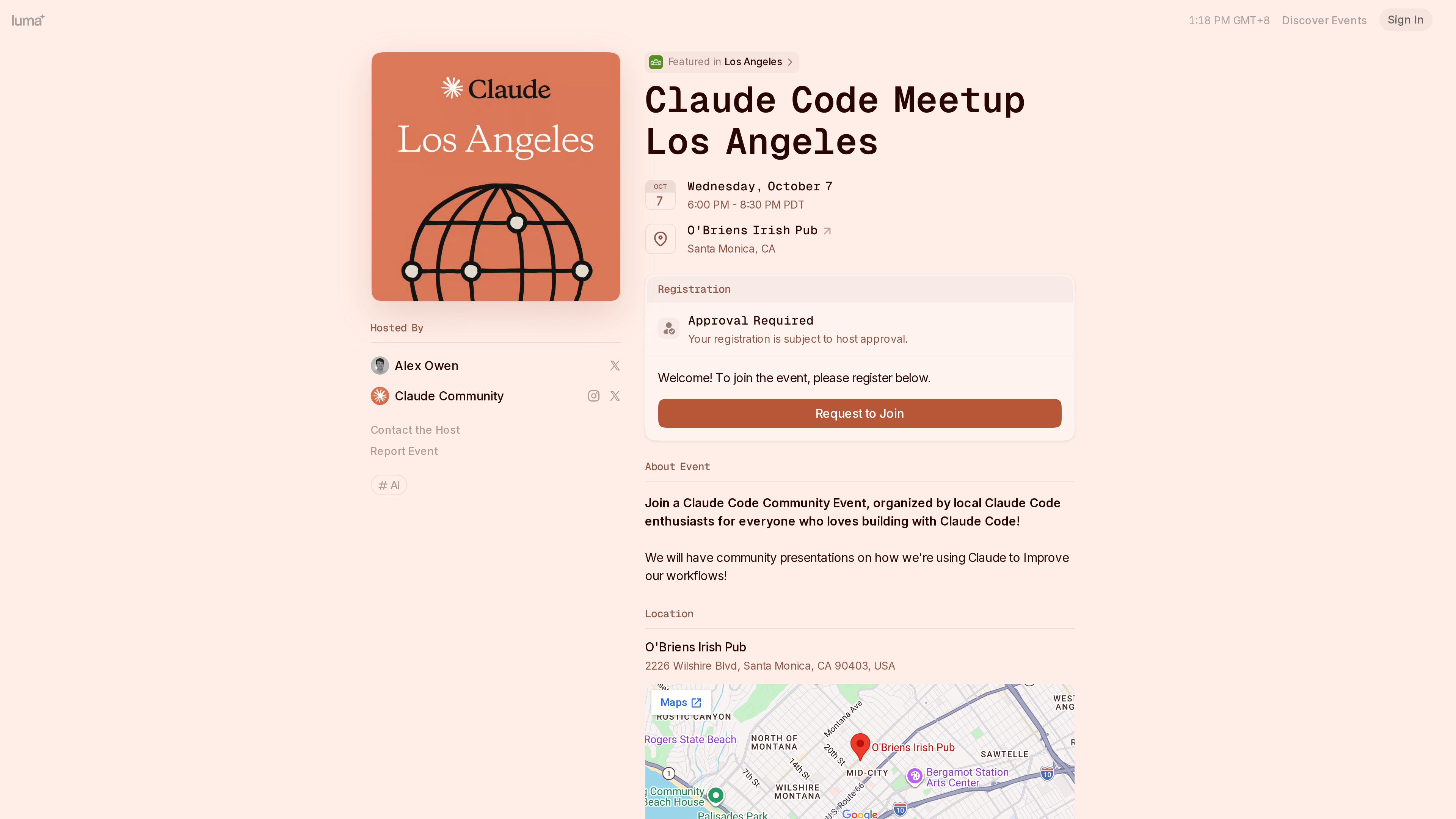
A public event page (2026-10-02): the left column holds the cover and host information; the right column shows the date and venue, a registration panel (this event requires host approval), the event description and a map. The page also carries a "Featured in Los Angeles" badge from Luma's curation.
Ticketing and payments
Payments run through Stripe: hosts create or link a Stripe account in the calendar's payment settings, and ticket revenue lands directly in that account. Luma supports multiple ticket types, group purchasing and coupons, plus flexible pricing such as suggested-price-with-minimum and donation-style pay-what-you-want; approval-based tickets are charged only when the host approves. Beyond cards, Apple Pay and Google Pay, regional methods such as iDEAL, Konbini, PayNow, Pix, Swish, UPI, Alipay, WeChat Pay and Klarna can be enabled depending on the Stripe account's country and currency (Payment Methods, How to set up your Stripe Account).
On fees, Luma's policy is to never add extra charges for buyers at checkout — the listed price is what guests pay. Platform fees fall on hosts: 5% on the free plan, 0% on Plus, with Stripe's processing fee (typically 2.9% + $0.30 in the US) on top (pricing page, Creating a Paid Event, as of 2026-10-02).
Guest management and check-in
Every registrant receives a QR-code ticket (via confirmation email, the event page, the apps, or Apple/Google Wallet passes). Hosts open the scanner on the web or in the apps to check guests in, choosing between a standard mode that confirms each person and an express mode that checks in on scan; volunteers can be granted check-in-only access (a Plus feature). Day-to-day tooling covers guest-list search and filtering, status changes, CSV import/export, event insights, and messaging guests through email, SMS, push and WhatsApp with automated reminders ("Blasts") (Check In Guests, Luma Plus Overview).
Calendars, newsletters and community
Every Luma event belongs to a calendar — effectively a public home page for a host or community. Visitors can follow a calendar, filter events by tags and browse them on a map; hosts can add co-admins (3 on the free plan, 5 included on Plus), set up membership tiers, and send newsletters to followers. Newsletters support audience targeting by tag or membership tier, scheduling, and open/click/unsubscribe stats. Send quotas: 500 invites plus newsletters per week on the free plan, 5,000 on Plus — but messages to already-registered guests are always unlimited (Luma Calendar Overview, Sending Newsletters, pricing page).
Discovery and social features
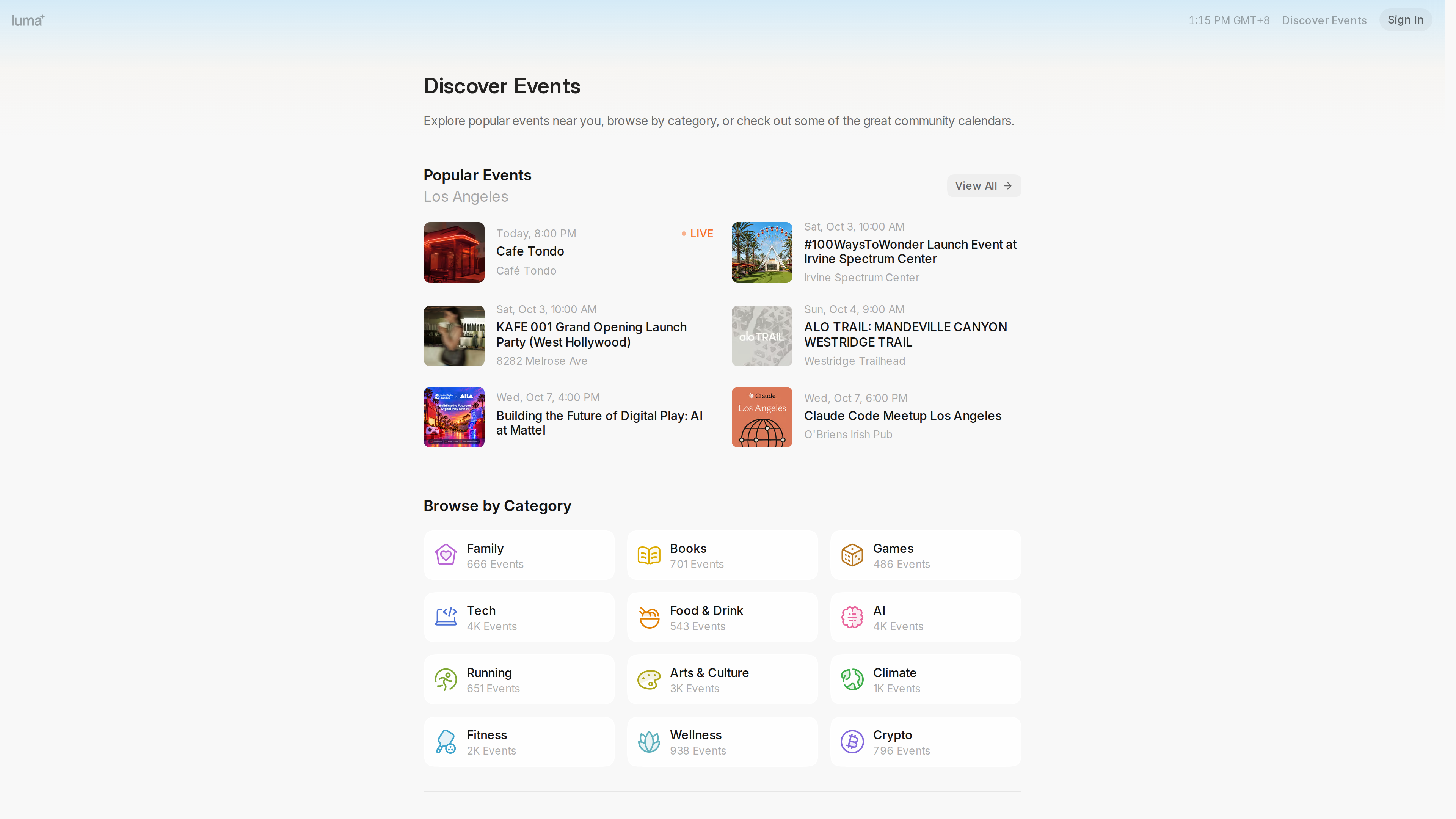
The Discover page aggregates public events by city and category (Tech, AI, Running, Books, Crypto and more); as of 2026-10-02 its category browser showed roughly 4,000 events each in Tech and AI. Luma also curates standout events ("featuring"). Event pages include event chat and direct messages so attendees can connect (Discover, Luma iOS App).
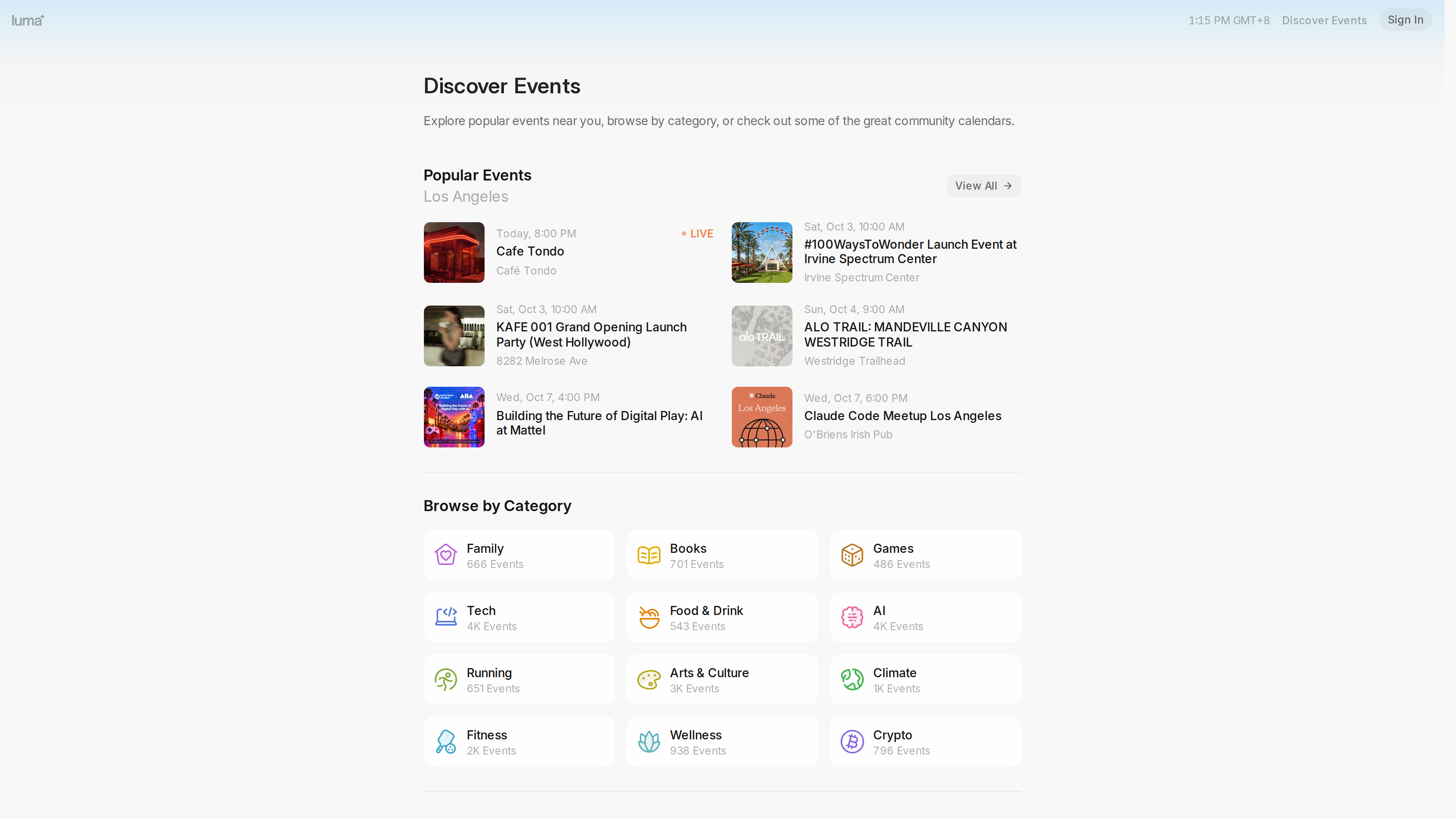
The Discover page (2026-10-02, localized to Los Angeles): popular events up top, category browsing below.
Integrations and developer access
For virtual events, Luma can auto-create Zoom meetings/webinars (with attendance tracking) or Google Meet links. Events and calendars can be embedded on an external website. The Plus plan unlocks Zapier and the official API (docs at docs.luma.com, rate-limited to 200 requests per minute per calendar). Salesforce and HubSpot integrations are also available (documented in the help center), while Enterprise adds organization accounts, SSO and security restrictions. There are also crypto-oriented features such as token gating (Luma API, pricing page, help center index).
Pricing
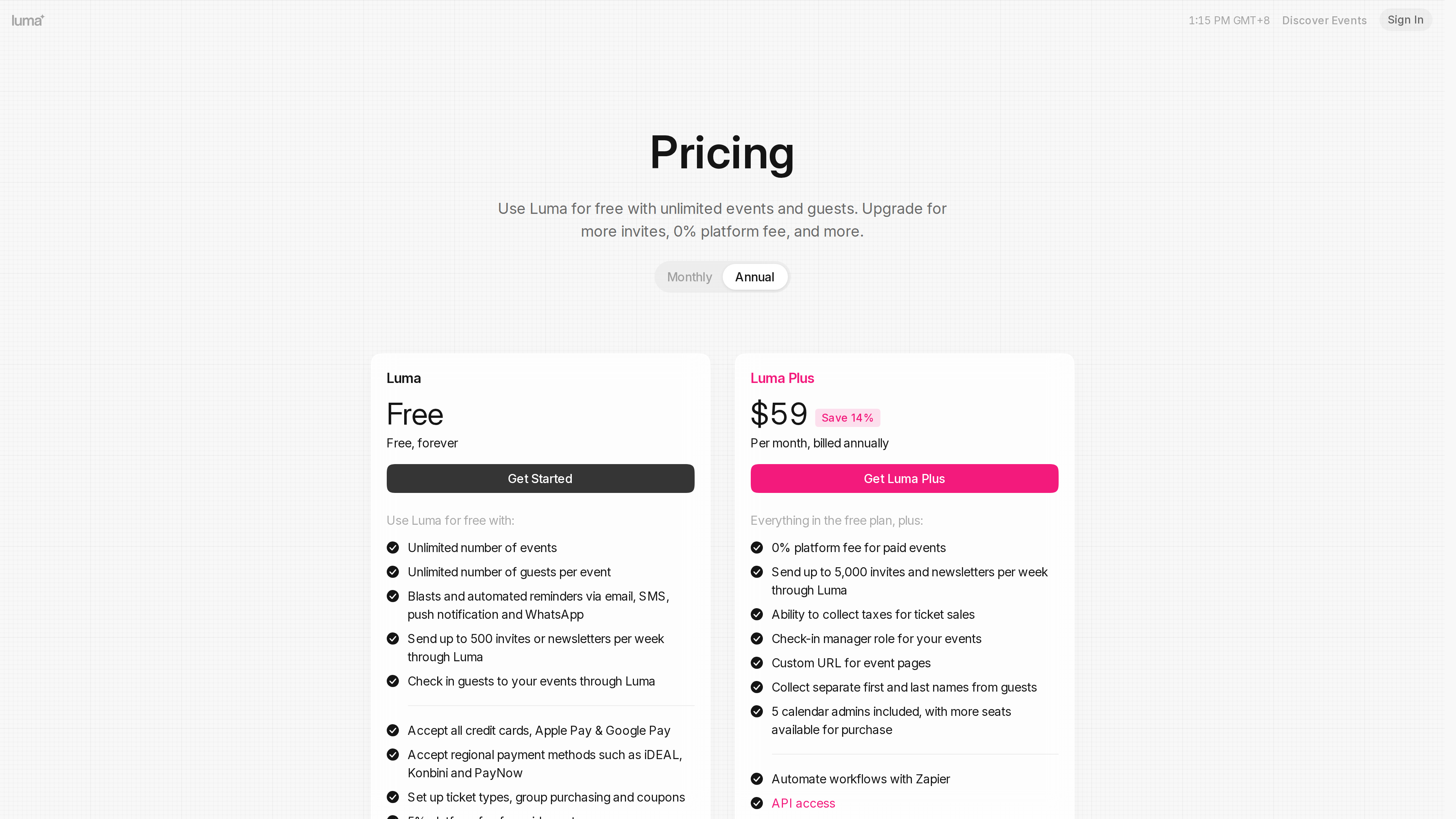
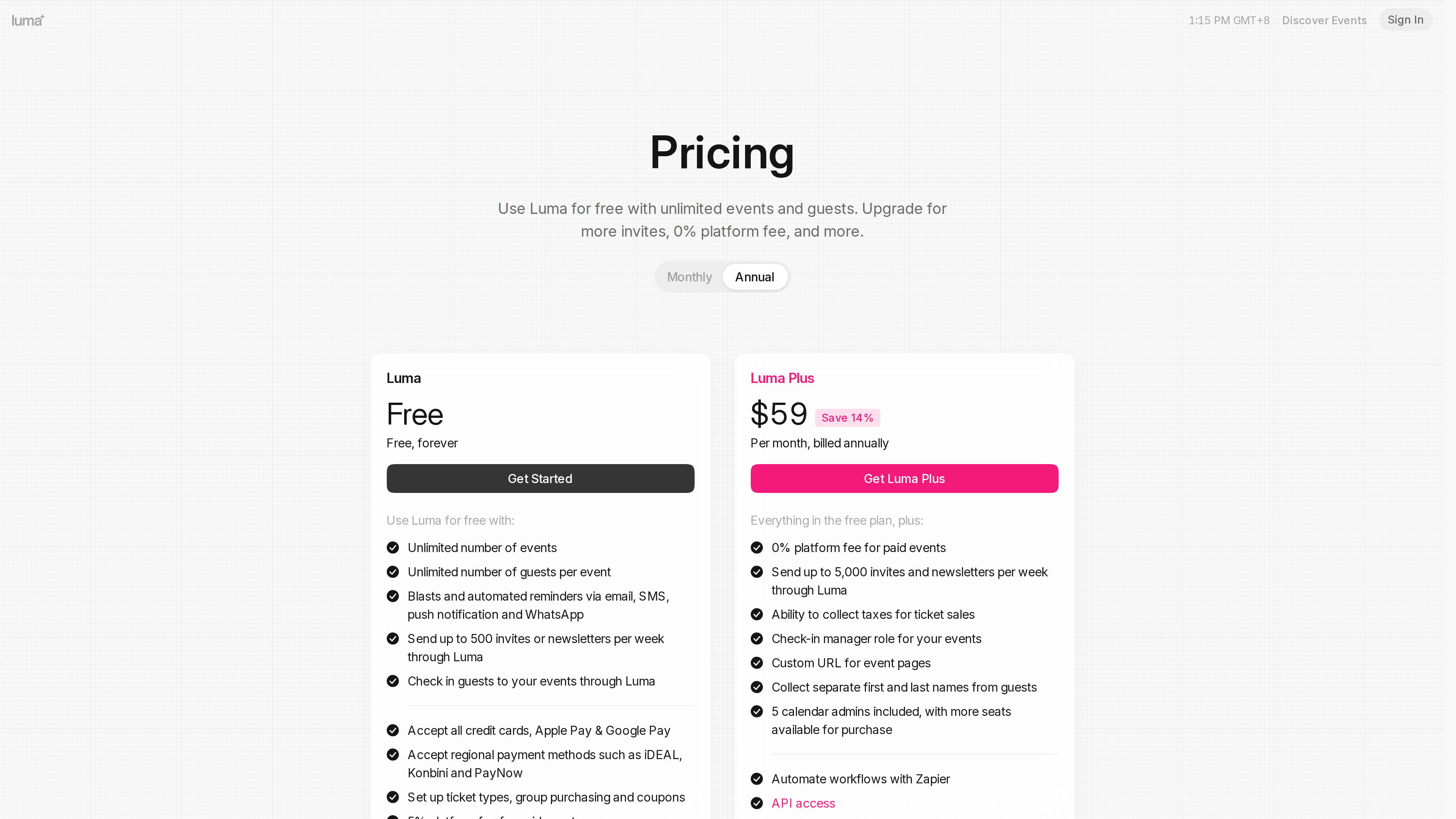
As of 2026-10-02, the pricing page lists two main tiers (shown with annual billing):
- Luma Free ($0, "Free, forever"): unlimited events and guests per event; up to 500 invites/newsletters per week; 5% platform fee on paid events; ticket types, group purchasing and coupons; QR check-in; CSV import/export; Zoom integration; up to 3 admins per calendar.
- Luma Plus (69/month billed monthly): 0% platform fee on paid events; 5,000 weekly sends; sales-tax collection for tickets; a check-in manager role; custom event URLs; 5 admins included (extra seats 9 billed annually); Zapier and API access; priority support and early access to select features. Plus is subscribed per calendar, not per account.
- Add-ons and Enterprise: extra weekly sends in tiers (10k for 800/month, saving up to 11% with annual billing); Enterprise is custom-priced with organization accounts, security restrictions, SSO and advanced integrations.
Who It's For
- Community and in-person event organizers: run clubs, reading groups, industry meetups and hackathons that need an all-in-one "page + registration + check-in + messaging" tool; the free plan covers the full flow.
- Creators and small teams selling tickets: paid salons, classes and performances, provided they can open a Stripe account; flexible pricing and approval flows suit smaller, curated events.
- Long-term community building: calendar subscriptions plus newsletters turn one-off attendees into an audience you can reach repeatedly.
- Event discovery: in cities with an active tech scene, Discover is a practical way to find public events by category.
Limitations
- Payouts depend on Stripe's coverage: selling tickets requires a linked Stripe account, so hosts must be based in a Stripe-supported country; regional methods such as Alipay and WeChat Pay also depend on the Stripe account's country and currency (Payment Methods).
- Asymmetric mobile apps: the Android app covers only core tasks (creating events, check-in, chat) — analytics, payment settings and calendar management require the web app; the iOS app requires iOS 18 or later (Android app, iOS app).
- Hard caps on the free plan: a 5% platform fee on paid events (Stripe fees extra), 500 invites/newsletters per week, and 3 calendar admins; frequent ticketing or heavy outreach pushes hosts toward Plus.
- Limited recurring-event support: the help center only documents workarounds for multi-session or recurring events; there is no native repeat-event feature (Multi-Session / Recurring Events).
- Sparse corporate disclosure: there is no About page or public blog, and no official figures on team size or current operations; beyond the 2020 seed round, no later funding has been officially disclosed (as of 2026-10-02).
Alternatives and Comparisons
- Eventbrite / Meetup: the more traditional incumbents in event publishing and community. Business Insider's 2024 coverage contrasts Luma with them and frames Luma as a competitor to Partiful among newer social-event tools (article). Luma's own help center also maintains comparison pages against Eventbrite, Meetup, Partiful, Posh and Dice (marketing material, noted only to indicate its official positioning).
- Partiful: leans toward social invites and parties; Luma is more complete on ticketing, newsletters, calendar communities and API access.
- A final reminder: the AI video product Luma Dream Machine is unrelated to the Luma covered here.
References
- Luma homepage, Discover, Pricing, Terms of Use, Privacy Policy (checked 2026-10-02)
- Luma Help Center: Event Registration Process, Creating a Paid Event, Payment Methods, Check In Guests, Luma Calendar Overview, Sending Newsletters, Luma Plus Overview, Languages, Luma API, iOS App, Android App (checked 2026-10-02)
- Exclusive: Luma Raises $3M To Enable Business Growth On Top Of Zoom — Crunchbase News, 2020-12-07
- Loneliness Epidemic Among Millennials, Gen Z Leads to New Startups — Business Insider, May 2024