Landingfolio is a reference site for landing page design, built from two complementary halves. One is a curated gallery of screenshots from real product pages, filterable by industry, page type (landing page, pricing, about, login, signup, 404) and dominant color. The other is a copy-paste component library covering Tailwind CSS, Webflow and Figma — the homepage calls it "the world's largest Webflow component library" (source; the site's own marketing claim). The problem it solves is concrete: you never start a landing page from a blank canvas. You study how comparable products designed their pages in the gallery, then drop matching blocks into your own project from the library. In 2026 the site added an MCP service that lets AI coding agents such as Claude Code and Cursor pull those same gallery screenshots as design references.
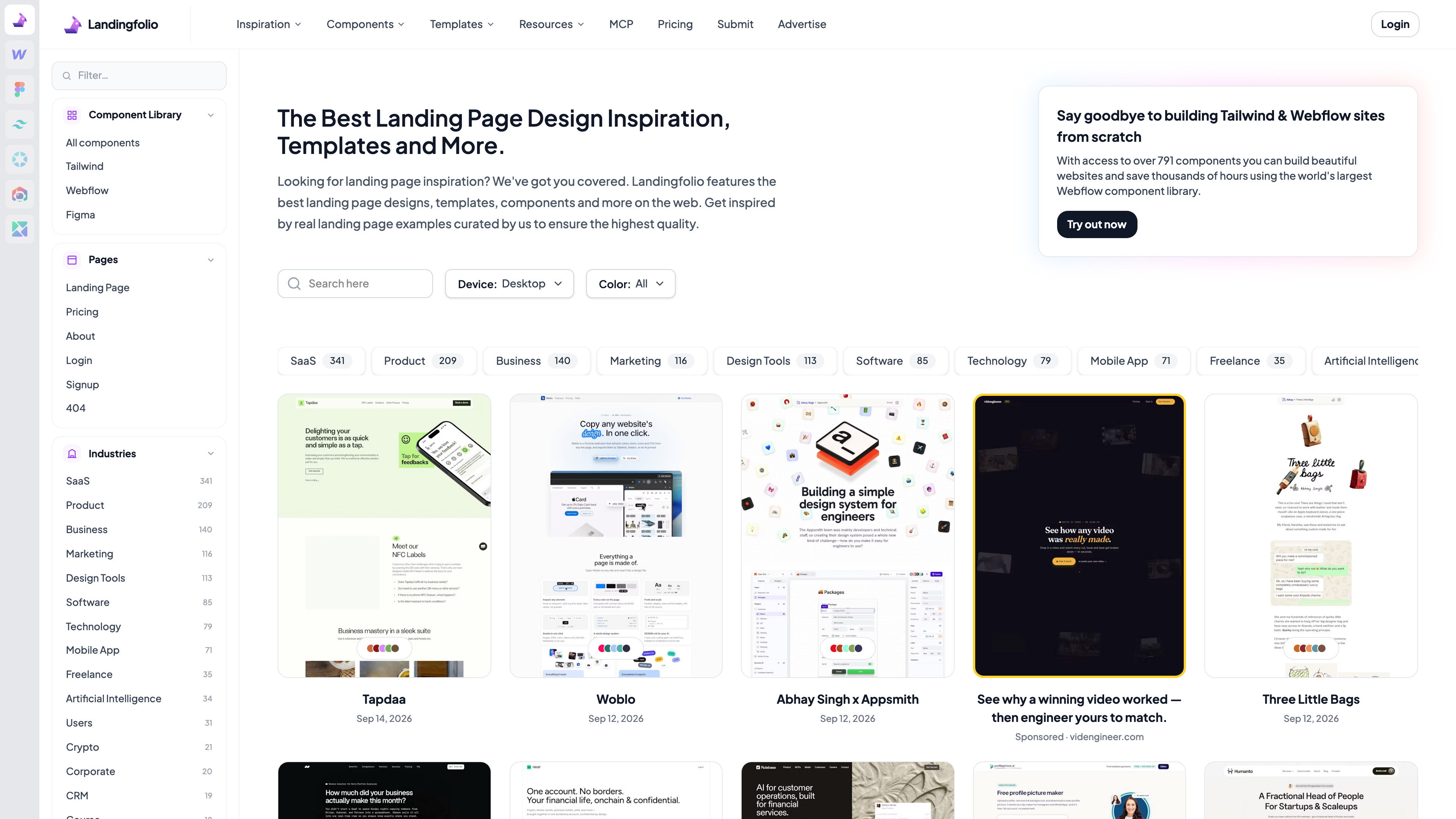
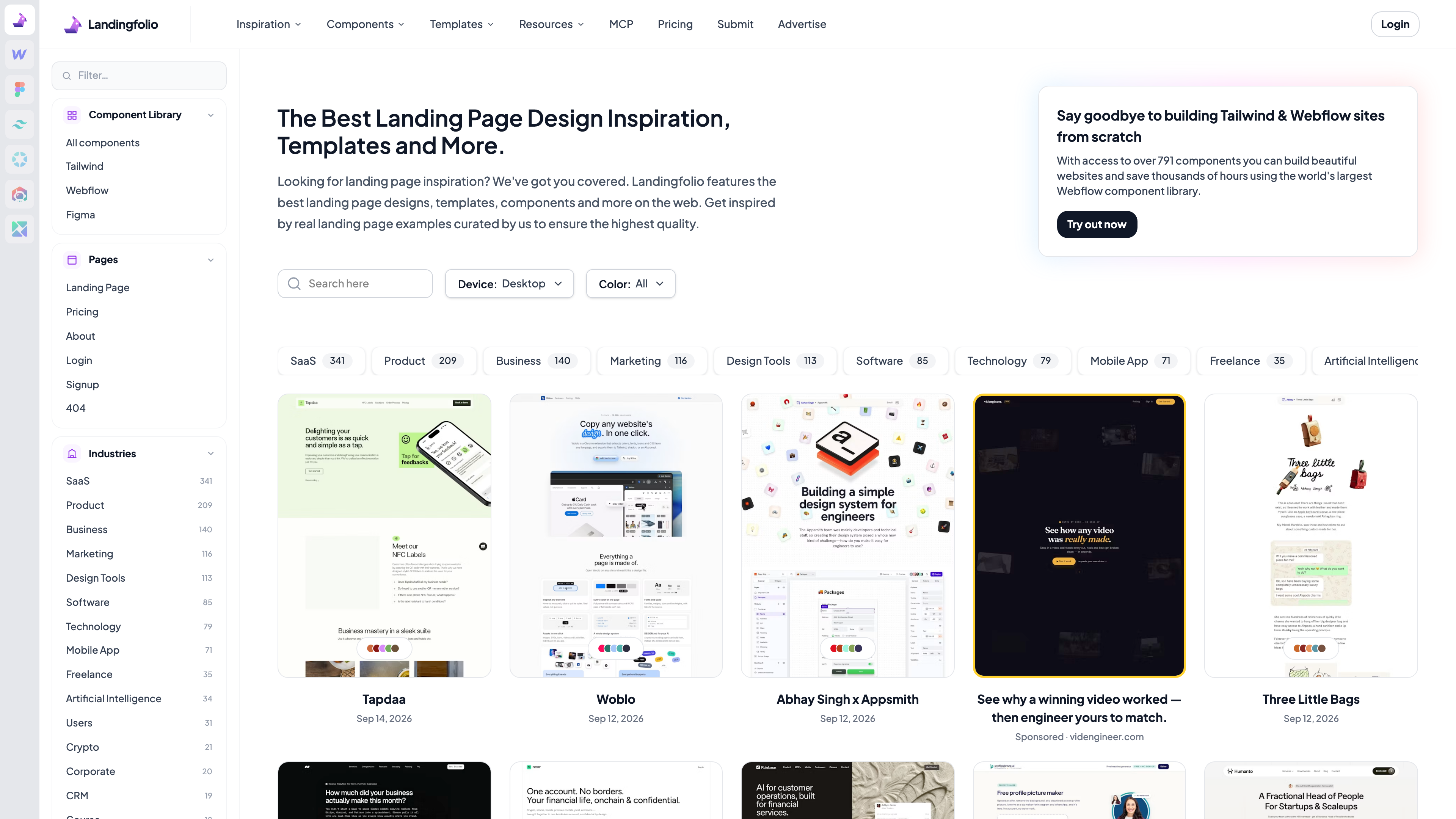
The screenshot above shows the Landingfolio homepage (captured 2026-09-21). The main body of the page is the gallery feed itself: each card is one featured website, labeled with its name, the date it was added and its industry, with industry chips (SaaS 341, Product 209, Business 140, and so on, as of 2026-09-21) and page-type filters on top. The left rail doubles as the entry point to the component library for Tailwind, Webflow and Figma.
At a glance
- URL: https://www.landingfolio.com/
- Type: landing page inspiration gallery + component library (plus a template store, a blog and free mini-tools)
- Cost: browsing the gallery and section examples is free (the feed contains sponsored cards); the All Access Pass costs 59 as a one-time payment (as of 2026-09-21, pricing page)
- Account: not required for browsing; required for purchases, submissions and MCP tokens
- Interface language: English only (checked 2026-09-21)
- Operator: Postcrafts (Singapore)
Background
Landingfolio was started by Dutch indie maker Danny Postma. In a 2024 interview he describes launching it in 2015, at age 21, while working as a freelance conversion optimization specialist: struggling to find good references for client landing pages, he built a WordPress gallery of the best landing page designs as a side project (source: Unite.AI interview, 2024-02-20). Postma later founded Headlime (an AI copywriting tool, sold in 2021) and HeadshotPro (AI headshots), among other products. Per the terms of service, Landingfolio is operated by his company Postcrafts, which is based in Singapore and governed by Singapore law.
The site has changed shape several times in public view. When it appeared on Product Hunt in April 2022, it was a pure gallery of "445+ landing pages in 54 categories." It has since added the copy-paste component library, a template store, an optimization-tips blog and free mini-tools (a mockup generator, free logos), and in 2026 the MCP service for AI coding agents. The gallery is still actively updated: as of 2026-09-21, the newest entries on the homepage are dated September 14, 2026.
The inspiration gallery
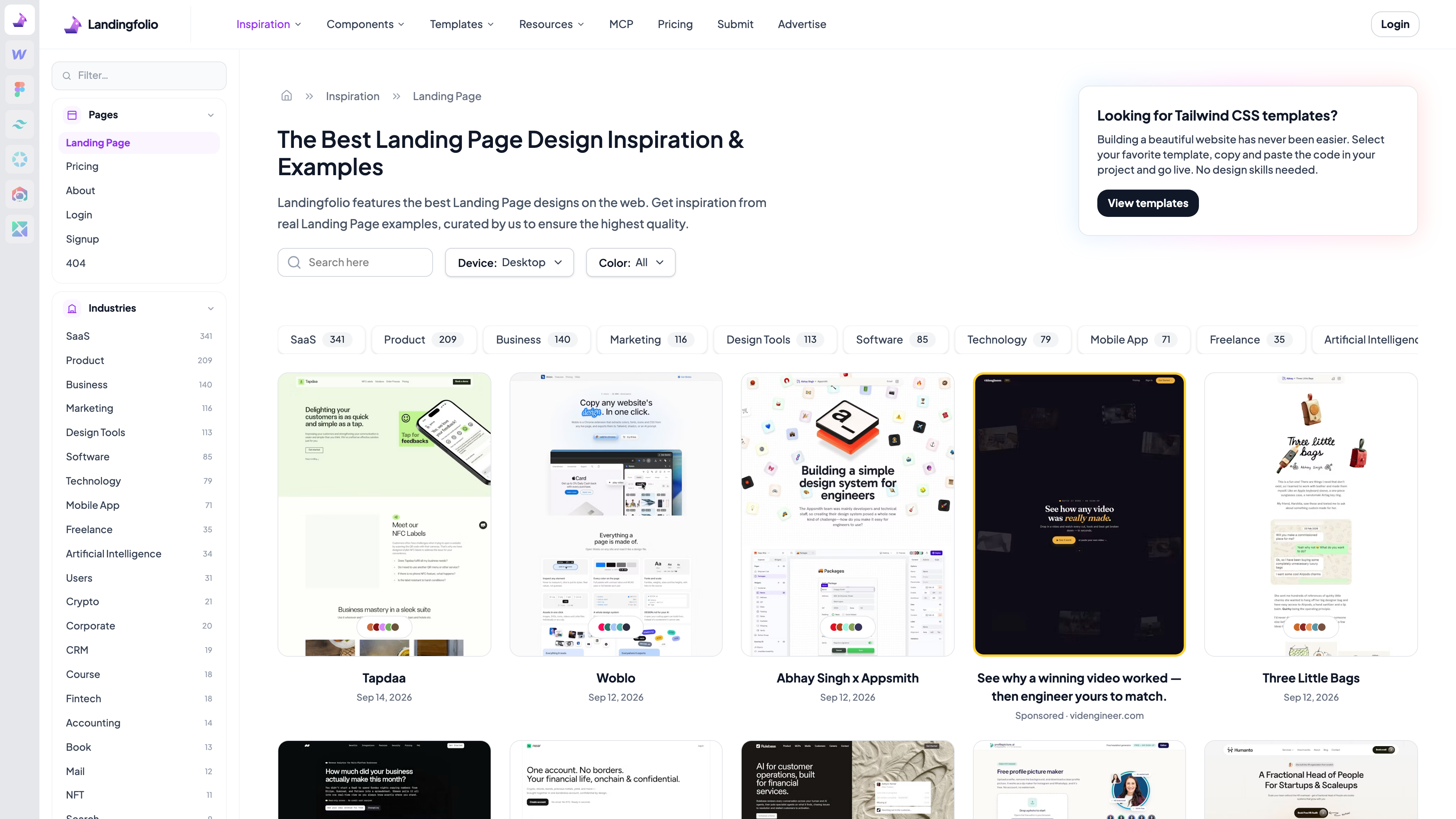
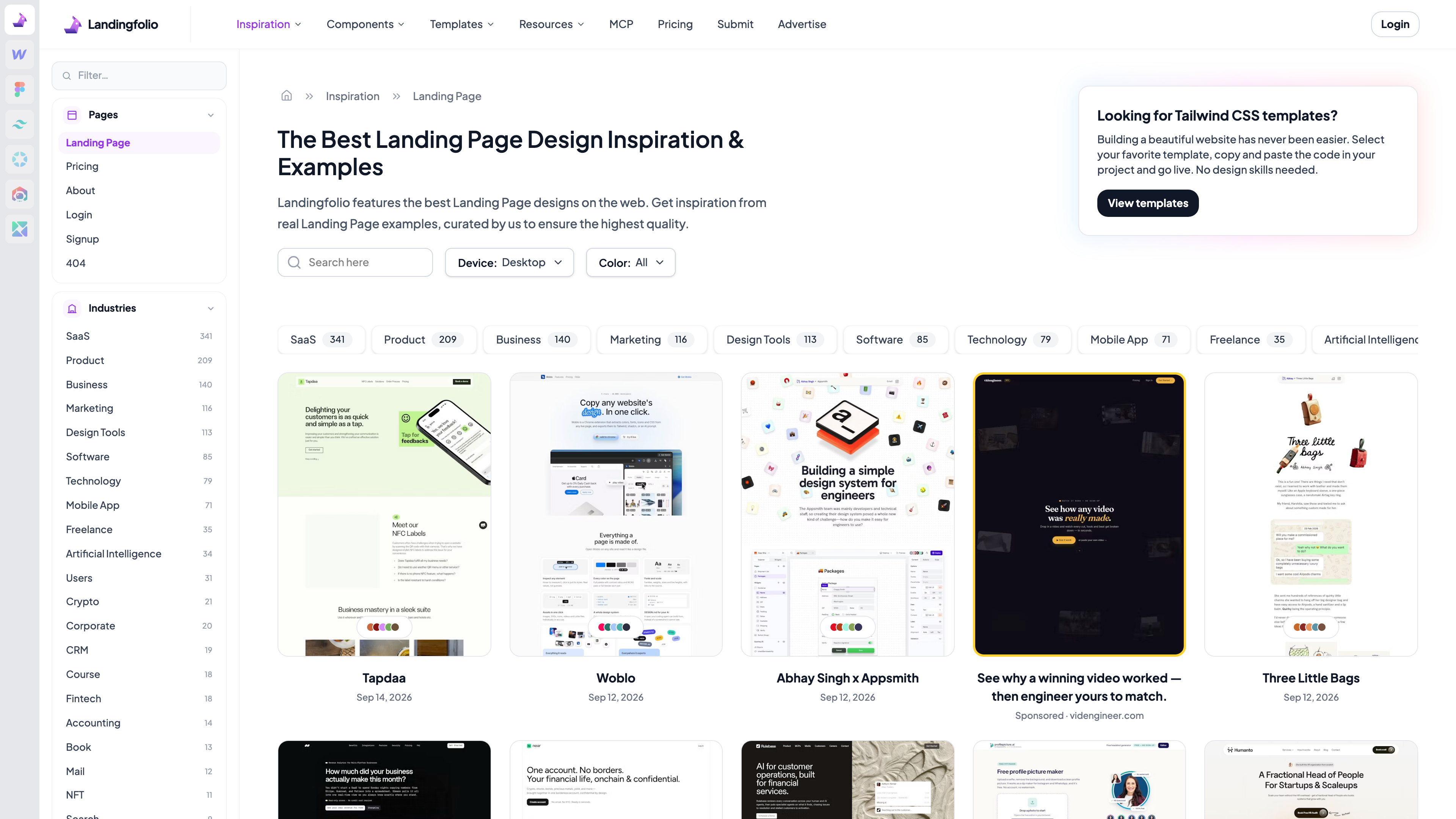
The gallery is Landingfolio's original core, curated by the team ("curated by us to ensure the highest quality," per the site). The screenshot above (captured 2026-09-21) shows several practical touches:
- Industry categories with counts: SaaS (341), Product (209), Business (140), Marketing (116), Design Tools (113), Software (85), Technology (79), Mobile App (71) and more (as of 2026-09-21) — clearly weighted toward software and tech products;
- Page-type dimension: a featured site is broken into separate entries for its landing page, pricing, about, login, signup and 404 pages, so you can search by "which page am I designing right now";
- Card metadata: each entry shows the site name, the date it was added and a cumulative visit count, with a "Visit site" link to the live page;
- Filters: dominant color (black, white, red, blue and other hex values) and device (desktop / mobile).
Beyond full pages, a "Section & Component Examples" section catalogs individual blocks — heroes, headers, footers, pricing tables, testimonials — screenshotted from real websites; the MCP page puts that collection at more than 4,600 items. One thing to know: the gallery feed interleaves sponsored cards, which free users will see; removing them is one of the paid perks.
Component library and templates
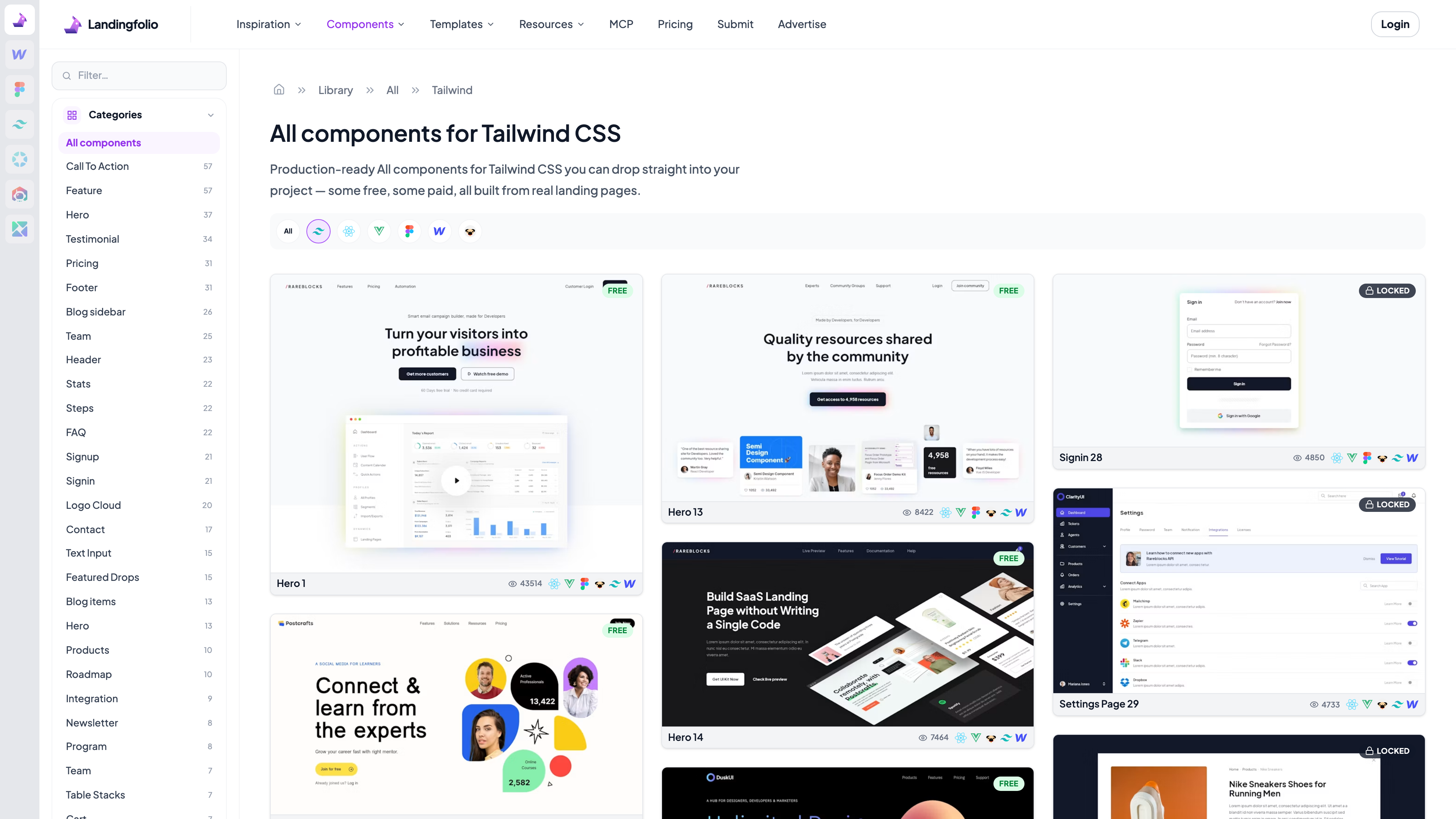
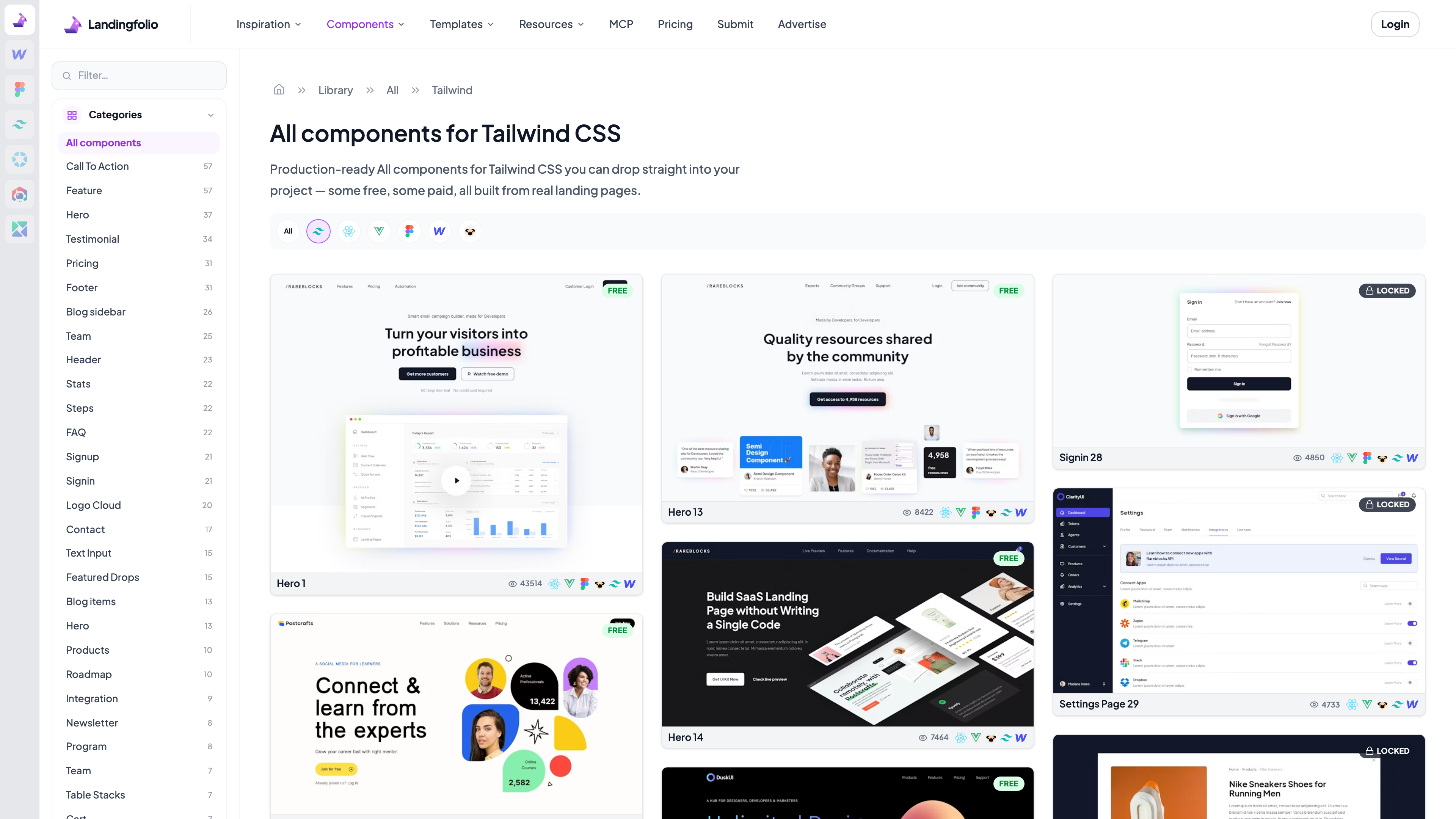
The component library is where inspiration turns into implementation. The screenshot above shows the Tailwind CSS library (captured 2026-09-21): every component card is a preview of the real rendered block, badged FREE or LOCKED in the corner — free components can be copied outright, locked ones require the paid pass. Icons under each card indicate the frameworks available for that component (Tailwind, React, Vue, Pug, Webflow, Figma) along with a view count. Components are organized by purpose — hero, header, footer, feature, pricing, FAQ, steps, sign-in, settings pages, carts — and are described as "built from real landing pages" (library page).
The stated size varies slightly between pages: the navigation and library page say "805+," while the homepage promo box reads "over 791 components" (both captured 2026-09-21) — call it roughly 800 and growing. The templates section splits into Pro templates (full-page Webflow and Tailwind templates included in the paid pass) and third-party templates from outside designers. The official FAQ is explicit about prerequisites: you need to know your way around Webflow or Tailwind CSS to use the library — it is not a site builder that does the work for you (pricing FAQ).
MCP: plugging the gallery into AI coding agents
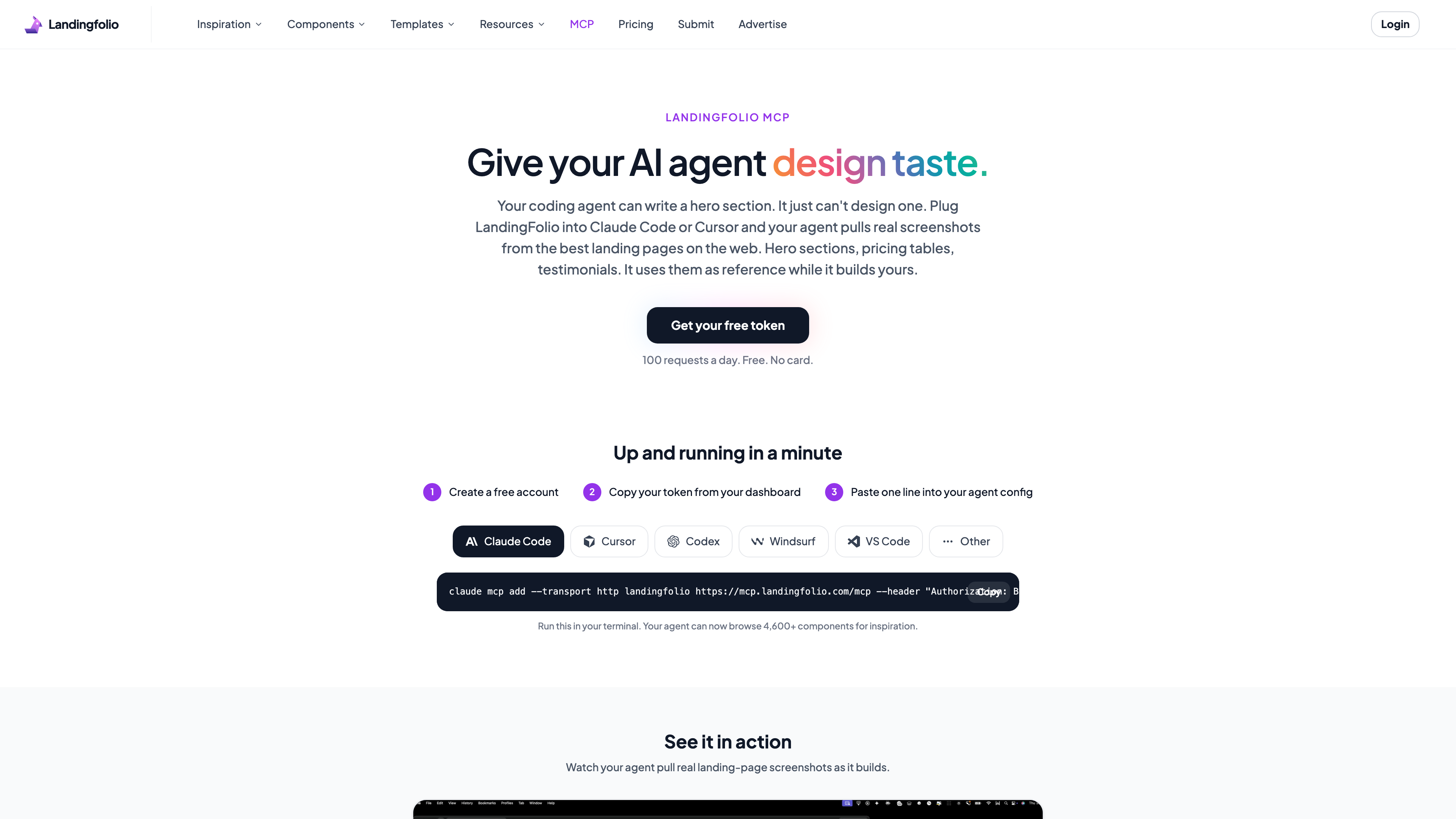
The newest capability is Landingfolio's MCP offering (official page). It runs a Model Context Protocol server (mcp.landingfolio.com/mcp) that lets AI coding tools — Claude Code, Cursor, Codex, Windsurf, VS Code — pull real screenshots of landing page sections (heroes, pricing tables, testimonials) as design references while they build your page. Setup is a free account, a token copied from the dashboard, and one line in the agent's config.
The free tier allows 100 requests per day per token (with a burst cap of 10 per minute); the paid pass raises that to 1,000 per day. On data boundaries, the site says agents receive only section screenshots, their category and a link back to the source page — "no code, prompts, or files from your project ever reach us" — while tool calls are logged per account to keep the free tier healthy. For anyone whose AI-built pages come out looking generic, it is a lightweight way to wire curated design references into the workflow.
Free vs. paid
As of 2026-09-21, the pricing page offers two All Access Pass options:
- Weekly: $1.99 per week, billed weekly, cancel anytime;
- Forever: a 249, labeled as a limited-time deal) with lifetime access.
Both tiers include the same benefits: unlimited downloads of all components, kits and templates (including everything added in the future), commercial and client use, 1,000 MCP requests per day, the ability to submit your own work to the gallery, ad-free browsing, and a 30-day money-back guarantee. Payments run through Stripe, and the site says it stores no card details. The free tier covers browsing the gallery and section examples (with sponsored cards), the components badged FREE, the blog and optimization tips, mini-tools such as the mockup generator, and the 100-requests-a-day MCP allowance.
Licensing and content policy
Commercial use of components and templates is governed by the Licensing Agreement: buyers get an ongoing, non-exclusive, worldwide license to create unlimited end products for themselves or clients, and those end products may be sold, sub-licensed or freely distributed. Modification and derivative works are allowed (it is a multi-use license). Explicitly prohibited: redistributing items as stock or source files, turning components into themes or templates for sale on any marketplace (including Landingfolio itself), and reselling downloaded assets through any channel. Authors retain ownership of their items. Team purchases are expected to pick a license matching the team size at checkout.
Gallery content comes from two sources: sites curated by the team, and user submissions. Submitting is a paying-member perk (submit page): every submission goes to a human curator and "most don't make it in." The stated criteria require a live page for a real product, strong typography, color and layout, fast loading and a working mobile experience; template demos and placeholder copy are rejected. Separately, the terms of service require users to be at least 21 years old and place disputes under Singapore jurisdiction, while the privacy policy claims GDPR compliance and promises deletion of personal data within 14 days of a request.
Who it's for
- Indie developers and designers researching real examples by industry and page type before starting a product site, pricing page or login flow;
- Tailwind CSS / Webflow / Figma users who would rather assemble pages from production-grade blocks than start from scratch — the one-time "forever" option is inexpensive for long-term users;
- AI coding agent users who want to give their agent a curated design reference library via MCP; the free quota covers light daily use;
- Makers seeking exposure by getting their landing page into a curated gallery (requires a paid membership, and acceptance is at the curator's discretion).
Limitations
- English only: the interface, component names, blog and documentation are all in English;
- Not a site builder: components ship as Tailwind CSS, Webflow or Figma assets; without those tools there is nothing to use, and there is no online editor;
- Limited free tier: a large share of the library is badged LOCKED, the free MCP allowance is 100 requests a day, and free browsing comes with sponsored cards in the feed;
- Skewed coverage: categories lean heavily toward SaaS and software (SaaS alone has 341 entries while Crypto has 21, as of 2026-09-21), so references for e-commerce, local services and similar industries are thinner;
- Inconsistent size claims: component counts are stated as both 805+ and 791+ on different pages (as of 2026-09-21), and the "world's largest Webflow component library" tagline is the site's own claim without third-party verification;
- Sloppy policy boilerplate: the privacy policy still references the sister product Headlime's domain and contact email — a copy-paste leftover — and the 21+ age requirement in the terms is stricter than most comparable sites.
Alternatives
For pure landing page galleries, Land-book and Lapa Ninja cover similar ground. For Tailwind components, Tailwind UI is the official paid library, while Flowbite and HyperUI are free open-source options. Relume offers a similarly large component library spanning Webflow and Figma. Landingfolio's distinction is bundling the curated gallery, the component library and AI-agent access into one product.
Sources
- Landingfolio homepage (checked 2026-09-21)
- Pricing - All Access Pass (checked 2026-09-21)
- Landingfolio MCP (checked 2026-09-21)
- Component library / Landing page gallery (checked 2026-09-21)
- Licensing Agreement / Terms and Conditions / Privacy Policy (checked 2026-09-21)
- Submit (submission rules) (checked 2026-09-21)
- Danny Postma, Founder of HeadshotPro – Interview Series (Unite.AI, 2024-02-20)
- LandingFolio on Product Hunt (April 2022 listing)