
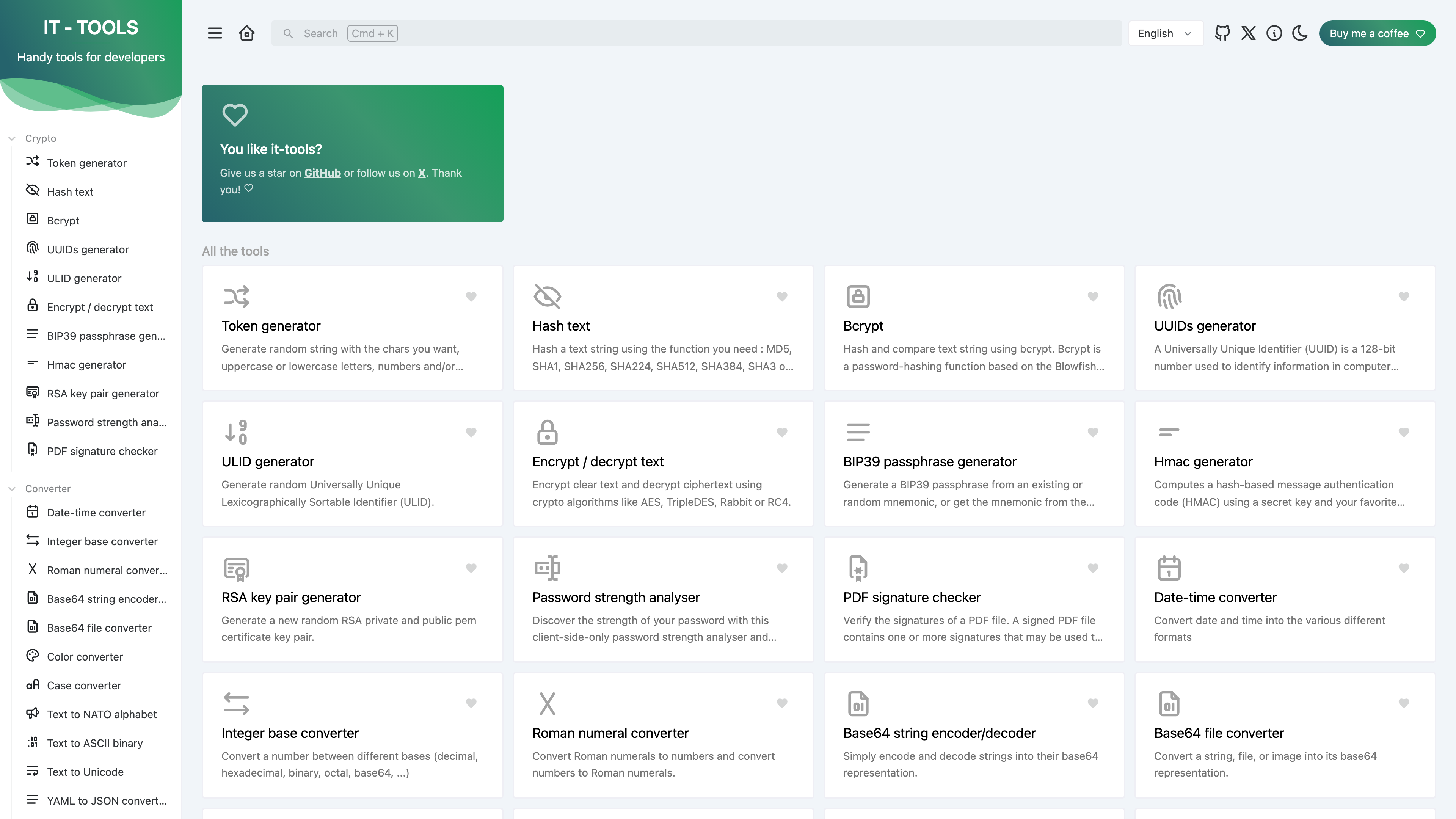
IT Tools (it-tools.tech) is an open-source, free online toolbox aimed at developers and IT professionals. It gathers the small but frequent tasks of day-to-day technical work — generating random tokens, computing hashes, Base64 encoding, formatting JSON, parsing JWTs, calculating subnets — into a single interface. As of 2026-09-01, the site offers 86 tools across 10 categories, all usable without an account. Its verifiable distinguishing traits: the full source code is published on GitHub under GPL-3.0; there is no account system at all; the site is, judging by its code structure, a purely front-end application whose tools compute inside the browser; and the project publishes an official Docker image for one-command self-hosting.
At a glance
- URL: https://it-tools.tech/
- Type: collection of everyday utilities for developers and IT work
- Cost: free — the author pledges it "will always be" free; no ads, supported by donations
- Signup: none required; no account system
- UI languages: 9, including Simplified Chinese (no Traditional Chinese)
- License: GPL-3.0
Background
IT Tools is created and maintained by Corentin Thomasset, a developer based in France. The GitHub repository was created in April 2020, and the first version tag, v1.0.0, was committed in June 2020. The About page states the site is hosted and continuously deployed by Vercel; as of 2026-09-01 the live site answers with a server: cloudflare header, so traffic is at least served through Cloudflare's edge. Badges in the README indicate the project was featured on Product Hunt as a daily top post. As of 2026-09-01 the repository has about 40.4k stars and 5.4k forks, making it one of the more widely followed open-source projects in this category.
The tools and the experience
The 86 tools are organized into 10 categories (counted on the homepage and matching the tool registry in the source tree, 2026-09-01):
- Crypto: random token generator, MD5/SHA-family hashing, Bcrypt, UUID/ULID, AES and other symmetric ciphers, RSA key pairs, OTP codes, password strength analysis
- Converter: number bases, Base64 (text and files), colors, date-time formats, Roman numerals, and more
- Web: JWT parser, URL encode/decode, User-Agent parser, HTTP status code reference
- Development: JSON prettify/minify/diff/to-CSV, YAML ↔ JSON ↔ TOML converters, regex tester, crontab generator, chmod calculator, docker run to docker-compose converter
- Network: IPv4 subnet calculator and address converter, IPv6 ULA generator, MAC address vendor lookup
- Images and videos, Math, Measurement, Text, Data: QR and Wi-Fi QR generators, math and unit converters, case and text transforms, data generators
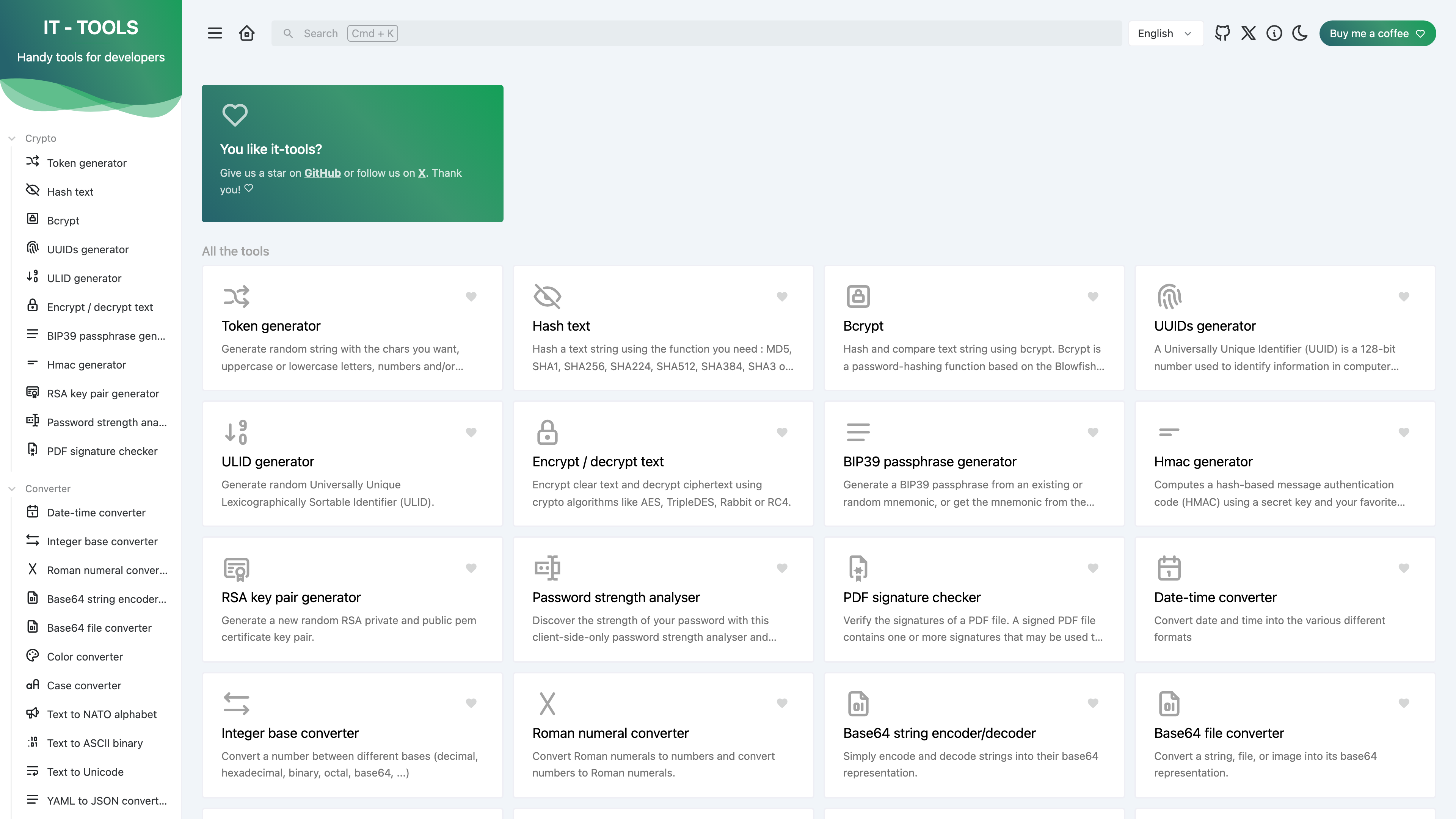
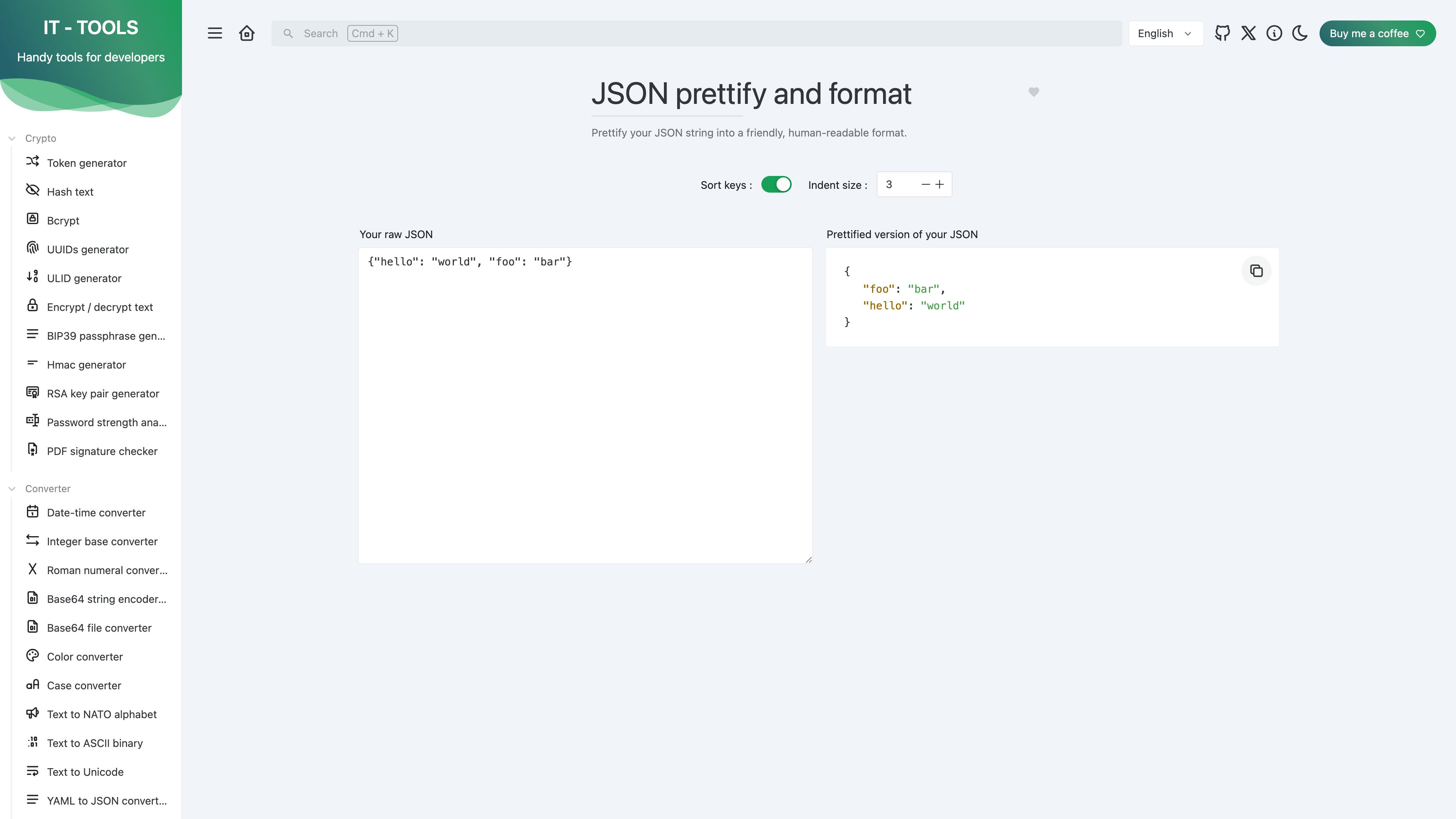
The homepage lists every tool as a card, with a category sidebar on the left. Each tool is a self-contained single-page form: input on the left, output on the right, options as toggles and steppers. The screenshot below shows the JSON formatter in practice — paste raw JSON and the prettified result appears instantly, with options to sort keys and adjust indentation.
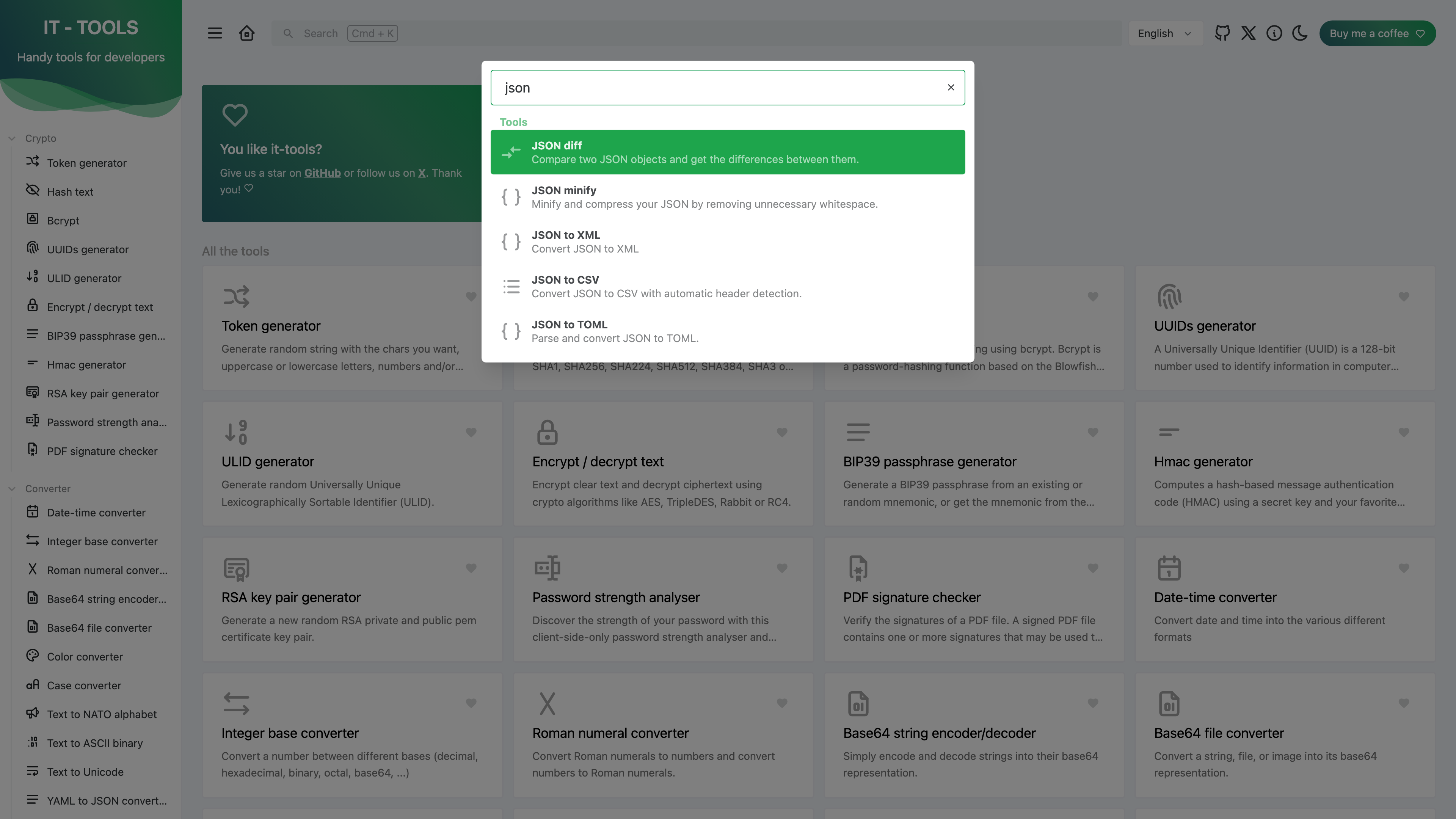
With this many tools, discovery relies on the search box in the header (keyboard shortcut Cmd/Ctrl + K): typing a keyword instantly lists matching tools, implemented with the fuse.js fuzzy-search library.
Other interface features: frequently used tools can be favorited and pinned to the sidebar (with no account system, favorites are necessarily stored in the browser); dark and light themes are supported; and the site is an installable PWA. The UI is available in 9 languages (locales directory: German, English, Spanish, French, Norwegian, Portuguese, Ukrainian, Vietnamese and Chinese); the Chinese translation covers only Simplified Chinese, and while the core interface is well translated, some individual tools still show English strings.
Privacy and how computation happens
The site is a single-page application with no backend of its own. Every tool runs on JavaScript libraries executing in the browser (crypto-js, bcryptjs and others — see the dependency list), so what you type is not sent to the site's server. This is an inference from the code structure rather than an explicit marketing claim, though individual tools such as the password strength analyser describe themselves as "client-side-only". In testing, the site showed no ads, no cookie-consent banner and no paywall; the code integrates Plausible, a privacy-friendly analytics library, whose exact production configuration was not separately verified. If your inputs are sensitive — real keys, internal configuration — the safer route is a self-hosted instance.
Cost and sponsorship
The site is entirely free, with no paid tier. The author notes on the About page that hosting and the domain cost money and asks for support. Two donation channels are currently offered: GitHub Sponsors (configured in the repository's FUNDING.yml) and a Buy Me a Coffee button in the site header.
Self-hosting and openness
The README documents a one-line Docker command, with images published to both Docker Hub and the GitHub Container Registry. The image is a static site: the container exposes port 80 and needs no database or environment configuration. The project is also listed in the app catalogs of homelab platforms including Cloudron, Tipi and Unraid. Docker Hub reports more than 10 million pulls (as of 2026-08-30). Note the tagging policy: the latest stable image has stayed at the 2024-10-22 build, while a nightly tag rolls with the main branch (as of 2026-08-30) — getting newer code means building it yourself or running nightly. The source is GPL-3.0, so redistribution or modification carries the corresponding copyleft obligations. The site offers no query API; for scripted, bulk processing you would reuse its source code or write your own scripts.
Maintenance status and limitations
- Stable releases have slowed markedly: the most recent formal release is v2024.10.22-7ca5933 (October 2024). The main branch has seen only sporadic commits since — the latest a README change in February 2026. The repository is not archived and remains maintained, but the pace of new tools has clearly dropped; 816 open issues (as of 2026-09-01) point to a backlog of feature requests and bug reports.
- Capable but shallow: each tool is a single-page form, handy for frequent small tasks but no substitute for dedicated software (a full regex debugger, a professional network calculator).
- Chinese UI is Simplified only, with complete core translations but occasional English strings inside individual tools.
- JavaScript is required — the site is a pure SPA and renders an empty shell without it — and a few tools (such as camera-based scanning) depend on browser permissions.
When it fits
- Ad-hoc encoding, hashing, formatting and conversion during development and operations work, especially when several small tasks come in a row.
- Situations where data should not be handed to a third-party server: computation happens in the browser, and a private instance removes the question entirely.
- Homelab setups, where it deploys as a self-hosted toolbox at minimal cost.
Comparable sites
- CyberChef: an open-source (Apache-2.0) data-manipulation web app published by GCHQ. It chains encoding, encryption, compression and analysis steps into "recipes", leaning more toward data transformation and analysis; it can also be self-hosted.
- DevToys: an MIT-licensed developer toolbox shipped as a desktop application (Windows/macOS/Linux), for those who prefer an offline native app.
References
- IT Tools homepage (tool listing) (checked: 2026-09-01)
- About IT-Tools (free pledge, hosting, sponsorship) (checked: 2026-09-01)
- CorentinTh/it-tools - GitHub (README, self-hosting instructions) (checked: 2026-09-01)
- Repository metadata (stars, forks, issues, license) (checked: 2026-09-01)
- Releases (latest: v2024.10.22-7ca5933) (checked: 2026-09-01)
- UI locale files (9 languages) (checked: 2026-09-01)
- Docker Hub image page (pulls and tags) (checked: 2026-08-30)



