Granola (granola.ai) is an AI meeting notepad built by the London-based startup of the same name, aimed at a specific problem: people in back-to-back meetings have no time to write up notes. Its verifiable difference from tools like Otter or Fireflies is that no "someone's notetaker" bot ever joins the call — an app on your own computer or phone captures the device audio and transcribes it, so other participants see nothing join. During the meeting you jot down whatever matters to you; afterwards, AI uses your notes as the skeleton and fleshes them out against the full transcript. It is a desktop/mobile app plus a web portal: capture and transcription only happen in the macOS, Windows, iOS, and Android clients, while the web app (notes.granola.ai) is for viewing and editing existing notes. In March 2026 the company announced a 1.5B valuation, expanding from a personal notetaker into team spaces and an enterprise "meeting context layer."
At a glance
- URL: https://www.granola.ai
- Type: AI meeting notes and transcription (desktop + mobile apps; web is view/edit only), plus team spaces, API, and MCP
- Cost: Basic free; Business 35/user/month — see the pricing page (as of 2026-09-17)
- Sign-up: Sign in with Google, Microsoft, or SSO; optionally connect Google Calendar or Outlook; must be 16 or older per the privacy policy
- Interface language: App UI is English only; transcription supports 31 languages on desktop and 17 on mobile (including Mandarin and Cantonese) — see the docs
- Launched: May 22, 2024 (public launch, macOS-only at first)
Background
Granola was founded in London in March 2023 by Chris Pedregal (CEO) and Sam Stephenson. Pedregal previously founded Socratic, an AI homework-tutoring app acquired by Google, where he then worked for several years; Stephenson previously worked at the note-taking app Ideaflow. The two met at a London meetup about tools for meetings (TechCrunch launch coverage).
Funding and product milestones (from official announcements or first-hand reporting):
- 2023: $4.25M seed led by Lightspeed, with Betaworks, Firstminute Capital and angels including Instagram co-founder Mike Krieger (TechCrunch).
- May 22, 2024: Public launch as a macOS app; pricing at the time was 25 free meetings, then $10/month.
- October 2024: $20M Series A led by Spark Capital (official announcement).
- May 2025: 250M valuation led by NFDG (Nat Friedman and Daniel Gross); collaborative features (Granola 2.0) shipped the same week (TechCrunch via Yahoo Finance).
- March 25, 2026: 1.5B valuation, led by Danny Rimer at Index Ventures with participation from Mamoon Hamid at Kleiner Perkins and existing investors Lightspeed, Spark, and NFDG — roughly $192M raised in total. The same day, Granola launched Spaces, personal and enterprise APIs, and an updated MCP server; the company names Vanta, Gusto, Asana, Cursor, and Mistral AI among its customers (official announcement, TechCrunch).
One episode worth noting: ahead of the Series C, Granola restricted access to the desktop app's local database, breaking on-device AI agent workflows some users had built and drawing public complaints. The company said the local cache was never designed for that use and promised a proper API — the Series C API launch delivered on that promise (TechCrunch).
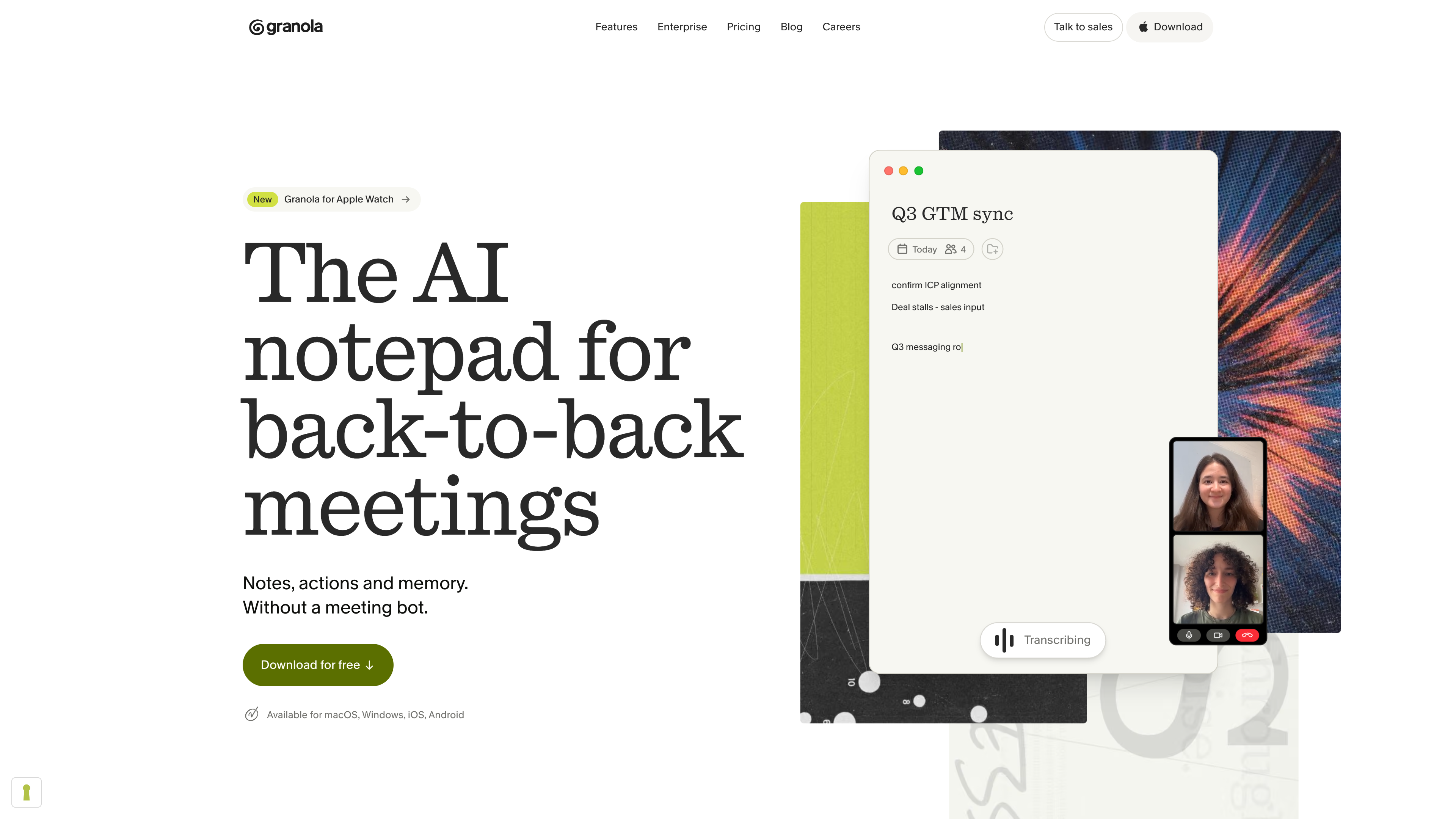
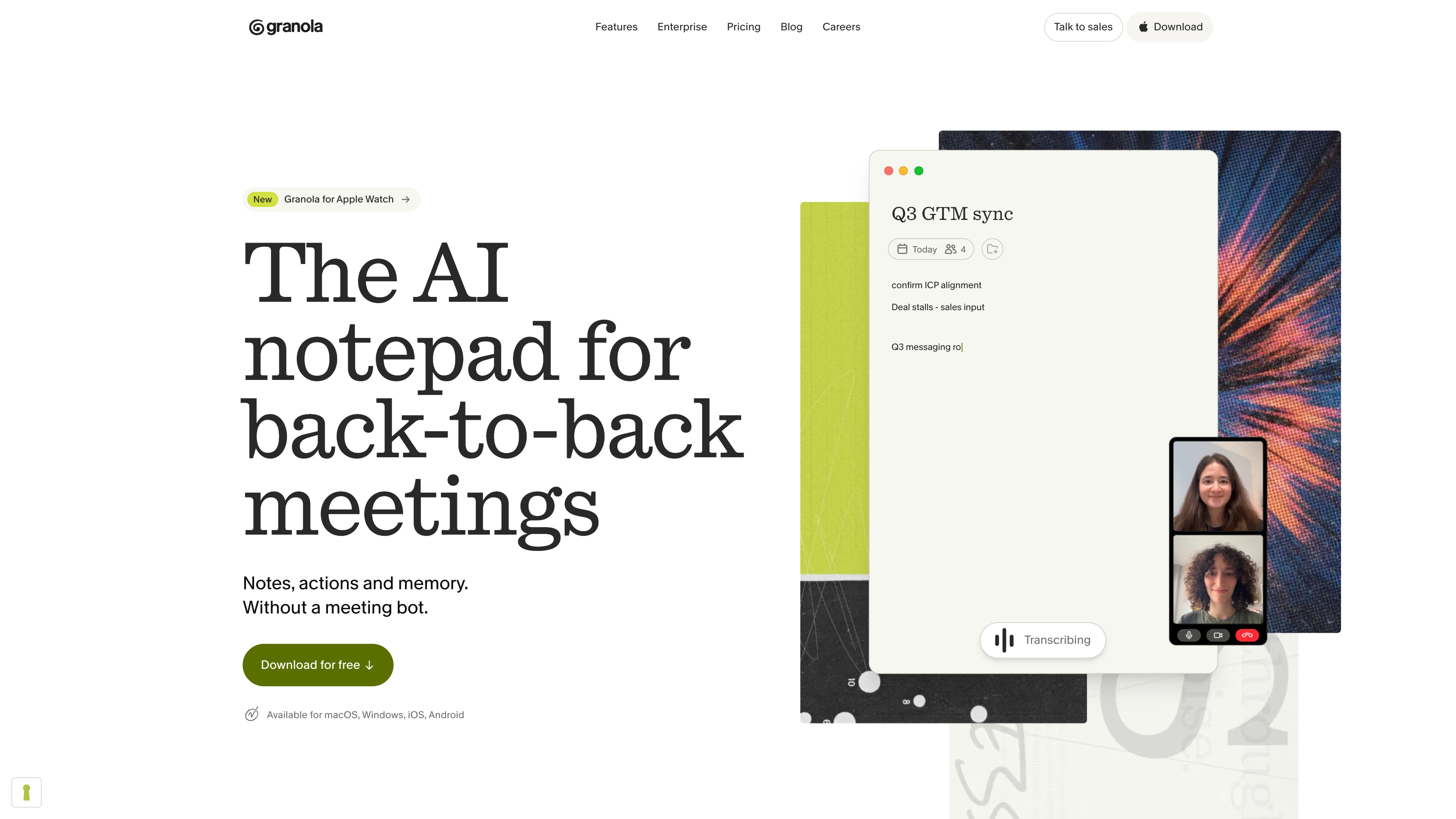
The homepage states the positioning directly — “The AI notepad for back-to-back meetings,” with the tagline “Notes, actions and memory. Without a meeting bot.” — and lists the current platform coverage: macOS, Windows, iOS, and Android.
How it works: no bot in the meeting
Granola's transcription pipeline (official transcription docs):
- Manual start: click a meeting notification, open a note once the scheduled start time has passed, or create a new note. Granola never auto-joins or auto-records; green waveform bars at the bottom of the note show capture is running.
- Capture device audio: on desktop it takes your microphone (you) and system audio (everyone else) in real time, so it works with any meeting platform whose sound plays through your computer — Zoom, Google Meet, Teams, WebEx, and so on. The trade-off: it cannot isolate a single app, so music or other audio playing during the meeting is transcribed too. The mobile apps are built for in-person meetings and transcribe after the meeting from temporarily cached audio.
- Your notes + AI fill-in: during the meeting you jot down key points (shown in black); afterwards the AI expands them into structured notes using the transcript (shown in gray), with links back to the source lines for fact-checking. Speakers default to "Me / Them"; optional speaker tags for Google Meet and Zoom can label participants by name.
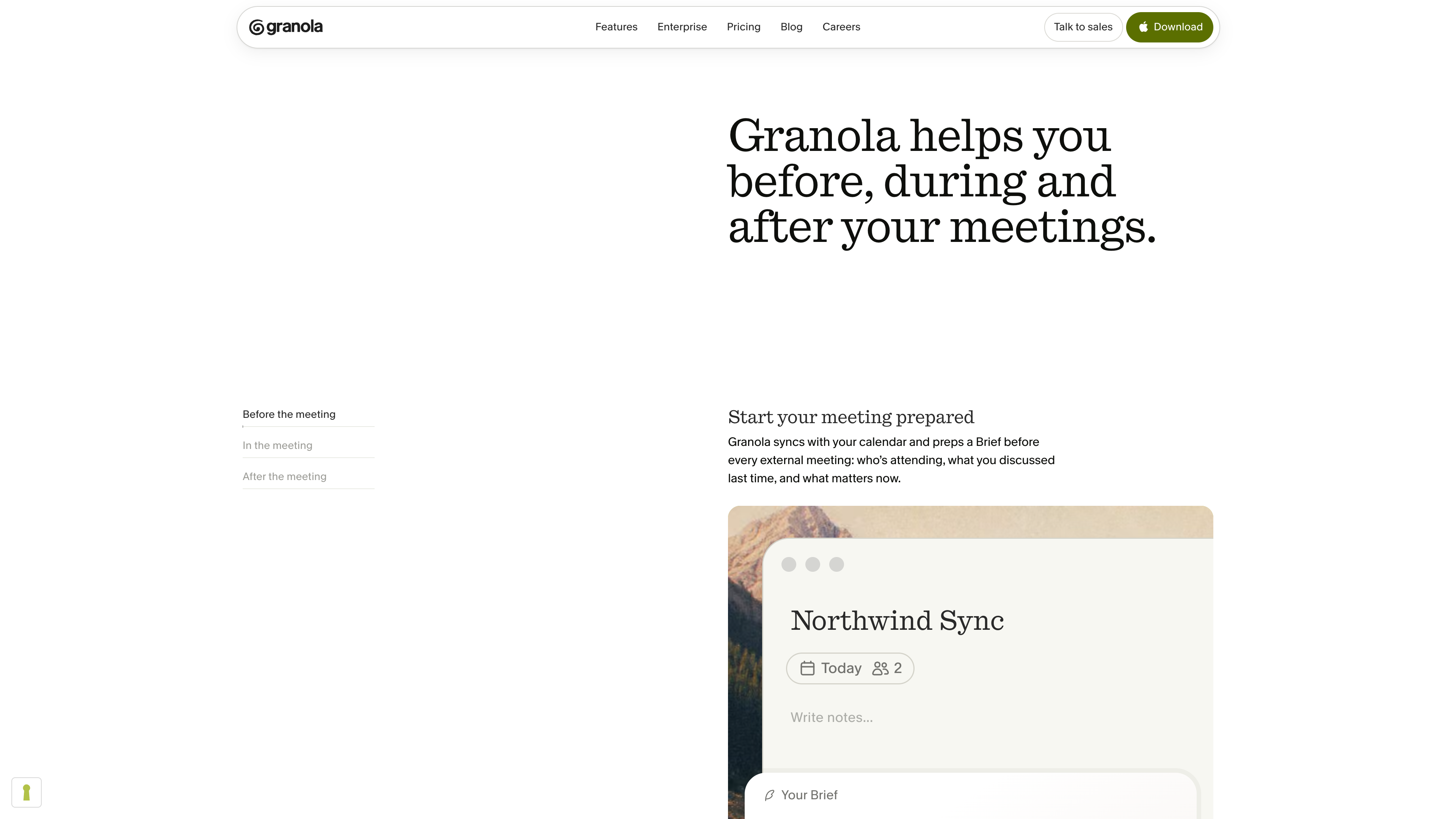
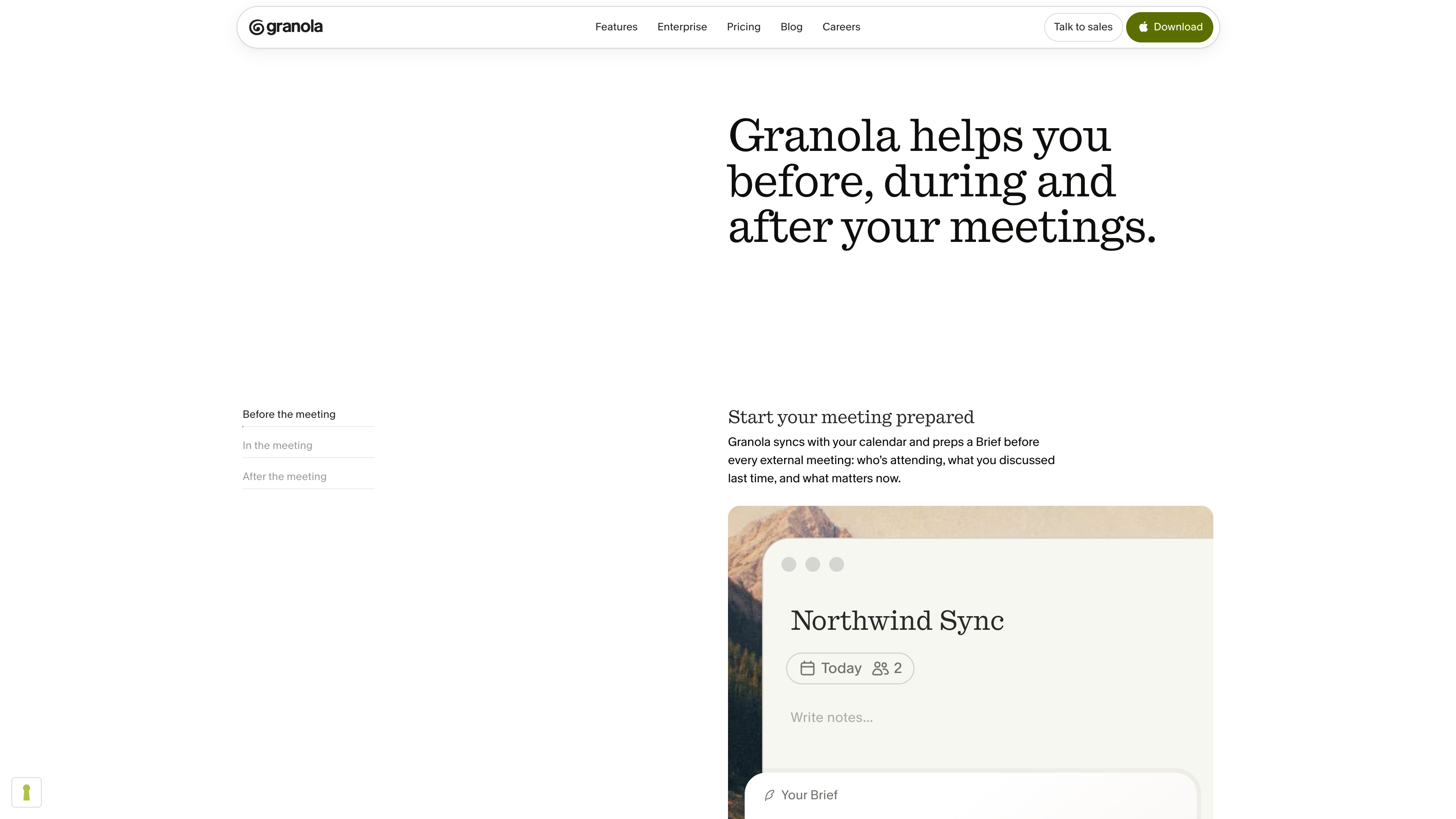
The website frames the workflow in three stages: before the meeting, a Brief prepared from your calendar and note history (who's attending, what you discussed last time, what matters now); during the meeting, your own note-taking; and immediately after, finished notes, action items, and a drafted follow-up email.
Core capabilities: from single notes to "meeting memory"
- Granola Chat: ask questions across meetings ("What did I promise to do in my meetings this week?"). Paid plans can manually pick from current Claude, GPT, and Gemini models; the free tier uses automatic selection. Saved prompts ("recipes") and customizable note templates (sales calls, 1:1s, stand-ups) round out the workflow.
- Spaces and folders: launched with the Series C in March 2026, Spaces give everyone a private My Notes plus a shared Team Space, with nested folders and granular access controls; notes in a Team Space can be queried by the whole team through Chat.
- Integrations and open access: notes can be shared to Slack or Notion, or synced to CRMs via Zapier, HubSpot, Attio, and Affinity. Since 2026 there is a personal API (Business and up), an enterprise API (Enterprise only), webhooks, and an MCP server, and Granola ships as an official connector for Claude, ChatGPT, Lovable, Replit, and other AI tools (Series C announcement).
Privacy and data handling
Where meeting audio goes is the key buying question for this category. Granola's policies (security page, privacy policy, model-training doc, all checked 2026-09-17):
- No stored recordings: desktop transcribes in real time; mobile transcribes afterwards from temporarily cached audio; recordings are not retained once the transcript exists — only the transcript and your notes are stored. Two direct consequences: there is no audio to replay for verification, and transcripts cannot be edited after creation (only summaries can).
- Third parties do not train on your data: transcription providers (Deepgram, AssemblyAI) and AI providers (OpenAI, Anthropic) are bound by enterprise agreements that prohibit training on customer data.
- Granola itself trains on anonymized data to improve the service; any plan can opt out in settings, and Enterprise organizations are opted out by default.
- Storage and compliance: data lives in AWS in the US, encrypted at rest and in transit with daily backups; the docs state SOC 2 Type II certification, and there is a Trust Center plus a public vulnerability disclosure policy.
- Notes are private by default, with user-controlled sharing; individual notes or the entire account can be deleted.
- Disclosure is the user's responsibility: because no bot joins, other participants are not automatically alerted. Granola offers two transparency features — an automated chat message when transcription starts, and a Granola Watermark that stays visible on your video — which workspace admins can enforce. Choosing adequate notice and meeting local consent laws remains up to the user.
Pricing
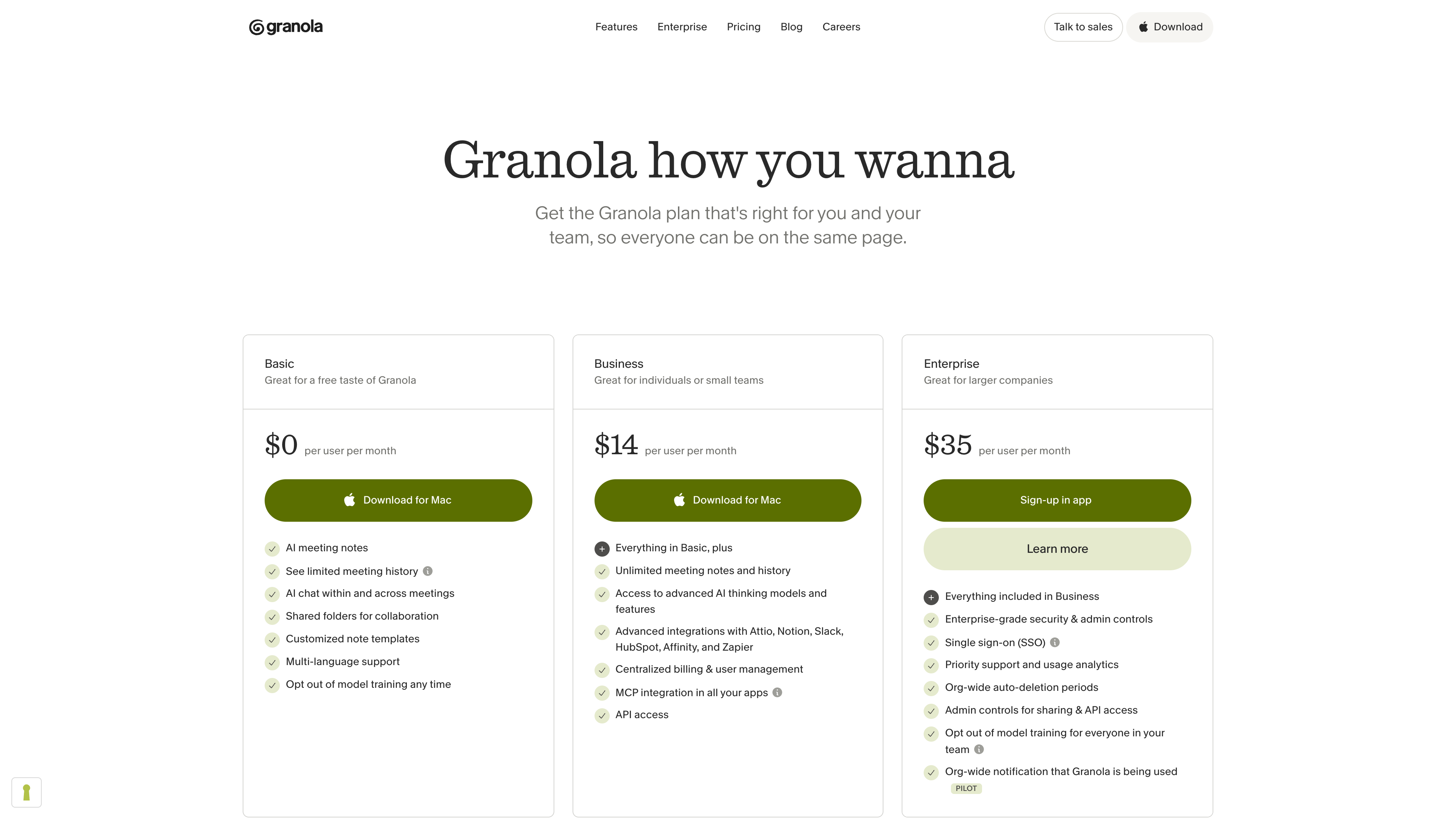
As of 2026-09-17, the pricing page and subscription docs list three tiers, billed per workspace and per active seat via Stripe:
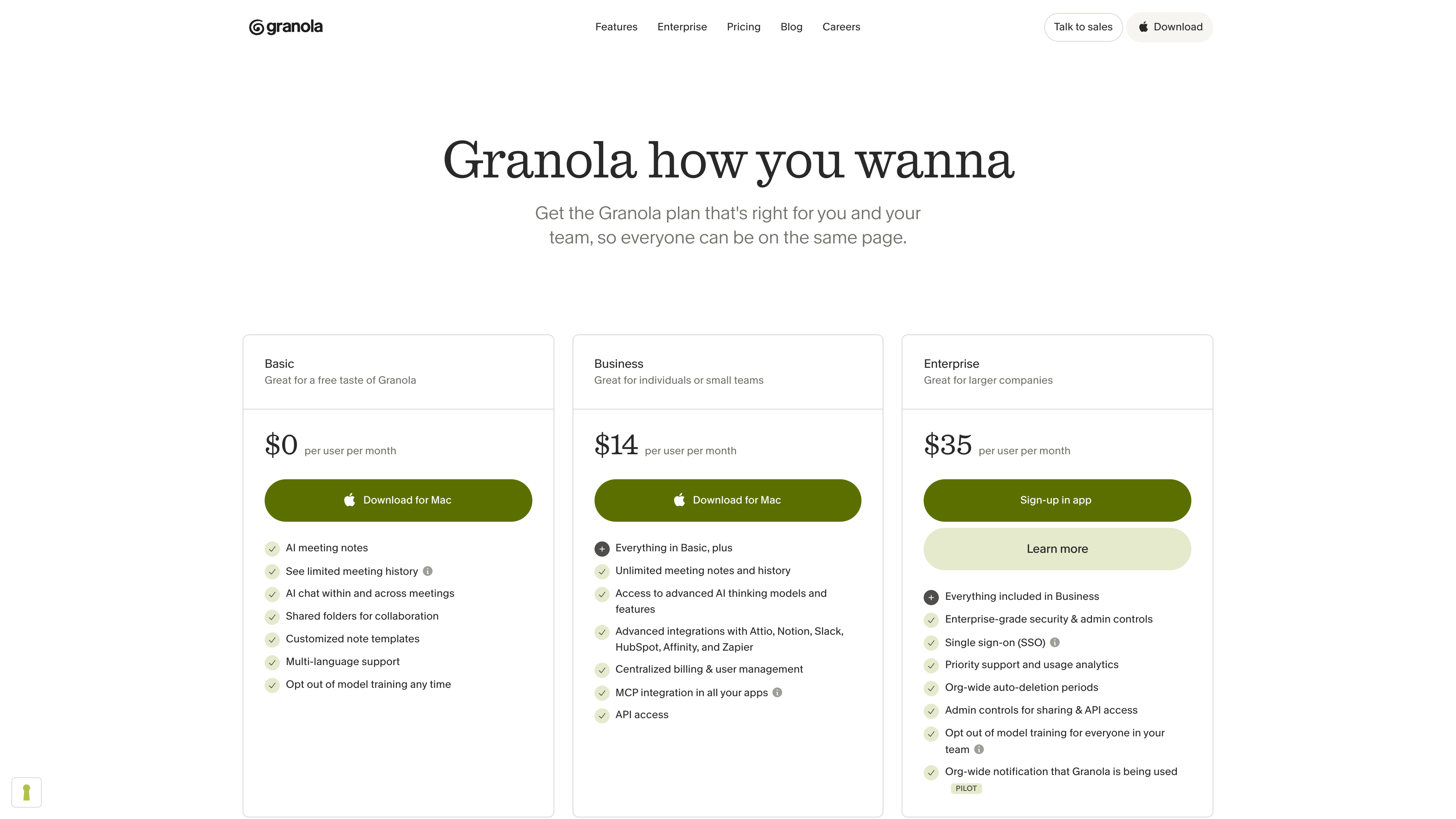
| Plan | Price | Key differences |
|---|---|---|
| Basic | $0 | In-app note history limited to the last 30 days (older notes are kept, visible after upgrading, or exportable via CSV); Slack-only integrations; auto model selection in Chat; model-training opt-out available |
| Business | $14/user/month | Unlimited history; advanced models with manual selection; Attio, Notion, HubSpot and other integrations; centralized billing; MCP and personal API; monthly billing |
| Enterprise | from $35/user/month | SSO, SCIM, admin controls, org-wide auto-deletion and scheduled transcript deletion, org-wide training opt-out by default, enterprise API, usage analytics; annual billing available |
The mobile apps (iOS, Android, Apple Watch) are free to use without a paid subscription, and accepted startups and students get 12 months of Business free.
Who it's for
- Individuals with heavy meeting loads: founders, investors, PMs, recruiters, and salespeople can cover basic needs on the free tier.
- Meetings where a bot would be awkward: external client calls, interviews, board meetings — but you handle disclosure and consent yourself.
- In-person meetings: the phone apps are designed for face-to-face conversations, and the Apple Watch app can start a note from your wrist.
- Team knowledge bases: Spaces plus Chat turn scattered personal notes into meeting memory the whole team can query.
- AI workflows: pipe meeting context into Claude, ChatGPT, and other tools via the API, MCP, or official connectors.
Limitations
- No audio, immutable transcripts: nothing to replay, so AI mistakes can only be checked against the text transcript; not suitable where an original recording is needed as evidence.
- Manual start required: no auto-recording; forgetting to stop between back-to-back calls can merge them into one transcript, and auto-end detection on macOS requires admin rights on the machine.
- Client-dependent: the web app cannot capture anything — a desktop or mobile app is required — and uploading pre-recorded audio for transcription is not supported.
- Free tier's history cap: Basic only shows the last 30 days of notes in the app, so long-term use effectively means paying.
- English-only UI: transcription covers 31 languages including Chinese, but the app interface and documentation are English only.
- No self-hosting or bring-your-own-model: data is stored in US AWS, and transcription/summarization models are chosen by Granola — enterprises cannot substitute their own.
Alternatives
- Otter.ai: the veteran AI meeting assistant; it works by sending a bot into calls, a direct contrast to Granola's bot-free approach.
- Fireflies.ai: bot-based transcription and summaries with a broad integration ecosystem.
- Fathom: bot-based AI notetaker with a generous free personal plan.
- Read AI: bot-based meeting summaries expanding into enterprise "meeting intelligence," a similar enterprise trajectory to Granola's.
Sources
- Granola homepage (checked 2026-09-17)
- Granola Pricing (checked 2026-09-17)
- Security at Granola (checked 2026-09-17)
- Privacy Policy - Granola (checked 2026-09-17)
- Granola raises $125M to put your company's context to work - Granola Blog (checked 2026-09-17)
- Granola raises $20M to build the AI notepad that makes you smarter - Granola Blog (checked 2026-09-17)
- How transcription works - Granola Help Center (checked 2026-09-17)
- Multi-language support - Granola Help Center (checked 2026-09-17)
- Subscriptions and billing - Granola Help Center (checked 2026-09-17)
- Models & training - Granola Help Center (checked 2026-09-17)
- Let People Know You're Using Granola - Granola Help Center (checked 2026-09-17)
- Granola debuts an AI notepad for meetings - TechCrunch (checked 2026-09-17)
- Granola raises 1.5B valuation as it expands from meeting notetaker to enterprise AI app - TechCrunch (checked 2026-09-17)
- AI notetaking app Granola raises 250M valuation - TechCrunch (via Yahoo Finance) (checked 2026-09-17)