Dia (diabrowser.com) is a desktop browser from The Browser Company of New York, built on Chromium with AI as the core layer rather than an add-on. The address bar routes what you type to a website, a search engine, or an AI chat, and the AI can treat your open tabs — plus authorized work tools like your calendar, inbox, Slack, and Notion — as context for its answers. The problem it targets is the fragmentation of knowledge work: schedules, email, documents, and discussions live in separate SaaS tools, and the browser is the one place they all meet. Compared with a regular browser plus an AI extension, the verifiable difference is that Dia ships finished workflows for the workday — a Morning Brief, cross-tool Reports, Deck generation, and meeting prep. And compared with other AI browsers, it has been part of Atlassian since October 2025, with a stated focus on becoming "the browser for knowledge work." The trade-offs are equally concrete: it currently runs only on Apple Silicon Macs, and nearly all AI capability sits behind paid plans.
At a Glance
- URL: https://www.diabrowser.com
- Type: AI-native desktop browser (Chromium-based), aimed at knowledge work
- Pricing: Better Browser free tier (no AI features); Better Answers at 100/month; 14-day free trial for new users, no credit card required. As of 2026-09-16, see the official plans page
- Sign-up: AI features require signing in through an Atlassian account; the Terms of Use (effective 2026-08-17) require users to be 18 or older
- Platforms: macOS 14 or later on Apple Silicon (M1 or newer). The Windows page says "coming this fall" with a beta waitlist only (official Windows page, unreleased as of 2026-09-16); no iOS or Android version
- Interface language: English only, with no language options observed
Background
The Browser Company was founded in New York in 2019 by Josh Miller and Hursh Agrawal, and previously built Arc, the 2023 browser known for its interface experiments (Atlassian's acquisition announcement). Dia's timeline:
- December 2, 2024: Dia is first revealed as an AI-first browser (The Verge).
- June 2025: Invite-only beta begins (The Verge).
- August 2025: A $20/month Dia Pro subscription launches (The Verge).
- September 4, 2025: Atlassian announces an agreement to acquire The Browser Company for approximately $610 million in cash (Atlassian's official blog). The company says it will operate independently with Dia as its focus, while Arc and Arc Search continue to exist (official Substack post).
- October 9, 2025: Dia drops the invite requirement and opens to all Mac users (The Verge); the acquisition closes on October 21 (Business Wire press release).
- August 17, 2026: The current Free / 100 plan structure takes effect (plans page FAQ).
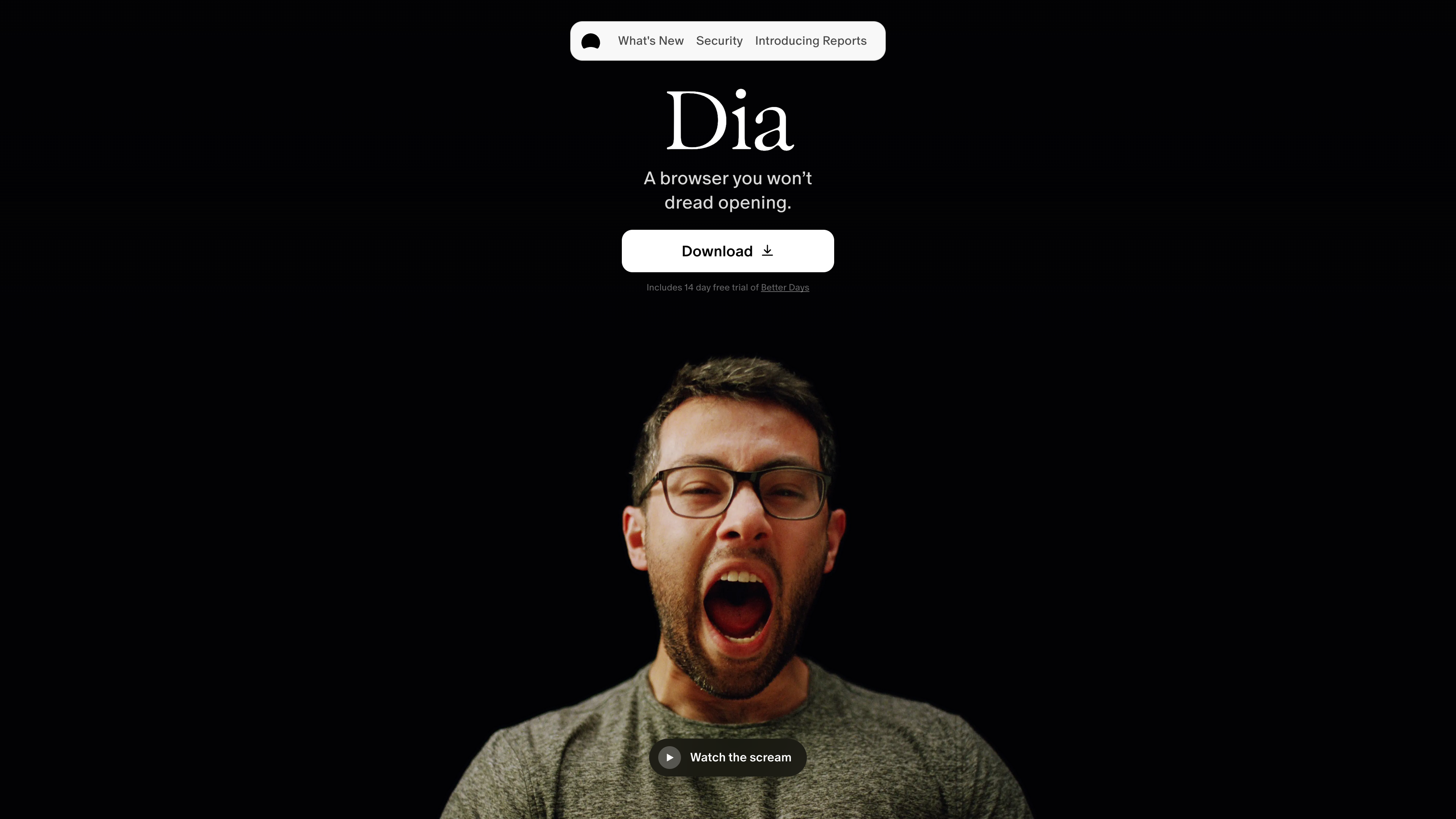
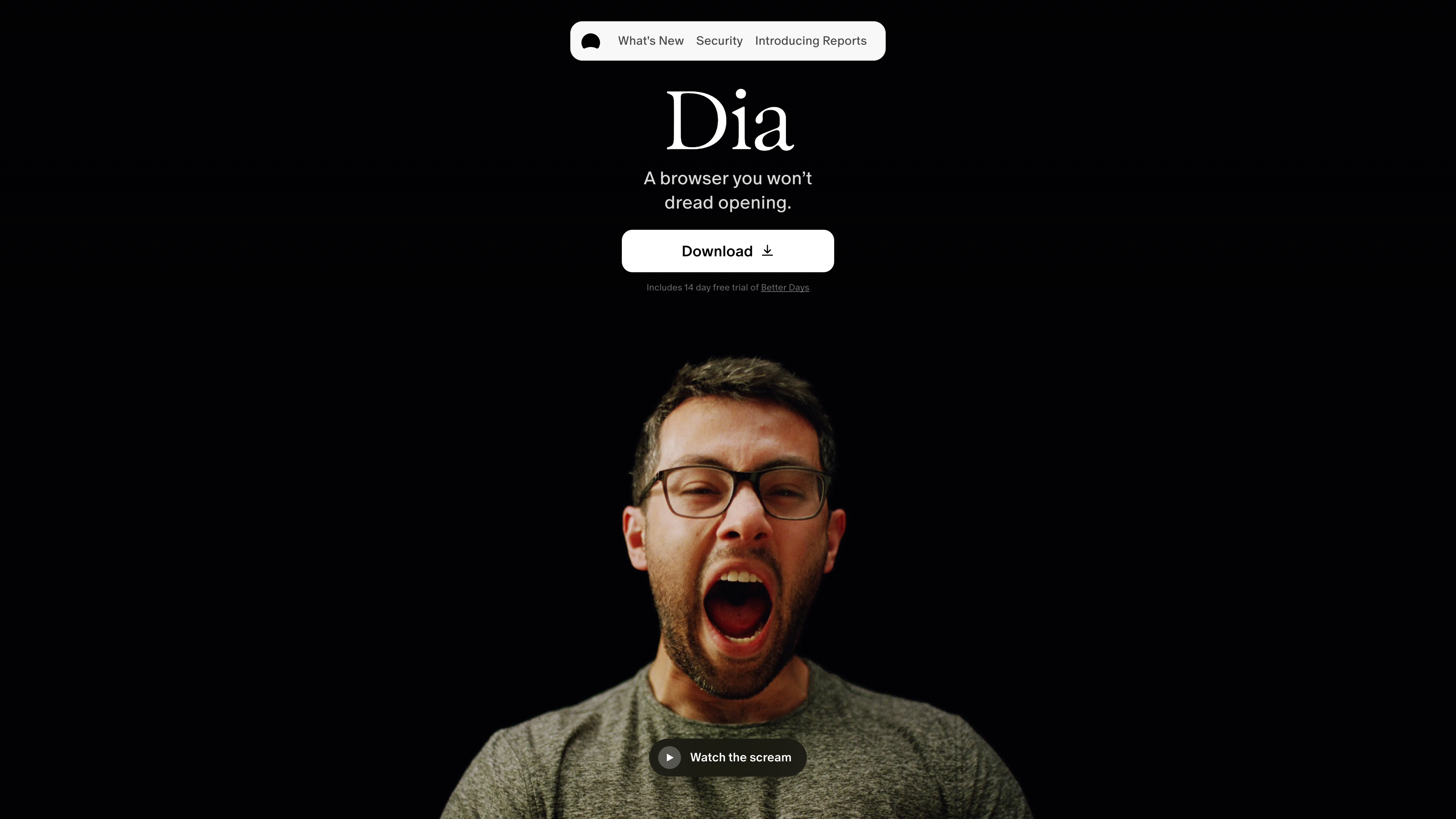
Below is the homepage. The tagline "A browser you won't dread opening" states the workday positioning directly, and the download button comes with a 14-day free trial:
Core Capabilities: AI at Every Step of Browsing
Chat, tabs, and context. Dia's address bar (the Command Bar) routes input to a site, a search engine, or an AI chat. You can ask questions on any page and @-mention any open tab as context; highlighting a paragraph, chart, or video timestamp lets you ask about exactly that selection. Split View shows up to three tabs side by side so the AI can connect the dots across them. A Memory feature retains context across sessions for "where did I read that" follow-ups (official students page).
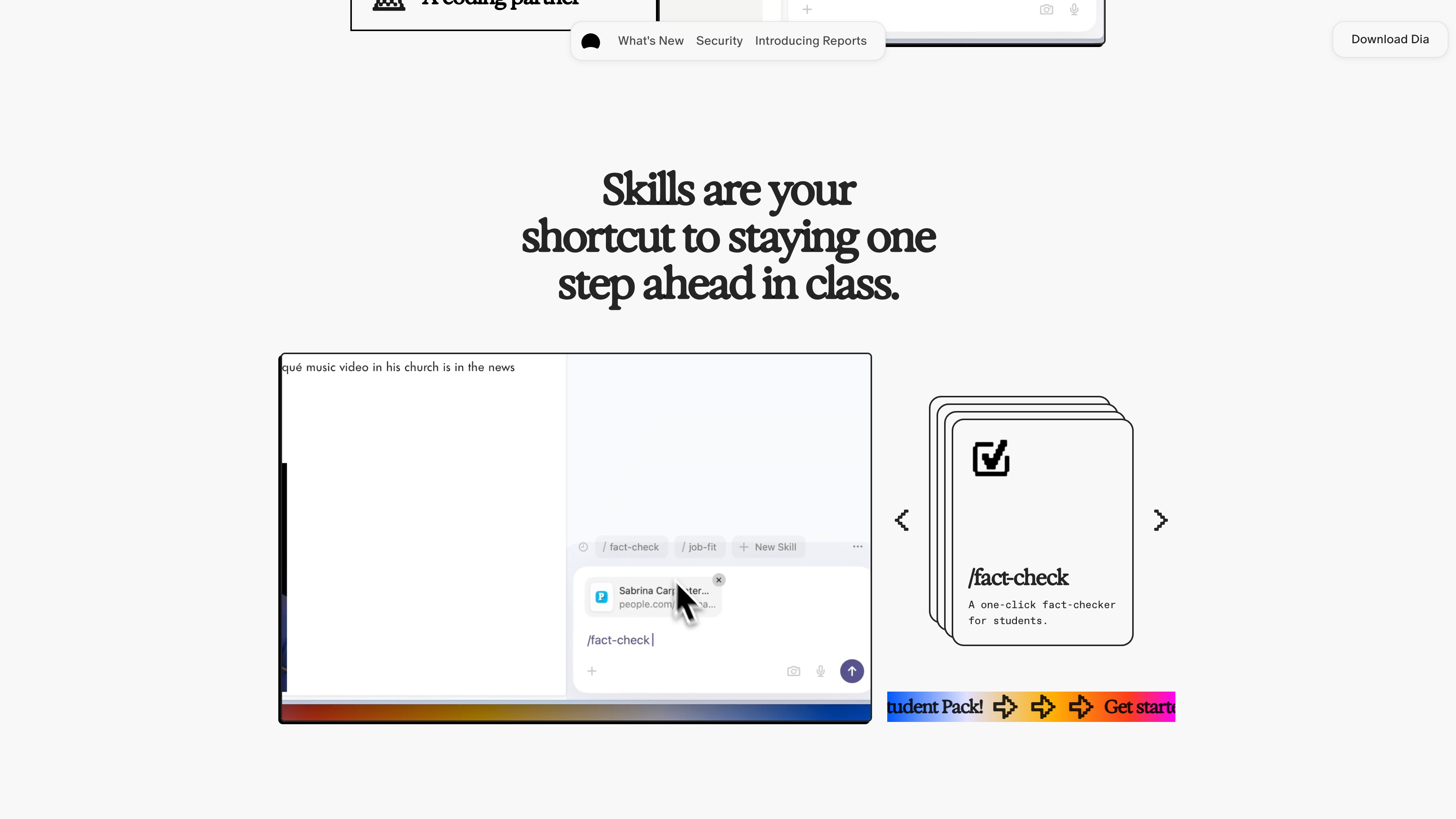
Skills: reusable prompt shortcuts. Skills are prompt templates written in plain language and invoked with slash commands. Official examples include /fact-check for one-click fact-checking, /job-fit for matching a resume against a job post, /cite for formatting citations, and /flashcards for study cards. Users can create their own (New Skill), and a Skills Lab Discord community shares them (official students page).
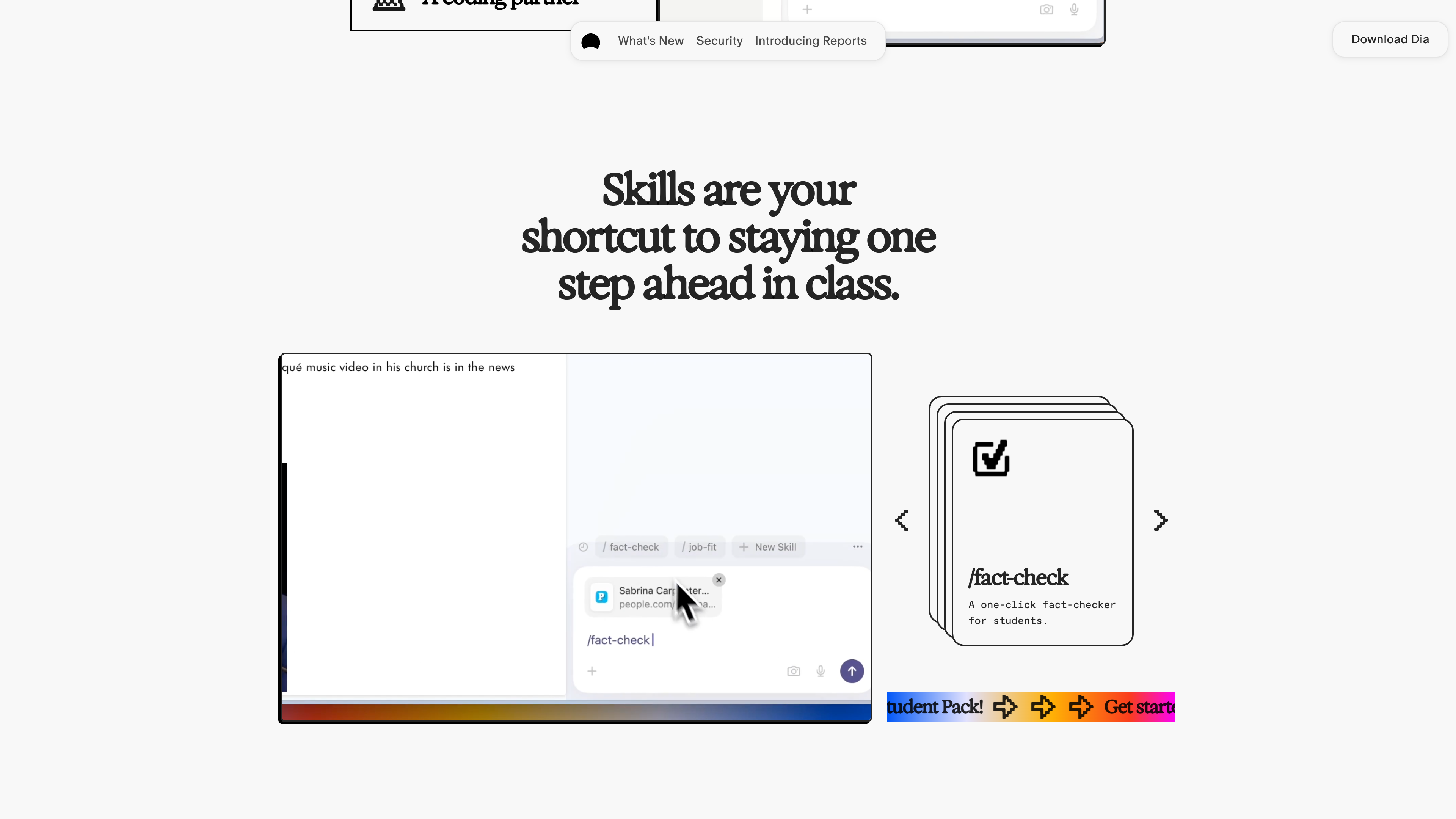
The screenshot above shows how Skills are invoked: type a slash in the chat box or click a skill card to run it.
Ready-made workflows for the workday. The paid plans revolve around a set of out-of-the-box flows (homepage): Morning Brief lays out your calendar, inbox, and key links before the day starts; Reports gathers information scattered across Slack, Notion, Calendar, and other tools into a shareable document; Decks turns that context into slides with headers and layout; Better Meetings opens the meeting page, agenda, notes, and related docs before each call with a countdown; Live Work pulls in-progress work like GitHub PRs and Notion docs directly into the tab bar.
Tool connections. As of 2026-09-16, Dia connects to Google Workspace (Gmail, Calendar), Slack, Notion, GitHub, Linear, and — added in September 2026 — Microsoft Outlook, SharePoint, and Teams, plus Slack voice-note transcripts (official changelog v1.48.0, Release Notes No. 41).
Browser fundamentals. Dia blocks ads and trackers by default. Profiles separate work, freelance, and personal life — tabs, logins, and AI context included — with a swipe to switch. Other basics include auto-grouped and auto-named tabs (Organized Tabs), Focus Mode (⌘S hides all tabs), domain-wide tab muting, picture-in-picture, and end-to-end encrypted cross-device sync (homepage, changelog).
Pricing and Accounts
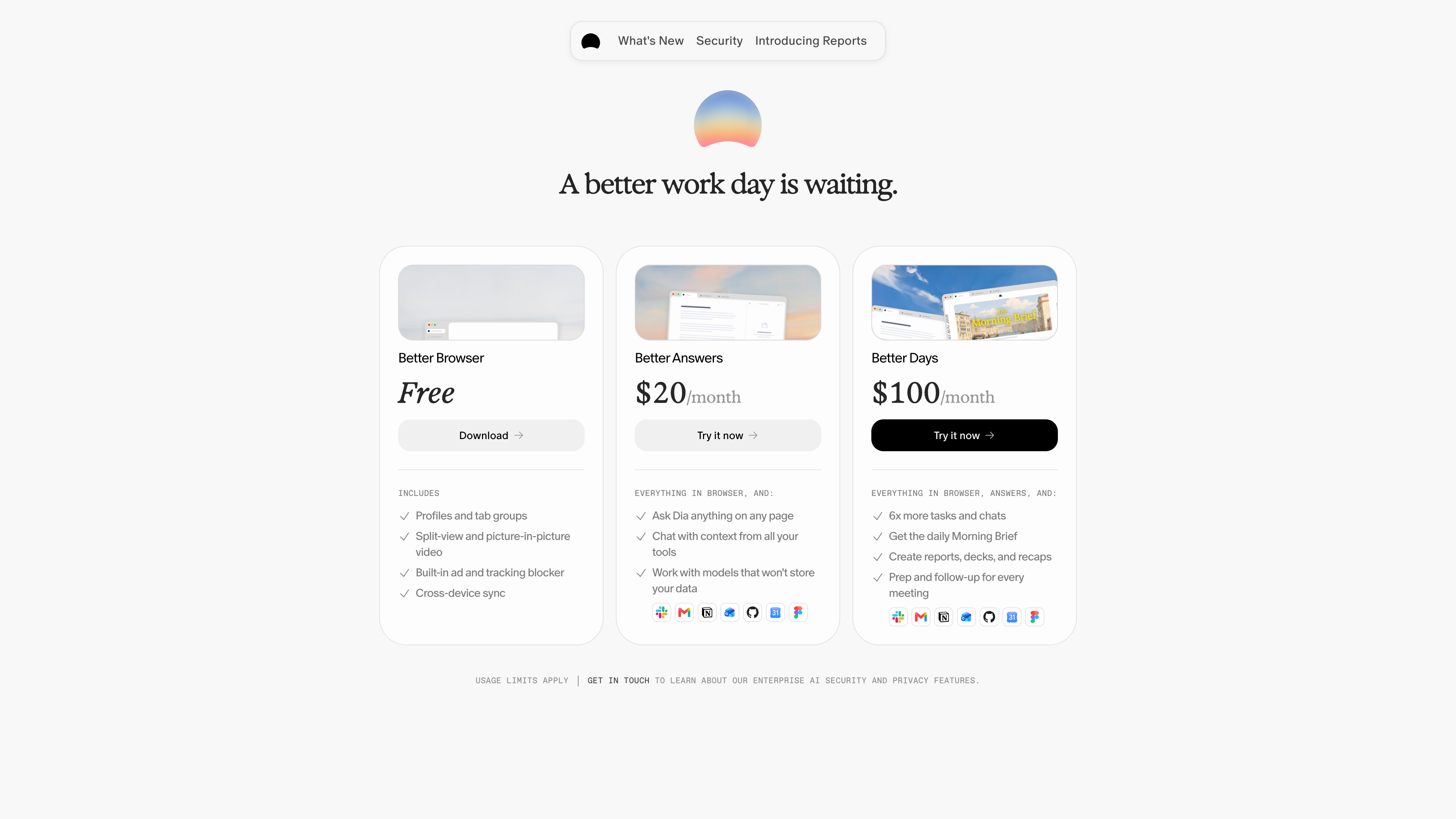
Below is the official plans page as of 2026-09-16:
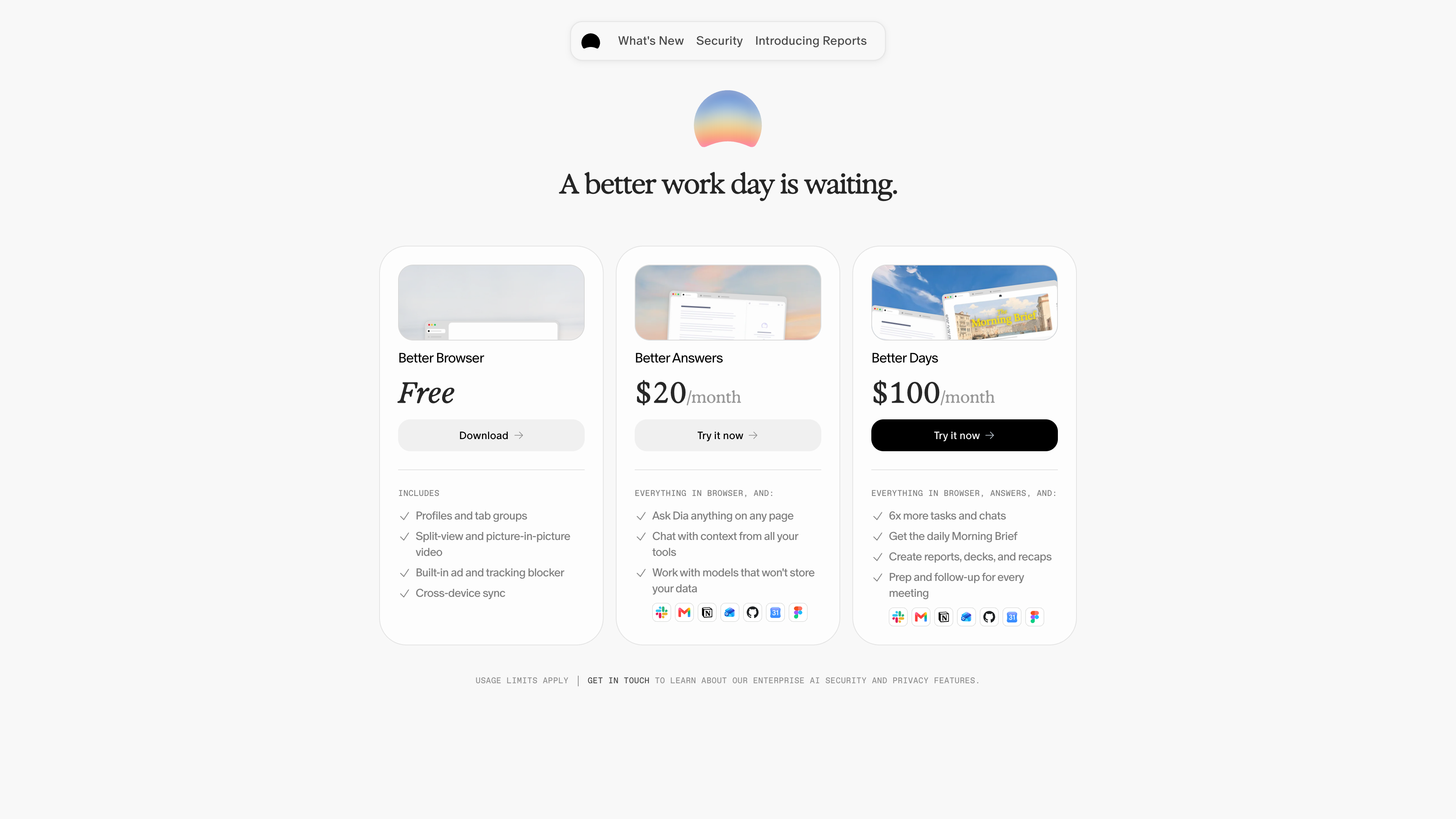
How the three tiers differ (official plans page):
- Better Browser (Free): No AI features. Keeps Profiles and tab groups, Split View and picture-in-picture, the built-in ad and tracker blocker, and cross-device sync — effectively a clean, conventional browser.
- Better Answers ($20/month): Ask Dia anything on any page, chat with context from all your tools, and — as the official copy puts it — "work with models that won't store your data."
- Better Days ($100/month): Six times the usage of Answers, plus the daily Morning Brief, report/deck/recap generation, and prep and follow-up for every meeting.
Billing details worth knowing: AI usage is measured in Tasks (a simple request may use a fraction of one), the monthly allowance does not roll over, and extra usage comes in $20 credit blocks (auto-reload or one-time top-up, valid for three months from purchase). New users get a 14-day Better Days trial with no credit card; if you don't subscribe afterward, AI features pause and the browser itself keeps working for free. The plan structure began rolling out to most new Mac users on August 17, 2026; existing users keep what they have for now, with at least 30 days' notice by email before changes apply. There is no student discount yet (students page FAQ). Billing runs through Stripe.
For accounts, Dia now signs in through Atlassian; work emails route through the organization's SSO. The enterprise offering, Dia for Work, adds SAML SSO (Google, Okta, Microsoft Entra ID, and more) and MDM controls — standard Chromium enterprise policies and Google Chrome Cloud Management, plus Dia-specific policies for AI controls and managed updates — including the ability to disable AI features on specific sites. It is sold via contact with sales (official Dia for Work page).
Privacy and Security
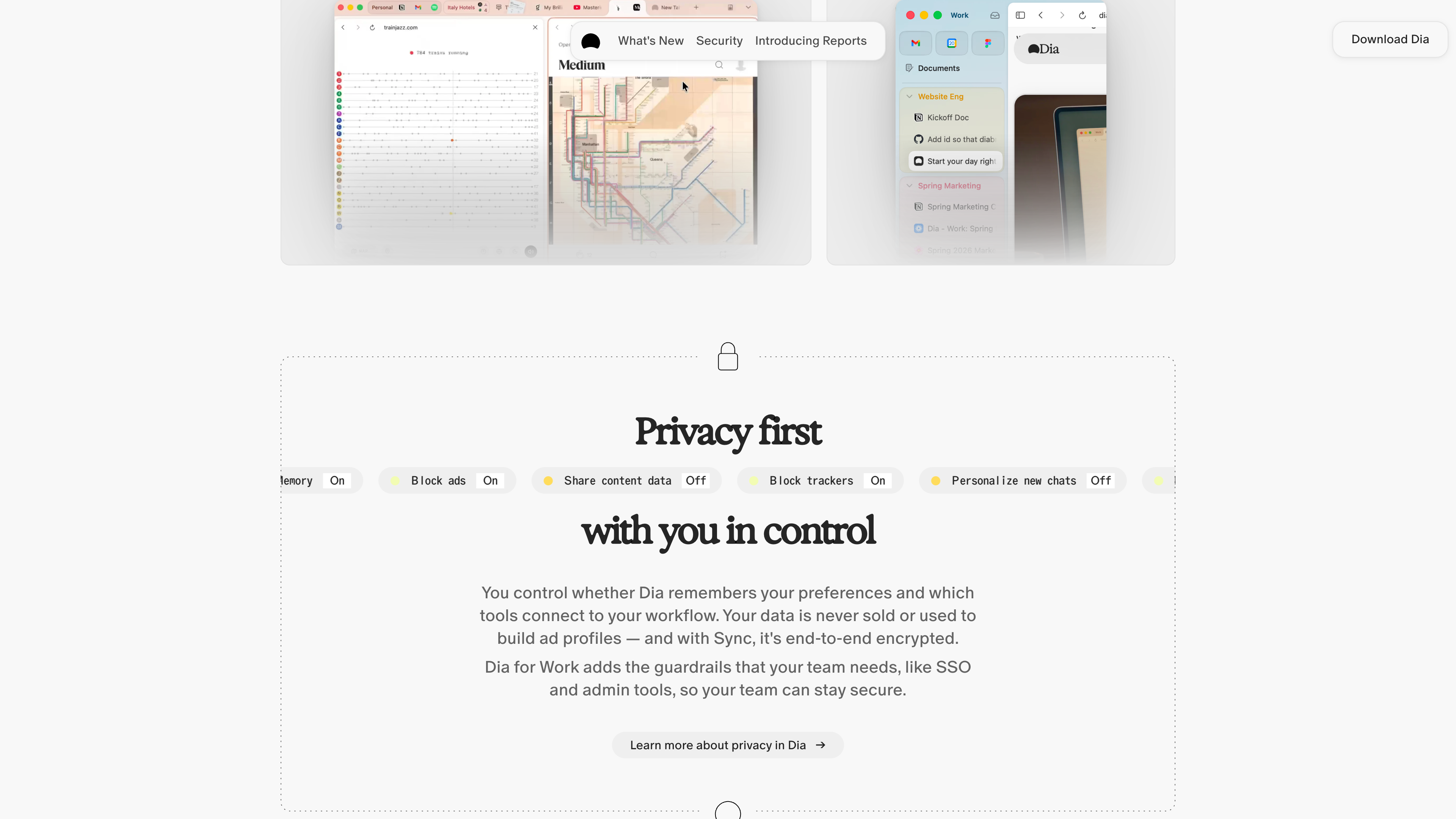
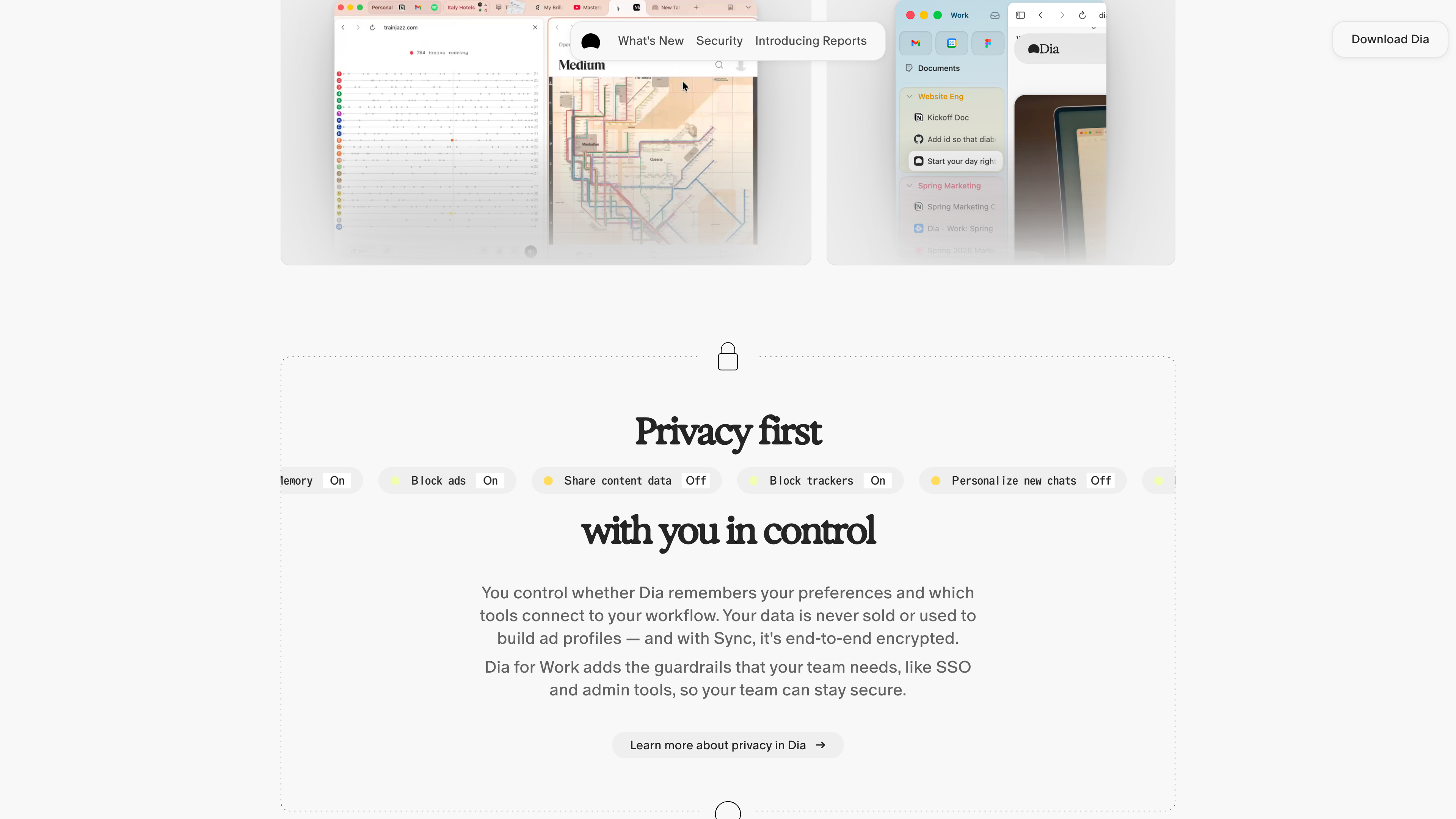
The screenshot above shows the privacy controls Dia advertises: blockers, Memory, personalization, and content-data sharing all come with toggles. Key commitments from the official security page and Privacy Policy (effective 2026-04-09):
- Local first: Conversations, history, bookmarks, and files are encrypted and stored on your device by default. Cross-device Sync is end-to-end encrypted so servers cannot read it, and both Memory and Sync can be disabled in Settings.
- Zero data retention with model providers: An AI request sends only what is needed (your question and relevant page context) through Dia's servers to its model partners — GPT (OpenAI Azure), Claude (Anthropic/Vertex/AWS), and Gemini (Vertex). Dia states that all partners are bound by zero-data-retention agreements: they may not retain your data or train on it.
- Product-improvement data is on by default, but optional: By default, Dia uses some content data to improve the product; this data is not tied to your account, is deleted after 30 days, and can be turned off in Settings → Privacy. Enterprises can disable it organization-wide.
- No data sale: Dia says it never sells personal data and does not build ad profiles from browsing data; ad blocking is on by default. Although built on Chromium, Dia disables Google account integration (GAIA), UMA metrics reporting, and other Google services.
- Compliance and audits: A SOC 2 Type II examination covering calendar year 2025 is complete (report issued in 2026; see trust.diabrowser.com). Independent security assessments run annually, and the bug bounty program is hosted on HackerOne.
Release Cadence and Ecosystem
Dia ships weekly: the official changelog shows v1.48.0 on September 9, 2026 as the latest entry, and the Release Notes are written as a weekly newsletter (issue No. 41 as of 2026-09-16). The Early Birds program lets you test new features a week before public release and file feedback.
Who It's For
- Knowledge workers whose day runs through the browser and SaaS tools: if you live in Gmail, Slack, Notion, GitHub, or Microsoft 365, cross-tool Q&A, the Morning Brief, and meeting prep are exactly the scenarios Dia invests in most.
- People who want to compress "gather → synthesize → produce" into one place: research reports, decks, and to-do lists can be generated from the tabs you already have open and the tools you already use.
- Students and researchers: Skills like
/citeand/flashcardstarget study workflows (though there is no student discount yet, and the terms require users to be 18+). - Teams with compliance requirements: organizations that need SSO, MDM, zero data retention, and SOC 2 coverage can evaluate Dia for Work.
Limitations
- Narrow platform coverage: macOS 14+ on Apple Silicon only. Intel Macs, Windows (officially "coming this fall," still waitlist-only as of 2026-09-16), Linux, and mobile are all absent, so a cross-device workflow is out of reach.
- No AI on the free tier: AI is Dia's entire pitch, yet the free plan includes none of it. At 100/month at the top, pricing is steep for the browser category; the Task-based metering is opaque, and heavy use can require additional $20 credit blocks.
- Value depends on your tool stack: cross-tool context only works with connected services. If your workflow lives outside Google, Slack, Notion, GitHub, Linear, and Microsoft, Dia's core advantage shrinks considerably.
- Language and age gates: the interface and documentation are English-only (observed), and the terms require users to be 18 or older — awkward for a product that maintains a students page.
- Improvement-data sharing is opt-out: content-data sharing for product improvement is on by default (anonymized, deleted after 30 days); privacy-conscious users must turn it off manually.
- Website reachability: during this review (2026-09-16), direct connections to diabrowser.com were redirected in some regions and required a proxy. The browser itself was not tested for region-specific behavior; treat this as an observation about the website, not the product.
Alternatives Worth Knowing
- Arc: Dia's predecessor from the same team, known for tab management and interface ideas. The company's open letter to Arc members (May 2025) explains the shift to Dia; Arc remains available but is no longer the focus.
- Perplexity Comet: Perplexity's AI browser, built on its answer engine with a "search as conversation" approach.
- ChatGPT Atlas: OpenAI's AI browser, announced October 21, 2025 with a macOS debut — entering the same race as Dia almost simultaneously.
References
- Dia homepage (checked 2026-09-16)
- Dia plans and pricing FAQ (checked 2026-09-16)
- Dia for Students (checked 2026-09-16)
- Dia for Work (checked 2026-09-16)
- Dia security overview (checked 2026-09-16)
- Dia Privacy Policy (effective 2026-04-09) (checked 2026-09-16)
- Dia Terms of Use (effective 2026-08-17) (checked 2026-09-16)
- Dia for Windows (checked 2026-09-16)
- Dia Changelog (checked 2026-09-16)
- Dia Release Notes (checked 2026-09-16)
- Atlassian: Welcoming The Browser Company to Atlassian (2025-09-04, checked 2026-09-16)
- The Browser Company on Substack: Your Tuesday in 2030 (2025-09-04, checked 2026-09-16)
- The Verge: The company behind Arc is building a new AI web browser called Dia (2024-12-02, checked 2026-09-16)
- The Verge: The Browser Company's AI browser now has a $20 subscription (2025-08-07, checked 2026-09-16)
- The Verge: The Browser Company's Dia is now available on Mac, no invite needed (2025-10-09, checked 2026-09-16)
- Business Wire: Atlassian Completes Acquisition of The Browser Company of New York (2025-10-21, checked 2026-09-16)