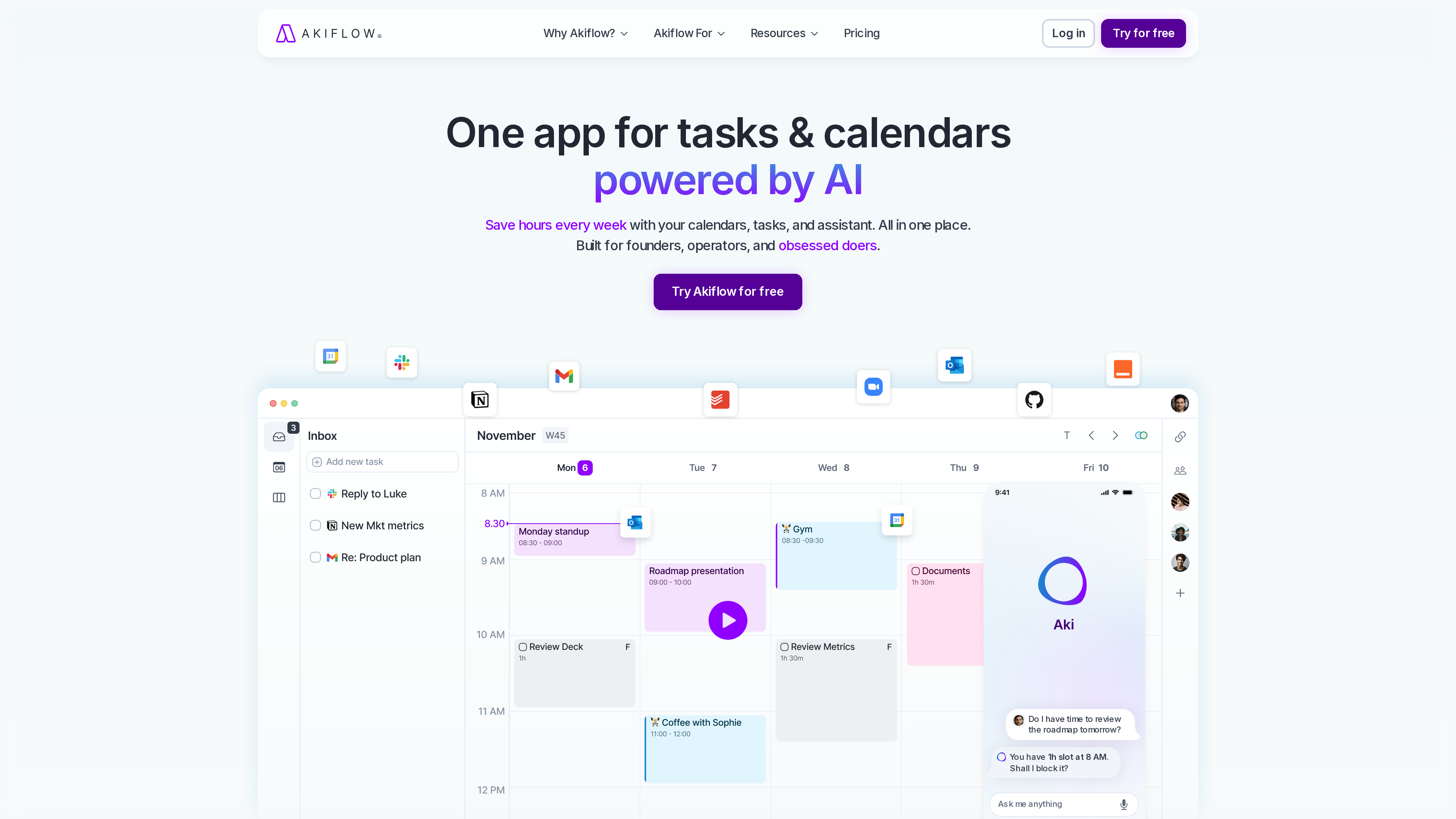
Akiflow (akiflow.com) is a personal planning tool that unifies tasks and calendars: it pulls to-dos scattered across Gmail, Slack, Notion, Todoist and similar apps into a single inbox, then lets you drag them onto your calendar as time blocks, with a built-in AI assistant named Aki helping with scheduling and reminders. The company positions it as "one app for tasks & calendars powered by AI," aimed at founders, operators and heavy doers (homepage, checked 2026-10-01).
What sets it apart from a plain to-do list is the core action: assigning every task a concrete slot on your calendar. That makes it a good fit for people who practice time blocking — at the cost of having no free plan and pricing well above ordinary to-do apps.
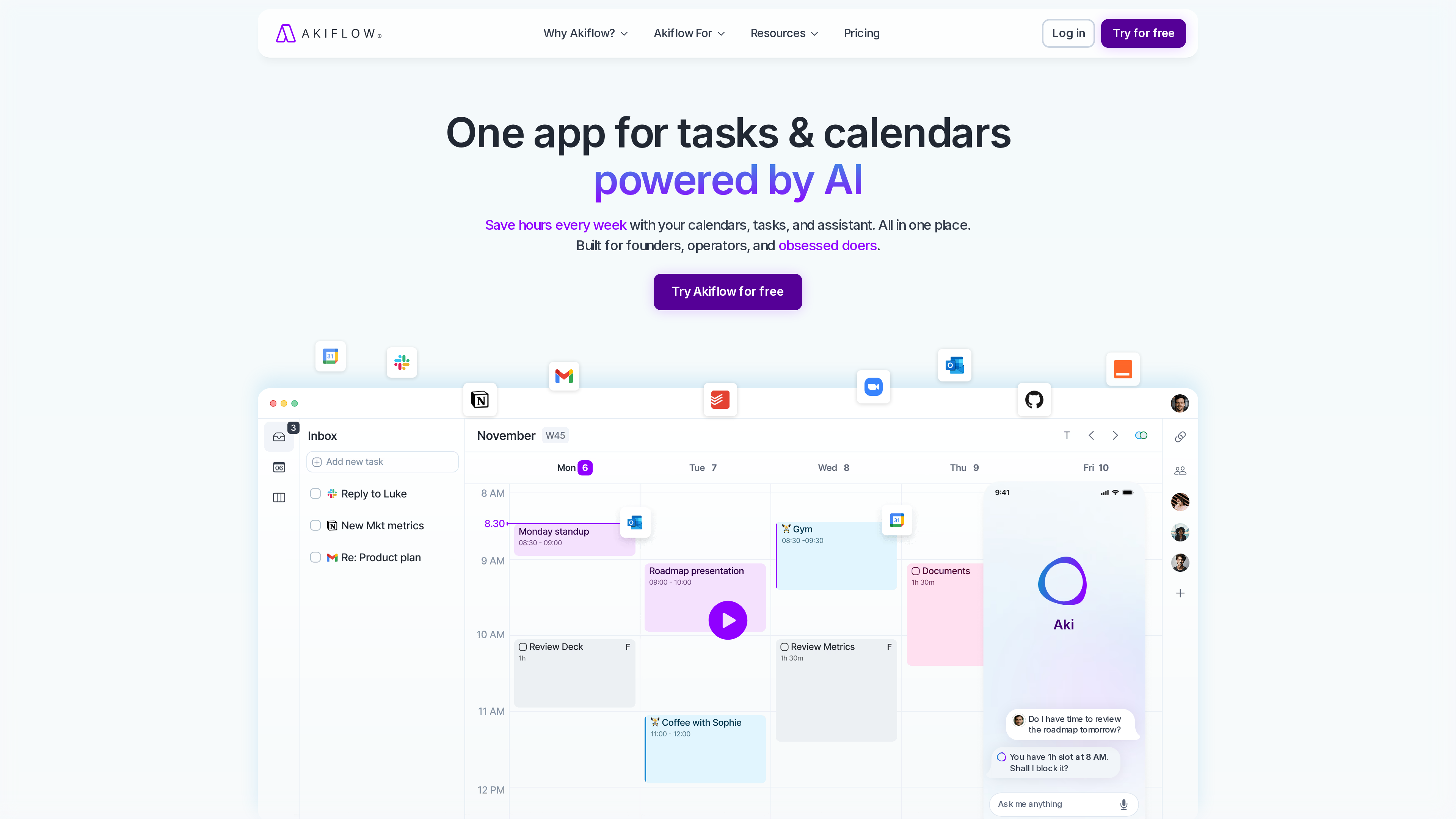
The homepage screenshot above (2026-10-01) shows the product demo: a task inbox on the left (with tasks pulled from Notion and Gmail), a week-view calendar with time blocks in the middle, and a phone-style panel on the right showing conversational scheduling with the Aki assistant.
At a Glance
| Item | Details |
|---|---|
| URL | https://akiflow.com/ |
| Type | Task-and-calendar planning tool (SaaS, desktop-first) |
| Cost | No free plan; 7-day full-access trial (card required); Pro 19/month billed yearly (pricing, as of 2026-10-01) |
| Sign-up | Account required; trial requires a credit card |
| Interface language | English (no official localized versions observed as of 2026-10-01) |
| Clients | macOS and Windows desktop apps; web version (computer/tablet browsers); iOS and Android companion apps (officially require the desktop app first) |
| Launched | Founded 2020; Y Combinator Summer 2020 batch (YC company page) |
Background
- Founders: Akiflow was founded in 2020 by three Italian entrepreneurs — Nunzio Martinello (CEO), Sebastiano Favaro and Nicola Possagnolo — and joined Y Combinator's Summer 2020 batch, the accelerator's first fully remote cohort. YC lists the team at around 18 people (YC company page, Startupbusiness coverage).
- Funding: a $1.8M seed round in 2021 (Startupbusiness, official blog).
- Origins: the site footer has long carried "Designed in Italy"; the three founders previously co-founded the digital marketing company Noonic (Startupbusiness).
Key Features
- Unified task inbox: more than ten native integrations pull external tasks into Akiflow — homepage icons include Google Calendar, Slack, Gmail, Notion, Todoist, Zoom, Outlook and GitHub — plus thousands more apps via Zapier and IFTTT (homepage).
- Time blocking: drag a task from the inbox onto the calendar to reserve time for it; tasks and meetings sit side by side in the week view, which is Akiflow's core interaction.
- Natural-language capture: add tasks from anywhere in natural language (e.g. "call Theodore tomorrow at 4pm") — "capture tasks at the speed of thought" (homepage).
- Aki AI assistant: a conversational assistant that creates events for you, answers questions like "do I have time to review the roadmap tomorrow?" and proactively suggests blocking free slots; Aki and the Akiflow MCP Connector are both included in Pro (pricing).
- MCP Connector: a hosted MCP connector that lets AI tools such as Claude read and write your Akiflow tasks and schedule — "plan directly from your AI tools" (download page).
- AI Meeting Assistant (add-on): meeting recording, transcripts, summaries and action items for an extra $19/month (pricing).
- Automation details: recurring tasks on autopilot, auto-scheduling with user control, and a free 1:1 onboarding call included with Pro (download page, pricing).
Pricing (as of 2026-10-01)
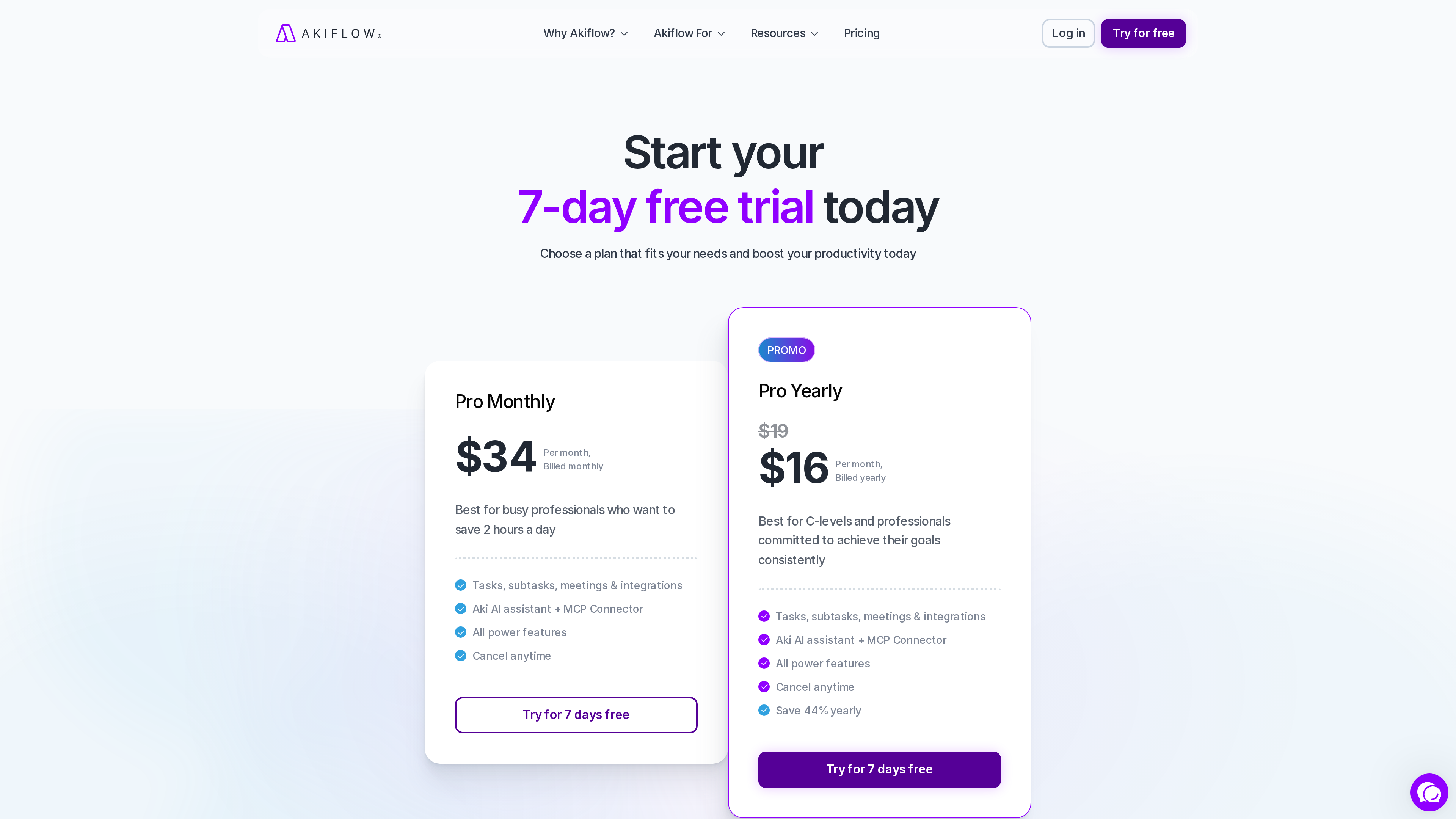
Prices below come from the pricing page and its FAQ. At screenshot time the page ran a limited-time 15%-off banner (yearly effectively $16/month); standard FAQ prices are recorded here:
| Plan | Price | Notes |
|---|---|---|
| Pro Monthly | $34/month | Tasks, subtasks, meetings & integrations; Aki AI assistant + MCP Connector; all power features; cancel anytime |
| Pro Yearly | 228 once a year) | Same as monthly, 44% cheaper |
| Believer | 14.90/month) or $699 for five years | Long-term commitment pricing for the same Pro plan |
| AI Meeting Assistant | +$19/month | Optional add-on: recording, transcripts, summaries, action items |
| Student discount | 40% off Pro Yearly for life | University students and researchers verified via academic email; Believer discounts via support@akiflow.com |
Also note: Akiflow has no free plan — the 7-day trial requires a card and converts to a paid subscription unless cancelled. Local purchasing-power pricing applies in selected countries, and team pricing is handled by sales (pricing FAQ).
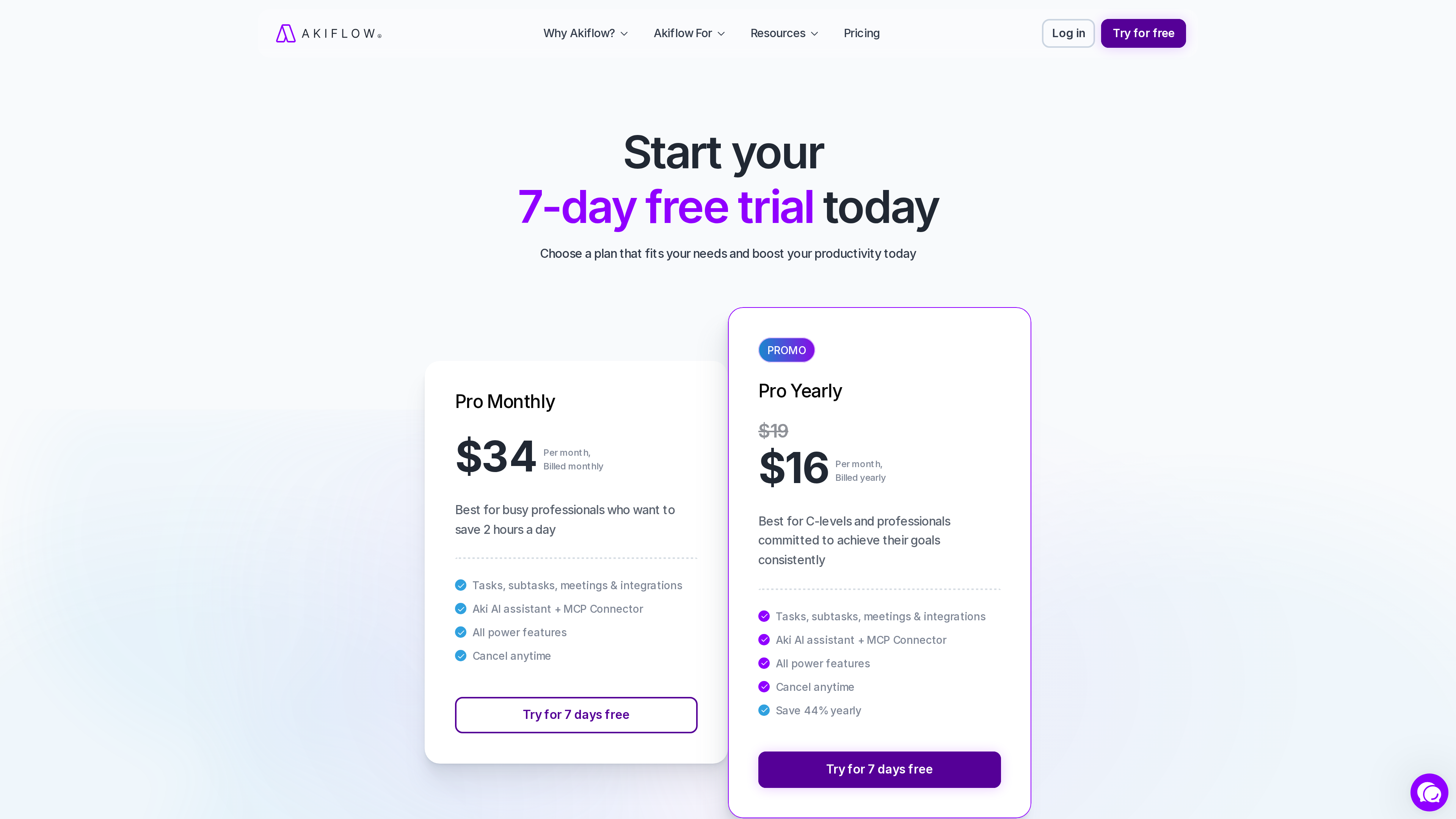
The pricing page screenshot above (2026-10-01) shows the monthly plan at 19 struck through in favor of $16/month; both tiers include the Aki AI assistant and MCP Connector.
Who It's For
- Knowledge workers whose tasks are scattered across email, chat and project tools, and who want to consolidate them before scheduling.
- Founders, managers and heavy doers who practice time blocking and want a "tasks as calendar events" view.
- Users already working with AI tools like Claude who want to plug their schedule and tasks into AI workflows via the MCP Connector.
Limitations
- No free plan: the 7-day trial requires a card and auto-converts, making it more expensive to evaluate than free alternatives.
- Premium pricing: $34/month on monthly billing is well above to-do apps like Todoist; best suited to heavy users who will pay for the integrated experience.
- Mobile is a companion: the official docs ask you to install the desktop app first, so the mobile experience is incomplete for phone-only users.
- English-only interface: a language barrier for non-English users (observed as of 2026-10-01).
- The AI assistant processes your tasks and schedule; privacy-conscious users should review the privacy policy before connecting integrations.